
When buying a desktop CO2 laser cutter, you might focus too much on price and ignore important safety features or specifications that match your project needs. Overlooking maintenance requirements and support can lead to costly repairs or safety hazards down the line. Many also underestimate the importance of safety measures, easy upkeep, and warranty coverage, risking downtime and dissatisfaction. Keep these mistakes in mind, and you’ll be better prepared for choosing the right machine — there’s more to discover ahead.

Prime made for students and young adults
- Fast, free delivery for dorm and study essentials
- Prime Video and Amazon Music included
- Member-only deals
Key Takeaways
- Prioritizing price over quality can lead to inadequate safety features and poor performance.
- Overlooking essential safety measures like enclosures and ventilation increases risk of hazards.
- Ignoring maintenance requirements may cause costly repairs and reduce machine lifespan.
- Skimping on support and warranty options can result in costly downtime and troubleshooting issues.
- Focusing solely on cost without assessing machine specifications and compatibility can cause project mismatches.
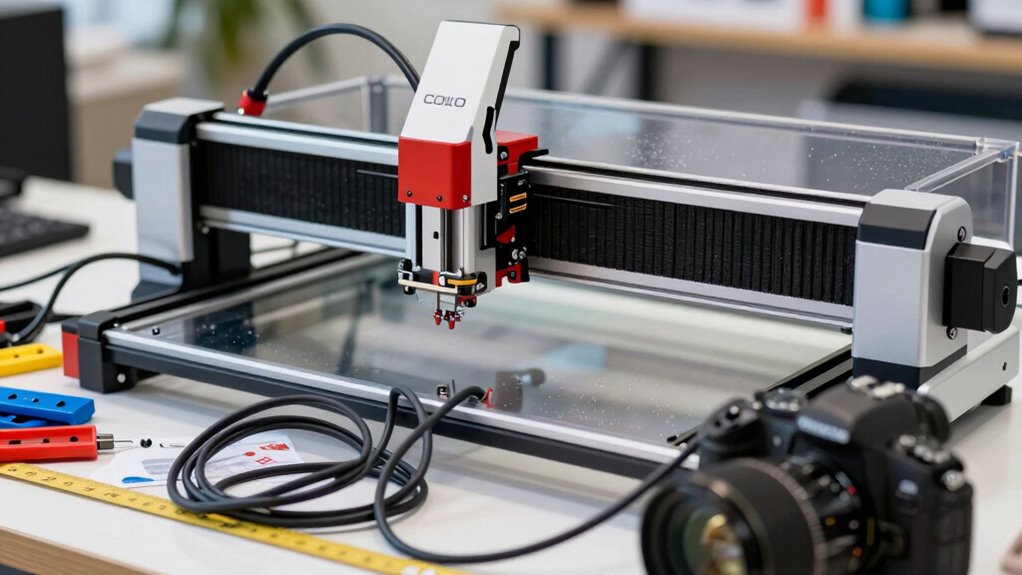
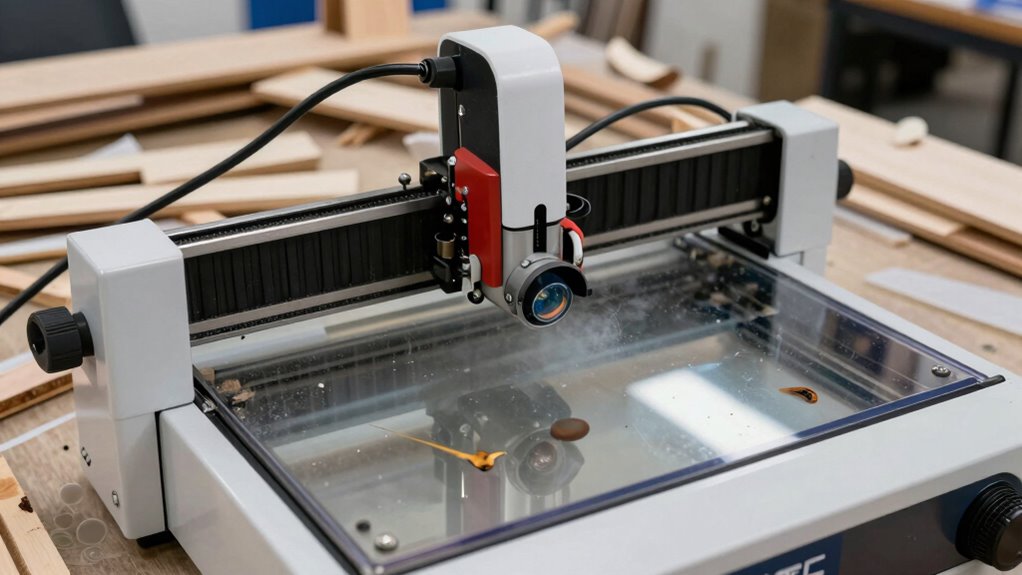
Purchasing a desktop CO2 laser cutter can be an exciting step, but it’s easy to make mistakes that could cost you time, money, or frustration. One common mistake is not thoroughly researching the machine’s specifications and capabilities before buying. You might be tempted to prioritize price over quality, but cutting corners here can lead to issues later. For example, lower-end models may lack essential features like proper laser safety measures, which are *imperative* for your protection and compliance with regulations. Failing to understand the machine’s power, bed size, or compatibility can result in purchasing a unit that doesn’t meet your project needs, leading to wasted investment and potential frustration down the line.
Another mistake is overlooking the importance of laser safety. When selecting a laser cutter, you need to pay close attention to safety features such as enclosures, interlocks, and proper ventilation systems. Neglecting these aspects can put you at risk of harmful laser exposure or fire hazards. Many beginners underestimate the importance of learning about laser safety protocols, which can have serious consequences. Make sure the machine comes with clear safety instructions and that you are prepared to implement them consistently. Proper training and understanding of laser safety aren’t just recommended; they’re *indispensable* for safe operation.
Maintenance tips are often ignored during the buying process, yet they’re *essential* for keeping your desktop CO2 laser cutter running smoothly. Failing to *appreciate* ease of maintenance can lead to costly repairs or downtime. Look for models that feature accessible laser tubes, adjustable mirrors, and straightforward cleaning procedures. Regular maintenance—such as cleaning lenses, checking alignment, and replacing worn parts—ensures consistent performance and prolongs your machine’s lifespan. Ignoring routine maintenance tips can cause your cutter to underperform or even damage the laser tube, which is one of the most expensive components to replace.
Finally, many buyers overlook the importance of ongoing support and warranties. A machine with *extensive* customer service and warranty coverage can save you headaches if issues arise. It’s tempting to focus solely on the initial purchase cost, but investing in a reputable brand with good support can prevent costly repairs and ensure you get the most out of your machine. By paying attention to laser safety, adhering to maintenance tips, and choosing a reliable supplier, you’ll set yourself up for success and avoid the common pitfalls that many new laser cutter owners face.
desktop CO2 laser cutter safety features
As an affiliate, we earn on qualifying purchases.
As an affiliate, we earn on qualifying purchases.
Frequently Asked Questions
How Do I Determine the Right Laser Power for My Projects?
To determine the right laser power for your projects, start with laser power calibration tests on your chosen material. Consider project material considerations like thickness and density, as these affect power needs. Begin with lower settings and gradually increase until you achieve clean cuts or engravings without burning or melting. Adjust based on results, ensuring you balance power for precision and material safety.
What Safety Features Should I Prioritize When Choosing a Laser Cutter?
When choosing a laser cutter, prioritize safety features like an emergency stop button, proper ventilation, and safety interlocks. Always use safety gear such as goggles and gloves to protect yourself. Make certain the machine has clear emergency protocols and alarms in place. These features help prevent accidents, shield you from fumes, and ensure quick response if something goes wrong. Safety should always come first to keep your workspace secure.
Are There Specific Materials Incompatible With Desktop CO2 Laser Cutters?
Certain materials are incompatible with desktop CO2 laser cutters due to material limitations and safety concerns. You should avoid cutting or engraving plastics like PVC and vinyl, which release toxic fumes. Also, materials like polycarbonate and certain foams can melt or catch fire. Always check your machine’s specifications and recommended materials, and avoid incompatible substrates to prevent damage, ensure safety, and get the best results.
How Important Is Software Compatibility for Laser Cutter Operation?
Think of software compatibility as the bridge connecting your ideas to reality. If your laser cutter’s software integration isn’t smooth, it’s like trying to drive a car with a broken steering wheel. A user interface that’s intuitive makes your workflow seamless, saving time and frustration. Ensuring your desktop CO2 laser cutter’s software matches your design tools guarantees precise cuts and easy operation, turning your creative sparks into shining masterpieces.
What Maintenance Routines Are Essential to Prolong the Lifespan of the Cutter?
You should perform regular cleaning cycles to remove dust and debris, keeping your laser cutter functioning smoothly. Make certain to check and replace air filtration systems frequently to prevent smoke buildup and maintain air quality. Consistently inspecting and maintaining these components prolongs the cutter’s lifespan, reduces downtime, and guarantees precise cuts. Establish a routine schedule for cleaning and filter replacement, so you get the most out of your desktop CO2 laser cutter.
As an affiliate, we earn on qualifying purchases.
Conclusion
Avoid falling into the trap of common buying mistakes with desktop CO2 laser cutters, and you’ll find yourself sailing smoothly through your projects. Remember, rushing your decision is like planting seeds in rocky soil—you’re unlikely to see the lush growth you desire. Take your time, do thorough research, and choose wisely. A well-informed purchase is your true key to revealing a world of creative possibilities—like opening a door to endless artistic adventures.
As an affiliate, we earn on qualifying purchases.
CO2 laser engraver ventilation system
As an affiliate, we earn on qualifying purchases.
As an affiliate, we earn on qualifying purchases.
Halloween Picks
halloween
As an affiliate, we earn on qualifying purchases.