When choosing a 24-inch pen display monitor, focus on color accuracy, build quality, and ergonomic features. Look for wide color gamut coverage, factory calibration, and regular calibration options to guarantee true-to-life colors. Prioritize a sturdy build with durable materials like aluminum, and adjustable stands for comfort during long work sessions. These core specs greatly impact your creative workflow. Keep exploring to discover which other features can help you make the best choice.
Key Takeaways
- Prioritize color accuracy features like wide color gamut coverage and factory calibration for true-to-life colors.
- Ensure robust build quality with durable materials such as aluminum for long-term reliability.
- Look for ergonomic adjustments like height, tilt, and swivel to maintain comfort during extended use.
- Choose panel technology that offers wide viewing angles and consistent color performance.
- Focus on core specs like resolution and connectivity to support your creative workflow effectively.
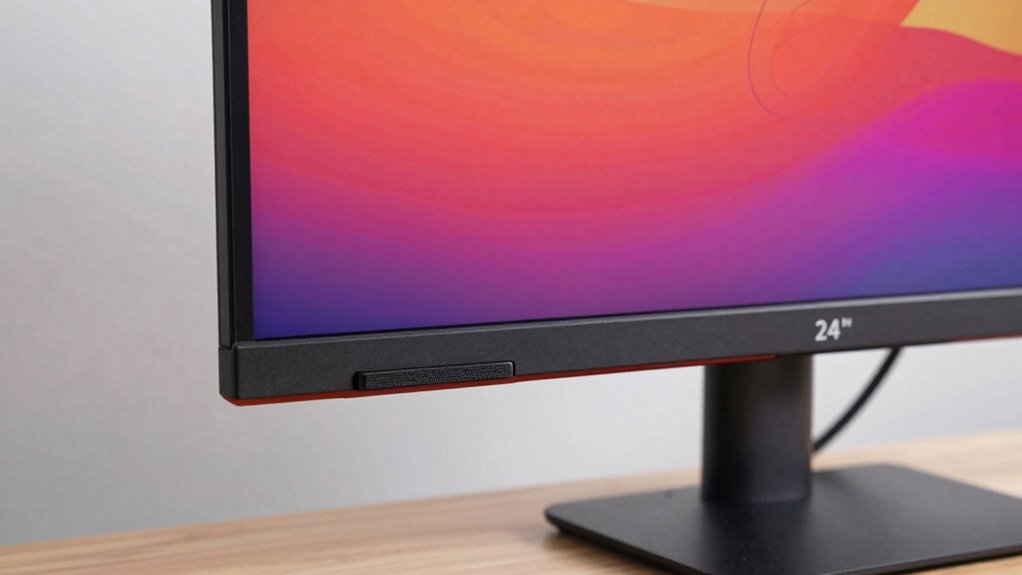
When choosing a 24-inch pen display monitor, understanding which specs truly impact your creative workflow can save you time and money. Two of the most essential factors to consider are color accuracy and build quality. Color accuracy ensures your work looks consistent and precise, whether you’re designing, illustrating, or editing photos. If the monitor doesn’t display colors accurately, you risk making decisions based on false representations, leading to rework and frustration. Look for a device that covers a wide color gamut, ideally 99% sRGB or higher, and offers factory calibration to guarantee true-to-life colors straight out of the box. This way, you can trust that your digital art or edits remain consistent across different devices and print mediums. Additionally, monitor calibration is crucial for maintaining your display’s color fidelity over time, ensuring your work stays accurate even after long-term use. Regular calibration helps you avoid color drift, which can occur as the monitor ages or environmental conditions change, impacting your workflow and results. It’s also beneficial to consider the monitor’s ergonomic features, such as height adjustment and tilt, to optimize comfort during long work sessions and prevent strain. When selecting a monitor, it’s worth noting that panel technology can influence both color performance and viewing angles, contributing to a more reliable creative experience. A well-constructed monitor withstands daily use, accidental knocks, and long-term wear without issues. Pay attention to the materials used—aluminum frames tend to be sturdier and provide a more premium feel compared to plastic alternatives. The stand’s design and adjustability are also essential; a stable base, height adjustments, tilt, and swivel options allow you to work comfortably for extended periods, reducing strain and fatigue. A monitor with a solid build minimizes vibrations or wobbling that can interfere with precision tasks like detailed drawing or photo editing. The materials used in the monitor’s construction can also influence its longevity and overall durability. While other specifications like resolution, response time, and connectivity are important, they’re secondary to these core attributes. High resolution, such as 1920×1080 or better, provides sharp details, but it won’t matter if the colors aren’t accurate or the monitor feels flimsy under your hands. Response time is more relevant for gaming than for creative work, and connectivity options should match your setup but won’t influence the visual fidelity or durability directly. Ultimately, your choice should prioritize a balance between excellent color accuracy and robust build quality. These factors ensure that your creative process remains smooth, reliable, and true to your vision. Investing in a monitor that excels in these areas pays off by reducing errors, increasing comfort, and delivering professional results. When you keep these specs at the forefront, you’ll find a display that supports your craft without the distraction of technical shortcomings, helping you produce your best work every time.

ViewSonic VA2456A-MHD 24 Inch 1080p Monitor, IPS Display with 120Hz for Enhanced Home and Office Productivity, Eye Care Technology, HDMI, DisplayPort, and VGA Inputs
- Screen Size: 24 Inch Full HD IPS Display
- Refresh Rate: 120Hz for smooth visuals
- Color Accuracy: Vivid colors with SuperClear IPS
As an affiliate, we earn on qualifying purchases.
As an affiliate, we earn on qualifying purchases.
Frequently Asked Questions
How Does Pen Pressure Sensitivity Affect Drawing Quality?
Pen pressure sensitivity enhances your drawing quality by providing digital precision and greater artistic control. When your stylus responds to how hard you press, you can create varied line weights, shading, and detailed textures effortlessly. This responsiveness makes your digital art feel more natural, allowing you to translate your hand movements accurately onto the screen. Ultimately, higher pressure sensitivity levels help you produce more dynamic, expressive, and professional-looking artwork.
What Is the Average Lifespan of a Pen Display Monitor?
Think of your pen display monitor as a trusted companion with a lifespan that typically spans 3 to 5 years. The battery life isn’t usually a concern, as most are powered via USB or power cords. Screen durability plays a crucial role—if you handle it gently and keep it clean, it can last longer. Proper care ensures your device stays vibrant and functional, much like nurturing a delicate plant.
Are There Compatibility Issues With Specific Operating Systems?
You might face some compatibility issues with certain operating systems, but generally, pen display monitors work well if you keep your drivers updated. Check if the monitor manufacturer provides specific driver updates for your OS version, especially if you’re using Windows or macOS. Staying current with driver updates ensures smooth performance and minimizes issues. If you use a less common OS, verify compatibility prior to purchasing to avoid potential problems.
How Important Is Color Calibration for Professional Work?
You might think color calibration is optional, but it’s vital for professional work. Accurate color accuracy ensures your designs look consistent across devices, saving you time and frustration. Using effective calibration methods, like hardware calibration tools, helps maintain precise colors. Without proper calibration, your work can appear different to clients or print unexpectedly. Prioritizing color calibration guarantees your creations stay true to your vision, making it indispensable for professional-quality results.
What Maintenance Is Required to Keep the Monitor in Optimal Condition?
To keep your monitor in top shape, regularly perform screen cleaning with a soft, lint-free cloth and gentle, suitable cleaner to prevent dust and smudges. Additionally, replace your pen when it wears out to guarantee smooth, accurate drawing. Avoid harsh chemicals and excessive pressure during cleaning. By maintaining your device properly, you’ll enjoy consistent performance and longevity, making your creative work more enjoyable and precise over time.

ASUS ProArt PA247CV 24 Inch 1080p USB-C Professional Monitor
- Display Size: 24-inch Full HD IPS display
- Color Gamut: 100% sRGB and Rec. 709
- Color Accuracy: Calman Verified, Delta E < 2
As an affiliate, we earn on qualifying purchases.
As an affiliate, we earn on qualifying purchases.
Conclusion
Choosing the right 24-inch pen display monitor isn’t just about size or resolution—it’s about what truly fuels your creativity. Prioritize features like color accuracy, pen responsiveness, and connectivity, because these are the keys that *unleash* your artistic potential. Remember, a monitor isn’t just a screen; it’s your creative partner. So, don’t settle for less—select the specs that propel your art forward, and let your imagination run wild, because your creativity deserves the best tools.

Kensington SmartFit Extra Wide Monitor Stand (K52797WW) Black
- Ergonomic Eye-Level Support: Supports proper ergonomic viewing angles
- Reduces Eye and Neck Strain: Helps prevent aches during long use
- Large, Sturdy Platform: Fits monitors up to 27 inches and 18kg
As an affiliate, we earn on qualifying purchases.
As an affiliate, we earn on qualifying purchases.
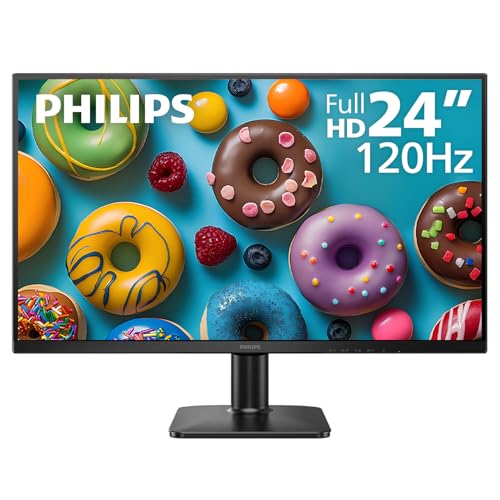
Philips 24 Inch Computer Monitor FHD 120Hz IPS, 24E2N2100
- High Refresh Rate: 120Hz for smooth visuals
- Full HD IPS Display: 1920×1080 resolution with accurate colors
- Ultra-Narrow Bezel: Frameless design for seamless setup
As an affiliate, we earn on qualifying purchases.
As an affiliate, we earn on qualifying purchases.