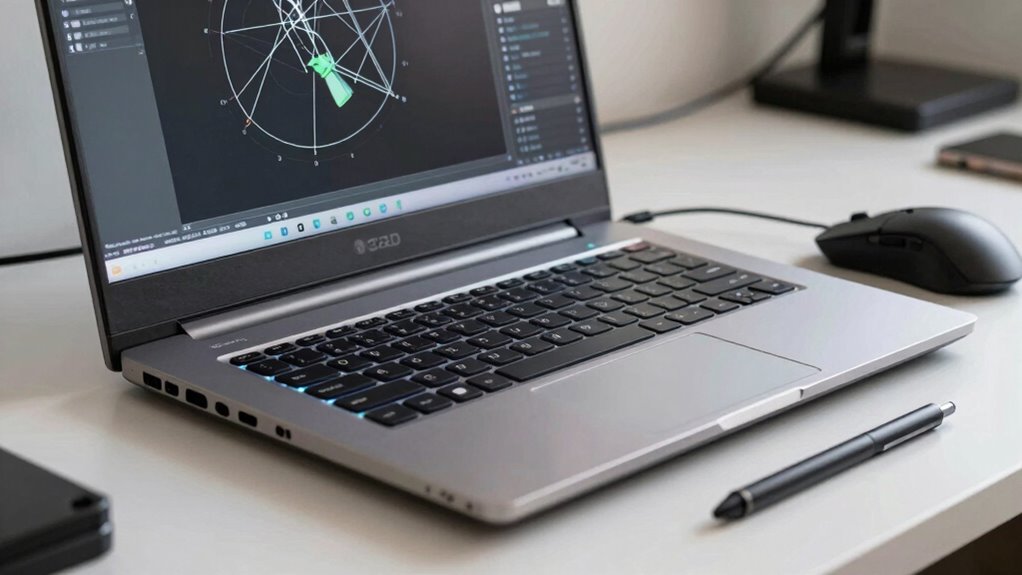

Before buying a CAD workstation laptop, prioritize a powerful processor like an Intel i7/i9 or AMD Ryzen, along with professional-grade GPUs such as NVIDIA Quadro or AMD Radeon Pro. Make sure it has at least 16GB of RAM—32GB if you’re working on complex projects—and fast SSD storage for quick load times. Consider portability, build quality, cooling, and connectivity options like USB-C, Thunderbolt, and HDMI. Upgradability also matters for future-proofing. Keep these factors in mind to find a reliable, high-performing device that suits your needs.
Key Takeaways
- Prioritize high-performance CPUs (Intel i7/i9 or AMD Ryzen) and professional-grade GPUs (NVIDIA Quadro or AMD Radeon Pro).
- Ensure sufficient RAM (16GB minimum, 32GB preferred) and fast SSD storage for smooth CAD workflows.
- Choose a lightweight, durable design with high-resolution (4K or Full HD) display for portability and detailed visuals.
- Verify ample connectivity options, including multiple USB ports, HDMI, Thunderbolt, and reliable Wi-Fi 6 or LTE.
- Opt for upgradable components like RAM and storage to future-proof the workstation and extend its lifespan.

Choosing the right CAD workstation laptop is crucial if you want smooth, efficient design workflows. Your decision hinges heavily on understanding the hardware specifications that will support demanding CAD applications. Look for a high-performance processor, such as an Intel i7 or i9, or an AMD Ryzen equivalent, to guarantee quick rendering and seamless multitasking. A dedicated graphics card is equally important; opt for professional-grade GPUs like NVIDIA Quadro or AMD Radeon Pro, which are optimized for CAD software and provide accurate, high-quality visuals. RAM is another critical factor—aim for at least 16GB, with 32GB being ideal for complex models and large projects. Storage also matters; a fast SSD not only reduces load times but also enhances overall system responsiveness. Depending on your workflow, consider additional storage options like external drives or cloud solutions for backing up large files.
While hardware specifications are essential, you shouldn’t overlook portability considerations. Your work might require traveling between different sites, client meetings, or working remotely, so a lightweight, compact laptop could be more practical than a bulky workstation. However, thinner laptops often sacrifice some hardware power or cooling capabilities, so find a balance that suits your mobility needs without compromising performance. Look for laptops with sturdy build quality, long battery life, and features like a good keyboard and display quality, which can make long work sessions more comfortable. A high-resolution display (preferably 4K or at least Full HD) will give you crisp visuals, helping you catch small details and work more accurately. Additionally, understanding the importance of hardware specifications can help you make better purchasing decisions that align with your CAD workload requirements. Considering thermal management is also vital to prevent overheating during extended use, especially when running demanding applications.
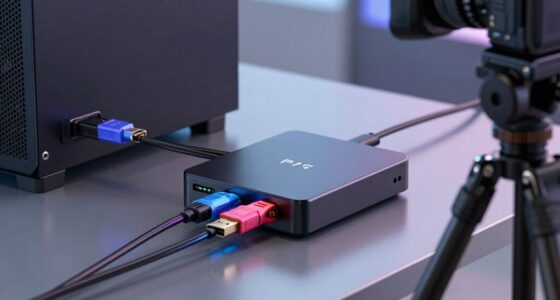
You should also pay attention to connectivity options, as they can greatly improve your workflow by allowing easy connection to external devices and networks. Multiple USB ports, including USB-C, Thunderbolt, and HDMI, can streamline your workflow by connecting external monitors, drawing tablets, or other peripherals. If you often work in different locations, a laptop with Wi-Fi 6 and optional LTE connectivity can keep you connected without relying solely on Wi-Fi networks. Remember, the balance between hardware specifications and portability isn’t just about size—it’s about ensuring your laptop can handle your specific CAD tasks comfortably while fitting into your mobile lifestyle. Additionally, selecting a laptop with upgradable components can extend its useful lifespan as your workload or software requirements evolve.

Dell Precision 7780 Laptop, NVIDIA RTX 4000 Ada 12GB, i9-13950HX, 32GB DDR5
- High-Performance Workstation: Powerful NVIDIA RTX 4000 Ada 12GB GPU
- Fast Processor: Intel Core i9-13950HX up to 5.5GHz
- Ample Memory and Storage: 32GB DDR5 RAM, 512GB PCIe SSD
As an affiliate, we earn on qualifying purchases.
As an affiliate, we earn on qualifying purchases.
Frequently Asked Questions
How Long Is the Typical Battery Life for CAD Workstation Laptops?
You can typically expect a CAD workstation laptop’s battery life to last about 3 to 6 hours, depending on usage. Battery longevity varies with power efficiency, so choosing a model with optimized components helps extend your working hours. Keep in mind that intensive tasks like 3D rendering drain power faster, reducing battery life. For longer on-the-go work, prioritize laptops with better power efficiency and longer-lasting batteries.
Are There Specific Brands Known for Better CAD Performance?
Imagine a sleek, high-powered machine ready to bring your designs to life—certain brands excel in CAD performance. You’ll find that Dell’s Precision series, HP’s ZBook lineup, and Lenovo’s ThinkPad P series are renowned for their brand reputation and impressive performance benchmarks. These brands consistently deliver reliable, robust laptops that handle intensive CAD tasks effortlessly, ensuring your creative process remains smooth and efficient, no matter the project complexity.
Can I Upgrade Components in a CAD Workstation Laptop Later?
Many CAD workstation laptops aren’t designed to be easily upgradeable, especially regarding components like RAM and storage. If you want to future-proof your investment, look for models with upgradeable components, so you can add more RAM or swap out storage later. Keep in mind that upgrading other parts, like the GPU or CPU, is often limited or impossible, so choose a laptop with these considerations in mind for long-term performance.
What Is the Warranty Coverage for High-End CAD Laptops?
You should carefully review the warranty policies for high-end CAD laptops, as coverage varies by manufacturer. Most offer limited warranty periods, often one to three years, covering hardware defects. Service options like on-site repairs or extended warranties can provide added peace of mind. Always check if accidental damage or software issues are included, so you’re fully aware of what’s covered and can plan accordingly for reliable support.
How Do I Ensure Compatibility With My Existing CAD Software?
To guarantee compatibility with your existing CAD software, you should check the software’s hardware requirements and supported operating systems. Look into software integration features and confirm that your laptop’s hardware compatibility, like GPU, RAM, and storage, aligns with those specifications. Keep your software updated and consult the software vendor’s compatibility list to prevent issues. This proactive approach guarantees smooth performance and seamless integration with your current CAD tools.

PNY NVIDIA Quadro RTX 4000 – The World’S First Ray Tracing GPU
- High-performance professional GPU: Fast, interactive application performance
- Advanced GPU architecture: NVIDIA Turing architecture with fast memory
- Real-time rendering: NVIDIA RTX technology for professionals
As an affiliate, we earn on qualifying purchases.
As an affiliate, we earn on qualifying purchases.
Conclusion
Choosing the right CAD workstation laptop can boost your productivity and accuracy. Did you know that over 60% of CAD professionals report faster project completion with the right hardware? By understanding key specs like CPU, GPU, and memory, you guarantee your investment supports your design needs. Don’t settle for less — your creativity deserves a machine that keeps up. Make an informed choice today, and watch your projects come to life more efficiently than ever.

Dell 16" Touchscreen Laptop 2026, AMD Ryzen 7 170, 32GB DDR5, 1TB SSD
- Powerful Processor: AMD Ryzen 7 170 with 8 cores
- High-Speed RAM: 32GB DDR5 memory for multitasking
- Large Storage Capacity: 1TB PCIe NVMe SSD
As an affiliate, we earn on qualifying purchases.
As an affiliate, we earn on qualifying purchases.

KYY 4K Portable Monitor for Laptop 15.6" UHD Laptop Monitor Portable VESA
- 4K UHD Resolution: 3840 x 2160 pixels with 60Hz refresh rate
- Vivid Color Display: 100% sRGB, 17 million colors, 1200:1 contrast
- Lightweight & Slim: Weighs 1.5 lbs, 0.3-inch thin design
As an affiliate, we earn on qualifying purchases.
As an affiliate, we earn on qualifying purchases.