
A UPS battery backup is the silent protector of your workstation files, providing instant power during outages and shielding your equipment from voltage surges. It helps prevent data loss caused by sudden shutdowns and protects hardware from voltage fluctuations. With features like surge protection, automatic voltage regulation, and battery monitoring, a quality UPS guarantees your system stays safe and reliable. Keep going to discover how to choose, install, and maintain one effectively.
Key Takeaways
- UPS battery backups provide immediate power during outages, preventing unsaved data loss and system shutdowns.
- They protect workstation files from voltage spikes and surges through built-in surge protection features.
- Automatic voltage regulation (AVR) stabilizes power supply, reducing hardware stress and data corruption risks.
- Regular maintenance and timely battery replacements ensure reliable backup performance and data security.
- Investing in high-quality UPS systems extends device lifespan and safeguards critical workstation data effectively.
Why Data Loss Happens During Power Outages: And How a UPS Can Help

Power outages can strike unexpectedly, leaving your devices vulnerable to sudden shutdowns. During these moments, power fluctuations can occur, causing inconsistent voltage levels that may damage your equipment or corrupt files. Without proper protection, your data is at risk whenever the power flickers or drops. Surge protection is essential because it shields your devices from voltage spikes that happen during outages or storms, preventing damage to sensitive components. When your system abruptly turns off, data that’s not saved gets lost or corrupted, which can be costly and time-consuming to recover. A UPS provides a buffer, stabilizing power supply and offering surge protection. This ensures your devices stay safe, your files remain intact, and you avoid the chaos caused by unexpected power interruptions. Additionally, understanding power quality can help you better anticipate and prevent potential data loss issues, especially since fluctuations can impact overall system stability. Recognizing the importance of energy management can further enhance your setup’s resilience against power-related disruptions and protect your valuable data. Proper backup strategies are also critical in safeguarding against unforeseen outages, ensuring minimal data loss even in worst-case scenarios, particularly when combined with redundant storage.
How Do UPS Battery Backups Protect Your Data During Power Outages?

When a power outage occurs, your UPS battery backup immediately kicks in to keep your devices running without interruption. It provides surge protection, shielding your equipment and data from sudden voltage spikes that can cause damage or corruption. This seamless shift ensures your files remain safe, preventing data loss caused by unexpected shutdowns. Additionally, the UPS monitors the battery’s health, helping to extend its lifespan through proper management. By stabilizing power flow, it reduces stress on your hardware and preserves the integrity of your data. Proper power management and power quality are essential for preventing hardware failures and prolonging your equipment’s lifespan. Without a UPS, power fluctuations and outages could corrupt files or force you to shut down abruptly. Properly managing power stability can also help prevent hardware failures and prolong your equipment’s lifespan. The UPS’s ability to respond instantly to power disturbances is a critical aspect of backup power that safeguards your work. This rapid response is made possible through automatic voltage regulation, which adjusts voltage levels to safe ranges. Ultimately, your UPS acts as a silent guardian, protecting your work and maintaining data security during unexpected outages. Ensuring consistent power supply is vital for upholding overall system reliability and data integrity.
What Features Should You Look for When Choosing a UPS Battery Backup?

Choosing the right UPS battery backup involves evaluating key features that guarantee reliable protection and performance. First, consider battery capacity; a larger capacity ensures longer runtime during outages, giving you enough time to save work. Surge protection is equally important, shielding your equipment from voltage spikes that can damage components. Look for units with automatic voltage regulation (AVR) to stabilize power and prevent surges. Additionally, check for indicators that display battery status and runtime. Considering outdoor resilience and durability can also be beneficial, especially if your workspace is in a less controlled environment. Ensuring the safety features of your UPS, such as overload protection and alarms, can further safeguard your equipment and data. Incorporating power management tools can optimize backup usage and extend battery life, providing peace of mind during unexpected outages. It’s also helpful to select a UPS with expandability options to accommodate future equipment upgrades. Being aware of battery replacement procedures can help maintain the UPS’s efficiency over time.
How Do You Install and Maintain Your UPS Battery Backup Properly?

Proper installation and maintenance are key to keeping your UPS battery backup reliable. You need to follow correct steps during setup, perform regular maintenance, and watch for signs that batteries require replacing. Staying attentive ensures your backup system works when you need it most. Additionally, understanding modern kitchen technology can help you appreciate the importance of reliable power backups in a connected environment. Regularly checking the piercing jewelry and ensuring proper hygiene can prevent infections that might compromise your system’s performance. Monitoring battery health and replacing batteries when necessary can extend the lifespan of your UPS system. Being aware of local attractions such as museums or parks can also remind you of the importance of safeguarding your home and work environment with dependable power solutions. Incorporating sustainable practices into your maintenance routine can further enhance the longevity and efficiency of your UPS system.
Proper Installation Steps
Installing your UPS battery backup correctly is essential to guarantee it functions reliably when you need it most. Begin with an installation checklist: verify the location is dry, well-ventilated, and away from heat sources. Ensure the surface can support the weight of the unit. Follow safety precautions by unplugging other devices and turning off power before connecting the UPS. Carefully connect your equipment, avoiding overloaded outlets. Check that the battery is properly seated and secure. Once installed, plug the UPS into a grounded outlet and turn it on. Test the system by simulating a power outage to ensure it activates smoothly. Proper installation not only protects your devices but also prolongs the lifespan of your UPS. Always refer to the manufacturer’s instructions for specific steps. Additionally, conducting periodic performance tests helps verify your UPS is ready to protect your workstation files when needed. Regular maintenance also ensures the battery remains in good condition and ready for emergency use. Incorporating manufacturer recommendations into your routine can further enhance the reliability of your backup system. Ensuring proper ventilation helps prevent overheating and maintains the system’s overall performance over time. Regularly inspecting and replacing batteries according to industry standards further prolongs your UPS’s effectiveness.
Regular Maintenance Practices
To keep your UPS battery backup functioning reliably, regular maintenance is essential. You should periodically test the system, keep vents clean, and guarantee proper ventilation to maximize energy efficiency. Properly recycling old batteries prevents environmental harm and complies with regulations. Check the manufacturer’s guidelines for cleaning and testing procedures. Store batteries in a cool, dry place to prolong lifespan and maintain peak energy efficiency. Also, consider scheduling professional inspections to catch issues early. Here’s a quick overview:
| Maintenance Step | Purpose | Tips |
|---|---|---|
| Battery Recycling | Environmental safety | Use certified recycling centers |
| Regular Testing | System reliability | Run self-tests monthly |
| Proper Storage & Ventilation | Battery lifespan & efficiency | Keep in cool, dry, ventilated area |
Consistent upkeep ensures your UPS stays ready to protect your files.
Battery Replacement Indicators
Monitoring your UPS battery backup regularly is crucial to guarantee it functions when you need it most. Battery replacement indicators help you assess battery health and alert you to when a replacement is necessary. Look for indicator signals such as blinking lights, warning beeps, or on-screen alerts. These signals typically show the battery is aging or failing. To ensure proper maintenance, keep an eye on these indicators and test your system periodically. Regularly check filters and maintain airflow to keep your environment suitable for your equipment’s optimal performance.
- Watch for flashing or steady indicator lights
- Listen for warning beeps during self-tests
- Check the UPS display for battery status messages
- Follow manufacturer instructions for interpreting signals
- Replace the battery promptly when indicators signal decline
Recognizing these signals keeps your backup reliable, preventing unexpected data loss.
What Are Common UPS Problems and When Is It Time to Upgrade?
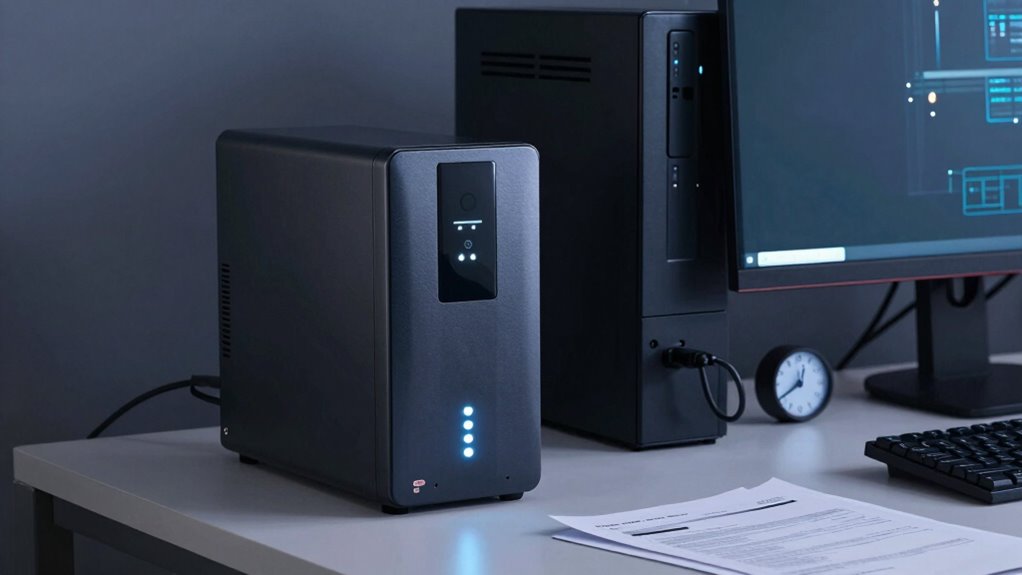
Your UPS might show signs of issues like the battery aging or wearing out, which reduces its reliability. Frequent power surges can also strain the system, leading to problems or damage. Additionally, unusual noises or alert messages are clear indicators it’s time to contemplate an upgrade.
Battery Age and Wear
Over time, the battery in your UPS naturally degrades, leading to reduced backup capacity and reliability. As the battery ages, it becomes less effective at providing power during outages, which can compromise your work. Keep an eye on aging indicators such as decreased runtime, longer charging times, or failure to hold a charge. If your UPS’s battery shows these signs, it’s a clear signal that replacement is needed.
Consider these points:
- Noticeable decline in backup duration
- Frequent charging cycles
- Inconsistent power delivery
- Visible corrosion or swelling
- Battery age exceeding manufacturer recommendations
Understanding battery degradation helps you decide when to upgrade, ensuring your system remains protected and reliable. Regular checks of aging indicators are key to maintaining ideal performance.
Frequent Power Surges
Frequent power surges can cause significant stress on your UPS, leading to performance issues and potential damage to connected equipment. Surges overload the surge protection components, weakening their ability to safeguard your devices effectively. Over time, repeated surges compromise power stability, increasing the risk of data corruption or hardware failure. If you notice your UPS frequently tripping or if voltage fluctuations become common, it’s a sign that your surge protection might be overwhelmed. Upgrading your UPS becomes necessary when it no longer effectively manages power irregularities or if you experience unexplained shutdowns. Ensuring your UPS provides reliable surge protection and maintains power stability is essential for safeguarding your workstation files and extending the lifespan of your equipment.
Unusual Noise or Alerts
Unusual noises or alerts from your UPS often signal underlying issues that need attention. Noisy alarms or blinking lights can indicate problems ranging from battery health to wiring issues. If you hear constant beeping or loud alarms, your UPS may be overloaded or malfunctioning. Blinking lights often warn of battery failure or power irregularities. Recognizing these signs early helps prevent data loss. Here are common causes:
- Battery nearing end of life
- Overloaded outlets or devices
- Loose or faulty wiring
- Dirty or blocked ventilation
- Firmware needing an update
If these alerts persist, it’s probably time to upgrade your UPS. Addressing these issues promptly ensures your workstation stays protected and runs smoothly without unexpected interruptions.
Why Investing in a Quality UPS Is Essential for Data Safety and Hardware Longevity

Investing in a quality UPS is essential because it acts as a protective barrier against power disruptions that can jeopardize your data and hardware. When the power grid stability falters, sudden outages or voltage spikes can corrupt files or damage delicate components. A reliable UPS provides backup surge protection, preventing harmful surges from reaching your equipment. This ensures your data remains safe during unexpected outages and protects your hardware from stress and wear caused by unstable power. Additionally, a high-quality UPS prolongs hardware longevity by maintaining consistent power levels, reducing the risk of overheating or premature failure. In short, investing in a top-tier UPS safeguards your important files and extends the lifespan of your workstation’s hardware.
Frequently Asked Questions
How Long Can a UPS Run During a Power Outage?
A UPS can run during a power outage for about 5 to 15 minutes, depending on its battery capacity. Your runtime estimation varies with the load you connect; lighter loads extend runtime, while heavier ones shorten it. To determine how long your specific UPS will last, check the manufacturer’s specifications and perform a runtime test. This way, you’ll know exactly how much backup power you can count on when the power goes out.
Can a UPS Protect Against Power Surges and Spikes?
Yes, your UPS can protect against power surges and spikes through built-in surge protection. This feature shields your devices from sudden voltage increases, preventing damage. To guarantee continuous protection, you should also perform regular battery maintenance, as a healthy battery maintains effective surge protection. Keep your UPS updated and check for signs of wear to maximize its ability to safeguard your equipment against power fluctuations.
What Is the Average Lifespan of a UPS Battery?
You’ll find that a UPS battery typically lasts about 3 to 5 years, but this depends on proper battery maintenance. Regularly checking the battery’s health and replacing it when performance declines guarantees your UPS continues to protect your devices. The replacement frequency varies with usage and environmental conditions, so staying vigilant helps you avoid unexpected failures and keeps your backup power reliable when you need it most.
Are There Wireless or Portable UPS Options Available?
Yes, wireless options and portable solutions for UPS batteries are available. You can find compact, lightweight UPS units designed for portability, perfect for remote work or travel. Wireless UPS options are emerging, offering seamless integration with smart devices and easier setup without cumbersome cables. These solutions provide flexibility and convenience, ensuring your devices stay protected even when you’re on the move. Look for models tailored to your specific needs for ideal performance.
How Does Temperature Affect UPS Battery Performance?
Think of your UPS battery like a delicate flower; too hot or cold, and it withers quickly. High temperatures accelerate battery degradation, reducing performance and lifespan. Cold temperatures can slow chemical reactions inside the battery, impairing its ability to provide backup power when needed. Proper temperature regulation is essential to maintain ideal battery health, ensuring your UPS stays reliable during power outages and prolongs its overall lifespan.
Conclusion
A reliable UPS backup isn’t just a coincidence; it’s your silent protector, safeguarding your work and hardware during unexpected outages. When you choose the right features, install it properly, and stay attentive to maintenance, you create a seamless shield against data loss. In the end, investing in quality isn’t just smart—it’s essential. Because in today’s unpredictable power landscape, a good UPS keeps your work safe, your hardware lasting longer, and your peace of mind intact—every single time.