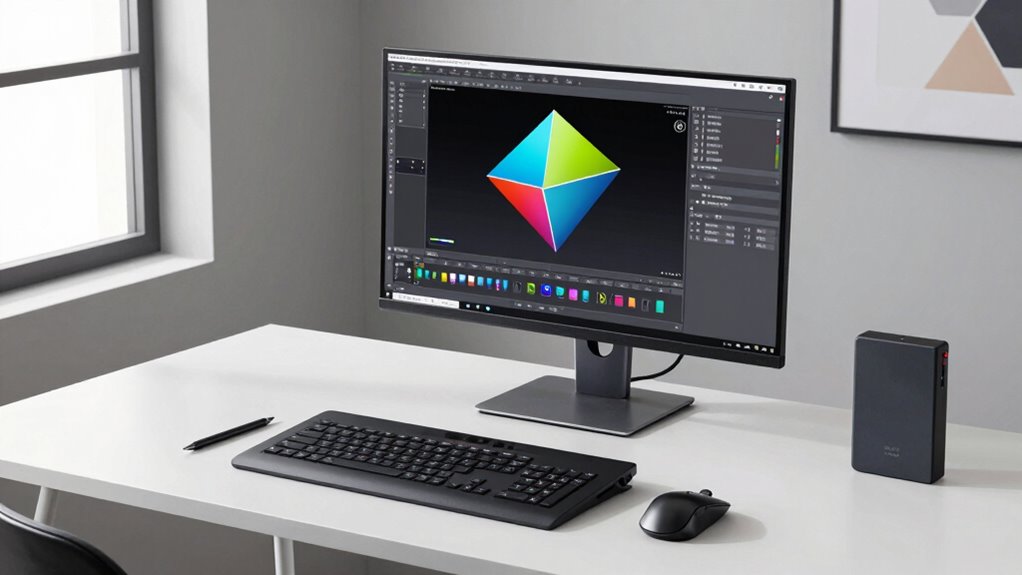

A desktop CAD workstation fits seamlessly into a modern geometry workflow by offering customizable hardware that meets your specific project needs. It handles complex 3D models, simulations, and high-resolution rendering smoothly. With optimized and scalable components, your system stays reliable and efficient, supporting collaboration and updates. Proper hardware compatibility guarantees stability, so you avoid interruptions. By choosing the right setup, you boost productivity and stay ahead—if you keep exploring, you’ll uncover even more ways to maximize your workflow.
Key Takeaways
- Desktop CAD workstations provide tailored hardware optimized for handling complex geometry, ensuring smooth modeling and rendering processes.
- They support software compatibility and stability, reducing errors and enabling seamless integration into modern workflows.
- Customizable hardware allows scalability for increasing geometric data complexity and evolving software requirements.
- High-performance workstations improve collaboration by enabling fast file sharing and reducing technical disruptions.
- Strategic hardware customization enhances overall efficiency, meeting project deadlines and supporting advanced geometric design tasks.

In today’s modern geometry workflow, having a powerful desktop CAD workstation is essential for streamlining design processes and enhancing productivity. When you choose a workstation built for CAD, you gain the flexibility of hardware customization, allowing you to tailor the system to meet your specific project needs. Whether you’re working with complex 3D models, detailed simulations, or rendering high-resolution visuals, customizing hardware components like the graphics card, RAM, and storage ensures your system can handle intensive tasks without lag. This flexibility means you don’t have to compromise on performance, enabling smoother workflows and faster project turnaround times.
Customizable hardware for CAD boosts performance, enabling smoother workflows and faster project completion.
Equally important is guaranteeing your workstation maintains strong software compatibility. Modern CAD applications demand a system that can seamlessly run updates, plugins, and specialized tools. A carefully selected hardware configuration guarantees that your software remains stable, reducing crashes or compatibility issues that could disrupt your work. When your hardware supports the latest operating systems and software versions, you can leverage new features and improvements without worry. This software compatibility not only streamlines your work but also future-proofs your investment, allowing you to adapt to evolving software requirements. Additionally, understanding the importance of hardware optimization can help ensure your system performs efficiently under various workloads. Considering system scalability can also be beneficial for accommodating future upgrades without replacing your entire setup.
Your desktop CAD workstation acts as the backbone of your daily operations. With the right hardware customization, you can optimize the system for your particular design challenges, whether that’s increasing the GPU power for rendering or expanding storage for large project files. This customization ensures that your workstation is not just powerful but also tailored to your workflow’s demands, making tasks like 3D modeling, simulation, and visualization more efficient. At the same time, maintaining software compatibility means you avoid bottlenecks caused by outdated drivers or unsupported hardware, keeping your projects moving forward without unnecessary delays.
Having a well-configured desktop CAD workstation also simplifies collaboration. When your hardware setup aligns with industry standards and software requirements, sharing files and working with colleagues becomes smoother. You’ll experience fewer technical difficulties, which means more focus on your design work rather than troubleshooting. Additionally, understanding the importance of hardware customization can help you make more informed decisions to ensure your system remains adaptable to future updates and improvements. Ultimately, integrating hardware customization and software compatibility into your setup helps you stay competitive, ensuring your geometry workflow is both efficient and adaptable to future technological advancements. This combination empowers you to push the boundaries of your design capabilities and meet demanding project deadlines with confidence.

NOVATECH AI Workstation Desktop PC – Intel Core i9-14900K, Liquid Cooling – Machine Learning, Data Science, 3D Rendering, Video Editing, Simulation (RTX 5080 | 64GB RAM | 2TB)
Extreme AI & Machine Learning Performance Powered by the Intel Core i9-14900K and RTX 5080 with 16GB VRAM,…
As an affiliate, we earn on qualifying purchases.
As an affiliate, we earn on qualifying purchases.
Frequently Asked Questions
How Do Desktop CAD Workstations Compare to Cloud-Based Solutions?
Desktop CAD workstations generally offer better performance and reliability compared to cloud-based solutions. You benefit from faster processing, especially for complex models, and don’t experience latency issues. Plus, they provide seamless cloud integration and remote access, allowing you to work from anywhere. However, cloud solutions can be more flexible and scalable, which suits collaborative projects. Choose based on your need for power versus flexibility and remote connectivity.
What Are the Latest Hardware Specifications for Optimal CAD Performance?
For ideal CAD performance, you need a high-end CPU, at least 32GB RAM, and a professional GPU with graphics optimization like NVIDIA Quadro or AMD Radeon Pro. Prioritize fast storage solutions such as NVMe SSDs to speed up loading and saving files. A robust cooling system also guarantees stability during intensive tasks. These specifications help streamline your workflow, reduce lag, and handle complex geometries efficiently.
How Can I Upgrade an Existing Desktop CAD Workstation?
To upgrade your existing desktop CAD workstation, start with hardware upgrades like adding more RAM, upgrading your GPU, or switching to a faster SSD for better performance. Make sure your hardware is compatible with your current software to avoid compatibility issues. Check for BIOS updates and driver support to maintain stability. Regularly update your CAD software to leverage new features and optimization, ensuring your workstation stays efficient and responsive.
What Security Measures Are Recommended for CAD Workstation Data?
They say, “Better safe than sorry,” and that applies to your CAD data security. You should implement data encryption to protect your sensitive files and set strict access control measures to prevent unauthorized use. Regularly update your security protocols, use strong passwords, and back up your data. These steps help guarantee your work remains safe from cyber threats and unauthorized access, giving you peace of mind in your daily operations.
How Do CAD Workstations Integrate With Other Design Software Tools?
You integrate CAD workstations with other design software tools through seamless hardware compatibility and software integration. Modern workstations support a wide range of applications, allowing you to run multiple programs simultaneously without lag. This compatibility guarantees your workflow remains smooth, whether you’re using rendering software, simulation tools, or collaboration platforms. As a result, you can efficiently share files, collaborate in real-time, and streamline your entire design process.

3D Printing User Guide: A Beginner's Step-by-Step System to Design, Customize, and Print Real-World Models Using Tinkercad and Bambu Lab
As an affiliate, we earn on qualifying purchases.
As an affiliate, we earn on qualifying purchases.
Conclusion
So, next time your fancy cloud-based tools seem to be taking forever, remember that a powerful desktop CAD workstation might just be the unsung hero of your modern geometry workflow. Who knew that the old-school, bulky machine could outshine sleek online options? Sometimes, the best way to stay ahead is to stick with what’s been proven reliable—because, after all, nothing says “cutting-edge” like a workstation that’s been around the block a few times.

ASRock Radeon RX 7600 Challenger 8GB OC Graphics Card, AMD RDNA 3 Architecture, 8GB GDDR6, PCIe 4.0, Dual Fans, 0dB Silent Cooling, HDMI 2.1, DisplayPort 1.4
Powerful 1080p Gaming: Powered by AMD RDNA 3 architecture with 2048 stream processors, delivering exceptional performance for smooth,…
As an affiliate, we earn on qualifying purchases.
As an affiliate, we earn on qualifying purchases.
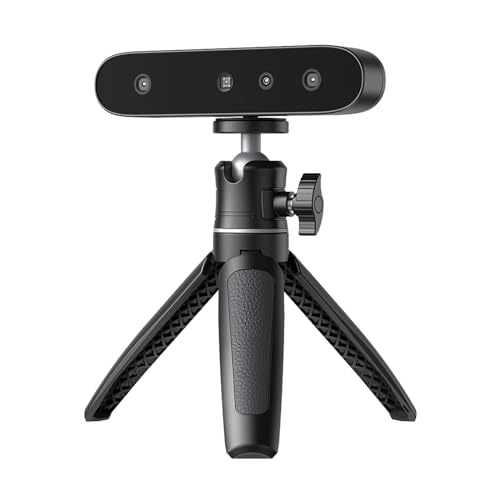
Creality CR-Ferret SE 3D Scanner Desktop Fast 0.1 Mm High Accuracy Flexible Scanning Range Anti-Shake 24-Bit Full-Color Scanning for Black Metal Non-Reflective Objects Mac Windows
STEADY SCANNING: The Creality CR-Scan Ferret SE 3D Scanner boasts revolutionary anti-shake tech, countering hand tremors in 3D…
As an affiliate, we earn on qualifying purchases.
As an affiliate, we earn on qualifying purchases.