
When choosing a 5K design monitor, prioritize color accuracy and wide color gamuts like Adobe RGB or DCI-P3 to guarantee your colors are true-to-life and consistent across devices. A high refresh rate matters mainly if you work with motion graphics or video editing, but for static design tasks, focus on calibration and color performance. If you want to make the right choice, discover more about what specs truly impact your workflow.

Prime made for students and young adults
- Fast, free delivery for dorm and study essentials
- Prime Video and Amazon Music included
- Member-only deals
Key Takeaways
- Prioritize high color accuracy with wide color gamuts like Adobe RGB or DCI-P3 for true-to-life visuals.
- Ensure factory calibration or easy calibration options to maintain consistent color performance over time.
- Opt for a high-resolution 5K display for sharp, detailed images crucial for professional design work.
- Consider refresh rates of 60Hz for static tasks or higher (120Hz/144Hz) for motion-intensive workflows like video editing.
- Balance color fidelity and refresh rate to optimize both visual precision and smooth dynamic content handling.

When choosing a 5K design monitor, understanding which specifications truly impact your work can save you time and money. Two essential factors to consider are color accuracy and refresh rate. These specs directly influence how well your monitor displays visuals, especially when working on detailed graphics, photo editing, or video production.
Color accuracy is paramount in a design monitor because it determines how precisely colors are represented on the screen. If your monitor can’t reproduce colors accurately, your work might look different on other devices or when printed. Look for a monitor with high color accuracy, which typically means it covers a wide color gamut like Adobe RGB or DCI-P3. These standards ensure vibrant, true-to-life colors, essential for professional tasks that demand precision. Additionally, a monitor with factory calibration or the ability to calibrate easily helps maintain consistent color performance over time. This way, you can trust that what you see on the screen is an accurate reflection of your design intent.
High color accuracy with wide gamuts and easy calibration ensures precise, consistent visuals for professional design work.
Refresh rate is another important specification, especially if your work involves animation, video editing, or real-time feedback. The refresh rate indicates how many times per second the monitor updates with new information. In most design tasks, a standard 60Hz refresh rate suffices; however, if you’re working with motion graphics or doing video editing where smooth playback is crucial, opting for a higher refresh rate—such as 120Hz or even 144Hz—can provide a more fluid viewing experience. This reduces motion blur and makes editing smoother, allowing you to see real-time changes without lag or stutter. While refresh rate might not be as vital as color accuracy for static designs, it becomes increasingly relevant in dynamic workflows.
Ultimately, selecting a 5K monitor with excellent color accuracy ensures your images look consistent across different media, and your work remains precise. Meanwhile, a higher refresh rate can enhance your experience during tasks that involve motion, reducing eye strain and making editing more comfortable. When you balance these specs according to your specific needs, you’ll find a monitor that not only delivers stunning visuals but also boosts your productivity and confidence in your work. Instead of getting distracted by flashy features, focus on these core specifications—color accuracy and refresh rate—that truly impact your professional output. Understanding monitor specifications is key to making an informed decision that aligns with your creative and technical requirements.
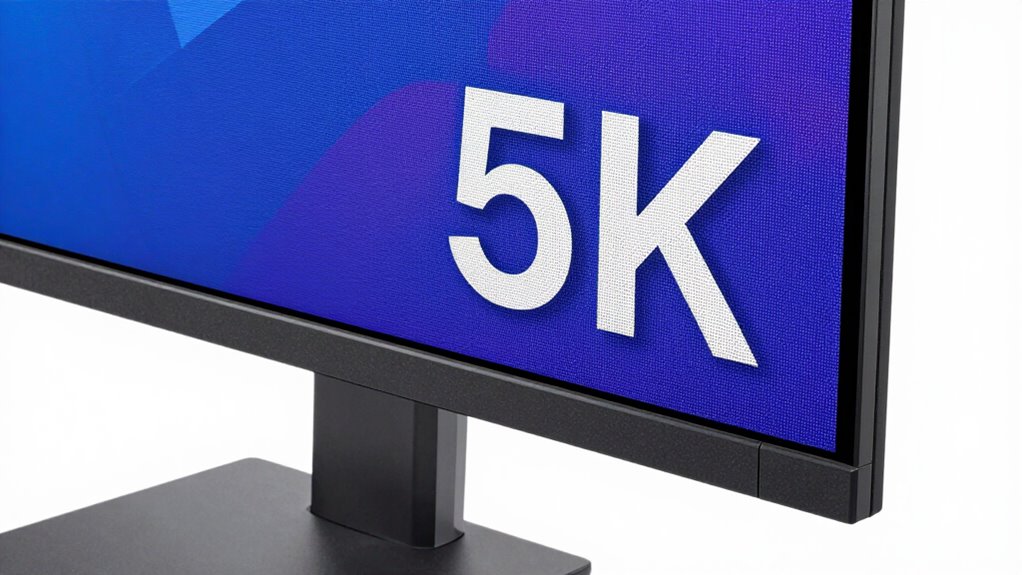
5K professional design monitor with wide color gamut
As an affiliate, we earn on qualifying purchases.
As an affiliate, we earn on qualifying purchases.
Frequently Asked Questions
How Does Color Accuracy Impact Design Work on a 5K Monitor?
Color accuracy greatly impacts your design work on a 5K monitor because precise color calibration guarantees your colors are true to life. A wide color gamut allows you to display more vibrant and accurate hues, essential for detailed design projects. When your monitor maintains color consistency, you can trust that your creations look professional across different devices and media, reducing errors and improving overall quality.
What Is the Ideal Refresh Rate for Professional Design Tasks?
For professional design tasks, an ideal refresh rate is around 60Hz, providing stability and reducing flicker. While higher refresh rates, like 120Hz or more, can reduce refresh rate variability, they’re mainly beneficial for gaming rather than design work. Gaming compatibility isn’t a priority here, so prioritize a reliable, consistent refresh rate to guarantee smooth, precise visuals essential for detailed design projects.
How Important Is Contrast Ratio for Detailed Design Work?
Contrast ratio is your monitor’s heartbeat, revealing how well it displays detailed design work. You need accurate calibration techniques and wide viewing angles to guarantee consistent contrast across the screen. A high contrast ratio helps you distinguish subtle color differences and fine lines, preventing details from blending into shadows or highlights. Without it, your work risks looking flat or inaccurate, making contrast ratio essential for precise, vibrant designs.
Do 5K Monitors Require Special Graphics Cards?
Yes, 5K monitors often require special graphics cards to support their high resolution and guarantee smooth performance. You should check graphics compatibility before purchasing, as not all cards can handle 5K displays effectively. Additionally, 5K monitors tend to have higher power requirements, so make sure your setup can supply enough power. Upgrading your graphics card and power supply might be necessary to get the best experience with a 5K monitor.
What Connectivity Options Are Essential for a 5K Monitor?
You need essential connectivity options like Thunderbolt 3 or USB-C for a 5K monitor, enabling seamless display calibration and data transfer. These ports support high-resolution output while keeping power consumption efficient. Make certain your setup includes reliable cables and adapters to maintain color accuracy and streamline your workflow. Proper connectivity ensures smooth operation, minimizes latency, and helps you achieve accurate display calibration, all while managing power use effectively.
factory calibrated 5K monitor for photo editing
As an affiliate, we earn on qualifying purchases.
As an affiliate, we earn on qualifying purchases.
Conclusion
When choosing a 5K design monitor, focus on the specs that truly impact your work—like color accuracy and resolution—rather than just flashy features. Think of it like picking a paintbrush: a fine-tipped brush may seem simple, but it’s the precision that makes your artwork stand out. Prioritize what enhances your creativity and productivity, and you’ll find your tools become an extension of your vision, turning every project into a masterpiece.
high refresh rate 5K monitor for video editing
As an affiliate, we earn on qualifying purchases.
As an affiliate, we earn on qualifying purchases.
As an affiliate, we earn on qualifying purchases.
Fall Picks
fall essentials
As an affiliate, we earn on qualifying purchases.