Before buying a 4K CAD monitor, prioritize color accuracy by looking for high coverage of Adobe RGB or DCI-P3, and check for factory calibration options. Consider a screen size of 27 inches or more for better workspace and clarity, along with a resolution that shows fine details without zooming. Make certain it has versatile connectivity like HDMI, DisplayPort, or USB-C. Ergonomic features and durability matter too for long-term comfort and reliability; keep exploring for more helpful tips.
Key Takeaways
- Ensure the monitor covers a high percentage of Adobe RGB or DCI-P3 for accurate color representation.
- Check for sufficient connectivity options like HDMI, DisplayPort, or USB-C for seamless device compatibility.
- Prioritize adjustable ergonomic features such as tilt, height, and swivel for long-term comfort.
- Confirm the monitor’s calibration capabilities or factory calibration for consistent color accuracy.
- Consider screen size (27 inches or larger) and resolution for detailed views and efficient multitasking.
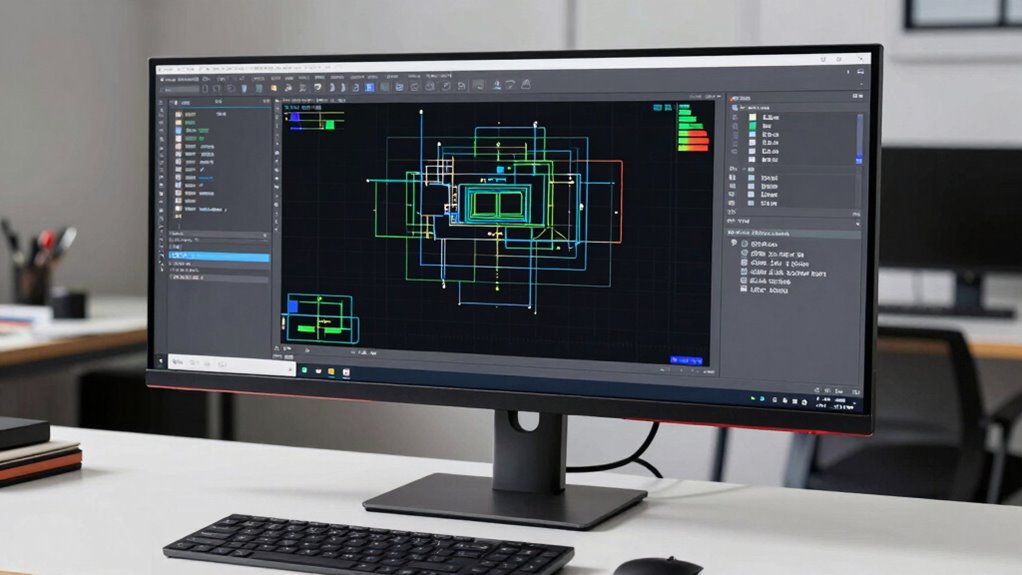
If you’re considering a 4K CAD monitor, it is essential to understand what features and specifications will best support your design work. One of the most important aspects is color accuracy. As a CAD professional, you need a monitor that can display precise and consistent colors to guarantee your designs are true to life. Look for monitors that cover high percentages of color spaces like Adobe RGB or DCI-P3, which ensure richer, more vibrant colors. Additionally, think about models with factory calibration or those that offer calibration options, so you can fine-tune the display for maximum accuracy. This precision helps prevent color discrepancies that could affect your workflow or final output, especially when collaborating with clients or printing your work.
Prioritize high color accuracy with wide color space coverage and calibration options for precise CAD work.
Alongside color accuracy, the refresh rate is a key feature to evaluate, although it’s often overlooked in CAD work. Most CAD applications rely on static images or slow-moving visuals, so a high refresh rate isn’t as critical as it is in gaming or video editing. However, a monitor with a decent refresh rate—around 60Hz—is usually sufficient for smooth performance and reduces eye strain during long working sessions. Some higher-end models offer 75Hz or more, which can provide slightly smoother navigation and interactions, especially when working with complex models or multiple windows. Keep in mind that higher refresh rates generally come at a premium, so weigh whether the cost aligns with your productivity needs. Additionally, understanding the importance of biodiversity in technology manufacturing can encourage choosing brands committed to sustainable practices, which is an increasingly relevant factor for environmentally conscious professionals. Incorporating environmentally friendly options can also contribute to a more sustainable workspace. Furthermore, considering the longevity and durability of your monitor can ensure it remains a reliable tool over time, saving you costs on replacements or repairs.
Another aspect to think about is resolution. A 4K display offers four times the pixel density of standard HD, which means sharper details and more workspace for your design tools. This extra clarity allows you to see every tiny detail of your CAD models without zooming in excessively. Coupled with a large screen size—27 inches or larger—you get a comfortable workspace that minimizes eye fatigue and maximizes efficiency.
Connectivity options also matter. Make sure your monitor has a variety of ports like HDMI, DisplayPort, or USB-C, so you can connect your laptop, workstation, or other peripherals easily. Some monitors even include built-in calibration tools or color management features, which simplify maintaining color accuracy over time. Finally, pay attention to ergonomics—adjustable stands, tilt, and swivel options help you set up your workspace for maximum comfort, which is essential during lengthy design sessions. In sum, focus on color accuracy, refresh rate, resolution, connectivity, and ergonomics to choose a 4K CAD monitor that truly enhances your workflow.

KEEPTIME 4K Portable Monitor 15.6" 3840×2160 UHD USB-C HDMI Laptop Monitor, 100% Adobe RGB IPS Computer Gaming Display HDR Travel Screen w/Speakers for Laptop Xbox PS5 Switch PC Phone
4K Ultra HD Portable Monitor- Portable monitor for laptop equipped with 4K-3840*2160 Ultra HD resolution with 4 times…
As an affiliate, we earn on qualifying purchases.
As an affiliate, we earn on qualifying purchases.
Frequently Asked Questions
How Does a 4K CAD Monitor Impact Overall System Performance?
A 4K CAD monitor can impact your system performance mainly through graphics card requirements, as it demands more power to handle high-resolution rendering smoothly. You might notice slower performance if your graphics card isn’t up to par. Regular monitor calibration guarantees accurate visuals, but it doesn’t directly influence system performance. Upgrading your GPU can optimize your experience, preventing lag and ensuring precise, detailed visuals essential for CAD work.
Are There Specific Brands Recommended for CAD Professionals?
You’ll want to take into account brands like Dell, ASUS, and HP—they’re practically the superheroes of CAD monitors. These brands boast stellar reputation, delivering ultra-precise visuals that make your designs pop. When doing a price comparison, you’ll find they offer top-tier features at various price points. While they may seem pricey, their reliability, color accuracy, and build quality make them worth every penny for professional CAD work.
What Is the Typical Lifespan of a 4K CAD Monitor?
A 4K CAD monitor typically lasts around 5 to 10 years, depending on usage and build quality. To guarantee longevity, pay attention to display refresh rates and connectivity options, which affect performance and compatibility over time. Proper care, like avoiding static images and keeping it clean, also extends its lifespan. Investing in a reputable brand with solid warranty support helps maintain your monitor’s peak performance throughout its life.
How Important Is Color Accuracy in CAD Monitors?
Color accuracy is essential in CAD monitors because it guarantees your designs are precise and true to life. You should prioritize models with excellent color calibration and display uniformity, so colors stay consistent across the screen. This helps prevent mistakes and saves time during editing. A monitor with good color accuracy gives you confidence in your work, making it easier to communicate your ideas clearly and achieve professional results.
Can I Use a 4K CAD Monitor for Gaming or Video Editing?
Yes, you can use a 4K CAD monitor for gaming and video editing, but with some considerations. For gaming, look for models with high refresh rates and low response times to guarantee smooth performance. For video editing, prioritize color accuracy and calibration features to get precise results. While these monitors excel in CAD work, their capabilities make them versatile, allowing you to enjoy gaming and editing without sacrificing quality.

Dell 27 Plus 4K USB-C Monitor – S2725QC – 27-inch 4K (3840 x 2160) 120Hz 16:9 Display, AMD FreeSync Premium, sRGB 99%, Integrated Speakers, 1500:1 Contrast Ratio, Comfortview – Ash White
Low blue light: The improved ComfortView Plus reduces harmful blue light emissions to ≤35%, for all-day comfort without…
As an affiliate, we earn on qualifying purchases.
As an affiliate, we earn on qualifying purchases.
Conclusion
In the world of 4K CAD monitors, making the right choice feels like finding a needle in a haystack. But remember, your perfect monitor is out there, waiting to turn your design dreams into reality. Don’t settle for less—seek clarity, precision, and comfort. Because in the end, a great monitor isn’t just a tool; it’s your gateway to innovation. So, choose wisely, and watch your creativity soar to new heights.

ASUS ProArt Display 27” 4K HDR Professional Monitor (PA279CRV) – IPS, UHD (3840 x 2160), 99% DCI-P3/Adobe RGB, ΔE < 2, Calman Verified, USB-C PD 96W, DisplayPort, Daisy-Chain, Ergonomic, 3yr Warranty
27-inch 4K (3840 x 2160) LED backlight HDR display with 178° wide-view IPS panel
As an affiliate, we earn on qualifying purchases.
As an affiliate, we earn on qualifying purchases.
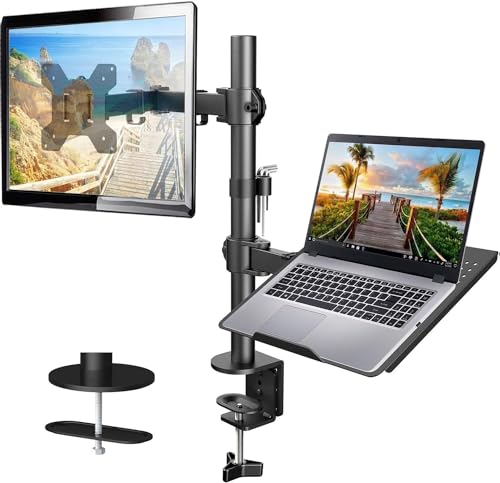
HUANUO Adjustable Monitor Stand, Single Arm Desk Mount for 32 inch Screen and 17 inch Laptop, Heavy Duty Ergonomic Bracket Holds 22lbs
Laptop Mount Compatibility: This Laptop stand is designed with 14” x 12” ventilated tray and a 0.8” protruding…
As an affiliate, we earn on qualifying purchases.
As an affiliate, we earn on qualifying purchases.