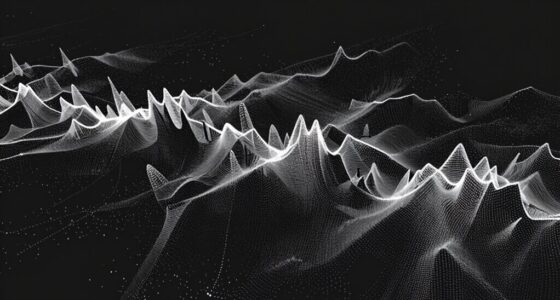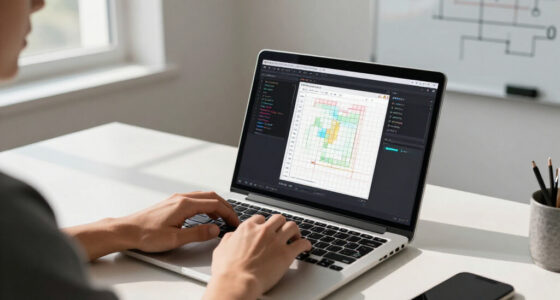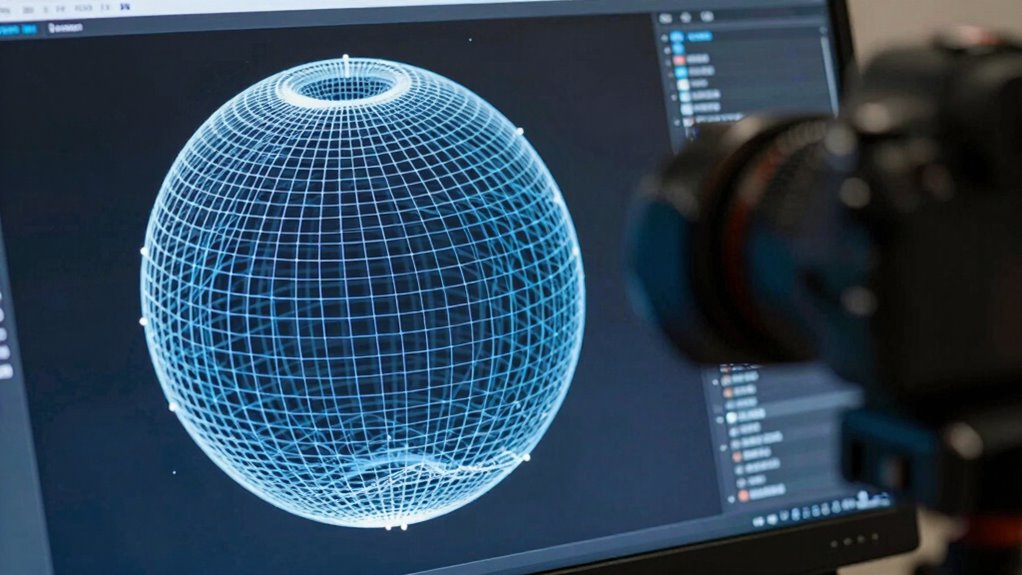

When you create a 3D model, your mesh connects raw coordinate points into a structured network of vertices and polygons, shaping the overall form. This structure acts as a skeleton, giving your model shape and detail. As you refine the mesh, you can add textures and shading to make it more realistic. Keep exploring, and you’ll discover how each step brings your digital creation from simple points to a detailed, usable model.

Prime made for students and young adults
- Fast, free delivery for dorm and study essentials
- Prime Video and Amazon Music included
- Member-only deals
Key Takeaways
- Meshes connect raw coordinate points into polygons, forming the basic structure of a 3D model.
- They define the surface topology, enabling smooth shaping and detailed refinement of the model.
- Mesh topology guides how textures are mapped and how shading interacts with the surface.
- Optimized mesh arrangements improve model efficiency, realism, and support advanced effects like smoothing.
- Iterative adjustments refine the mesh, enhancing details, texture alignment, and visual quality for final use.

Creating a detailed 3D model from raw coordinate data might seem intimidating at first, but meshes make this process straightforward. When you start with simple points in space—coordinates that define the outline of your object—the mesh acts as a connective framework, linking these points together into a cohesive structure. Think of it as building a skeleton that gives your model shape and form. Once the vertices are connected, you can fill in the surfaces with polygons, typically triangles or quads, creating a continuous surface that looks smooth and realistic.
Texture mapping plays an essential role here. After establishing the basic mesh, you can apply textures—images or patterns—that give your model color, detail, and realism. Texture mapping involves wrapping these 2D images onto the 3D surface, aligning pixels with specific areas of your mesh. This process transforms a plain geometric shape into something visually compelling, whether it’s a character, vehicle, or environment. Proper UV mapping ensures textures are correctly aligned, preventing distortions and seams. It’s like wrapping a gift: how you cut and lay out the wrapping paper determines how seamless and natural the final appearance looks.
Vertex shading is another key aspect of turning raw coordinates into a polished 3D model. It involves calculating how light interacts with each vertex on your mesh, affecting the overall shading and appearance. As you manipulate the vertices, vertex shading algorithms determine how light and shadow fall across surfaces, giving depth and dimension to your model. This process is essential for rendering realistic images, as it adds subtle variations in brightness and color that mimic real-world lighting conditions. By adjusting shading at the vertex level, you control how smooth or faceted your model appears, influencing its visual style and realism. Understanding mesh topology is crucial for optimizing how these shading and texturing processes work together to produce a seamless final result.
Together, texture mapping and vertex shading work in harmony to produce a convincing 3D model from raw coordinate data. The mesh provides the structure, guiding where textures are applied and how light interacts with the surface. As you refine your mesh, you can enhance details, smooth out rough edges, and improve shading effects. This iterative process transforms a simple set of points into a detailed, visually rich model that can be used in animations, games, or simulations. Ultimately, understanding how meshes facilitate texture mapping and vertex shading helps you create models that are not only accurate in shape but also vibrant and lifelike in appearance.
As an affiliate, we earn on qualifying purchases.
Frequently Asked Questions
How Are Mesh Textures Applied to 3D Models?
You apply mesh textures to 3D models through texture mapping, which involves projecting a 2D image onto the 3D surface. First, you perform UV unwrapping to flatten the model’s surface into a 2D layout, making it easier to align textures accurately. Then, you assign the texture to the unwrapped UV map, ensuring it fits seamlessly on your model, giving it realistic details and appearance.
What Are Common Challenges in Mesh Optimization?
You face challenges like mesh simplification, which can reduce detail and affect visual quality, and vertex welding, where improper merging causes gaps or distortions. Balancing the reduction of polygon count while maintaining model integrity is tricky. You need to optimize meshes carefully, ensuring that simplification doesn’t compromise essential features, and vertex welding is precise to avoid artifacts. Managing these challenges improves performance without sacrificing visual accuracy.
How Do Different Mesh Formats Affect Rendering?
Different mesh formats greatly impact rendering by influencing wireframe complexity and mesh interoperability. Formats like OBJ or FBX can handle detailed wireframes efficiently, allowing smoother rendering and compatibility across software. Choosing the right format guarantees your models are easily integrated and optimized, reducing rendering time and visual artifacts. Ultimately, understanding these differences helps you streamline workflows, improve visual quality, and ensure your models work seamlessly across various platforms.
Can Meshes Be Automatically Generated From Sketches?
Yes, meshes can be automatically generated from sketches through automated sketch conversion and sketch-based modeling. You simply input your sketch, and software tools interpret the lines and shapes to create a detailed 3D mesh. This process streamlines design workflows, allowing you to quickly turn simple sketches into complex models without manual modeling, making it efficient for prototyping and creative exploration.
What Software Tools Are Best for Mesh Editing?
Think of your software tools as artisans shaping a masterpiece. Blender and Autodesk Maya stand out as top choices, offering powerful mesh editing features. These tools excel in procedural generation and UV mapping techniques, allowing you to refine models with precision and creativity. They provide intuitive interfaces, enabling you to sculpt, modify, and optimize meshes seamlessly. With these, you transform raw data into detailed, usable 3D models that tell your story.
As an affiliate, we earn on qualifying purchases.
Conclusion
Now that you understand how meshes convert raw coordinates into detailed 3D models, imagine designing a new video game character. By meticulously creating a mesh, you turn simple points into a lifelike figure that players can interact with. This process transforms raw data into immersive experiences, proving that mastering mesh creation is key to bringing your creative ideas to life. So, next time you see a stunning 3D model, remember the power of meshes behind the scenes.
As an affiliate, we earn on qualifying purchases.
3D modeling accessories for beginners
As an affiliate, we earn on qualifying purchases.
As an affiliate, we earn on qualifying purchases.
Fall Picks
fall essentials
As an affiliate, we earn on qualifying purchases.