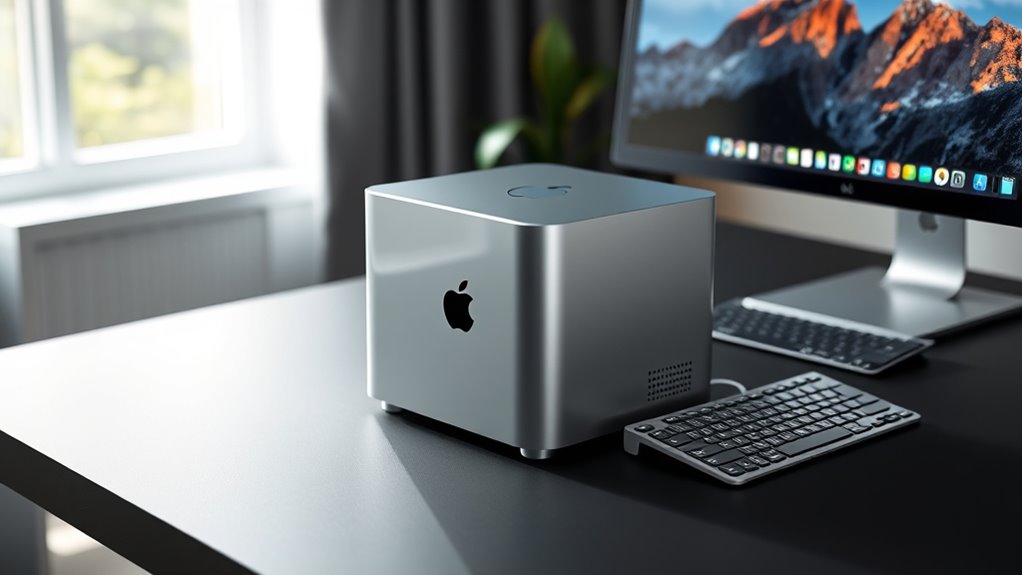

If you’re in pursuit of a renewed Mac Studio that balances performance and value, you’re likely considering options like the 2022 Apple Mac Studio with M1 Max or the newer M5 Max models. The 2022 Apple Mac Studio with M1 Max offers exceptional power for creative professionals at a more accessible price point, while the Apple 2022 Mac Studio with M1 Max and 32GB RAM hits a sweet spot for multitasking and storage. For those seeking cutting-edge performance, the Mac Studio with M5 Max chip pushes the boundaries with its advanced hardware and extensive connectivity. Each option has tradeoffs around certification, accessories, and price, which I’ll clarify to help you choose the perfect fit.

Prime made for students and young adults
- Fast, free delivery for dorm and study essentials
- Prime Video and Amazon Music included
- Member-only deals
Key Takeaways
- The 2022 M1 Max-based Mac Studios provide excellent performance at a lower cost, but lack official Apple certification and original accessories.
- The M1 Max with 32GB RAM and 512GB SSD strikes a good balance for multitasking and storage, suitable for most creative workflows.
- The M5 Max-based Mac Studio offers top-tier performance and connectivity, but comes at a higher price and may be overkill for casual users.
- Renewed units vary in packaging and certification status, so it’s important to weigh warranty and support options.
- Choosing the right model depends on your specific needs for power, storage, and budget, with each product targeting different user profiles.
| 2022 Apple Mac Studio with M1 Max Chip, 10-Core CPU, 24-Core GPU, 32GB RAM, 1TB SSD, Silver (Renewed) |  | Best Overall for Power and Storage | Operating System: macOS High Sierra | Color: Silver | Item Dimensions: 10 x 7.7 x 3.7 inches | VIEW ON AMAZON | See Our Full Breakdown |
| Apple 2022 Mac Studio with M1 Max Chip, 10-Core CPU, 32GB RAM, 512GB SSD (Renewed) |  | Best Value for Multitasking and Speed | Processor: M1 Max Chip, 10-Core CPU | RAM: 32GB | Storage: 512GB SSD | VIEW ON AMAZON | See Our Full Breakdown |
| Apple Mac Studio Desktop Computer with M5 Max Chip |  | Best for Cutting-Edge Performance and Connectivity | Processor: M5 Max chip | Memory: Up to 128GB | Storage: Up to 2x faster bandwidth | VIEW ON AMAZON | See Our Full Breakdown |
| renewed mac studio desktop | RAM | Processor | Storage |
|---|---|---|---|
| 2022 Apple Mac Studio with M1 | 32 GB | — | — |
| Apple 2022 Mac Studio with M1 | 32GB | M1 Max Chip, 10-Core CPU | 512GB SSD |
| Apple Mac Studio Desktop Compu | — | M5 Max chip | Up to 2x faster bandwidth |
More Details on Our Top Picks
2022 Apple Mac Studio with M1 Max Chip, 10-Core CPU, 24-Core GPU, 32GB RAM, 1TB SSD, Silver (Renewed)
This model stands out for its powerful M1 Max chip featuring a 10-core CPU and 24-core GPU, making it ideal for demanding creative workflows and multitasking. The 32GB RAM ensures smooth operation across multiple applications, while the 1TB SSD provides fast storage for large files. Compared with other options, this Mac Studio offers a balanced mix of performance and capacity, although the lack of official certification and the possibility of non-original accessories mean it might not suit those who prioritize warranty or brand assurance. It’s best suited for professionals who want top-tier hardware at a lower price, accepting some uncertainties around certification and packaging.
Pros:- Powerful M1 Max chip with high-performance CPU and GPU
- Large 1TB SSD for fast data access
- Inspected and tested for quality
Cons:- Accessories may not be original
- No official Apple certification
- Generic packaging possible
Best for: Creative professionals needing robust power and large storage
Not ideal for: Users seeking official Apple certification or warranty support
- Operating System:macOS High Sierra
- Color:Silver
- Item Dimensions:10 x 7.7 x 3.7 inches
- Item Weight:5.9 pounds
- Storage Capacity:1 TB
- RAM:32 GB
Our verdict“A high-performance, cost-effective choice for power users willing to accept some uncertified aspects.”
Apple 2022 Mac Studio with M1 Max Chip, 10-Core CPU, 32GB RAM, 512GB SSD (Renewed)
This Mac Studio offers a solid combination of power and affordability, featuring the same M1 Max chip with a 10-core CPU, but with 512GB SSD storage. Its 32GB RAM makes it well-suited for demanding multitasking, photo and video editing, and more. Compared to the 1TB model, it sacrifices some storage but remains a capable machine for most professional workflows. It’s inspected and tested, with no visible cosmetic flaws, but lacks Apple certification, which might concern those looking for official support. This pick is ideal for users who prioritize performance at a more accessible price but are comfortable with generic packaging and non-certified hardware.
Pros:- Powerful M1 Max chip with 10-core CPU
- Large 32GB RAM for multitasking
- Fast 512GB SSD storage
Cons:- Not Apple certified
- Accessories are not original
- May come in generic packaging
Best for: Professionals needing high performance and large RAM at a lower cost
Not ideal for: Users who need official Apple certification or extensive warranty
- Processor:M1 Max Chip, 10-Core CPU
- RAM:32GB
- Storage:512GB SSD
- Battery Capacity:Over 80%
Our verdict“A well-rounded, budget-friendly option for power users who can accept certification limitations.”
Apple Mac Studio Desktop Computer with M5 Max Chip
This Mac Studio model introduces the M5 Max chip, pushing performance boundaries for intensive creative and AI workloads. It supports up to 128GB of RAM and features storage with bandwidth up to 614GB/s, making it faster and more capable than previous models. The extensive port selection—four Thunderbolt 5, USB-C, USB-A, HDMI, SDXC—enables versatile external device connections, perfect for multi-display setups and professional workflows. Its compact, quiet design fits seamlessly into a busy desk environment, and the advanced thermal system handles heavy loads. However, the high price tag makes it less accessible for casual users, and limited information on expandability could be a concern for future upgrades. This pick best suits power users seeking the latest tech and maximum performance.
Pros:- Exceptional performance with M5 Max chip
- Supports up to 128GB RAM
- Extensive ports for external devices
Cons:- High price point
- Limited info on upgradeability
- Requires familiarity with macOS ecosystem
Best for: Power users and creative professionals needing maximum performance and connectivity
Not ideal for: Casual users or those on a strict budget
- Processor:M5 Max chip
- Memory:Up to 128GB
- Storage:Up to 2x faster bandwidth
- Ports:Four Thunderbolt 5, HDMI, SDXC
Our verdict“A premium choice for demanding workflows that require cutting-edge hardware and extensive connectivity options.”
How We Picked
Our selection process focused on the balance of performance, value, and practicality for those interested in renewed Mac Studio desktops. We prioritized units with verified testing and inspection, considering the hardware specifications that matter most for professional and creative use. Certification status, accessory quality, and user reviews also influenced our choices, ensuring each pick offers a clear benefit for a specific type of buyer. We aimed to highlight models that stand out either for their price-performance ratio, raw power, or feature set, providing a well-rounded guide for different user needs.
| renewed mac studio desktop | Processor |
|---|---|
| 2022 Apple Mac Studio with M1 | — |
| Apple 2022 Mac Studio with M1 | M1 Max Chip, 10-Core CPU |
| Apple Mac Studio Desktop Compu | M5 Max chip |
Factors to Consider When Choosing Renewed Mac Studio Desktops
Choosing the right renewed Mac Studio involves weighing performance needs against budget and certification preferences. The key factors include processor power, RAM, storage, certification status, and connectivity options. Each buyer’s use case—whether for creative work, multitasking, or cutting-edge AI workflows—dictates which features matter most. Understanding these elements can help you avoid overpaying for features you don’t need or missing out on performance gains that could boost your productivity.
Performance and Processor Power
For demanding creative or computational tasks, a more powerful processor like the M5 Max is worth the investment, offering faster speeds and better future-proofing. If your work is less intensive, the M1 Max provides ample power for most professional workflows. Be mindful that higher-end chips typically come with a premium price, especially in renewed units, and may offer more power than needed for casual or light use.
Memory and Storage
Large RAM, such as 32GB or more, ensures smooth multitasking and handling of large files. Storage capacity varies; 512GB is often enough for most users, but 1TB or more can be vital for those working with extensive media files. When choosing, consider your current needs and potential growth—more storage and RAM can extend the usable lifespan of your device.
Certification and Accessories
Official Apple certification offers peace of mind through warranty and support, but tends to be less common in renewed units. Non-certified models often come with generic accessories and packaging, which can be acceptable for tech-savvy buyers comfortable with third-party support. Decide if certification and original accessories are worth the extra cost or if you’re OK with alternatives.
Connectivity and Expandability
Advanced workflows benefit from multiple ports and support for external displays. The new M5 Max model offers extensive ports, making it ideal for complex setups. If you need a simple device, fewer ports won’t be a limitation, but for professionals working with multiple peripherals, more ports and faster bandwidth matter.
Frequently Asked Questions
Are renewed Mac Studios reliable?
Renewed Mac Studios can be reliable if they have been thoroughly tested and inspected, which most reputable sellers ensure. While they lack official Apple certification, many units function perfectly with no visible defects. It’s important to buy from trusted sources that offer warranties or return policies to protect your investment.
Can I upgrade a renewed Mac Studio?
Most Mac Studios, especially the latest models, have limited upgradeability, primarily restricted to RAM and storage at the time of purchase. When buying a renewed model, check whether the RAM is soldered or upgradeable, as this can affect your long-term flexibility. The newer M5 Max models also tend to be sealed units, making upgrades impossible.
What should I consider about accessories in renewed units?
Many renewed Mac Studios come with non-original accessories or generic packaging. While these are often fully functional, they may not match the quality or warranty support of original Apple accessories. If warranty and brand support are critical, verify what’s included and consider purchasing original peripherals separately if needed.
How does certification impact support and warranty?
Official Apple certification typically means better warranty coverage and support, adding peace of mind. Non-certified units might be cheaper but could lack official warranty, making support more difficult or costly if issues arise. Evaluate your comfort level with third-party support when considering non-certified renewed devices.
Is the M5 Max Mac Studio worth the extra cost?
If your work involves intensive creative processes, AI workloads, or extensive multitasking, the M5 Max offers significant performance advantages. However, for typical professional use or general productivity, the M1 Max models provide excellent power at a lower price. Consider your specific workflow demands and budget constraints before choosing the M5 Max.
Conclusion
If you prioritize power and storage for demanding creative workflows, the M1 Max models, especially the 32GB RAM version, offer excellent value despite some uncertified aspects. For budget-conscious professionals seeking reliable performance, these units deliver strong specs at a lower price point. The M5 Max-based Mac Studio makes sense for power users and tech enthusiasts who need maximum performance, extensive connectivity, and are willing to pay a premium. Casual users or those seeking official support and warranty should consider new or certified models, or carefully weigh the tradeoffs of uncertified renewed units.