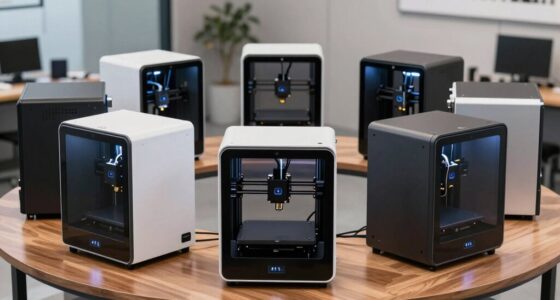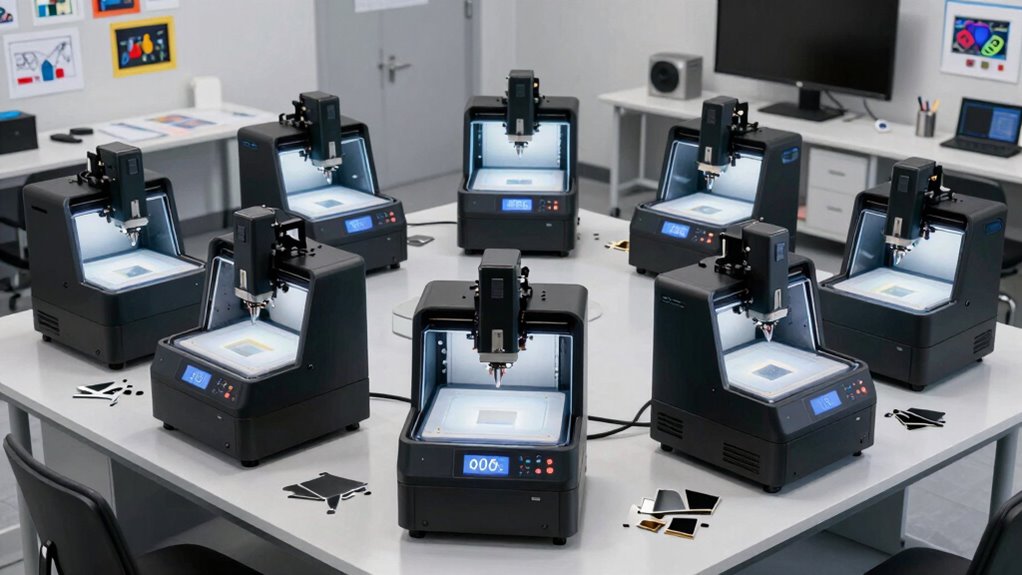
Choosing a professional benchtop CNC milling machine for school makerspaces involves balancing performance, ease of use, and budget. The Carvera Air Desktop CNC Machine stands out as the best overall for its enclosed design and user-friendly CAM interface. The FoxAlien XE-Ultra 8080 offers a large working area suitable for bigger projects, while the Genmitsu Cubiko is ideal for beginners due to its simplicity. Buyers often face tradeoffs between power, size, and cost, making it essential to identify what features align with their educational goals. Continue reading for a detailed breakdown of these options to help you make the most informed choice.

Prime made for students and young adults
- Fast, free delivery for dorm and study essentials
- Prime Video and Amazon Music included
- Member-only deals
Key Takeaways
- The best picks balance size, power, and ease of use within a school makerspace environment.
- Enclosed designs like the Carvera Air provide safer operation for educational settings with younger students.
- Larger work areas, such as those on the FoxAlien XE-Ultra, are ideal for bigger projects but come at a higher cost and complexity.
- Entry-level options like the Genmitsu Cubiko excel for beginners but may lack advanced features needed for complex projects.
- Tradeoffs often involve choosing between machine durability, precision, and budget constraints.


More Details on Our Top Picks
Carvera Air Desktop CNC Machine by MAKERA, Enclosed Mini Mill with CAM
The Carvera Air stands out for its compact size and enclosed design, making it an excellent choice for school makerspaces focused on safety and noise reduction. While its limited work area of 11.8″ x 7.9″ x 5.1″ restricts larger project sizes compared to the FoxAlien XE-Ultra, it offers high precision with auto probing and leveling—key for consistent results in an educational setting. Its quick 10-second tool change enhances workflow efficiency, but setup can be technical, and its small footprint limits scope for bigger projects. Compared to the Twotrees TTC450 Pro, the Carvera prioritizes ease of use over raw size and power.
Pros:- Enclosed design for safety and noise control
- Fast tool change for quick project turnaround
- High accuracy with auto probing and leveling
- Supports multiple software platforms and materials
Cons:- Limited work area may restrict project size
- Requires technical setup and understanding
- Primarily suited for small-scale, hobbyist applications
Best for: Schools and makerspaces needing a safe, quiet, and precise machine for small projects and beginner learners.
Not ideal for: Programs planning to handle larger materials or complex, large-scale projects, as the work area is quite limited.
- Work Area:11.8″ x 7.9″ x 5.1″
- Enclosure Dimensions:19.7″ x 17.7″ x 17.7″
- Spindle Runout:< 0.0004in
- Motor Resolution:0.0002in
Our verdict“This machine is ideal for educational environments that prioritize safety, precision, and ease of use for small projects.”
FoxAlien XE-Ultra 8080 CNC Router Machine with NEMA 23 Closed-loop Stepper Motor
The FoxAlien XE-Ultra is distinguished by its large 33″ x 33″ x 4.72″ workspace, making it well-suited for schools aiming to teach more ambitious projects involving bigger materials. Its industrial-grade rigidity with 16mm ball screws and HG-15 linear rails ensures high accuracy, comparable to the Twotrees TTC450 Pro, but with more user-friendly control options like WiFi and offline software compatibility. The open spindle ecosystem offers flexibility, though this means additional costs for spindles and setup time. Compared with smaller desktop models, this CNC supports more complex, multi-material projects, but may be overkill for beginner-level or space-constrained makerspaces.
Pros:- Large working area supports big projects
- High-precision Z-axis with 0.0025 mm accuracy
- Supports multiple software platforms and spindle types
- Sturdy, industrial-grade construction
Cons:- Setup and driver installation can be complex
- Higher cost and larger footprint may be prohibitive for some schools
- Requires technical expertise for maintenance
Best for: Educational programs that require handling larger projects and advanced fabrication techniques with flexibility.
Not ideal for: Beginners or makerspaces with limited space or budget, as it involves more setup complexity and higher investment.
Our verdict“This CNC is tailored for advanced educational settings seeking size, versatility, and precision in their projects.”
Genmitsu Cubiko Desktop CNC Router Machine with Enclosure for Beginners
The Genmitsu Cubiko is designed specifically for beginners in school makerspaces, offering a pre-assembled, enclosed machine that simplifies setup and operation. Its automatic Z-probing and surface mapping provide high accuracy in small projects, making it more user-friendly than the Carvera Air, which requires more technical knowledge. The enclosure reduces noise and contains debris, ideal for classroom environments. However, its material compatibility is limited to softer metals and plastics, which could restrict some project types. Despite its higher cost, the Cubiko balances ease of use with safety, though it might not suit programs aiming for advanced metalworking.
Pros:- Pre-assembled for quick setup
- Enclosed design enhances safety and reduces noise
- Automatic Z-probing simplifies calibration
- Supports multiple control options including WiFi
Cons:- Limited to soft metals and plastics
- Higher cost for features that beginners may not fully utilize
- Requires compatible software and WiFi connectivity
Best for: Beginner students and educators who want a straightforward, safe, and reliable CNC for small-scale projects.
Not ideal for: Advanced students or workshops focused on working with hard metals or large materials, as its capabilities are more limited.
- Material Compatibility:Wood, acrylic, PCB, plastics, soft metals
- Positioning Accuracy:±0.1 mm
- Enclosure:Yes
- Auto Z-Probing:Yes
- Surface Mapping:Yes
- Control Options:Genmitsu App, WiFi, PC software, offline
Our verdict“This CNC is well-suited for educational environments prioritizing safety, simplicity, and small project scope.”
Twotrees TTC450 Pro All-Metal CNC Router Machine with NEMA 57 Stepper Motor
The Twotrees TTC450 Pro offers a sizable 18.1-inch work area and high-precision Z-axis, making it a versatile choice for schools with a focus on more complex or larger projects. Its all-metal construction and NEMA 57 stepper motor deliver consistent, reliable performance, comparable to the FoxAlien XE-Ultra, but with a more straightforward control system based on GRBL. The machine’s support for multiple materials—including metal—expands potential project scope in advanced makerspaces, yet setup and driver installation might challenge beginners. This model balances power and size, but it’s better suited for students with some CNC experience or educators willing to provide guidance.
Pros:- Large, versatile work area for various projects
- High-precision Z-axis with 0.0025 mm accuracy
- Supports multiple materials, including metals
- Sturdy all-metal construction
Cons:- Setup and driver configuration can be complex
- May require additional software knowledge
- Not as beginner-friendly as pre-assembled models
Best for: Schools needing a capable, mid-range CNC for teaching diverse fabrication techniques with larger or more complex projects.
Not ideal for: Complete beginners or makerspaces with limited technical support, as it requires a certain level of familiarity with CNC setup and maintenance.
Our verdict“This machine provides a practical balance of size, power, and versatility for educational programs pushing into intermediate fabrication skills.”
FoxAlien XE-Ultra Core Desktop CNC Router Machine, 17x17in Active Area with NEMA 23 Closed-Loop Stepper Motor
The FoxAlien XE-Ultra combines a substantial 17″ x 17″ active area with high-precision linear rails and ball screws, making it ideal for detailed engraving and milling tasks typical in school makerspaces. Its 2.6 N·m closed-loop stepper motors provide reliable performance under various loads, similar to the Carvera Air, but with a larger active area suitable for more ambitious projects. The machine supports a wide range of spindles, adding flexibility, though spindles are sold separately, which increases total cost. Its robust construction and collision protection make it suitable for educational environments focused on precision and safety, yet its setup complexity may deter absolute beginners.
Pros:- Large, precise active work area
- Heavy-duty frame with linear rails and ball screws
- Supports multiple spindle types for versatility
- Advanced collision protection with limit switches
Cons:- Spindles sold separately, increasing initial investment
- Setup can be challenging for new users
- Requires sturdy surface and space for optimal stability
Best for: Educational programs emphasizing detailed engraving, light milling, and multi-material work with a focus on precision and safety.
Not ideal for: Beginners or makerspaces with tight budgets, given the additional costs for spindles and setup complexity.
- Active Area:17×17 inches
- Frame Material:Heavy-duty aluminum
- Stepper Motor Torque:2.6 N·m
- Linear Rail:HG-15
- Ball Screws:16mm XY & 12mm Z
- Collision Protection:Dual-layer with inductive limit switches
Our verdict“This CNC offers high-precision milling with flexibility and safety features suitable for educational environments focused on detailed work.”
CNC 6040 5-Axis CNC Router Engraving Machine – 2200W Spindle, Water Cooling, Ball Screw, Pillar Type
This CNC 6040 stands out for its ability to handle complex 3 to 5 axis engraving with impressive accuracy, thanks to its heavy-duty aluminum base and ball screw drive. Compared to the simpler CNC Router Machine 4030-Evo Ultra 2, it offers more versatility for detailed metal and multi-axis projects, making it a better fit for advanced school makerspaces with dedicated engineering programs. However, its substantial weight and large footprint demand significant space and setup effort, which could be a drawback for smaller workshops. The complex operation and need for technical expertise mean it’s better suited to students or staff with some CNC experience or willingness to learn. Its water-cooled 2200W spindle provides high power for engraving metals like copper and aluminum, but is limited to softer metals below 45 hardness. Overall, this model is ideal for schools aiming to develop advanced CNC skills with a focus on multi-axis precision and metal engraving.
Pros:- Supports 3 to 5 axis operation for versatile complex engravings
- High-precision with stable aluminum base and ball screw drive
- Includes Mach 3 software and video support for user guidance
Cons:- Very heavy and large, requiring substantial space and dedicated setup
- Complex operation demanding technical knowledge and experience
Best for: Schools with dedicated advanced engineering courses or makerspaces focused on multi-axis metal engraving and precision work.
Not ideal for: Smaller schools or beginners without CNC experience, due to its complexity and large size.
- Power:2200W
- Cooling:Water cooling
- Axes:3/4/5 axis
- Material Compatibility:Wood, Aluminum, Copper, Metal
- Weight:120KG
- Size:114*97*58CM
- Controller:Independent microcomputer, Mach 3 software
Our verdict“This CNC router is best suited for well-resourced schools with experienced staff aiming for advanced multi-axis metal engraving projects.”
CNC Router Machine 4030-Evo Ultra 2 with 800W Trim Router and Dual Steel Linear Guides
This model excels in delivering high-precision cuts with its 800W variable speed router and dual linear guides, making it an excellent choice for schools looking for reliable, detailed engraving in wood, acrylic, or soft metals. Compared with the CNC 6040, it offers a more compact footprint and easier assembly, which benefits makerspaces with limited space or less CNC experience. Its wireless WiFi control and compatibility with popular CAD/CAM software give it a user-friendly edge, but setup can still be complex for absolute beginners. The all-metal XYZ axis and ball screws provide repeatability accuracy of ±0.005mm, ensuring consistent results for educational projects requiring fine detail. However, it is limited to routing and engraving, so it doesn’t support multi-axis or heavy-metal machining. Overall, this machine is ideal for schools seeking a balance of precision, ease of use, and manageable size for diverse beginner to intermediate projects.
Pros:- High precision with repeatability of ±0.005mm
- Robust all-metal XYZ axis with dual linear guides and ball screws
- Wireless WiFi control and broad software compatibility
Cons:- Setup may be challenging without CNC experience
- Limited to routing and engraving, not suitable for heavy metal or 3D multi-axis tasks
Best for: Schools seeking a versatile, easy-to-assemble CNC for detailed routing and engraving in wood, acrylic, and soft metals with minimal space requirements.
Not ideal for: Institutions needing multi-axis or heavy-metal CNC capabilities or those with limited technical skills for complex setup.
- Router Power:800W
- Collet Size:ER11-1/8″
- Speed Range:8000-24000 RPM
- Linear Guides:HGH-15 dual linear rails
- Ball Screws:1204 ball screws with dual-bearing design
- Stepper Motors:Nema 23, 2.8A, 1.2N/m torque
- Firmware:GRBL 1.3a
Our verdict“This CNC router strikes a balance between precision and accessibility, ideal for schools prioritizing detailed work in smaller, less complex projects.”

How We Picked
These products were evaluated based on their performance, build quality, ease of use, safety features, and overall value for school makerspaces. Priority was given to machines that offer a balance of power and simplicity, ensuring they are suitable for educational environments. We also considered size, versatility, and maintenance requirements to identify options that serve different needs within a school setting. The ranking reflects how well each machine meets these criteria while providing a realistic perspective on their tradeoffs and suitability for various educational goals.Factors to Consider When Choosing Professional Benchtop Cnc Milling Machine For School Makerspaces
When selecting a professional benchtop CNC milling machine for a school makerspace, it’s vital to consider several key factors. These machines must be safe for student use, reliable over time, and capable of handling a variety of materials. Beyond basic specs, understanding how features translate into day-to-day usability will help you avoid costly mistakes and select a machine that truly supports your educational objectives.Safety Features and Enclosure
Safety should be a top priority in school environments. Machines with enclosed designs or protective covers reduce the risk of injury and contain debris. Look for options with emergency stop buttons and clear safety instructions, especially if students will be operating the equipment. Enclosed models like the Carvera Air are better suited for younger or less experienced users, while open designs may require additional safety protocols.
Build Quality and Material Compatibility
The durability of the machine influences its lifespan and maintenance needs. Metal frames, ball screws, and high-quality stepper motors contribute to precise cuts and long-term reliability. Consider what materials you’ll be working with; some machines excel at softer materials like wood and plastic, while others can handle metals and composites. Matching the machine’s build with your project scope ensures consistent results and fewer breakdowns.
Size and Work Area
The available workspace directly impacts the size and complexity of projects you can undertake. Larger work areas, such as 17×17 inches, accommodate bigger designs but may be heavier and more expensive. Smaller machines are more portable and easier to fit into limited spaces but might restrict project size. Assess your typical project dimensions and storage capacity before choosing.
Ease of Use and Learning Curve
For educational settings, intuitive interfaces and straightforward setup are essential. Machines with pre-configured settings, user-friendly software, and clear instructions reduce the learning curve for students and instructors alike. Entry-level models like the Genmitsu Cubiko are designed for simplicity, while more advanced machines may require technical knowledge to operate effectively.
Cost and Value
Budget considerations influence the range of available features. While investing in a more expensive machine often yields better durability and precision, it may not be necessary for introductory or basic project work. Evaluate what features are essential for your curriculum, and look for a machine that offers the best balance of performance and affordability. Remember, higher upfront costs can translate into lower maintenance and better results over time.
Frequently Asked Questions
Can these machines handle metal engraving?
Many of these CNC machines are capable of working with soft metals like aluminum, especially those with higher power and rigid construction such as the Twotrees TTC450 Pro or CNC 6040. However, metal engraving requires a sturdy frame, high-quality spindle, and proper cooling systems. For frequent metal work, selecting a machine specifically designed for metals will ensure better precision and longer tool life.
Are these machines suitable for high school students?
Most of these machines are suitable for high school students when equipped with safety features and appropriate supervision. Enclosed models like the Carvera Air enhance safety, while simpler interfaces on machines like the Genmitsu Cubiko make operation accessible. Instructors should emphasize safety protocols and provide proper training to ensure a safe and productive learning environment.
What maintenance is required to keep these CNC machines running smoothly?
Regular maintenance includes cleaning debris from the work area, lubricating moving parts like ball screws, checking belt tension, and inspecting electrical connections. Proper calibration and software updates also help maintain precision. Machines with metal frames and sealed enclosures tend to require less frequent upkeep, but all models benefit from routine checks to prevent wear and tear.
How do I choose between a smaller and larger work area?
The decision depends on your typical project size and available space. Larger work areas allow for bigger, more complex projects but come with increased cost and weight. Smaller machines are more portable and easier to fit on standard benches, making them ideal for classrooms with limited space. Consider not only current needs but potential future projects when evaluating size.
Is software compatibility a concern for these machines?
Most professional benchtop CNC machines support common CAD/CAM software, but compatibility varies. Ensure the machine you choose works with software your team is comfortable with, such as Fusion 360 or Mach3. Some models include proprietary interfaces that might limit options, so checking software support before purchase can prevent workflow disruptions later.
Conclusion
For schools seeking an all-around reliable solution, the Carvera Air Desktop CNC Machine offers excellent safety features and user-friendly operation, making it ideal for general educational use. Budget-conscious programs will find the Genmitsu Cubiko a strong entry point, especially for beginners. Larger projects and advanced students will benefit from the FoxAlien XE-Ultra 8080 or CNC 6040 for their bigger work areas and metal-capable options. For those prioritizing premium build and versatility, the Twotrees TTC450 Pro stands out as a solid choice. Ultimately, selecting the right machine depends on your specific educational goals, student experience level, and available space.
As an affiliate, we earn on qualifying purchases.Fall Picks
fall essentials