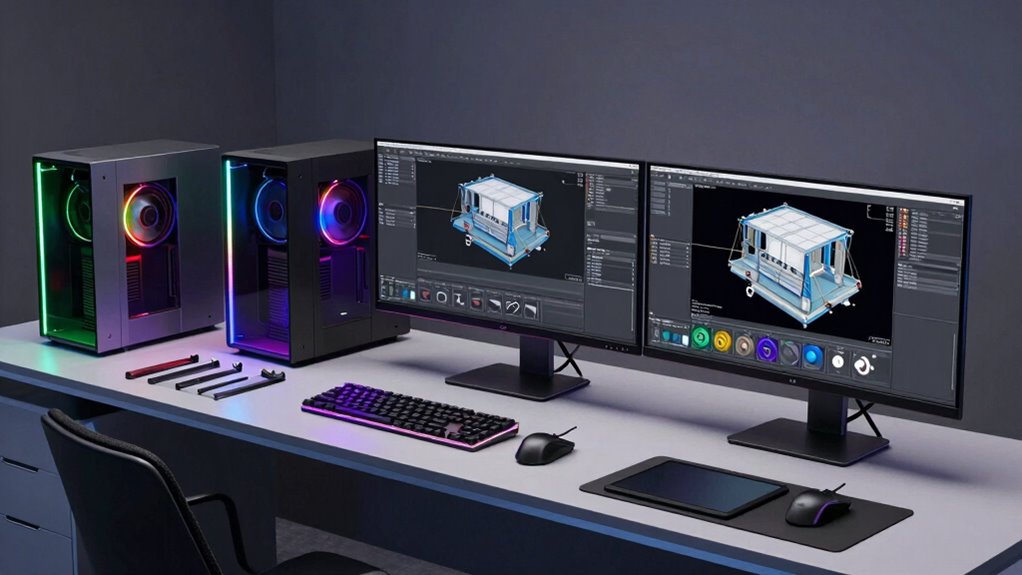

For industrial design, a workstation has to keep interactive modeling responsive while handling complex assemblies, rendering, and the files that follow a project from sketch to production. I rank the Dell Pro Max Tower T2 first for its dedicated 16GB RTX graphics, modern processor, and 64GB memory. The Lenovo ThinkStation P2 Gen 2 is my pick for buyers who value certified software support and abundant RAM, while the ThinkStation P2 Tower offers a capable current-generation processor if you plan to add a graphics card. The tradeoff is clear: ready-to-use graphics cost you more flexibility, while lower-cost or renewed systems may need upgrades or suit lighter CAD work.

Get school and study supplies delivered free — and shop member deals
- Fast, free delivery on millions of items
- Access to Prime Big Deal Days deals on October 6–7
- Prime Video, Amazon Music and more included
Complete the kit



Key Takeaways
- The Dell Pro Max Tower T2 is the most balanced ready-to-use option here, with an RTX 2000 Ada 16GB GPU, 64GB DDR5, and a 20-core processor.
- The Lenovo ThinkStation P2 Gen 2 pairs an ISV-certified workstation platform with 128GB RAM, but its storage combines an SSD with a slower HDD.
- The standard ThinkStation P2 Tower has the same 20-core processor family as the Gen 2 but only integrated graphics, so budget for a discrete GPU for demanding 3D work.
- The renewed ThinkStation P520 offers 256GB RAM and a Quadro P4000, though its older six-core CPU and 90-day warranty make it a specialized value choice.
- The renewed Dell Precision 3431 arrives with two monitors and basic peripherals, but its 16GB RAM and 2GB graphics suit modest projects better than large assemblies.
| Dell Pro Max Tower T2 FCT2250 Workstation Desktop |  | Best Overall | Processor: Intel Core Ultra 7 265 vPro, 20 cores, up to 5.3GHz | Graphics: NVIDIA RTX 2000 Ada, 16GB GDDR6 | Memory: 64GB DDR5 | VIEW ON AMAZON | See Our Full Breakdown |
| Lenovo ThinkStation P2 Gen 2 Workstation Desktop, Intel Core Ultra 7 265K, 128GB DDR5 RAM, 3TB Storage (2TB SSD + 1TB HDD), Windows 11 Pro |  | Best for High-Memory CAD and Certified Software | Processor: Intel Core Ultra 7 265K, 20 cores, up to 5.5GHz | Memory: 128GB DDR5 | Storage: 3TB total: 2TB SSD and 1TB HDD | VIEW ON AMAZON | See Our Full Breakdown |
| Lenovo ThinkStation P2 Tower Desktop Workstation – Intel Core Ultra 7 265K, 32GB DDR5, 1TB SSD |  | Best Upgradeable Starting Point | Processor: Intel Core Ultra 7 265K, 20 cores, up to 5.5GHz | Graphics: Integrated; supports discrete graphics up to NVIDIA RTX 5000 Ada per listing | Memory: 32GB DDR5, 5600 MT/s | VIEW ON AMAZON | See Our Full Breakdown |
| Lenovo ThinkStation P520 Workstation, Xeon W-2135, 256GB DDR4, 1TB NVMe SSD, Quadro P4000 8GB, Windows 11 Pro (Renewed) |  | Best for Memory-Heavy Work on a Renewed Tower | Processor: Intel Xeon W-2135, 6 cores at 3.7GHz | Memory: 256GB DDR4; 512GB maximum listed | Graphics: NVIDIA Quadro P4000, 8GB GDDR5 | VIEW ON AMAZON | See Our Full Breakdown |
| Dell Precision 3431 Workstation, Intel Core i5-9500, 16GB RAM, 1TB SSD, Quadro P620, Windows 11 Pro, Two 24-Inch Monitors (Renewed) |  | Best Complete Starter Desk Setup | Processor: Intel Core i5-9500, ninth generation, 6 cores | Memory: 16GB DDR4 | Graphics: NVIDIA Quadro P620, 2GB | VIEW ON AMAZON | See Our Full Breakdown |
| desktop cad workstation for industrial designer | Processor | Memory | Storage | Operating system |
|---|---|---|---|---|
| Dell Pro Max Tower T2 FCT2250 | Intel Core Ultra 7 265 vPro, 20 cores, up to 5.3GHz | 64GB DDR5 | 2TB SSD | Windows 11 Pro 64-bit |
| Lenovo ThinkStation P2 Gen 2 W | Intel Core Ultra 7 265K, 20 cores, up to 5.5GHz | 128GB DDR5 | 3TB total: 2TB SSD and 1TB HDD | Windows 11 Pro |
| Lenovo ThinkStation P2 Tower D | Intel Core Ultra 7 265K, 20 cores, up to 5.5GHz | 32GB DDR5, 5600 MT/s | 1TB SSD | Windows 11 Pro |
| Lenovo ThinkStation P520 Works | Intel Xeon W-2135, 6 cores at 3.7GHz | 256GB DDR4; 512GB maximum listed | 1TB NVMe PCIe M.2 SSD | Windows 11 Pro 64-bit |
| Dell Precision 3431 Workstatio | Intel Core i5-9500, ninth generation, 6 cores | 16GB DDR4 | 1TB SSD | Windows 11 Pro |
More Details on Our Top Picks
Dell Pro Max Tower T2 FCT2250 Workstation Desktop
The Pro Max Tower T2 is the strongest all-around match for a designer who wants to open substantial models and move into rendering without first replacing the graphics setup. Its NVIDIA RTX 2000 Ada with 16GB gives it a more substantial dedicated graphics foundation than the Quadro P4000 in the older P520 and the 2GB P620 in the Precision 3431. Pair that with a 20-core Core Ultra 7 and 64GB of DDR5 and it has the most even balance of modern CPU, memory, and GPU among these picks.
It is also the only listing here that pairs this graphics tier with stated support for four displays up to 8K, a useful fit for designers who keep CAD, reference, and communication tools visible at once. Compared with the P2 Gen 2, it has half the RAM but a clearly specified discrete graphics card and all-SSD storage. The caveat is the listing’s third-party upgraded memory and SSD; those components have a separate warranty, while Dell ProSupport covers remaining components until July 2029. I would choose it for GPU-oriented work, but buyers who need 128GB or more memory may prefer the Lenovo P2 Gen 2.
Pros:- Dedicated NVIDIA RTX 2000 Ada graphics with 16GB GDDR6
- 20-core Intel Core Ultra 7 vPro processor and 64GB DDR5
- 2TB SSD and extensive USB-C, Thunderbolt 4, and display connectivity
- Supports up to four displays, with stated capability up to 8K at 60Hz
Cons:- Memory and SSD are third-party upgrades with a separate warranty
- More memory-heavy workflows may need an upgrade beyond the included 64GB
Best for: Industrial designers who want a current, ready-to-use tower for CAD, 3D rendering, and multi-display work.
Not ideal for: Buyers who need factory-original components, more than 64GB RAM out of the box, or a compact workstation.
- Processor:Intel Core Ultra 7 265 vPro, 20 cores, up to 5.3GHz
- Graphics:NVIDIA RTX 2000 Ada, 16GB GDDR6
- Memory:64GB DDR5
- Storage:2TB SSD
- Operating system:Windows 11 Pro 64-bit
- Displays:Up to four 8K displays at 60Hz
- Connectivity:Thunderbolt 4, USB-C, USB-A, DisplayPort, Mini DisplayPort, Ethernet
- Warranty:Third-party warranty on upgraded RAM and SSD; Dell ProSupport on remaining components until July 2029
Our verdict“I’d choose the Pro Max Tower T2 for the broadest out-of-box balance of modern CAD processing and dedicated graphics in this lineup.”
Lenovo ThinkStation P2 Gen 2 Workstation Desktop, Intel Core Ultra 7 265K, 128GB DDR5 RAM, 3TB Storage (2TB SSD + 1TB HDD), Windows 11 Pro
The ThinkStation P2 Gen 2 makes its case with 128GB of DDR5 and ISV certification for applications including AutoCAD, Revit, and SOLIDWORKS. That memory headroom helps when a designer keeps large assemblies, reference material, and other demanding applications open together. Its 20-core Core Ultra 7 265K also gives it a current processor platform, matching the CPU core count of the Dell Pro Max while emphasizing capacity over graphics.
The graphics card is not specified in the provided configuration, so I would verify what is installed before relying on it for GPU-heavy modeling or rendering. The Pro Max is the clearer choice if dedicated graphics performance is a priority. Storage is another compromise: a 2TB SSD is joined by a 1TB HDD, which is better suited to secondary files than active project work. Compared with the standard P2 Tower, this configuration includes four times the memory and a stated certification advantage, though both listings leave graphics details as a point to verify. Its tool-less chassis is a practical plus for service and upgrades.
Pros:- 128GB DDR5 memory for larger models and heavy multitasking
- ISV-certified for listed professional software including AutoCAD and SOLIDWORKS
- 20-core Intel Core Ultra 7 265K processor
- Tool-less chassis supports easier service and upgrades
Cons:- Graphics configuration is not specified in the supplied details
- One terabyte of the hybrid storage is a hard drive rather than SSD
Best for: Designers running certified professional CAD software who keep large projects or many applications in memory.
Not ideal for: Buyers whose main priority is specified high-end graphics or an all-SSD storage layout.
- Processor:Intel Core Ultra 7 265K, 20 cores, up to 5.5GHz
- Memory:128GB DDR5
- Storage:3TB total: 2TB SSD and 1TB HDD
- Operating system:Windows 11 Pro
- Certification:ISV certified for AutoCAD, Revit, SOLIDWORKS, and Adobe
- Connectivity:Ethernet, Wi-Fi 7, Bluetooth 5
- Chassis:Tool-less design for service and upgrades
Our verdict“I’d pick the P2 Gen 2 when memory capacity and listed software certification matter more than a clearly specified graphics card.”
Lenovo ThinkStation P2 Tower Desktop Workstation – Intel Core Ultra 7 265K, 32GB DDR5, 1TB SSD
This ThinkStation P2 Tower offers the same 20-core Core Ultra 7 265K family as the higher-memory P2 Gen 2, but arrives with 32GB RAM and integrated graphics. That makes it a plausible starting point for design work where CPU responsiveness matters, with an SSD and Windows 11 Pro ready for use. Its support for a graphics card as capable as the RTX 5000 Ada is a stated upgrade path, which distinguishes it from the bundled-monitor Precision 3431: this Lenovo is built around a newer processor platform, but its initial graphics setup is far less CAD-ready.
I would treat the integrated graphics as the deciding limitation. It may be workable for lighter modeling or 2D drafting, but buyers planning detailed 3D models, real-time visualization, or GPU rendering should account for a discrete card. The listing says RAM is likely not easily expandable and gives a 32GB maximum, so do not assume the memory can grow to match the P2 Gen 2’s 128GB. Wi-Fi 7, Bluetooth 5.4, and a 500W Platinum power supply round out the modern platform, though the stated PSU capacity should be checked against any intended GPU upgrade.
Pros:- 20-core Core Ultra 7 265K processor with up to 5.5GHz turbo
- 1TB SSD and Windows 11 Pro
- Wi-Fi 7, Bluetooth 5.4, and 20Gbps USB-C listed
- Tower supports a discrete GPU upgrade, up to RTX 5000 Ada per listing
Cons:- Ships with integrated graphics rather than a dedicated CAD GPU
- Listed memory is 32GB, with expansion limits unclear and a 32GB maximum stated
Best for: Designers who want a new-generation CPU platform and can work within 32GB RAM or plan a suitable graphics upgrade.
Not ideal for: Buyers who need strong dedicated graphics immediately or expect to expand memory substantially.
- Processor:Intel Core Ultra 7 265K, 20 cores, up to 5.5GHz
- Graphics:Integrated; supports discrete graphics up to NVIDIA RTX 5000 Ada per listing
- Memory:32GB DDR5, 5600 MT/s
- Storage:1TB SSD
- Operating system:Windows 11 Pro
- Wireless:Wi-Fi 7 and Bluetooth 5.4
- Power supply:500W 80 PLUS Platinum
- Dimensions:376 x 170 x 315.35 mm
Our verdict“I’d select this P2 when the modern CPU matters and you have a clear plan for the graphics and memory limits.”
Lenovo ThinkStation P520 Workstation, Xeon W-2135, 256GB DDR4, 1TB NVMe SSD, Quadro P4000 8GB, Windows 11 Pro (Renewed)
The renewed P520 combines 256GB DDR4 with a dedicated Quadro P4000, making it an unusual fit for designers who need substantial memory and a known workstation graphics card without relying on an unspecified GPU configuration. Four DisplayPort outputs also make it straightforward to drive a multi-screen desk. Its two 3.5-inch bays provide room to add storage beyond the 1TB NVMe SSD, while the 900W Platinum power supply leaves the older tower with a generous power foundation.
Its weakness is the six-core Xeon W-2135, which is from an older generation than the 20-core Core Ultra chips in both Lenovo P2 systems and the Dell Pro Max. That gap matters for CPU-heavy tasks and newer platform features; the P4000’s 8GB also sits below the Pro Max’s 16GB GPU memory. I’d consider it for memory-intensive projects or existing workflows that favor its workstation configuration, not as the default for a new industrial design workstation. It is renewed and includes only a 90-day warranty, and keyboard and mouse are not included.
Pros:- 256GB DDR4 memory and maximum capacity listed at 512GB
- NVIDIA Quadro P4000 with 8GB graphics memory and four DisplayPort outputs
- 1TB NVMe SSD plus two 3.5-inch drive bays
- 900W 80 PLUS Platinum power supply
Cons:- Renewed condition with a 90-day warranty
- Older six-core Xeon processor compared with the current-generation options
- Keyboard and mouse are not included
Best for: Buyers who prioritize very high RAM capacity, multiple DisplayPort monitors, and a dedicated workstation GPU in a tower.
Not ideal for: Designers seeking a current CPU platform, long warranty coverage, or a fully new system.
- Processor:Intel Xeon W-2135, 6 cores at 3.7GHz
- Memory:256GB DDR4; 512GB maximum listed
- Graphics:NVIDIA Quadro P4000, 8GB GDDR5
- Storage:1TB NVMe PCIe M.2 SSD
- Video outputs:4x DisplayPort
- Operating system:Windows 11 Pro 64-bit
- Power supply:900W, 80 PLUS Platinum
- Warranty and condition:Renewed; 90-day warranty
Our verdict“I’d choose the P520 only when its 256GB memory and Quadro setup solve a specific workload need that outweighs its age and short warranty.”
Dell Precision 3431 Workstation, Intel Core i5-9500, 16GB RAM, 1TB SSD, Quadro P620, Windows 11 Pro, Two 24-Inch Monitors (Renewed)
The Precision 3431 is the most complete entry-level desk bundle here: it includes two 24-inch monitors, a wired keyboard, and a mouse, alongside its workstation tower. That can make setup simpler for someone building a basic CAD desk. The six-core Core i5-9500, 16GB RAM, and 1TB SSD can serve office work, drafting, and modest CAD tasks. Its Quadro P620 adds dedicated graphics, unlike the standard P2 Tower’s integrated-only starting configuration.
For serious industrial design work, though, the P620 has just 2GB graphics memory, and 16GB RAM is the lowest capacity in this roundup. The older ninth-generation processor also trails the newer Core Ultra systems in the lineup. Compared with the P520, it trades much higher memory and a more substantial GPU for the convenience of included screens and peripherals. I’d choose it as a starter bundle for light projects or a secondary workstation, rather than for large assemblies, detailed rendering, or a growing studio workload. Its renewed condition should also factor into the decision.
Pros:- Includes two 24-inch monitors, wired keyboard, and mouse
- 1TB SSD for project files and application loading
- Dedicated Quadro P620 and support for multiple displays
- Windows 11 Pro with Wi-Fi 6 and Bluetooth
Cons:- Only 16GB RAM and 2GB graphics memory
- Older ninth-generation processor platform
- Refurbished system
Best for: A student or early-career designer who needs monitors and basic peripherals for light CAD and general desktop work.
Not ideal for: Professionals working with large assemblies, demanding 3D visualization, or workloads that need more than 16GB RAM.
- Processor:Intel Core i5-9500, ninth generation, 6 cores
- Memory:16GB DDR4
- Graphics:NVIDIA Quadro P620, 2GB
- Storage:1TB SSD
- Displays:Two new 24-inch LCD monitors
- Operating system:Windows 11 Pro
- Connectivity:Wi-Fi 6, Bluetooth, Ethernet
- Condition:Refurbished
Our verdict“I’d pick the Precision 3431 for its included desk setup and light CAD use, while moving to a P2 or Pro Max for demanding 3D work.”

How We Picked
I ranked these desktops by how well their listed specifications map to industrial design work: interactive 3D modeling, assemblies, rendering, multitasking, and day-to-day reliability with professional software. I gave particular weight to the graphics configuration, processor generation, memory capacity, storage, and stated software certification. Those factors affect whether a system can work smoothly with detailed models and whether it is ready for a studio setup.
I also considered the ownership details buyers have to live with. The P520 and Precision 3431 are renewed systems, so I accounted for their age and warranty information. The Dell Pro Max listing says its memory and SSD are third-party upgrades, which changes who backs those parts. Where a desktop has integrated graphics or a hybrid drive, I treat the cost and effort of that limitation as part of its fit. The ranking favors balanced, ready-to-use CAD capability, then specialized strengths such as high memory or a complete monitor bundle.
| desktop cad workstation for industrial designer | Processor | Graphics | Operating system | Connectivity |
|---|---|---|---|---|
| Dell Pro Max Tower T2 FCT2250 | Intel Core Ultra 7 265 vPro, 20 cores, up to 5.3GHz | NVIDIA RTX 2000 Ada, 16GB GDDR6 | Windows 11 Pro 64-bit | Thunderbolt 4, USB-C, USB-A, DisplayPort, Mini DisplayPort, Ethernet |
| Lenovo ThinkStation P2 Gen 2 W | Intel Core Ultra 7 265K, 20 cores, up to 5.5GHz | — | Windows 11 Pro | Ethernet, Wi-Fi 7, Bluetooth 5 |
| Lenovo ThinkStation P2 Tower D | Intel Core Ultra 7 265K, 20 cores, up to 5.5GHz | Integrated; supports discrete graphics up to NVIDIA RTX 5000 Ada per listing | Windows 11 Pro | — |
| Lenovo ThinkStation P520 Works | Intel Xeon W-2135, 6 cores at 3.7GHz | NVIDIA Quadro P4000, 8GB GDDR5 | Windows 11 Pro 64-bit | — |
| Dell Precision 3431 Workstatio | Intel Core i5-9500, ninth generation, 6 cores | NVIDIA Quadro P620, 2GB | Windows 11 Pro | Wi-Fi 6, Bluetooth, Ethernet |
Factors to Consider When Choosing Desktop Cad Workstation For Industrial Designers
Industrial design spans lightweight concept models, detailed assemblies, photorealistic visualization, and large project files. I’d choose a workstation around the heaviest part of your regular workload, then check that the rest of the configuration won’t bottleneck it.
Start with the graphics card
Interactive 3D views and rendering can benefit from a dedicated GPU with enough graphics memory for your models and display resolution. Of these five, the RTX 2000 Ada with 16GB in the Dell Pro Max has the clearest fit for demanding graphics work. The Quadro P4000 in the P520 supplies 8GB, and the P620 in the Precision 3431 has 2GB. Both P2 listings need closer attention: the Gen 2 graphics configuration is not specified, and the standard Tower ships with integrated graphics. For either, confirm the exact GPU before buying if your CAD package or rendering workflow depends on one.
Match memory to project size
Memory helps when assemblies, browser tabs, drawing sheets, and other applications remain open together. The 128GB P2 Gen 2 is a strong match for large multitasking loads, while the P520’s 256GB is the highest listed capacity but comes on an older renewed platform. The Pro Max’s 64GB is a more balanced starting point for many design workloads. At 32GB, the standard P2 is less forgiving for large projects, and the Precision 3431’s 16GB makes it best suited to lighter work.
Look at the whole processor and storage configuration
Modern processors can help with modeling responsiveness and tasks that scale across cores. The 20-core Core Ultra 7 options are much newer than the six-core Xeon W-2135 and Core i5-9500 in the renewed systems. Storage affects how quickly large project files load and how convenient active work feels: the Dell Pro Max has a 2TB SSD, while the P2 Gen 2 pairs a 2TB SSD with a 1TB HDD. The P520 and Precision each include 1TB SSDs; the P520 also offers extra drive bays.
Check certification, condition, and warranty
ISV certification can matter when a studio prioritizes supported configurations for named design applications. Lenovo lists certification for the P2 Gen 2, while the Dell Pro Max is described as ISV certified. The P520 and Precision are renewed, so check the seller’s condition and warranty details closely: the P520 lists a 90-day warranty. The Pro Max listing also splits coverage, with its upgraded RAM and SSD backed by a third party and remaining components covered by Dell ProSupport until July 2029.
Budget for the complete workstation
A tower is only part of a functioning design desk. The Precision 3431 is the only option here that includes two monitors and basic input devices, which can simplify a first setup. The P520 explicitly excludes keyboard and mouse, while other listings do not specify a full peripheral bundle. With the standard P2, factor in a discrete graphics card if you need stronger 3D capability, and check power and chassis compatibility before choosing an upgrade. For a ready-to-work configuration, the Pro Max needs fewer assumed additions.
Frequently Asked Questions
Which workstation is the best fit for demanding industrial design CAD?
I’d start with the Dell Pro Max Tower T2 because it combines a 20-core Core Ultra 7, 64GB DDR5, and a dedicated RTX 2000 Ada with 16GB graphics memory. That balance makes it the clearest ready-to-use choice for detailed 3D work among these listings. If your work needs especially high system memory, the P2 Gen 2’s 128GB may be a better fit, but confirm its graphics configuration before buying.
Is integrated graphics enough for industrial design?
It can be enough for lighter 2D drafting or modest models, but I would not assume integrated graphics will suit detailed 3D modeling, real-time visualization, or GPU rendering. The standard ThinkStation P2 Tower ships with integrated graphics, while the Dell Pro Max and both renewed workstations list discrete GPUs. If choosing the P2 Tower, plan around the graphics card you need and verify the power and upgrade details.
How much RAM should I look for in a CAD workstation?
For basic drafting and modest projects, 16GB may work, though it leaves less room for large files and simultaneous applications. I’d treat 32GB as a more useful starting point and consider 64GB or more for larger assemblies or heavier multitasking. In this group, the Precision 3431 has 16GB, the standard P2 has 32GB, and the Dell Pro Max has 64GB; the P2 Gen 2 and P520 offer 128GB and 256GB respectively.
Should I buy a renewed workstation for professional design work?
A renewed system can suit a limited budget or a secondary workstation, but the age, condition, and warranty deserve close attention. The P520 and Precision 3431 are both renewed; the P520 lists a 90-day warranty, and its six-core processor is older than the Core Ultra options. I’d reserve these for workloads their graphics and memory can handle, and check the included accessories and coverage before relying on either for daily studio work.
Which option is easiest for a first CAD workstation setup?
The Dell Precision 3431 is the most complete bundle because it includes two 24-inch monitors, a keyboard, and a mouse. Its modest 16GB RAM and 2GB Quadro graphics make it more suitable for light CAD than demanding 3D design. For a more capable tower that is ready for heavier work, I’d look to the Dell Pro Max, while remembering that its upgraded memory and SSD have separate warranty coverage.
Conclusion
For a single workstation that can cover modeling, rendering, and multi-display use, I’d choose the Dell Pro Max Tower T2. Designers handling large files or many simultaneous applications should look at the ThinkStation P2 Gen 2 and verify its graphics card. The standard ThinkStation P2 Tower makes sense when a newer CPU platform and future GPU upgrade are priorities. The renewed P520 is a specialized high-memory choice, while the Precision 3431 is best for light CAD users who value its included monitors and peripherals.
Evergreen bestsellers Picks
bestsellers
As an affiliate, we earn on qualifying purchases.