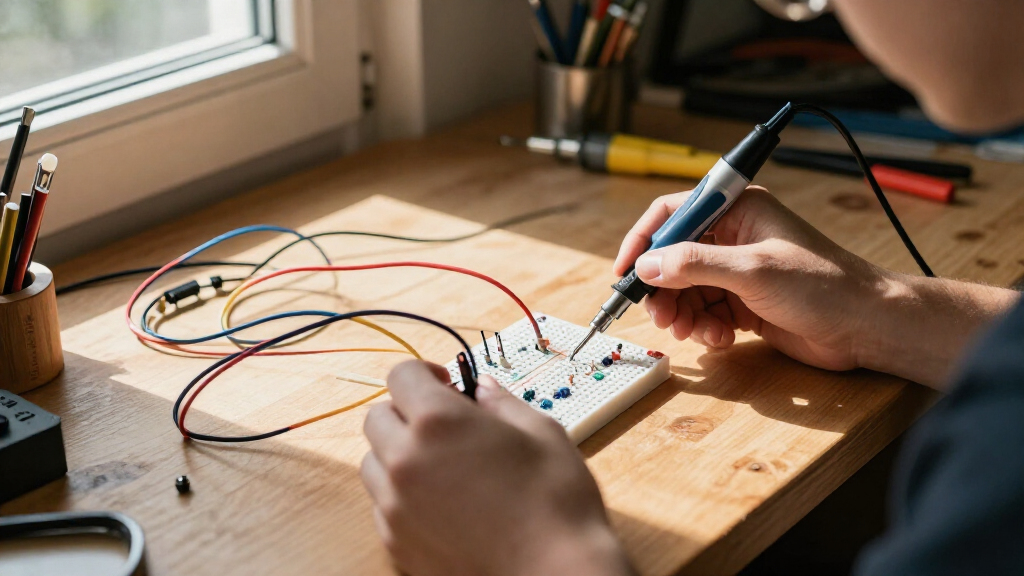

Electronics learning kits for adults range from simple breadboard component packs to guided Arduino systems and hands-on soldering projects. My best overall pick is the Arduino Starter Kit R4 with UNO R4 WiFi, which combines a current board with structured projects for learning both circuits and coding. For lower-cost experimentation, the ELEGOO Electronic Fun Kit supplies a broad set of basic components, while the ProTechTrader Make: Electronics 3rd Edition Deluxe Kit 1 suits learners who want a more deliberate, experiment-led path. The main tradeoffs are guided instruction versus open-ended tinkering, solder-free practice versus permanent assembly, and beginner-friendly simplicity versus room to grow. Read on for how the 15 options differ and which type of learner each one fits.

Prime made for students and young adults
- Fast, free delivery for dorm and study essentials
- Prime Video and Amazon Music included
- Member-only deals
Key Takeaways
- The Arduino Starter Kit R4 with UNO R4 WiFi leads for a guided, adaptable start; the R4 board and project-based approach make it a stronger all-around learning route than a component-only pack.
- ELEGOO’s Electronic Fun Kit is the simple hardware-first value pick, but it offers less built-in instruction than kits centered on lessons or guided projects.
- Arduino-compatible kits are not interchangeable just because they share a board family: included sensors, project guides, and teaching support shape the learning experience as much as the controller.
- Make: Electronics and the radio kit serve learners who want to understand circuit behavior, while soldering kits prioritize practical assembly skills rather than broad programming practice.
- Large component counts do not guarantee a better adult learning experience; a smaller kit with a clear sequence can be easier to use than a box of parts without a strong learning path.
| ELEGOO Electronic Fun Kit with Breadboard, 235 Pieces |  | Best for Component-Level Circuit Practice | Parts: 235 | Breadboard: 400 tie points, solderless | Power module output: Selectable 3.3 V or 5 V rails | VIEW LATEST PRICE | See Our Full Breakdown |
| Snap Circuits Classic SC-300 STEM Electronics Kit, 300+ Projects, Ages 8+ |  | Best for a Gentle, No-Solder Introduction | Model: SC-300 | Project count: Over 300 | Electrical parts: 61 | VIEW LATEST PRICE | See Our Full Breakdown |
| Make: Radio Electronics Kit and Component Pack |  | Best for Radio and Wireless Experiments | Components: 120 items | Microcontroller: Raspberry Pi Pico | Radio modules: 433 MHz transmitter and receiver; Si4703 FM board | VIEW LATEST PRICE | See Our Full Breakdown |
| Arduino Starter Kit R4 with UNO R4 WiFi Board |  | Best Overall Guided Arduino Kit | Model: K000007_R4 | Board: UNO R4 WiFi | Connectivity: Wi-Fi and Bluetooth | VIEW LATEST PRICE | See Our Full Breakdown |
| amomii Testudo Soldering Practice Kit with 3 Gadget Projects |  | Best for Learning to Solder | Model number: TD01V1K | Age range: 14 years and up | Projects: Digital piano, infrared remote, and arcade console | VIEW LATEST PRICE | See Our Full Breakdown |
| ELEGOO UNO R3 Electronics and Arduino-Compatible Starter Kit |  | Best Value for Guided Arduino Practice | Controller: UNO R3 | IDE compatibility: Arduino IDE | Components: 200+ across 63 types | VIEW LATEST PRICE | See Our Full Breakdown |
| ELEGOO UNO R4 WiFi Super Starter Kit Compatible with Arduino for Beginners |  | Best for Learning Wireless Arduino Projects | Processor: Renesas RA4M1, 32-bit, 48 MHz | USB interface: Type-C, 1 port | Connectivity: Wi-Fi 802.11bgn, Bluetooth, GPIO, I2C | VIEW LATEST PRICE | See Our Full Breakdown |
| SunFounder Inventor Lab Starter Kit with Arduino Uno R3 |  | Best for Learning with Video and Measurement Tools | Board: Original Arduino Uno R3 REV3 | Components: 200+ | Lessons: 34 | VIEW LATEST PRICE | See Our Full Breakdown |
| Elenco 130-in-1 Electronic Playground and Learning Center |  | Best for Hands-On Electronics Without Coding | Model: EP-130 | Experiments: 130 | Age range: 10–15 years | VIEW LATEST PRICE | See Our Full Breakdown |
| SunFounder Elite Explorer Kit with Arduino UNO R4 WiFi |  | Best for a Broad Video-Led IoT Curriculum | Board: Original Arduino UNO R4 WiFi | Components: 300+ | Projects: 50 stated: 30 basic, 13 fun, 8 IoT | VIEW LATEST PRICE | See Our Full Breakdown |
| Horizon Uno Electronics Starter Kit with Video Lessons – Arduino-Compatible Board, Sensors, LEDs, Servos & More |  | Best for Guided Learning | Processor: Atmel, 16 MHz | Memory storage capacity: 1 KB | Connectivity: GPIO, USB | VIEW LATEST PRICE | See Our Full Breakdown |
| ProTechTrader Make: Electronics 3rd Edition Deluxe Kit 1 |  | Best for Book-Based, Hands-On Fundamentals | Item count: 200 | Compatible book: Make: Electronics, 3rd Edition, Sections 1–3 | Included components: Resistors, capacitors, fuses, diodes, breadboard, microcontroller, ICs, and transistors | VIEW LATEST PRICE | See Our Full Breakdown |
| ELEGOO UNO R3 Project Starter Kit with Tutorial for Beginners |  | Best Value for Arduino Project Variety | Controller: UNO R3 | Guided lessons: 22+ | RAM: 2 KB SRAM | VIEW LATEST PRICE | See Our Full Breakdown |
| ELEGOO Mega 2560 R3 Electronics Starter Kit with 35+ Guided Projects |  | Best for Larger, Expandable Builds | Controller board: Mega 2560 R3 | Digital I/O pins: 54 | PWM outputs: 15 | VIEW LATEST PRICE | See Our Full Breakdown |
| MOGAOPI Electronic Component Kit, 1,390 Pieces |  | Best Bulk Component Refill | Piece count: 1,390 | Included components: Diodes, resistors, transistors, LED diodes, electrolytic capacitors, and ceramic capacitors | Mounting type: Through-hole | VIEW LATEST PRICE | See Our Full Breakdown |
| electronics learning kits for adult | Dimensions |
|---|---|
| ELEGOO Electronic Fun Kit with | 5.7 × 3.54 × 1.57 inches |
| Snap Circuits Classic SC-300 S | — |
| Make: Radio Electronics Kit an | 9 × 6 × 4 inches |
| Arduino Starter Kit R4 with UN | 9.65 × 6.3 × 1.61 inches |
| amomii Testudo Soldering Pract | — |
| ELEGOO UNO R3 Electronics and | — |
| ELEGOO UNO R4 WiFi Super Start | — |
| SunFounder Inventor Lab Starte | 8.2 × 5.9 × 4.1 in |
| Elenco 130-in-1 Electronic Pla | — |
| SunFounder Elite Explorer Kit | — |
| Horizon Uno Electronics Starte | 10 × 8 × 4 inches |
| ProTechTrader Make: Electronic | 13 × 12 × 3 inches |
| ELEGOO UNO R3 Project Starter | 8.3 × 5.5 × 1.97 inches |
| ELEGOO Mega 2560 R3 Electronic | 13.7 × 8.4 × 1.85 inches |
| MOGAOPI Electronic Component K | 6.42 × 4.61 inches |
More Details on Our Top Picks
ELEGOO Electronic Fun Kit with Breadboard, 235 Pieces
I’d choose this kit for an adult who wants to learn how individual components shape a circuit, rather than follow a long sequence of finished projects. Its 235 parts include transistors, diodes, an optocoupler, and a 74HC595, so experiments can cover switching, signal isolation, and output expansion alongside basic LEDs and buttons. The 400-point solderless breadboard makes it easy to change a layout and see what happens without soldering. Compared with the Arduino Starter Kit R4, this is more focused on discrete components than coding and wireless projects, but it offers less guided instruction. The main catch is setup: you need to provide a 6.5–9 V DC input, and neither a controller board nor a wall adapter is included. I’d skip it if you expect an all-in-one course.
Pros:- Broad component selection supports experiments beyond basic LED circuits.
- Solderless 400-point breadboard allows quick rewiring and iteration.
- Selectable 3.3 V or 5 V rails suit a range of low-voltage experiments.
- Includes parts such as a 74HC595 and optocoupler for exploring more varied circuit functions.
Cons:- Requires a separate 6.5–9 V DC input, with no wall adapter included.
- No controller board or programming cable is supplied.
- The provided product details describe example circuits but not a guided project curriculum.
Best for: Adult beginners who want to practice breadboard wiring and learn how common electronic components behave before moving to microcontroller projects.
Not ideal for: Learners seeking guided, code-based projects or a ready-to-use kit; the controller board, programming cable, and suitable DC adapter are not included.
- Parts:235
- Breadboard:400 tie points, solderless
- Power module output:Selectable 3.3 V or 5 V rails
- Power input:6.5–9 V DC; do not exceed 9 V
- Included components:Jumper and Dupont wires, potentiometer, buttons, LEDs, resistors, capacitors, diodes, transistors, buzzers, and light-sensitive components
- Example components:74HC595, 4N35 optocoupler, PN2222 transistors, 1N4007 diodes
- Dimensions:5.7 × 3.54 × 1.57 inches
- Model:EL-CK-002
Our verdict“Choose this if your priority is hands-on practice with individual components, and look elsewhere if you need a board, power adapter, and lessons in one package.”
Snap Circuits Classic SC-300 STEM Electronics Kit, 300+ Projects, Ages 8+
Although it is aimed at ages 8 and up, I’d include the SC-300 for adults who want a low-friction first encounter with circuit concepts before tackling breadboards or code. Its color-coded, numbered snap parts turn wiring into a visual assembly task, and the illustrated guide moves from simpler builds toward projects such as radios, alarms, and doorbells. That makes it easier to focus on what a circuit does instead of troubleshooting loose connections. Compared with the ELEGOO Electronic Fun Kit, this is far more structured and approachable, but it offers less direct practice with standard breadboard components. The plastic snap-grid also limits how freely you can experiment beyond the included layouts. I’d treat it as a confidence-building starting point, not a substitute for a more open-ended adult electronics kit.
Pros:- Numbered, color-coded parts make circuit assembly easy to follow.
- Illustrated guide progresses through projects of increasing complexity.
- More than 300 project ideas offer repeated practice with the included parts.
- No soldering or tools are needed.
Cons:- Four AA batteries are required but not included.
- Snap-together construction teaches less about conventional breadboard wiring than the ELEGOO Electronic Fun Kit.
- Its stated age range and guided format may feel limiting to adults seeking advanced or open-ended projects.
Best for: Adults with no electronics background who want visual, tool-free projects and a guided introduction before learning breadboard wiring.
Not ideal for: Adult learners ready to practice conventional circuit assembly, component-level troubleshooting, or microcontroller programming; the snap-grid format is less flexible.
- Model:SC-300
- Project count:Over 300
- Electrical parts:61
- Included items:Plastic snap-grid, electrical parts, instruction guide, and project guides
- Power:Four AA batteries, not included
- Recommended age:8 years and up
- Assembly:Color-coded, numbered snap-together parts; no soldering or tools required
Our verdict“Pick the SC-300 if you want an approachable, structured first step, but choose a breadboard kit for more transferable circuit-building practice.”
Make: Radio Electronics Kit and Component Pack
I’d rank this kit highly for adults who want a focused route into radio electronics, programming, and signal experiments rather than a broad survey of beginner circuits. The parts are matched to 12 projects in the 2024 Make: Radio guide, with a Raspberry Pi Pico, two breadboards, a 1602 LCD, and 433 MHz transmitter and receiver. That combination gives learners a way to connect code and circuit behavior to radio concepts. Compared with the Arduino Starter Kit R4, this pack puts more emphasis on radio hardware and comes with two breadboards, while the Arduino kit includes its project book and broader guided materials. Here, the guide is sold separately, so the stated experiments may require an additional purchase. I’d pass if you want a complete teaching package or a general-purpose first kit without a book hunt.
Pros:- Parts are specified for 12 projects in the 2024 Make: Radio guide.
- Includes a Raspberry Pi Pico and components for programming experiments.
- 433 MHz transmitter and receiver support radio-focused builds.
- Two solderless breadboards and a 1602 LCD provide room for varied setups.
Cons:- The matching project book is sold separately.
- Its radio-centered scope is less broad than the Arduino Starter Kit R4’s guided project approach.
- The age range starts at 14 years, so its materials may not suit every adult beginner without additional instruction.
Best for: Adult learners who already want to study radio theory alongside Raspberry Pi Pico programming and are comfortable sourcing the matching guide separately.
Not ideal for: First-time learners who want one package with all instructions included, or buyers looking for a general-purpose starter kit rather than radio-focused projects.
- Components:120 items
- Microcontroller:Raspberry Pi Pico
- Radio modules:433 MHz transmitter and receiver; Si4703 FM board
- Display:1602 LCD
- Breadboards:Two solderless breadboards
- Included components:Capacitors, development board, Raspberry Pi Pico microcontroller, and resistors
- Dimensions:9 × 6 × 4 inches
- Weight:1.8 pounds
- Book:Sold separately
Our verdict“Choose this kit if radio projects are your goal and you’re willing to obtain the guide separately; otherwise, the Arduino Starter Kit R4 is a more self-contained learning path.”
Arduino Starter Kit R4 with UNO R4 WiFi Board
For an adult who wants electronics and coding taught together, I’d put this Arduino kit first. The UNO R4 WiFi board adds Wi-Fi and Bluetooth to a path built around 13 guided projects, while the printed project book gives learners a physical reference as they build. Online lessons and extra projects extend the material, and the certification exam voucher offers a defined next step for someone who wants to check their progress. Compared with the Make: Radio Electronics Kit, this is the more complete guided package: its printed book is included, while the radio kit’s matching guide is sold separately. The tradeoff is that it is less specifically centered on radio theory, and bonus digital resources require online registration. I’d choose it for a structured start, not for learners whose main goal is soldering practice.
Pros:- UNO R4 WiFi includes both Wi-Fi and Bluetooth connectivity.
- Printed project book supports 13 guided builds.
- Online lessons and additional projects extend the included material.
- Includes a voucher for the Arduino Fundamentals certification exam.
Cons:- Access to bonus digital resources requires online registration.
- The certification voucher does not replace the learning material or exam itself.
- Its guided Arduino focus is less suited to soldering practice than the amomii Testudo kit.
Best for: Adults who want a structured introduction to Arduino coding and electronics, with a printed guide, wireless-capable board, and additional online lessons.
Not ideal for: Learners whose main aim is soldering hands-on gadgets or studying radio hardware in depth; its focus is guided Arduino projects.
- Model:K000007_R4
- Board:UNO R4 WiFi
- Connectivity:Wi-Fi and Bluetooth
- Guided projects:13
- Included materials:Printed project book and components
- Online resources:Additional projects and multilingual lessons in Italian, German, and French
- Certification:Arduino Fundamentals exam voucher
- Dimensions:9.65 × 6.3 × 1.61 inches
- Warranty:2 years
Our verdict“Choose this as a guided all-around Arduino learning path, unless you want soldering or radio experiments to be the main focus.”
amomii Testudo Soldering Practice Kit with 3 Gadget Projects
I’d pick the Testudo for adults who want finished, interactive gadgets and are ready to learn a skill the breadboard kits don’t teach: soldering. Its three builds—a digital piano, infrared remote, and arcade console—pair hands-on assembly with printed instructions, PDF manuals, and video tutorials. The USB-C amomii ONE microcontroller can also connect to optional Arduino IDE lessons, so the kit offers a route from assembling hardware to experimenting with code. Compared with the ELEGOO Electronic Fun Kit, this is less suited to quick, reversible circuit changes but better for practicing permanent assembly and troubleshooting. The main limitation is practical: a soldering iron and basic tools are not included. I’d skip it if you want to start building immediately without buying or borrowing equipment.
Pros:- Three distinct gadget projects provide varied assembly practice.
- Printed instructions, PDF manuals, and video tutorials support beginner soldering.
- USB-C amomii ONE microcontroller is compatible with Arduino IDE.
- Open-source hardware files and 3D-printable enclosure designs support customization.
Cons:- Soldering iron and basic assembly tools are not included.
- Permanent soldered builds are less convenient to revise than the ELEGOO Electronic Fun Kit’s breadboard circuits.
- Contains small parts and is intended for ages 14 and up.
Best for: Adults who want a guided first soldering experience and prefer building playable gadgets with room for later Arduino-based customization.
Not ideal for: Learners without access to a soldering iron and basic tools, or those who want tool-free breadboard experiments and easy circuit rewiring.
- Model number:TD01V1K
- Age range:14 years and up
- Projects:Digital piano, infrared remote, and arcade console
- Microcontroller:amomii ONE, USB-C
- Components:60+ components and 3 circuit boards
- Tutorials:Printed instructions, PDF manuals, and HD video tutorials
- Coding compatibility:Arduino IDE
- Tools required:Soldering iron and basic tools, not included
Our verdict“Choose the Testudo if learning soldering through functional gadget builds is your priority and you already have, or can obtain, the required tools.”
ELEGOO UNO R3 Electronics and Arduino-Compatible Starter Kit
I’d choose this kit for adults who want a broad introduction to Arduino projects without starting with wireless features they may not use yet. Its 200+ components across 63 types and 30+ guided projects offer a practical path from basic circuits to sensors, RFID, displays, and motor control. Compared with the ELEGOO UNO R4 WiFi Super Starter Kit, this R3 version is less suited to IoT experiments, but its documented, conventional setup makes a strong foundation for learning circuit and code basics. The breadboard and pre-soldered modules reduce setup friction, while the storage case helps keep the small parts sorted. The tradeoff is that the kit has many pieces to manage, and the power-supply warning limits experimentation to the specified voltage.
Pros:- Wide mix of sensors, displays, motors, and circuit components supports varied practice.
- PDF tutorial and example code guide more than 30 projects.
- Solderless breadboard and pre-soldered modules simplify initial builds.
- Storage case and small-parts box help organize components.
Cons:- The large number of small parts takes care to sort and store.
- The power-supply warning says not to use voltage above 9 V.
Best for: Adults learning Arduino fundamentals who want varied components and guided projects before taking on Wi-Fi or Bluetooth builds.
Not ideal for: Learners whose main goal is connected IoT projects or who want a very small, low-maintenance parts set.
- Controller:UNO R3
- IDE compatibility:Arduino IDE
- Components:200+ across 63 types
- Guided projects:30+
- Learning materials:PDF tutorial and example code
- Power supply:9 V, 1 A
- Warranty:1 year
Our verdict“Choose this R3 kit for structured, component-rich Arduino fundamentals; pick the UNO R4 WiFi kit instead if wireless projects are your priority.”
ELEGOO UNO R4 WiFi Super Starter Kit Compatible with Arduino for Beginners
This kit makes the most sense for adults who already know a little about circuits or want their learning path to reach connected projects quickly. The UNO R4 WiFi board adds built-in Wi-Fi and Bluetooth, while its 32-bit, 48 MHz processor, USB-C connection, and Qwiic connector offer a newer platform than the ELEGOO UNO R3 Starter Kit. That difference matters when a project needs wireless communication rather than only local sensors, LEDs, or motors. More than 200 components and step-by-step tutorials provide room to practice before moving into IoT work. It also supports existing UNO R3 shields, which can make a board upgrade easier for learners with compatible hardware. The main catch is practical: no power supply or battery is included, so portable projects need a separate power source.
Pros:- Built-in Wi-Fi and Bluetooth support connected project work.
- More than 200 components and step-by-step tutorials provide a broad learning path.
- USB-C connection offers a current, convenient interface.
- Compatibility with UNO R3 shields can extend the usefulness of existing hardware.
Cons:- No battery or power supply is included, adding a separate setup requirement.
- Wireless features may be unnecessary for learners focused only on basic circuit practice.
Best for: Adult beginners and hobbyists who want guided Arduino practice that can progress into Wi-Fi, Bluetooth, and IoT projects.
Not ideal for: Buyers who need a complete portable setup out of the box or who only want basic, offline circuit exercises.
- Processor:Renesas RA4M1, 32-bit, 48 MHz
- USB interface:Type-C, 1 port
- Connectivity:Wi-Fi 802.11bgn, Bluetooth, GPIO, I2C
- Memory storage:256 KB
- RAM:32 KB SRAM
- Components:200+
- Compatibility:Arduino UNO shields
Our verdict“Pick this kit for a guided route from Arduino basics to wireless builds, provided you can supply power separately.”
SunFounder Inventor Lab Starter Kit with Arduino Uno R3
I’d put this SunFounder kit near the top for adults who learn best by following a lesson and checking their circuits as they go. Its 34 lessons, 40+ video courses, circuit diagrams, and code examples give learners more instructional formats than the PDF-led ELEGOO UNO R3 Starter Kit. The included multimeter is a practical distinction: it introduces measurement and troubleshooting alongside programming, rather than leaving learners to guess why a circuit is not behaving as expected. A breadboard holder also helps keep a working setup orderly. The kit includes more than 200 components, though the supplied details do not list the full inventory, so buyers cannot readily plan around every part. It remains an Arduino-based learning system, and programming may require access to a computer.
Pros:- Combines 34 lessons, 40+ video courses, diagrams, and code examples.
- Included multimeter supports hands-on measurement and troubleshooting.
- More than 200 components enable a range of Arduino exercises.
- Breadboard holder helps keep components in place during builds.
Cons:- The exact contents of the 200-plus components are not specified in the supplied product details.
- Arduino programming may require a computer.
Best for: Adults who prefer guided video instruction and want a multimeter for practicing basic circuit checks alongside Arduino coding.
Not ideal for: Learners seeking a fully itemized parts inventory or a kit that does not depend on computer-based programming.
- Board:Original Arduino Uno R3 REV3
- Components:200+
- Lessons:34
- Video courses:40+
- Included items:Multimeter, RAB breadboard holder, HCSR-04 sensor, 1602 LCD, servo motor
- Connectivity:USB
- Dimensions:8.2 × 5.9 × 4.1 in
Our verdict“Choose SunFounder if videos and measurement practice suit your learning style better than the ELEGOO kit’s PDF-centered guidance.”
Elenco 130-in-1 Electronic Playground and Learning Center
For adults who want to understand electronic behavior before learning Arduino, Elenco takes a different route from the coding-centered ELEGOO UNO R3 Starter Kit. Its 130 experiments use spring-wire connections and a lab-style manual to explore electricity, physics, magnetism, and circuits without requiring programming. The built-in speaker, seven-segment display, integrated circuits, and rotary controls give experiments tangible outputs, making it easier to connect a circuit change with what happens next. This is a more contained learning system than the Arduino kits: that simplicity can help newcomers focus, but it also means less room for open-ended coding or modern IoT work. The age range is listed as 10–15, so adult learners should choose it for its guided fundamentals, not for an adult-focused course or advanced microcontroller platform. Six AA batteries are required and not included.
Pros:- 130 experiments provide a structured sequence of hands-on activities.
- Spring-wire connections allow quick circuit changes and troubleshooting.
- Built-in speaker, LED display, integrated circuits, and rotary controls make results observable.
- Illustrated lab-style manual guides experiments.
Cons:- Six AA batteries are required and not included.
- The fixed learning center offers less flexibility for custom programming than Arduino kits.
- Listed age range is 10–15, which may not match adult learners seeking advanced instruction.
Best for: Adults new to electronics who want guided, no-code experiments in circuits, electricity, physics, and magnetism.
Not ideal for: Learners seeking Arduino programming, wireless projects, or an open-ended platform for building custom IoT devices.
- Model:EP-130
- Experiments:130
- Age range:10–15 years
- Power:6 AA batteries, not included
- Features:Built-in speaker, seven-segment LED display, two integrated circuits, rotary controls
- Included components:Learning center and illustrated manual
- Topics:Electronics, electricity, physics, magnetism
Our verdict“Choose Elenco for guided, tactile electronics fundamentals without code; choose an Arduino kit for programming and customizable projects.”
SunFounder Elite Explorer Kit with Arduino UNO R4 WiFi
This is the strongest fit for adults who want a substantial guided curriculum that spans basic electronics, coding, and IoT. The kit pairs an original Arduino UNO R4 WiFi with more than 300 components, 50 listed projects, and over 100 video lessons. Compared with the ELEGOO UNO R4 WiFi Super Starter Kit, SunFounder emphasizes a larger component collection and a more extensive video library, making it appealing to learners who want repeated demonstrations and varied builds. Wi-Fi and Bluetooth support allow projects to move beyond standalone circuits, while open-source code and step-by-step resources can help learners adapt examples. The tradeoff is that this breadth may be more than someone needs for simple circuit fundamentals. Also, the listed project categories add up to 51, despite the stated total of 50, so the project count is not fully consistent.
Pros:- Original UNO R4 WiFi board supports Wi-Fi and Bluetooth projects.
- More than 300 components provide a broad set of parts for experimentation.
- Over 100 video lessons complement step-by-step tutorials and open-source code.
- Project mix covers basic builds, fun projects, and IoT.
Cons:- Listed project categories total 51 even though the product description states 50.
- The large component selection and lesson library may be excessive for learners seeking only basic circuit practice.
Best for: Adults who want a video-rich Arduino course with a broad parts selection and a path from basic builds to IoT projects.
Not ideal for: Learners who want only a small introductory circuit set, or who prefer a project count and curriculum details without inconsistencies.
- Board:Original Arduino UNO R4 WiFi
- Components:300+
- Projects:50 stated: 30 basic, 13 fun, 8 IoT
- Video lessons:100+
- Connectivity:Wi-Fi, Bluetooth, USB
- Processor:32-bit
- Compatibility:Arduino Uno R3 and Nano
Our verdict“Choose the Elite Explorer for a broad video-led path into Arduino IoT; the ELEGOO UNO R4 kit is a better fit if you want a less extensive learning package.”
Horizon Uno Electronics Starter Kit with Video Lessons – Arduino-Compatible Board, Sensors, LEDs, Servos & More
I’d rank the Horizon Uno highest for adults who want instruction bundled with the hardware. Its lifetime video lessons pair projects, labs, and problem sets with an Arduino-compatible board and parts, giving beginners a clearer route from wiring a circuit to writing code. That makes it a more guided choice than the component-focused MOGAOPI kit, which supplies parts but no stated lessons or controller. The tradeoff is that the board’s 16 MHz processor and 1 KB memory leave less room for demanding builds than the ELEGOO Mega 2560 R3 kit, which offers substantially more memory and I/O. I’d choose Horizon for structured fundamentals, not as a platform to grow into complex projects. Its listed component selection is useful, though less detailed than some alternatives.
Pros:- Lifetime video lessons include projects, labs, and problem sets.
- Arduino-compatible board supports familiar programming tools.
- Includes a board, LEDs, sensors, servos, and other circuit parts.
- Lessons offer more direction than the standalone MOGAOPI component assortment.
Cons:- The 16 MHz processor and 1 KB memory limit headroom for advanced projects.
- The product details do not specify a component count or a full parts inventory.
Best for: Adult beginners who want video-led lessons alongside an Arduino-compatible board and basic circuit components.
Not ideal for: Learners planning processor-intensive builds or looking for detailed component counts and advanced expansion; the listed board resources are limited.
- Processor:Atmel, 16 MHz
- Memory storage capacity:1 KB
- Connectivity:GPIO, USB
- Operating system compatibility:Windows, macOS, Linux
- USB ports:1
- Included learning content:Lifetime access to step-by-step video lessons
- Included components:Arduino-compatible board, LEDs, sensors, servos, and other components
- Dimensions:10 × 8 × 4 inches
Our verdict“Choose Horizon if guided video instruction matters more than advanced board capacity or a precisely listed parts selection.”
ProTechTrader Make: Electronics 3rd Edition Deluxe Kit 1
For adults who prefer working through a defined electronics text, I’d favor this kit over the ELEGOO UNO R3 Starter Kit. It is built for Make: Electronics, 3rd Edition, Sections 1–3, and combines 200 components with a multimeter, soldering iron, power supplies, and assembly materials. That tool mix supports measuring and assembling circuits, rather than centering the experience on programming a microcontroller. The key catch is that the book is sold separately, so the learning path depends on buying or already owning it. Compared with the Horizon Uno kit, this is more suited to physical circuit fundamentals and soldering, but it lacks the stated video curriculum and Arduino-compatible board emphasis. I’d pick it for structured text-based study, provided its tools and components match the book’s early sections.
Pros:- Includes 200 components for early projects in the compatible book.
- Bundles a multimeter, 30W soldering iron, power supplies, and test leads.
- Organizer helps keep labeled components sorted between projects.
- Includes solder, heat-shrink tubing, and wire for practical assembly work.
Cons:- The compatible Make: Electronics book is sold separately.
- Its projects are tied to Sections 1–3 rather than presented as a broad, standalone curriculum.
Best for: Adults studying the first sections of Make: Electronics who want components, measuring tools, and soldering equipment in one set.
Not ideal for: Buyers who want a self-contained course, video lessons, or a ready-to-code Arduino project kit; the book is separate and the kit follows a specific text.
- Item count:200
- Compatible book:Make: Electronics, 3rd Edition, Sections 1–3
- Included components:Resistors, capacitors, fuses, diodes, breadboard, microcontroller, ICs, and transistors
- Included tools:PDM631 multimeter and 30W soldering iron
- Power sources:9V battery, battery connector, and AC/DC adapter
- Dimensions:13 × 12 × 3 inches
- Recommended age:14 years and up
- Warranty:1 year on parts
Our verdict“Pick this kit if you plan to follow Make: Electronics and want practical circuit tools; skip it if you need the book or lessons included.”
ELEGOO UNO R3 Project Starter Kit with Tutorial for Beginners
The ELEGOO UNO R3 makes sense for adults who want to learn by building a wide range of small Arduino projects without jumping straight to a larger board. Its 22+ guided lessons introduce wiring, code, sensors, motor control, and displays, while the included motors, LCD, joystick, and sensors let learners see how code affects physical components. Compared with the Horizon Uno kit, the ELEGOO listing spells out more specific modules and lesson coverage; compared with the ELEGOO Mega 2560 R3, it is a simpler starting point with fewer listed expansion resources. That simplicity also sets a ceiling: the UNO R3 has limited memory and I/O for ambitious builds. The power-module input must stay at 9V or below, so this kit rewards careful setup rather than improvised power choices.
Pros:- More than 22 guided lessons and example code support step-by-step practice.
- Includes varied sensors, motors, displays, and a solderless breadboard.
- Pre-soldered LCD helps reduce setup work for a common display project.
- Covers a broader range of interactive projects than the MOGAOPI component-only assortment.
Cons:- The breadboard power-module input must not exceed 9V.
- The UNO R3’s limited resources offer less expansion room than the Mega 2560 kit.
- Some learners may need help identifying parts and assembling early circuits.
Best for: Adult beginners who want guided Arduino coding practice across sensors, displays, and motors using a solderless breadboard.
Not ideal for: Learners who need more I/O for larger builds, or who are not prepared to observe the breadboard power module’s 9V input limit.
- Controller:UNO R3
- Guided lessons:22+
- RAM:2 KB SRAM
- Processor:Atmel (Microchip), 16 MHz
- Connectivity:USB
- Wireless compatibility:Infrared
- Power-module input limit:9V
- Dimensions:8.3 × 5.5 × 1.97 inches
Our verdict“Choose this UNO R3 kit for guided, varied first projects; move to the Mega 2560 if your plans need more pins and expansion capacity.”
ELEGOO Mega 2560 R3 Electronics Starter Kit with 35+ Guided Projects
I’d put the ELEGOO Mega 2560 R3 ahead of the UNO R3 kit for adults who already know they want room to combine more modules in a single project. Its 54 digital I/O pins, 16 analog inputs, and four hardware serial ports give multiple sensors and peripherals more connection options, while 35+ guided projects provide a starting path through the included parts. That expanded capacity distinguishes it from the Horizon Uno and ELEGOO UNO R3 kits, which are better fits for simpler early builds. The tradeoff is a larger learning and setup burden: this is still a kit for assembling and programming projects, not a finished device or a no-code course. The listing also names FreeRTOS as the operating system, which may call for extra setup for some users.
Pros:- Mega 2560 R3 provides 54 digital I/O pins and 16 analog inputs.
- Four hardware serial ports support connecting multiple serial devices.
- More than 200 components and 35+ guided projects offer broad build options.
- Organized storage, a solderless breadboard, and pre-soldered modules support repeatable setups.
Cons:- Larger project capacity can add complexity for someone starting with basic circuits.
- Users must assemble and program projects themselves.
- The listed FreeRTOS operating system may require additional setup.
Best for: Adult hobbyists ready to build projects with several sensors or peripherals and wanting more board capacity than a UNO R3.
Not ideal for: New learners seeking the simplest possible first circuit or adults who want a turnkey, no-setup learning experience.
- Controller board:Mega 2560 R3
- Digital I/O pins:54
- PWM outputs:15
- Analog inputs:16
- Hardware serial ports:4
- Flash memory:256 KB
- Included components:200+
- Guided projects:35+
- Dimensions:13.7 × 8.4 × 1.85 inches
Our verdict“Choose the Mega 2560 kit if you want guided projects with more room to connect components; choose a UNO R3 kit for a simpler entry point.”
MOGAOPI Electronic Component Kit, 1,390 Pieces
The MOGAOPI kit is the most parts-focused pick here: 1,390 through-hole components give adults a stock of common resistors, diodes, transistors, LEDs, and capacitors for practice or repairs. I’d treat it as a supplement, not a complete learning kit. Unlike the ELEGOO UNO R3 and Mega 2560 kits, it lists no controller, breadboard, project lessons, or tools, so it cannot guide a beginner from a circuit idea to a working build on its own. Separate packaging and stamped resistor values make sorting more manageable, but the product data does not state the quantities or values of individual parts. That uncertainty makes it harder to plan specific experiments. It fits best after a learner already has a board and project plan, rather than as a first electronics purchase.
Pros:- Provides 1,390 pieces across six common component types.
- Separate packaging helps keep components sorted.
- Stamped resistor values make resistor identification easier.
- Through-hole parts suit breadboard practice and soldering projects.
Cons:- No controller, breadboard, tools, or lessons are listed.
- Individual component quantities and values are not specified.
- Its component selection is limited to the types listed.
Best for: Adults who already own a controller, breadboard, and tools and want common through-hole parts for repeated circuit practice.
Not ideal for: First-time learners seeking lessons, a controller, a breadboard, or a known parts list for a particular project.
- Piece count:1,390
- Included components:Diodes, resistors, transistors, LED diodes, electrolytic capacitors, and ceramic capacitors
- Mounting type:Through-hole
- Capacitance:10 microfarads
- Operating voltage:50 volts
- Model:EC-01
- Dimensions:6.42 × 4.61 inches
- Weight:11.2 ounces
Our verdict“Buy this as a component refill if you already have a learning setup; choose an ELEGOO kit instead for a board and guided projects.”
How We Picked
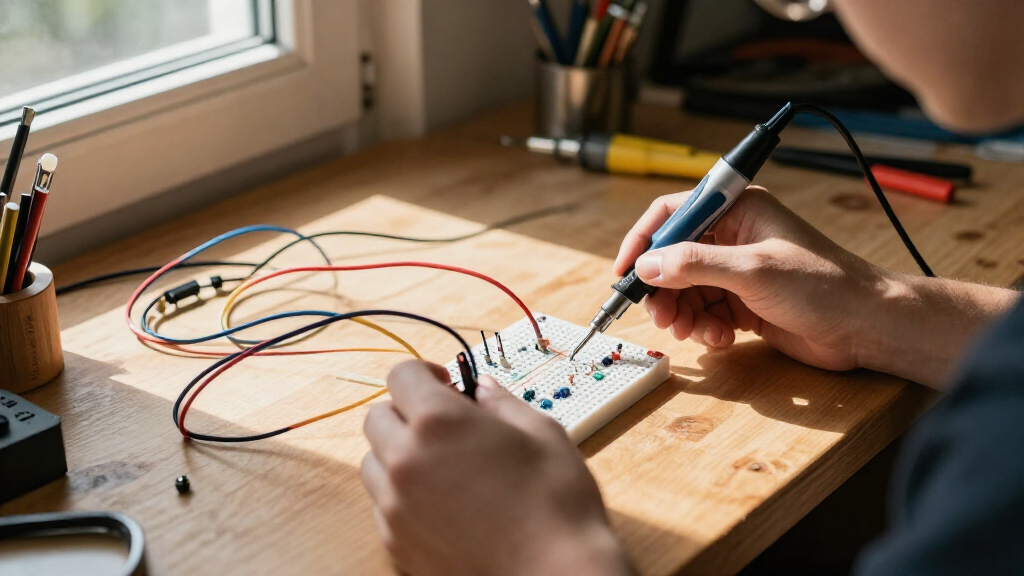
I compared the 15 kits by how well they support an adult moving from curiosity to practical understanding. The main criteria were clarity and depth of instruction, the balance of theory and projects, the usefulness of included parts, setup demands, and whether the kit leaves room for more advanced experiments. I also separated solder-free circuit exploration from soldering practice and Arduino programming, since those build different skills and are not direct substitutes.
The ranking favors kits that pair usable hardware with a clear way to learn from it. That puts the Arduino Starter Kit R4 first for its combination of guided projects and a modern WiFi-capable board, while the ELEGOO Electronic Fun Kit stands out as a straightforward parts-based option. Make: Electronics earns a distinct place for experiment-led learning; specialist options such as the radio and soldering kits rank for narrower goals. Component quantity alone did not determine placement: instruction, usability, and fit for adult learners mattered more.
Factors to Consider When Choosing Electronics Learning Kits For Adults
Before choosing, match the kit to the skill you want to practice, not just the number of projects or parts on the box. These differences affect how quickly you can get started, what you will learn, and what you may need to buy later.
Choose a learning path before choosing a kit
Decide whether your priority is circuit fundamentals, programming, soldering, or a particular application such as radio electronics. A kit that teaches Arduino code may include many components but provide little practice with permanent assembly. A soldering project can build workshop confidence without teaching much about sensors or software. Buying a broad kit before naming your goal can leave you with parts that do not support the skill you care about. If you want several skills, start with one path and add a specialist kit later.
Check how the instructions teach, not just how many projects they list
Project counts can hide a big difference in teaching quality. Look for explanations that connect what you build to why a circuit behaves as it does, plus diagrams or code you can follow and modify. Video lessons can be helpful for seeing wiring steps, while written experiments are easier to revisit at your own pace. A long list of build ideas is less useful if it does not explain mistakes or encourage changes. Adults returning to electronics may benefit most from materials that explain both the action and the underlying principle.
Account for solder-free and soldered learning
Breadboards and snap-together parts let you change circuits quickly, which makes them well suited to trial and error. Soldering teaches a separate set of skills: heat control, joint quality, and safe handling of tools. A kit that requires soldering can be rewarding, but it may frustrate a learner who first wants to test ideas without committing to a permanent connection. Check whether tools and safety guidance are included before buying a soldering-focused option. Many learners are better served by starting solder-free and adding assembly practice once the circuit basics feel familiar.
Look beyond the controller name
Arduino-compatible boards can share a familiar programming workflow while differing in capabilities, included accessories, and the projects they support. Check the exact board version and whether the guide matches it; otherwise, wiring or code examples may need adjustment. A WiFi-capable board can support connected projects, but that feature adds little if your goal is basic circuits and you do not plan to use networking. Also check the computer and software requirements before purchase. Compatibility details can matter more than a small difference in the number of included components.
Plan for the parts and tools you may need later
Some kits are designed as a contained learning set, while others work more like a starting inventory of components. Think about whether you have a multimeter, wire cutters, soldering equipment, or a place to organize small parts. Missing tools can interrupt a lesson even when the kit itself is complete. A large assortment may offer more future experiments, but it can also make storage and identification harder. Choose the smallest set that supports your next several projects, then add parts when a specific build calls for them.
Pay for structure when it saves you time
A lower-cost component pack can be a sensible choice if you already know how to find and adapt project instructions. If you are starting from scratch, a well-sequenced guide can reduce setup confusion and help you learn from errors. Paying more is less useful when the extra content duplicates skills you already have or adds features outside your goal. Compare the support materials, board, and project progression rather than judging by the size of the box. For adult learners with limited study time, clear instruction can be more valuable than a larger parts count.
Frequently Asked Questions
Which kit makes the most sense if I have never programmed a microcontroller?
Start with a kit that pairs a compatible board with step-by-step projects and explanations, rather than buying a parts assortment alone. The Arduino Starter Kit R4 is the strongest all-around match in this lineup for a guided route into circuits and code. If you would rather learn physical circuit behavior before programming, a breadboard-focused option can help build confidence first. Check that the lessons match the exact board included. You do not need to learn every component before attempting a first project.
Should I choose an Arduino kit or a non-programmable electronics kit?
Choose an Arduino kit if you want to control sensors, lights, motors, or connected projects with code. A non-programmable kit is a better fit when your immediate goal is to understand how components interact without adding software setup. These routes complement each other, but they are not equivalent: Arduino adds flexibility and a learning curve, while simpler circuit kits reduce the number of things to troubleshoot at once. If you are unsure, begin with the skill you are most excited to practice. You can add the other approach later without needing to master everything first.
Do I need a soldering kit to learn electronics as an adult?
No. Breadboard and snap-circuit kits let you build and revise circuits without soldering, which is often a more comfortable way to learn basic connections. Soldering becomes useful when you want to make durable assemblies or practice repair and fabrication skills. A soldering practice kit is a focused choice, not a replacement for a broad circuit or programming curriculum. Check whether the required iron and safety equipment are supplied or need to be sourced separately. Starting without soldering does not prevent you from learning it later.
Is a kit with more components automatically the better buy?
No; a large assortment can offer breadth, but it does not tell you how clearly the kit teaches or whether the parts support your goals. A smaller set with a reliable sequence may help you complete projects and understand each result more effectively. Check for useful diagrams, code examples where relevant, and components tied to specific lessons. Also think about whether you can identify and store the parts without losing track of them. Choose quantity for future experimentation, not as a substitute for instruction.
What should I check before buying an Arduino-compatible kit for a computer I already own?
Confirm that the board and tutorial support your operating system and that the examples match the board version in the box. Check whether the kit depends on a particular USB cable, software package, or online lesson access. If you plan to use WiFi or other connected features, verify that the guide covers their setup rather than only basic LED projects. Older examples may require small changes for a different board revision. These checks help prevent a first session from turning into a compatibility problem instead of a learning project.
Conclusion
For most adults seeking one kit that combines projects, programming, and room to advance, I recommend the Arduino Starter Kit R4 with UNO R4 WiFi as the best overall pick. For a more accessible parts-first approach, the ELEGOO Electronic Fun Kit is the best value choice, especially for learners who are comfortable finding their own project guidance. The ProTechTrader Make: Electronics 3rd Edition Deluxe Kit 1 is my best premium-style choice for structured, experiment-led learning, while the Snap Circuits Classic is the most approachable beginner option for quick, solder-free circuit exploration. Choose the amomii soldering kit for hands-on assembly practice or the Make: Radio Electronics Kit for a focused interest in radio; those specialist picks make more sense than a general Arduino set when that is the skill you want to build.