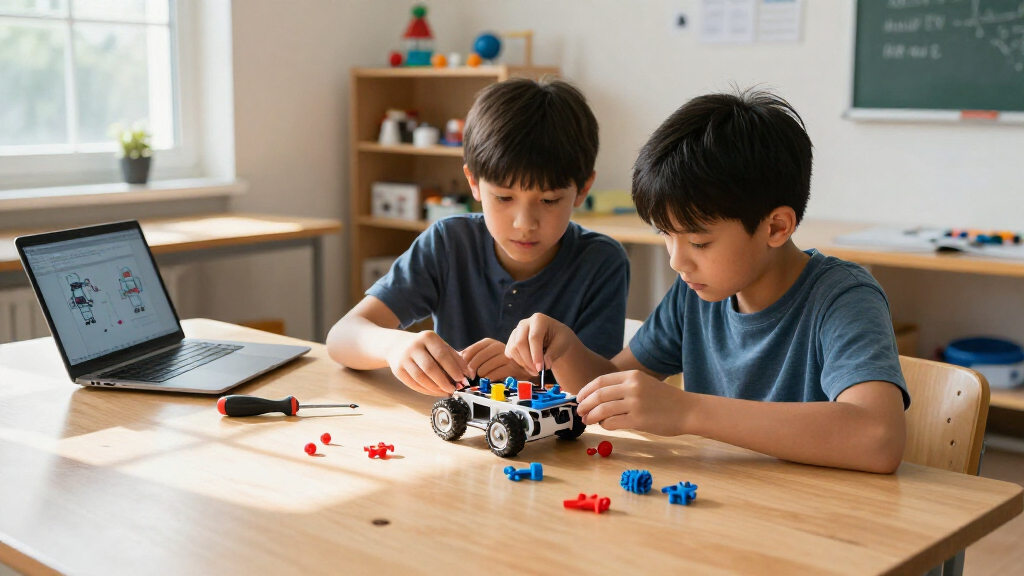
The best educational robotics kits combine building with a clear path to learning how robots move, sense, or follow instructions. My best overall pick is the Makeblock mBot STEM Coding Robot Kit for its approachable entry into coding; the mBot Ranger adds more ways to build, while the Thames & Kosmos Robotics Smart Machines Coding Set suits learners who want structured coding challenges. The main tradeoff is between easy, guided projects and kits that offer more parts or room to experiment but ask more of the builder. Some focus on programmable movement, while others teach mechanics, hydraulics, or solar power without the same coding depth. Read on for the full breakdown, buying advice, and picks by learner type.

Prime made for students and young adults
- Fast, free delivery for dorm and study essentials
- Prime Video and Amazon Music included
- Member-only deals
Key Takeaways
- The mBot Coding Robot is the clearest starting point for programming. It has a more direct coding focus than mechanical builds such as the Smartivity Robotic Mechanical Hand or HydroBot Arm.
- More build options do not automatically mean more coding. The mBot Ranger, mBot Ultimate, and Butterfly EduFields kits emphasize multiple constructions, while the Thames & Kosmos set foregrounds coding activities.
- Mechanical and hydraulic kits teach a different kind of robotics. The Smartivity hand, HydroBot Arm, and ANNISOKA wooden arm make motion and mechanisms tangible, but are less suited to software-focused lessons.
- Age and assembly demands are as important as piece count. Kits such as the ELEGOO car and mBot Ultimate call for more patience and technical engagement than a simple guided build.
- Power source shapes the project experience. The Sillbird solar kit introduces solar-powered movement, while remote- and app-controlled options prioritize interactive driving and programmable behavior.
| Sillbird 5-in-1 Programmable STEM Robot Building Kit with Remote and App Control |  | Best for Build Variety | Brand: Sillbird | Model: B883 | Pieces: 488 | VIEW LATEST PRICE | See Our Full Breakdown |
| Makeblock mBot Ranger 3-in-1 Coding Robot Kit for Kids Ages 10+ |  | Best for Coding Progression | Brand: Makeblock | Model number: MBR-K01-01 | Recommended age: 10 years and up | VIEW LATEST PRICE | See Our Full Breakdown |
| ELEGOO UNO R3 Smart Robot Car Kit V4 with Camera |  | Best for Camera-Based Projects | Brand: ELEGOO | Model: US-EL-KIT-012 | Controller: UNO R3 | VIEW LATEST PRICE | See Our Full Breakdown |
| STEM Robotics Kit Set for Kids – Educational Craft Toys |  | Best for Project Variety | Brand: Tsomtto | Manufacturer part number: 6-06 | Number of packs: 6 | VIEW LATEST PRICE | See Our Full Breakdown |
| STEM Kit for Kids Ages 8-12, Science Building Toy | 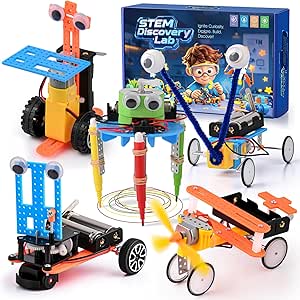 | Best for Multi-Project Starter Builds | Brand: gesboole | Model number: STEM5-01 | Manufacturer part number: STEM5-01 | VIEW LATEST PRICE | See Our Full Breakdown |
| Butterfly EduFields 40-in-1 STEM Robotics Kit for Kids |  | Best for Project Variety | Recommended age: 8–17 years | Projects: 40+ | Components: 100+ electronic components | VIEW LATEST PRICE | See Our Full Breakdown |
| Smartivity Robotic Mechanical Hand STEM Toy for Kids Ages 8–14 |  | Best Screen-Free Mechanical Build | Recommended age: 8–14 years | Material: Engineered wood | Theme: Anatomy and robotics | VIEW LATEST PRICE | See Our Full Breakdown |
| Makeblock mBot Ultimate 10-in-1 Robot Building Kit |  | Best for Advanced Coding | Recommended age: 12+ | Robot models: 10 | Control board: MegaPi | VIEW LATEST PRICE | See Our Full Breakdown |
| Opmind 5-in-1 STEM Remote-Controlled Robot Building Kit, 408 Pieces |  | Best for Remote-Controlled Model Variety | Number of pieces: 408 | Models: 5 | Control: Remote control and Bluetooth app | VIEW LATEST PRICE | See Our Full Breakdown |
| EggTailz Smart Robot Car Kit – Robotics for Kids Ages 8–16 |  | Best for Autonomous Driving | Recommended age: 8–16 years | Robot functions: Self-balancing and obstacle avoidance | Operation modes: Autonomous navigation and remote control | VIEW LATEST PRICE | See Our Full Breakdown |
| Teach Tech HydroBot Arm Hydraulic STEM Building Kit for Ages 12+ |  | Best for Learning Hydraulics | Brand: Teach Tech | Model: TTR-632 | Recommended age: 12 years and up | VIEW LATEST PRICE | See Our Full Breakdown |
| Makeblock mBot STEM Coding Robot Kit for Kids Ages 8–12 | 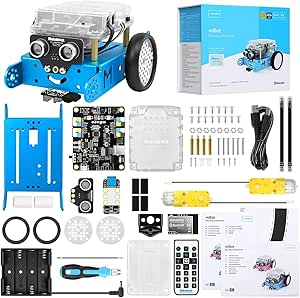 | Best for First-Time Robot Coders | Brand: Makeblock | Model: 90053 | Age: 8 years and up | VIEW LATEST PRICE | See Our Full Breakdown |
| Thames & Kosmos Robotics Smart Machines Coding Set |  | Best for Multiple Programmable Builds | Brand: Thames & Kosmos | Age range: 8+ | Buildable models: 8 motorized models | VIEW LATEST PRICE | See Our Full Breakdown |
| ANNISOKA DIY Wooden Robot Arm Kit |  | Best for a Compact Motorized Arm Build | Brand: ANNISOKA | Material: Wood | Age range: 8 years and up | VIEW LATEST PRICE | See Our Full Breakdown |
| Sillbird 12-in-1 Solar Robot Building Kit, 190 Pieces |  | Best for Solar-Powered Model Variety | Brand: Sillbird | Model number: US-SB-SolarRobot | Buildable models: 12 | VIEW LATEST PRICE | See Our Full Breakdown |
| educational robotics kit | Brand | Recommended age |
|---|---|---|
| Sillbird 5-in-1 Programmable S | Sillbird | 8–16 years |
| Makeblock mBot Ranger 3-in-1 C | Makeblock | 10 years and up |
| ELEGOO UNO R3 Smart Robot Car | ELEGOO | 12 years and up |
| STEM Robotics Kit Set for Kids | Tsomtto | — |
| STEM Kit for Kids Ages 8-12 | gesboole | — |
| Butterfly EduFields 40-in-1 ST | — | 8–17 years |
| Smartivity Robotic Mechanical | — | 8–14 years |
| Makeblock mBot Ultimate 10-in- | — | 12+ |
| Opmind 5-in-1 STEM Remote-Cont | — | 8 years and up; listing guidance varies |
| EggTailz Smart Robot Car Kit | — | 8–16 years |
| Teach Tech HydroBot Arm Hydrau | Teach Tech | 12 years and up |
| Makeblock mBot STEM Coding Rob | Makeblock | — |
| Thames & Kosmos Robotics Smart | Thames & Kosmos | — |
| ANNISOKA DIY Wooden Robot Arm | ANNISOKA | — |
| Sillbird 12-in-1 Solar Robot B | Sillbird | — |
More Details on Our Top Picks
Sillbird 5-in-1 Programmable STEM Robot Building Kit with Remote and App Control
The Sillbird 5-in-1 is a strong fit for kids who want to rebuild rather than keep one robot on the shelf: its 488 pieces form a robot, dinosaur, car, tank, and other models, with progressive build difficulty. Remote and Bluetooth app control add a simple way to interact with each creation, though the product details do not specify a programming language or coding curriculum. Compared with the Makeblock mBot Ranger, Sillbird offers more model variety and a younger recommended starting age, while the Ranger provides named programming options—Scratch and Arduino—and a broader sensor suite. The tradeoff here is a more play-led learning experience and a battery that lasts up to 40 minutes per charge. I’d choose it for model switching, not for the deepest coding instruction.
Pros:- Five buildable model types encourage rebuilding and varied play.
- Progressive build difficulty offers a path from simpler to more involved assemblies.
- Remote and Bluetooth app control give children two ways to operate the models.
- Rechargeable battery avoids replacing disposable batteries for routine use.
Cons:- Up to 40 minutes of play per charge may interrupt longer building sessions.
- The supplied product details do not identify a programming language or specific coding lessons.
Best for: Families with children ages 8–16 who want several rebuildable models and both app and remote control.
Not ideal for: Buyers seeking a clearly specified coding curriculum, advanced sensors, or long uninterrupted sessions between charges.
- Brand:Sillbird
- Model:B883
- Pieces:488
- Buildable models:5-in-1; includes robot, dinosaur, car, tank, and more
- Control:Remote control and Bluetooth app
- Battery life:Up to 40 minutes per charge
- Recommended age:8–16 years
- Dimensions:6 x 7 x 8 inches
Our verdict“Choose the Sillbird for model variety and approachable app-controlled play; pick the Makeblock mBot Ranger if coding depth matters more.”
Makeblock mBot Ranger 3-in-1 Coding Robot Kit for Kids Ages 10+
The Makeblock mBot Ranger earns its place for learners ready to move from assembling a robot to programming how it behaves. Its three configurations—a tracked tank, self-balancing robot, and three-wheeled racer—pair with Scratch and Arduino, giving children room to advance from visual coding toward text-based projects. A gyroscope, ultrasonic and line-tracking sensors, light sensors, LEDs, and buzzer create more ways to experiment than the Sillbird 5-in-1, which puts more emphasis on rebuilding and remote/app play. That extra capability brings a steeper setup: adult help may be needed, and the required six AA batteries or compatible lithium batteries are not included. I’d favor the Ranger for coding growth, but not for a young child who mainly wants quick, simple builds.
Pros:- Scratch and Arduino support provide a path from introductory visual coding to more advanced programming.
- Three robot designs change the build and movement challenges.
- Multiple sensors and interactive modules support varied programming experiments.
- Metal parts, motors, and tracks are suited to indoor and outdoor play.
Cons:- Six AA batteries or compatible lithium batteries are required and not included.
- The more advanced assembly can call for adult assistance.
Best for: Children age 10 and up who are ready to explore Scratch, progress toward Arduino, and experiment with sensors.
Not ideal for: Younger beginners or families who want a kit ready to run without sourcing batteries or helping with assembly.
- Brand:Makeblock
- Model number:MBR-K01-01
- Recommended age:10 years and up
- Robot designs:Land Raider tank, Nervous Bird self-balancing robot, and Dashing Raptor racing car
- Programming languages:Scratch and Arduino
- Mainboard:Me Auriga
- Included modules:Ultrasonic sensor, line-tracking sensor, 2 light sensors, gyroscope, 12 RGB LEDs, buzzer, temperature sensor, and Bluetooth module
- Power:6 AA batteries or compatible lithium batteries; not included
- Warranty:1 year against manufacturer defects
Our verdict“Pick the mBot Ranger for a child ready to grow from Scratch into Arduino and sensor-based projects, rather than a simpler model-focused kit.”
ELEGOO UNO R3 Smart Robot Car Kit V4 with Camera
The ELEGOO UNO R3 Smart Robot Car is the most electronics-focused choice here, pairing an Arduino-compatible controller with a camera, Wi-Fi module, line tracking, and obstacle avoidance. Its FPV video gives learners another way to explore what a robot can sense and report, while the guided tutorial and Arduino IDE examples offer a starting point for programming. Compared with the Makeblock mBot Ranger, this kit concentrates on one car platform rather than three robot forms, but adds camera-based projects and a rechargeable battery. The tradeoff is that assembly and coding are part of the experience, not optional extras; beginners may need adult guidance. I’d choose it for an older learner interested in electronics and robot vision, not a child looking for fast, mostly ready-to-play builds.
Pros:- Camera and Wi-Fi module support live FPV video projects.
- Line-tracking and ultrasonic sensors enable practical navigation experiments.
- Arduino IDE examples and a guided tutorial help learners begin programming.
- Rechargeable 2000 mAh battery is included.
Cons:- Assembly and programming may require adult guidance for first-time builders.
- It centers on a single car platform rather than offering several distinct robot builds.
- The listed warranty is half a year.
Best for: Learners age 12 and up who want to assemble an Arduino car and explore camera, sensor, and control projects.
Not ideal for: Younger children or families who want multiple robot builds, minimal assembly, or a kit focused on play without programming.
- Brand:ELEGOO
- Model:US-EL-KIT-012
- Controller:UNO R3
- Camera and Wi-Fi module:ESP32-WROVER-based
- Battery:2000 mAh rechargeable lithium-ion
- Sensors:Line-tracking and ultrasonic
- Control:App and IR remote
- Recommended age:12 years and up
- Warranty:Half year
Our verdict“Choose the ELEGOO for an older beginner focused on Arduino, camera video, and sensor-driven car projects rather than multi-model building.”
STEM Robotics Kit Set for Kids – Educational Craft Toys
The Tsomtto STEM Robotics Kit Set stands out for offering six distinct projects, including a reptile robot, balance car, bubble machine, fiber lamp, and sliding plane. That range makes it a better match for children who enjoy trying different kinds of hands-on builds than the ELEGOO UNO R3, which focuses on programming a single robot car. Step-by-step instructions and included tools are intended to make assembly accessible, and the description emphasizes safe, non-toxic materials. The tradeoff is that the product information does not specify a programmable controller, coding language, or electronic sensor set, so I would treat it as a craft-and-engineering activity kit rather than a coding platform. The listed age range is broad; younger children may need an adult nearby for assembly.
Pros:- Six projects provide more activity variety than a single-robot kit.
- Step-by-step instructions support guided assembly.
- Tools are included for the listed projects.
- The description identifies the materials as non-toxic and safe.
Cons:- Product details do not specify coding support, a programmable controller, or sensors.
- Younger children may need adult help despite the broad listed age range.
Best for: Families with children ages 8–12 who want several varied build-and-experiment activities in one set.
Not ideal for: Buyers seeking a defined coding curriculum, programmable controller, or detailed sensor specifications.
- Brand:Tsomtto
- Manufacturer part number:6-06
- Number of packs:6
- Number of items:6
- Project examples:Reptile robot, balance car, bubble machine, fiber lamp, and sliding plane
- Age range:36 months–12 years
- Item type:Toys
Our verdict“Choose this set for varied, guided STEM builds; choose the ELEGOO instead if programming and sensor-driven robot behavior are the priority.”
STEM Kit for Kids Ages 8-12, Science Building Toy
The gesboole STEM Kit offers five distinct robot projects, from a crawler and obstacle-avoiding car to a doodle robot and single-engine flyer. That mix gives younger builders more kinds of mechanisms to try than the Tsomtto set’s selection of craft and engineering projects, while its stated age range of 6–13 covers a broad span of family use. Assembly parts, a motor, wheels, battery holder, and instructions make the kit a hands-on introduction to how simple moving builds work. However, the details do not identify a programming system, so I would not choose it as a first coding platform. Batteries are not included, and younger children may need help. Like other finite multi-build kits, its replay value may fall once all five projects are assembled.
Pros:- Five different robot projects offer varied building challenges.
- Included assembly parts, motor, wheels, and battery holder support hands-on construction.
- Step-by-step instructions are included.
- Rounded edges and non-toxic materials are described as safety features.
Cons:- Batteries are not included.
- Children at the younger end of the listed age range may need adult help.
- Replay value may diminish after all five robots are built.
Best for: Families with children ages 8–12 who want several approachable mechanical builds and are comfortable helping with assembly.
Not ideal for: Buyers who need a specified coding curriculum, included batteries, or a kit with open-ended projects after the listed builds are complete.
- Brand:gesboole
- Model number:STEM5-01
- Manufacturer part number:STEM5-01
- Age range:6–13 years
- Project examples:Crawler, obstacle-avoiding car, delivery bot, doodle robot, and single-engine flyer
- Included components:Assembly parts, battery holder, building pieces, motor, and wheels
- Unit count:1
Our verdict“Choose the gesboole for a variety of mechanical starter builds, but look elsewhere if coding instruction or long-term project expansion is your main goal.”
Butterfly EduFields 40-in-1 STEM Robotics Kit for Kids
Project range is the main reason I’d choose this kit: its 100-plus electronic components and reusable sensors support more than 40 builds, from a line-following car to drawing and home-automation projects. Unlike the Smartivity Robotic Mechanical Hand, which focuses on one mechanical build, Butterfly EduFields gives learners repeated chances to explore different circuits and sensor behaviors. Plug-and-play assembly and manuals lower the barrier for children who are new to robotics, though the kit does not teach coding, so it offers less of a programming path than the Makeblock mBot Ultimate. It also needs AA batteries, and the holder is not compatible with Duracell batteries. I’d pick it for breadth and accessible electronics, not for advanced coding or a single polished robot.
Pros:- Supports more than 40 robotics and home-automation projects
- Includes over 100 components and reusable sensors
- Plug-and-play assembly requires no soldering, tools, or coding
- Instructions and concept manuals support independent exploration
Cons:- AA batteries are required and must be supplied separately
- Duracell batteries are not compatible with the included battery holder
- No coding path for learners ready to program their builds
Best for: Families seeking a reusable electronics kit for children ages 8–17 who want to try many sensor-based projects without soldering or coding.
Not ideal for: Learners ready to practice programming or families who want a kit that works with any AA battery brand; the kit requires separate batteries and excludes Duracell compatibility.
- Recommended age:8–17 years
- Projects:40+
- Components:100+ electronic components
- Sensors:IR, flame, touch, LDR, and others
- Assembly:Plug and play; no soldering, tools, or coding required
- Battery requirement:AA batteries; Duracell batteries are not compatible
- Dimensions:8 × 5 × 1 inches
- Weight:0.8 kg
Our verdict“Choose Butterfly EduFields for broad, beginner-accessible electronics projects; choose the Makeblock mBot Ultimate instead if programming is a priority.”
Smartivity Robotic Mechanical Hand STEM Toy for Kids Ages 8–14
This is the most focused pick in the group: children assemble a mechanical hand from engineered wood, then use the finished toy to explore how a hand-like mechanism works. Its step-by-step instructions and screen-free format suit families who want a tangible build rather than app control or coding. Compared with the Opmind 5-in-1 STEM Remote-Controlled Robot Building Kit, Smartivity offers less model variety and no remote-control modes, but its single project gives the activity a clear mechanical theme. The tradeoff is that it is a one-kit, one-build experience rather than a broad robotics platform, and assembly may need adult help depending on the child. Its 8–14 age guidance also makes it a less flexible choice for older learners seeking programming challenges.
Pros:- Hands-on build introduces mechanical STEM concepts
- Screen-free construction and play
- Step-by-step instructions guide assembly
- Lifetime replacement parts are offered
Cons:- Assembly is required and may call for adult assistance
- Focused on one mechanical-hand build rather than multiple robot models
- Age guidance is limited to 8–14 years
Best for: Families with children ages 8–14 who want an instruction-led, screen-free project centered on mechanical motion and anatomy.
Not ideal for: Buyers seeking multiple robot builds, app control, or coding practice; this kit centers on one mechanical-hand project.
- Recommended age:8–14 years
- Material:Engineered wood
- Theme:Anatomy and robotics
- Educational objective:STEM
- Package quantity:1
- Dimensions:40.2 × 29 × 8.9 cm
- Model:SMRT1135
- Replacement parts:Lifetime replacement parts offered
Our verdict“Pick Smartivity for a guided, screen-free mechanical project, not for varied robot builds or programming lessons.”
Makeblock mBot Ultimate 10-in-1 Robot Building Kit
For older learners who want a path from assembling robots into programming them, the Makeblock mBot Ultimate is the strongest fit here. It supports 10 models, including a robotic arm and remote-controlled tank, and pairs mBlock block coding with Arduino IDE and Python options using a Raspberry Pi. That range gives it more programming depth than the Butterfly EduFields 40-in-1 STEM Robotics Kit, which offers many projects but no coding requirement or stated coding path. The tradeoff is a higher learning curve: this is aimed at ages 12 and up, and the broader programming options may be unnecessary for a beginner seeking a quick build. Aluminum-alloy parts suit repeated projects, but six AA batteries are required and sold separately.
Pros:- Builds 10 robot models, including a robotic arm and tank
- Offers block-based mBlock coding and advanced programming options
- Compatible with Arduino and Raspberry Pi
- Aluminum-alloy parts are suited to repeated builds
Cons:- Requires six AA batteries, which are not included
- Recommended for ages 12 and up, limiting its fit for younger children
- Advanced programming options can add complexity for beginners
Best for: Learners ages 12 and up who want multiple robot builds and room to move from block-based coding to text-based programming.
Not ideal for: Younger beginners or families wanting a no-coding starter activity; this kit’s programming options and assembly scope may be more than they need.
- Recommended age:12+
- Robot models:10
- Control board:MegaPi
- Coding options:mBlock, Arduino IDE, and Python
- Compatibility:Arduino and Raspberry Pi
- Material:Aluminum alloy
- Batteries:6 AA batteries required; not included
- Model number:90024
Our verdict“Choose the mBot Ultimate for a long-term coding and robotics path, especially if the learner is ready for more than beginner-level builds.”
Opmind 5-in-1 STEM Remote-Controlled Robot Building Kit, 408 Pieces
Opmind’s strength is giving builders several ways to play with a finished model: the 408-piece kit makes five builds, while control is available through a remote or a Bluetooth app with driving, path, gravity-sensor, and programming modes. That mix makes it more interactive than the single-build Smartivity Robotic Mechanical Hand, and less programming-focused than the Makeblock mBot Ultimate. The app modes add experimentation without making advanced coding the main appeal. A stated remote range of over 20 meters gives room for driving, but the remote is described for smooth, flat floors, so rough surfaces are a poor match. The listing also has varying age guidance; I’d treat it as an 8-and-up activity and check the instructions and supervision needs before handing it to a younger builder.
Pros:- 408 pieces support five different models
- Offers both remote control and Bluetooth app control
- App includes driving, path, gravity-sensor, and programming modes
- Remote control range is listed as over 20 meters
Cons:- Remote control is described for smooth, flat floors
- Age guidance varies in the product listing
- Five model options offer less range than the 10 builds in the Makeblock mBot Ultimate
Best for: Children ages 8 and up who want to build several vehicle-style models and switch between remote and app-based control.
Not ideal for: Families who need a kit suited to uneven outdoor terrain or a clearly defined age recommendation; remote use is described for smooth, flat floors and the listing’s age guidance varies.
- Number of pieces:408
- Models:5
- Control:Remote control and Bluetooth app
- App modes:Driving, path, gravity-sensor, and programming
- Remote control distance:Over 20 meters
- Recommended age:8 years and up; listing guidance varies
- Dimensions:9.5 × 2.5 × 12 inches
- Weight:2.3 pounds
Our verdict“Pick Opmind for varied vehicle builds and hands-on remote or app control, rather than for advanced programming depth.”
EggTailz Smart Robot Car Kit – Robotics for Kids Ages 8–16
The EggTailz kit is the pick for children drawn to a robot car that can act on its own: its ultrasonic obstacle avoidance gives the build an autonomous-driving task, while remote control offers a second way to operate it. The self-balancing design and headlights, taillights, and ring light add moving parts and visual feedback beyond the straightforward mechanical build of the Smartivity Robotic Mechanical Hand. Compared with Opmind’s five-model kit, EggTailz is more focused on one car and its driving behaviors, so it makes more sense for exploring navigation than collecting multiple builds. Assembly may be challenging for younger children without adult help. The rechargeable car battery is included, but the remote still needs two AA batteries, which are not included.
Pros:- Combines autonomous obstacle avoidance with manual remote control
- Self-balancing design keeps the car upright during play
- Includes headlights, taillights, and a ring light
- Rechargeable battery and tutorial guide are included
Cons:- Remote control requires two AA batteries that are not included
- Assembly may challenge younger children without adult assistance
- Focused on one robot car rather than multiple model builds
Best for: Children ages 8–16 who want to assemble a robot car and explore obstacle avoidance alongside manual remote driving.
Not ideal for: Younger builders who need a simple, low-support assembly, or buyers who want several models in one kit rather than a focused robot car.
- Recommended age:8–16 years
- Robot functions:Self-balancing and obstacle avoidance
- Operation modes:Autonomous navigation and remote control
- Navigation sensor:Ultrasonic radar
- Included components:Robot car kit, remote control, AA batteries, and tutorial guide
- Battery:Rechargeable battery; 2-hour charge for 1–4 hours of play
- Remote batteries:2 AA batteries required
- Model number:265-A
Our verdict“Choose EggTailz for a focused robot-car project built around obstacle avoidance and remote driving, with adult support available for assembly.”
Teach Tech HydroBot Arm Hydraulic STEM Building Kit for Ages 12+
The HydroBot Arm is the clearest choice here for learners curious about mechanical movement rather than coding. Builders assemble a water-powered arm, then use levers to control its joints and gripper, making the link between hydraulic pressure and motion visible. Its 270-degree base rotation and interchangeable gripper and suction components give lessons a practical, hands-on focus. Compared with the ANNISOKA DIY Wooden Robot Arm, this kit emphasizes hydraulics and needs no batteries, while the ANNISOKA adds a motor and microcontroller for an introduction to electronics. The tradeoff is that the HydroBot takes several hours to assemble and can lift only 50 grams, so it is better for experiments with small objects than useful lifting tasks. I’d choose it for patient builders aged 12 and up, not for younger children seeking quick, repeated play.
Pros:- Water-powered controls demonstrate hydraulics without batteries
- Assembly provides a hands-on introduction to mechanics and engineering
- Interchangeable gripper and suction components offer different ways to handle objects
Cons:- Assembly can take several hours and calls for patience
- The 50 g lifting limit restricts experiments to lightweight objects
Best for: Builders aged 12 and up who want to explore hydraulics, levers, and robotic-arm movement without batteries.
Not ideal for: Younger children or anyone wanting a quick-build robot; assembly takes several hours, and the 50 g capacity limits what it can handle.
- Brand:Teach Tech
- Model:TTR-632
- Recommended age:12 years and up
- Power source:Water hydraulics
- Base rotation:270 degrees
- Wrist joint rotation:180 degrees
- Vertical reach:16.35 inches
- Lifting capacity:50 g
Our verdict“Choose the HydroBot for an older learner interested in hydraulic mechanisms, but choose the ANNISOKA arm instead if motorized electronics are the priority.”
Makeblock mBot STEM Coding Robot Kit for Kids Ages 8–12
The mBot is my pick for children ready to move from building to their first steps in coding. Assembly takes about 15 minutes, so learners can get to remote control, line following, and obstacle avoidance without spending a session on construction alone. Scratch offers a visual entry point, while Arduino gives older or more experienced learners room to progress. Compared with the Thames & Kosmos Smart Machines Coding Set, the mBot is a simpler single-robot starting point; Thames & Kosmos offers eight builds and an ultrasonic sensor, but depends on a compatible phone or tablet. The mBot’s tutorials and coding cards help structure early learning, and its compatibility with Makeblock modules gives families a path to add on later. The tradeoff is that its batteries are not included, and a single robot offers less model-building variety than the Smart Machines set.
Pros:- About 15 minutes of assembly gets learners to robot activities quickly
- Supports both Scratch and Arduino programming
- Remote control, line following, and obstacle avoidance offer varied practice
- Compatible with more than 100 electronic modules and 500 Makeblock platform parts
Cons:- Four AA batteries and one CR2025 battery are not included
- One robot offers less build variety than the eight-model Thames & Kosmos set
Best for: Families with children aged 8 and up seeking a fast-starting robot for visual coding, basic electronics, and beginner challenges.
Not ideal for: Builders who want several robot designs in one kit, or buyers who do not want to supply separate robot and controller batteries.
- Brand:Makeblock
- Model:90053
- Age:8 years and up
- Programming platforms:Scratch and Arduino
- Functions:Remote control, line following, and obstacle avoidance
- Assembly time:About 15 minutes
- Robot power:4 AA batteries, not included
- Compatibility:100+ electronic modules and 500+ Makeblock platform parts
Our verdict“Pick the mBot for a quick, approachable introduction to coding a working robot, and choose Thames & Kosmos if building multiple models matters more.”
Thames & Kosmos Robotics Smart Machines Coding Set
This set makes the strongest case for learners who want variety within one robotics kit: its parts can form eight motorized models, and visual programming connects those builds to a tablet or smartphone. An included ultrasonic sensor adds a concrete way to explore obstacle detection, while the 64-page illustrated manual supports step-by-step construction. Compared with the Makeblock mBot, Smart Machines offers more build configurations and a sensor-focused learning path; the mBot is a quicker first build and can be programmed with Scratch or Arduino. Smart Machines’ broader model range may hold interest as children repeat the building and coding process, but the required device is not included, and younger builders may need adult help. I’d rank it for families with a compatible device who value guided, varied projects over the mBot’s faster setup.
Pros:- Parts support eight different motorized robot models
- Visual app programming connects building with coding
- Ultrasonic sensor introduces obstacle detection
- Illustrated 64-page manual provides guided assembly and learning
Cons:- A compatible tablet or smartphone is required and not included
- Younger builders may need adult help with assembly and programming
Best for: Families with a compatible smartphone or tablet who want children aged 8 and up to build and program several motorized models.
Not ideal for: Buyers without a compatible mobile device or younger children who need a robot that is easy to assemble independently.
- Brand:Thames & Kosmos
- Age range:8+
- Buildable models:8 motorized models
- Programming:Visual programming through an app
- Connectivity:Bluetooth
- Included sensor:Ultrasonic sensor
- Included components:Bluetooth battery box, motors, gears, building blocks, and part separator tool
- Manual:64-page full-color illustrated manual
Our verdict“Choose Smart Machines for guided variety across multiple builds, while the Makeblock mBot is a better fit for a quicker first coding robot.”
ANNISOKA DIY Wooden Robot Arm Kit
The ANNISOKA is a compact way to introduce motors, circuits, and mechanical assembly through a robot-arm project. Its wooden parts, included motors, and microcontroller board give builders a different learning emphasis from the water-driven Teach Tech HydroBot Arm: ANNISOKA is about powered components, while HydroBot makes hydraulic movement the lesson and avoids batteries. No soldering is required, which lowers one barrier for children taking on an electronics-oriented project. The small listed dimensions also make it easier to accommodate than a larger arm build. But families should plan for six AA batteries, which are not included, and younger builders may find assembly challenging. I’d favor this kit for a child ready to follow instructions and connect parts, rather than someone seeking coding features or a quick, ready-to-run robot.
Pros:- Combines a wooden arm build with motors and a microcontroller board
- Introduces circuits, mechanics, and engineering through hands-on assembly
- No soldering is required
- Compact listed dimensions suit limited workspace
Cons:- Requires six AA batteries, which are not included
- Assembly may be challenging for younger builders
- The product information does not specify programming platforms or arm capabilities
Best for: Builders aged 8 and up who want a small wooden robot-arm project with motors and a microcontroller, without soldering.
Not ideal for: Families looking for a battery-free activity, a simple build for a younger child, or a robot with stated coding functions.
- Brand:ANNISOKA
- Material:Wood
- Age range:8 years and up
- Included components:Robot arm kit with motors, microcontroller board, and wires
- Battery requirement:6 AA batteries, not included
- Soldering:Not required
- Dimensions:6.8 x 4.48 x 4.3 inches
- Manufacturer part number:A-48
Our verdict“Choose ANNISOKA for a compact, motorized arm project without soldering, but choose the HydroBot if battery-free hydraulics are the goal.”
Sillbird 12-in-1 Solar Robot Building Kit, 190 Pieces
The Sillbird stands out for learners who want to rebuild rather than keep working with one robot: 190 pieces make 12 models, including robots and cars, with instructions across different difficulty levels. Solar power gives the building a clear energy theme, letting children connect a working model to sunlight or a strong artificial light source. Compared with the Thames & Kosmos Smart Machines set, Sillbird offers more model configurations but does not list app programming, Bluetooth, or an ultrasonic sensor; Thames & Kosmos is the stronger choice for coding and sensor work. Sillbird’s main limitation is its dependence on lighting: models may not operate as intended when sunlight or a strong lamp is unavailable. The manufacturer recommends ages 10 and up, so I would not treat it as an easy choice for younger children despite the broader age suggestion in the title.
Pros:- 190 pieces support 12 robot, car, and other builds
- Solar power connects construction with renewable-energy concepts
- Step-by-step instructions cover models at varying difficulty levels
Cons:- Operation depends on sunlight or a strong artificial light source
- Manufacturer recommends age 10 and up, which may rule out younger builders
- Does not list programming or sensor features like the Thames & Kosmos Smart Machines set
Best for: Children aged 10 and up who enjoy rebuilding models and learning about solar power through hands-on construction.
Not ideal for: Families wanting app-based coding, sensor projects, or reliable operation regardless of available light.
- Brand:Sillbird
- Model number:US-SB-SolarRobot
- Buildable models:12
- Number of pieces:190
- Power source:Sunlight or strong artificial light
- Material:ABS
- Manufacturer-recommended age:10 years and up
- Item dimensions:10.24 x 7.87 x 2.56 inches
Our verdict“Choose Sillbird for model variety and a solar-energy theme, but pick Thames & Kosmos if coding and sensor-driven robotics are more important.”
How We Picked
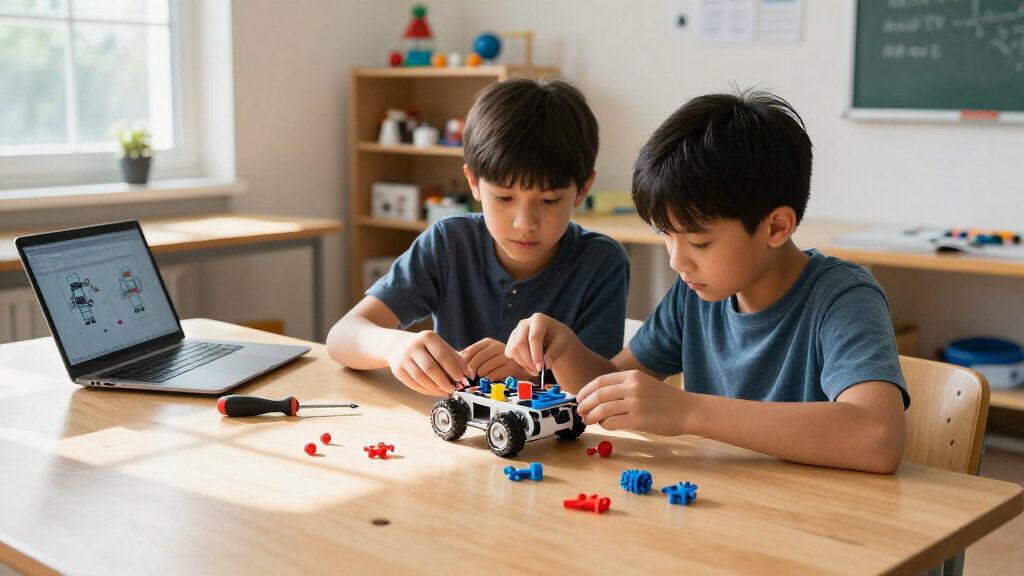
I compared these kits by the learning they make possible, not by the number of pieces or builds advertised. The main criteria were coding access, clarity of the build-and-learn path, age fit, repeat-play potential, and the kind of robotics concepts taught. I also weighed practical friction: whether a learner is likely to need an adult nearby, whether the kit depends on a phone or computer, and whether its projects invite experimentation after assembly.
The ranking favors kits that connect construction to a reusable learning path, with accessible instructions and room to progress. That puts the Makeblock mBot Coding Robot ahead as a balanced entry point, while the Ranger and Thames & Kosmos set serve distinct needs: adaptable builds and structured coding, respectively. Specialized arm, solar, and craft-oriented kits rank lower for a broad recommendation because their learning value is narrower, not because they lack merit. Product descriptions do not always specify every detail of software, included accessories, or assembly support, so buyers should check the current listing and age guidance before choosing.
Factors to Consider When Choosing Best Educational Robotics Kits
Before choosing a kit, decide what you want the learner to understand and what kind of support they will have. A robotics set can teach coding, mechanical motion, electronics, or the relationship between sensors and movement; few excel equally at all four. These questions can help match the kit to the learner rather than to a headline piece count.
Choose the learning goal before the build style
Start by naming the outcome you want: writing code, understanding gears and linkages, learning about circuits, or exploring how sensors guide movement. A programmable car can make cause and effect in code visible, while a mechanical hand can explain how motion transfers through a structure. Solar and hydraulic builds offer memorable ways to study energy and force, but may offer less practice with software. A common mistake is buying any kit labeled robotics and expecting it to teach coding. Check whether the activities ask the learner to change instructions or only assemble and operate a finished model. Match the kit’s main concept to what the learner is curious about now.
Match the challenge to the learner, not just their age
Age bands are a starting point, not a reliable measure of patience, spatial reasoning, or coding experience. A confident younger builder may manage a more involved project with adult help, while an older beginner may prefer a short first build with quick results. Look for clues about assembly complexity, the kind of instructions provided, and whether programming requires a computer, app, or prior experience. Also think about how much help an adult can give; a demanding build can become frustrating if support is limited. Buying too advanced a kit can leave its most educational parts untouched. Choose a first project the learner can finish, then leave room to extend the challenge.
Separate building variety from learning progression
A kit that advertises many possible models may keep construction fresh, but that number alone does not say how much the learner will learn. Ask whether each build introduces a new mechanism or coding idea, or simply reshapes the same parts. A smaller kit with a sequence of challenges can offer a stronger path from imitation to experimentation. For group use, multiple construction options may help different students stay engaged, though shared components can limit simultaneous projects. Check whether the instructions support rebuilding and whether the learner can modify a design without starting over. Value comes from meaningful reuse, not just a long list of model names.
Check the programming setup and device requirements
Programming features only help if the learner can access them comfortably. Before buying, confirm whether the kit uses an app, browser software, or a desktop environment and whether the available device is compatible. Find out whether the first activities use visual blocks or require typed code, since that changes the entry barrier. Consider where the kit will be used: school devices may have restrictions on installing software or connecting to Bluetooth. A remote control can make movement fun, but it is not the same learning experience as writing a program. Choose based on the balance of guided control and learner-authored instructions.
Plan for parts, workspace, and repeat use
Small components are easy to misplace, and a build that stays assembled may not suit a learner who wants to remake it often. Think about storage, table space, and whether the kit can be packed away between sessions. For classrooms or siblings, ask whether parts are interchangeable and how difficult it would be to sort them after a project. Moving robots also need room to operate, so a compact build may be more practical than a large multi-model construction in a shared space. Check what batteries, cables, or other supplies are needed and whether they are included. A realistic setup makes it more likely the kit will be used beyond its first build.
Pay more for depth, not for a bigger promise
A more elaborate kit can be worthwhile when its extra parts support new challenges, more capable programming, or repeated use across lessons. It is less compelling when the added complexity only increases assembly time without expanding what the learner can do. For a first robotics experience, clear instructions and a quick early success may matter more than a broad parts assortment. For a long-term learner, look for a meaningful next step, such as moving from guided commands to changing code or adapting a mechanism. Check what is included and what must be supplied separately before comparing packages. A good choice fits both the learner’s current skills and the next concept they are ready to explore.
Frequently Asked Questions
Which kind of robotics kit is best for a child who has never coded?
Look for a kit with a clear first project and a gentle route from operating the robot to changing its behavior. The Makeblock mBot Coding Robot is the strongest match in this lineup for a direct introduction to coding, while Thames & Kosmos offers a more activity-led route. A mechanical kit can still be a good first robotics build, but it teaches motion and structure rather than programming. Check the software and device requirements before buying, especially if the learner will use a school-managed tablet or computer. Choose a project the child can finish with the level of adult help available.
Should I choose a programmable robot or a mechanical arm kit?
Choose a programmable robot if the learner wants to give instructions, explore sensors, or see code change a machine’s behavior. An arm kit makes more sense when the goal is to understand joints, leverage, hydraulics, or how force moves through a mechanism. These are related but different learning experiences, so neither category is a substitute for the other. For a learner who is unsure, think about whether they are more interested in making a robot respond or figuring out how its parts move. The mBot options cover more software-led play; the Smartivity, HydroBot, and ANNISOKA arms offer a more hands-on mechanical focus.
Are kits with many models better for learning?
Not by default. A large model count can encourage rebuilding, but it does not tell you whether each project adds a new skill or simply changes the shape of the same assembly. Look for a progression in which learners can move from following instructions to altering a design or solving a new challenge. Multi-build kits such as the mBot Ranger and mBot Ultimate may suit children who enjoy construction variety, while a more structured coding set may be better for step-by-step software learning. Pick the kind of variety the learner will use, rather than treating the advertised count as a measure of educational depth.
What should I check before buying a robot kit that uses an app?
Confirm compatibility with the learner’s actual phone, tablet, or computer, including the operating system and any connection requirements. If the device is managed by a school or family account, restrictions on installing apps or using Bluetooth may prevent setup. Check whether the app teaches coding or mainly provides remote control, since those activities have different educational value. Also review whether the kit needs batteries, a cable, or other items not included in the box. If device access is uncertain, a kit centered on mechanical or hands-on construction may be a safer fit.
Can one robotics kit work for both a beginner and an experienced learner?
It can, if it offers a low-friction first build and meaningful ways to extend the project afterward. A kit that only provides a fixed assembly may lose appeal once the learner has completed it, while a very advanced set may frustrate a beginner. Look for opportunities to rebuild, modify instructions, or add complexity over time. The Makeblock mBot line offers different levels of build variety across its models, while the mBot Coding Robot is a more approachable starting point than the mBot Ultimate. If two learners have very different skills, separate projects or adult-guided challenges may work better than expecting one kit to suit both equally.
Conclusion
For the broadest recommendation, I’d choose the Makeblock mBot STEM Coding Robot Kit: it makes the most sense for learners who want to connect building with programming. The Best Value choice is the Sillbird 5-in-1 Programmable STEM Robot Building Kit for families seeking multiple build forms and remote or app control, though buyers should check the coding depth and device fit. For a Best Premium build-and-expand experience, consider the Makeblock mBot Ultimate; it is better suited to engaged builders ready for more involved projects than a first-time learner. Beginners who want structured coding activities should compare the mBot Coding Robot with the Thames & Kosmos Robotics Smart Machines Coding Set. For specific interests, choose the HydroBot Arm for hydraulic mechanics, the Sillbird 12-in-1 Solar Robot for solar-powered construction, or the ELEGOO UNO R3 Smart Robot Car for a more technical car-building project. The right pick depends on whether the learner wants to code, build mechanisms, or explore energy and movement.