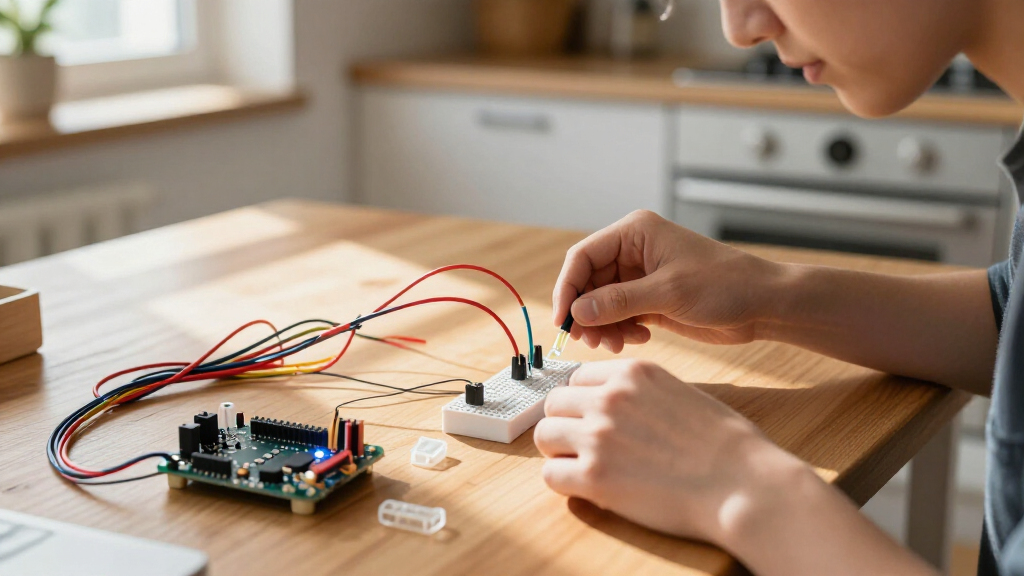
Beginner electronics kits come in three very different flavors: no-solder learning kits like the Snap Circuits Jr. SC-100 that kids as young as eight can build with, component-and-board Arduino kits like the ELEGOO UNO R3 Super Starter Kit that teach real coding and circuit prototyping, and skill-builders like the PEMENOL soldering kit that focus on hands-on assembly. My top pick for most learners is the ELEGOO UNO R3 Super Starter Kit, because it pairs a huge component selection with a structured PDF tutorial at an accessible price. The official Arduino Starter Kit is the better choice if you want polished project documentation, while the Snap Circuits Jr. wins for younger beginners who aren’t ready for code. The main tradeoff you’ll face is depth versus ease: kits with more parts and flexibility demand more patience, while simpler kits are outgrown faster. Read on for the full breakdown of all 15 kits.

Prime made for students and young adults
- Fast, free delivery for dorm and study essentials
- Prime Video and Amazon Music included
- Member-only deals
Key Takeaways
- Arduino-based kits dominated this comparison because they teach circuits and coding together, but tutorial quality varied more than component counts — ELEGOO‘s PDF curriculum and Arduino’s printed projects book set the pace.
- The Snap Circuits Jr. SC-100 is the only true no-solder, no-code option here, making it the clear entry point for ages 8–12, though most beginners will outgrow it within months.
- Component-only kits like the BOJACK 480-piece set are the worst first purchase for absolute novices — they assume you already own a board and know what to do with the parts.
- WiFi-capable boards like the ELEGOO UNO R4 WiFi and ESP32 kits open the door to IoT projects early, which justifies their higher positioning for learners who want connected builds.
- Raspberry Pi kits like the SunFounder Raphael serve a different learner entirely — one interested in computing and Python rather than breadboard electronics — so choose your platform before choosing your kit.
| ELEGOO ESP32 Super Starter Kit with Tutorial |  | Best for Connected Projects | Processor: Espressif ESP32 dual-core | Installed RAM: 520 KB SRAM | Connectivity: Wi-Fi, Bluetooth 4.2, GPIO, I2C, USB | VIEW LATEST PRICE | See Our Full Breakdown |
| Snap Circuits Jr. SC-100 STEM Electronics Kit, 100+ Projects, Ages 8+ |  | Best First Kit for Kids | Model: SC-100 | Projects: 100+ | Recommended age: 8 years and up | VIEW LATEST PRICE | See Our Full Breakdown |
| BOJACK 37-Value, 480-Piece Electronic Components Kit |  | Best for Breadboard Practice | Component count: 480 pieces, 37 values | Breadboard: 1 | Jumper wires: 140 seamless wires, 20 male-to-female Dupont wires, 65 connecting wires | VIEW LATEST PRICE | See Our Full Breakdown |
| PEMENOL 7-in-1 DIY Game Soldering Kit |  | Best for Learning to Solder | Functions: 7 interactive functions | Difficulty levels: 3 | Recommended age: 15+ | VIEW LATEST PRICE | See Our Full Breakdown |
| ELEGOO UNO R3 Super Starter Kit with PDF Tutorial |  | Best Overall for Guided Arduino Learning | Controller: UNO R3 | Guided lessons: 22+ | Display: LCD1602 with pre-soldered header | VIEW LATEST PRICE | See Our Full Breakdown |
| ELEGOO Electronic Fun Kit Bundle with Breadboard, 235 Pieces for Arduino |  | Best Expansion Bundle | Part count: 235 | Breadboard: 400 tie points, solderless | Power module output: Selectable 3.3 V or 5 V | VIEW LATEST PRICE | See Our Full Breakdown |
| Horizon Uno Electronics Starter Kit with Video Lessons |  | Best Guided Video Learning | Board compatibility: Arduino-compatible Horizon Uno | Included components: Sensors, LEDs, servos, resistors, jumper wires, specialty parts | Lessons: Lifetime access to online video course, labs, projects, problem sets | VIEW LATEST PRICE | See Our Full Breakdown |
| Arduino Starter Kit K000007 with English Projects Book |  | Best Official Curriculum | Brand: Arduino | Model: K000007 | Projects: 12 DIY projects in title; components specify parts for 15 | VIEW LATEST PRICE | See Our Full Breakdown |
| SunFounder Inventor Lab Starter Kit with Arduino Uno R3 |  | Best for Young Learners | Microcontroller: Arduino Uno R3 | Components: Over 200 | Lessons: 34 | VIEW LATEST PRICE | See Our Full Breakdown |
| ELEGOO Mega 2560 R3 Electronics Starter Kit |  | Best for Advanced Projects | Board: Mega 2560 R3 | Digital I/O pins: 54 | PWM outputs: 15 | VIEW LATEST PRICE | See Our Full Breakdown |
| DFRobot Basic Electronics Starter Kit with UNO R3-Compatible Board and 83 Components |  | Best for STEM Coursework | Board: UNO R3-compatible | Components: 83, including sensors, LEDs, and resistors | Tutorials: 12 step-by-step projects | VIEW LATEST PRICE | See Our Full Breakdown |
| LAFVIN Super Starter Kit for Arduino R3, Mega2560, Mega328, and Nano |  | Best for Motor and Display Projects | Compatible boards: Arduino R3, Mega2560, Mega328, and Nano | Software compatibility: Arduino IDE | Tutorial: More than 20 lessons with code, libraries, and datasheets | VIEW LATEST PRICE | See Our Full Breakdown |
| SunFounder Raphael Ultimate Starter Kit for Raspberry Pi |  | Best for Raspberry Pi Learners | Components: 337+ | Projects: 161 | Video lessons: 70+ | VIEW LATEST PRICE | See Our Full Breakdown |
| ELEGOO UNO R4 WiFi Super Starter Kit for Arduino Beginners |  | Best for IoT and Connected Projects | Processor: 32-bit Renesas RA4M1, 48 MHz | Connectivity: Wi-Fi, Bluetooth, USB-C | LED matrix: 12 × 8 | VIEW LATEST PRICE | See Our Full Breakdown |
| ELEGOO UNO R3 Electronics Starter Kit |  | Best Value First Kit | Controller: ELEGOO UNO R3 | Items: 63 | Components: 200+ | VIEW LATEST PRICE | See Our Full Breakdown |
More Details on Our Top Picks
ELEGOO ESP32 Super Starter Kit with Tutorial
The ESP32 board with Wi-Fi and Bluetooth gives this kit a clear next step beyond basic circuits: beginners can build toward connected projects while learning with more than 35 modules and 30+ guided tutorials. Compared with the ELEGOO UNO R3 Super Starter Kit, this pick is better suited to IoT experiments, while the UNO R3 kit offers a more traditional path through sensors, motors, and displays. Its dual-core processor and Arduino IDE compatibility leave room to grow, but beginners still need to follow code and wiring instructions carefully. The main tradeoff is that project guidance is online, so learners who want a printed, self-contained manual may prefer the UNO R3 kit. I’d choose this for someone ready to explore wireless electronics, rather than for a first lesson focused only on simple circuits.
Pros:- Wi-Fi and Bluetooth support opens the door to connected projects
- More than 35 modules provide variety for experiments
- 30+ guided projects include code and circuit diagrams
- Compatible with the Arduino IDE
Cons:- Guided project access depends on an online tutorial
- Wireless and dual-core features may add complexity for a first electronics lesson
Best for: Arduino IDE beginners who want to move from basic circuits into Wi-Fi, Bluetooth, and IoT projects
Not ideal for: Young learners or people who want a printed, self-contained tutorial and a simpler first controller
- Processor:Espressif ESP32 dual-core
- Installed RAM:520 KB SRAM
- Connectivity:Wi-Fi, Bluetooth 4.2, GPIO, I2C, USB
- Wireless compatibility:802.11b/g/n and Bluetooth
- Compatible software:Arduino IDE, Linux
- Included components:35+ modules and electronic components
- Tutorial projects:30+
Our verdict“Choose this kit if you want guided practice that can grow from basic electronics into wireless IoT projects.”
Snap Circuits Jr. SC-100 STEM Electronics Kit, 100+ Projects, Ages 8+
For a child’s first contact with electronics, the color-coded snap parts make circuit building more approachable than the loose wires and software setup in the ELEGOO UNO R3 Super Starter Kit. The included grid and illustrated manual let learners assemble projects without soldering or extra tools, so the focus stays on how components connect. Its 100+ project ideas give kids reasons to keep experimenting, though the kit introduces circuits through a guided, snap-together system rather than open-ended breadboard prototyping. That makes it less flexible as a learner advances toward Arduino code or custom circuits. The listing also gives inconsistent component counts, so I would judge it by its project-based format rather than a precise parts total. Batteries are required, adding a small ongoing setup need.
Pros:- Color-coded, numbered parts snap onto the included grid
- Illustrated manual supports independent project building
- No soldering or extra tools are needed
- 100+ projects offer a structured range of activities
Cons:- Batteries are required
- Snap-together projects provide less flexibility than breadboard kits
- Product descriptions vary on the included component count
Best for: Children aged 8 and up who want guided, hands-on circuit activities without soldering or coding
Not ideal for: Teens and adults ready to learn Arduino programming, breadboard wiring, or open-ended prototyping
- Model:SC-100
- Projects:100+
- Recommended age:8 years and up
- Components:Descriptions vary: 28, 29, 32, or over 30
- Included:Snap-grid, electronic components, project manual
- Tools required:None
- Soldering required:No
- Batteries:Required
Our verdict“Pick Snap Circuits Jr. for a child’s accessible first circuits, and choose an Arduino kit when coding and flexible prototyping become the goal.”
BOJACK 37-Value, 480-Piece Electronic Components Kit
The BOJACK kit is the parts-focused choice for beginners who want to practice assembling circuits on a breadboard. Its 480 components across 37 values, jumper wires, and power module give learners more raw material for testing how resistors, LEDs, capacitors, and sensors behave. Unlike the project-led ELEGOO UNO R3 Super Starter Kit, this assortment emphasizes circuit components over a controller and guided lessons; that suits learners who want to understand the building blocks before adding code. The labeled storage box helps keep a broad assortment manageable, but the listing’s inconsistent formatting makes some component specifications and quantities hard to verify. Beginners may also need to find their own structured lessons. I’d choose it as a practice supply kit, not as the clearest standalone teaching path.
Pros:- Broad assortment includes 480 pieces across 37 values
- Breadboard, jumper wires, and power module support solder-free prototyping
- Labeled transparent box helps organize components
- Compatible with STM32, Raspberry Pi, and Arduino projects
Cons:- Component quantities and specifications are difficult to verify from the listing
- Does not offer the same guided project path as the ELEGOO UNO R3 kit
- A separate compatible board or project guide may be needed for structured learning
Best for: Learners who already have a project plan or Arduino, Raspberry Pi, or STM32 board and want parts for breadboard experiments
Not ideal for: First-time learners who need step-by-step projects, code, or clear documentation of every component
- Component count:480 pieces, 37 values
- Breadboard:1
- Jumper wires:140 seamless wires, 20 male-to-female Dupont wires, 65 connecting wires
- Power module:Included
- USB cable:Included
- Components:Resistors, capacitors, LEDs, transistors, diodes, buzzers, photoresistors, thermistors, potentiometer, ICs, and connectors
- Compatible devices:STM32, Raspberry Pi, Arduino
Our verdict“Choose BOJACK for hands-on breadboard practice when you can supply your own lessons or controller.”
PEMENOL 7-in-1 DIY Game Soldering Kit
The PEMENOL kit suits older beginners who want a finished interactive project as the payoff for learning to solder. Its seven built-in functions and three difficulty levels offer a more focused build than the broad experiments in the ELEGOO UNO R3 Super Starter Kit, which covers varied components and coding without soldering. The printed step-by-step manual and video guidance can help make component assembly less intimidating, but the project’s soldering requirement changes the safety and skill level: it is recommended for ages 15 and up and is not the easy, tool-free start Snap Circuits Jr. provides. This is also a project kit rather than a broad electronics assortment, so its learning value centers on assembly and the included functions. I’d pick it for a teen or adult who wants a guided soldering milestone.
Pros:- Build process provides hands-on soldering and component assembly practice
- Seven interactive functions give the finished project multiple uses
- Three difficulty levels accommodate different experience levels
- Includes both a printed manual and video guidance
Cons:- Soldering and component assembly are required
- Recommended age is 15 and older
- Focused on one game project rather than a broad set of electronics experiments
Best for: Teens aged 15 and up or adults who want a guided first soldering project with an interactive result
Not ideal for: Younger children or beginners who want solder-free experiments, broad component variety, or Arduino coding
- Functions:7 interactive functions
- Difficulty levels:3
- Recommended age:15+
- Included guidance:Color-printed step-by-step manual and video guidance
Our verdict“Choose PEMENOL when the goal is a guided soldering build, not a tool-free first circuit or general-purpose starter kit.”
ELEGOO UNO R3 Super Starter Kit with PDF Tutorial
The UNO R3 kit earns its broad beginner appeal through a guided, solder-free route across wiring, sensors, motors, and displays. Its 22+ lessons and example code give newcomers a more structured first Arduino experience than the parts-only BOJACK 37-Value, 480-Piece Electronic Components Kit, while its mix of components supports more project types than the focused PEMENOL soldering game. The included ultrasonic and DHT11 sensors, servo, stepper motor, and LCD1602 help learners see how code controls real inputs and outputs. That variety also means careful setup matters: checking polarity and board settings can trip up a novice, and younger learners may need adult supervision. Compared with the ESP32 kit, this one centers on core Arduino projects rather than wireless IoT. I’d make it the default pick for a beginner seeking guided breadth.
Pros:- 22+ guided lessons include a PDF tutorial and example code
- Solder-free setup lowers the barrier to trying varied projects
- Includes sensors, motors, and an LCD for learning inputs and outputs
- Compatible with the Arduino IDE
Cons:- Careful wiring, component polarity, and board settings are required
- Younger learners may need adult supervision
- Lacks the built-in Wi-Fi and Bluetooth focus of the ELEGOO ESP32 kit
Best for: New Arduino learners who want step-by-step projects spanning sensors, motors, displays, and basic wiring
Not ideal for: Beginners whose priority is Wi-Fi and Bluetooth IoT work, or children who need a simpler snap-together system
- Controller:UNO R3
- Guided lessons:22+
- Display:LCD1602 with pre-soldered header
- Sensors:Ultrasonic and DHT11
- Motors:SG90 servo, stepper motor, and DC motor
- Software:Arduino IDE and example code
- Power module input:9V or below
- Soldering required:No
Our verdict“Choose the UNO R3 kit for a guided, general-purpose Arduino start with varied projects and no soldering.”
ELEGOO Electronic Fun Kit Bundle with Breadboard, 235 Pieces for Arduino
This kit is less a complete starter experience and more a well-stocked parts pantry for someone who already owns a board. Compared with the ELEGOO Mega 2560 R3 kit, which bundles a microcontroller and lessons, this bundle skips the controller, cable, and power adapter entirely — so it only makes sense as a second purchase or a companion to a kit like the Horizon Uno. The payoff is breadth: 235 components covering everything from 74HC595 shift registers to optocouplers, plus a power module with selectable 3.3 V or 5 V rails that most bare component kits (such as the BOJACK 480-piece set) omit. The tradeoff is real: a true beginner opening this box will not be able to run a single project until they source a board and power supply separately.
Pros:- Wide variety of components supports many repeatable circuit experiments
- Selectable 3.3 V or 5 V breadboard power rails suit both logic voltages
- Includes ICs like the 74HC595 and 4N35 optocoupler for intermediate-level projects
- Comes with tutorials and wiring guidance
Cons:- No controller board, programming cable, or wall adapter included
- Requires a suitable 6.5–9 V DC input; exceeding 9 V risks damaging the power module
Best for: Buyers who already own an Arduino-compatible board and want a deep bench of components for repeatable experiments
Not ideal for: First-time learners with no microcontroller, since nothing works out of the box without a separate board, cable, and power source
- Part count:235
- Breadboard:400 tie points, solderless
- Power module output:Selectable 3.3 V or 5 V
- Recommended DC input:6.5–9 V
- Example components:74HC595, 4N35 optocoupler, PN2222 transistors, 1N4007 diodes
- Included extras:Jumper wires, Dupont wires, potentiometer, LEDs, resistors, buzzers
- Not included:Controller board, programming cable, wall power adapter
Our verdict“A smart add-on for anyone who already has a board and wants room to grow, but not a standalone first kit.”
Horizon Uno Electronics Starter Kit with Video Lessons
Where most kits in this roundup lean on PDF tutorials — the ELEGOO UNO R3 Super Starter Kit is a good example — this option bets on lifetime access to structured video lessons, labs, and problem sets. That format suits visual learners and classroom settings far better than scrolling through dense written guides. The Arduino-compatible Horizon Uno board arrives alongside sensors, servos, LEDs, and wiring, so unlike the ELEGOO Fun Kit Bundle, everything needed to start is in one box. The compromise is transparency: the listing never specifies component quantities, so it is hard to know exactly how many projects the parts inventory supports before buying. And because the curriculum lives online, an internet connection is a hard requirement rather than a convenience.
Pros:- Lifetime access to step-by-step video lessons, labs, and projects
- Everything needed to start, including the board, arrives in one box
- Broad range of sensors, servos, and specialty components
- Designed specifically for beginners and educational environments
Cons:- Online course requires internet access to use
- Component quantities are not listed, making value hard to judge in advance
Best for: Visual learners, students, and educators who prefer video instruction over written PDF tutorials
Not ideal for: Buyers with unreliable internet access or anyone who wants a clearly itemized component list before purchasing
- Board compatibility:Arduino-compatible Horizon Uno
- Included components:Sensors, LEDs, servos, resistors, jumper wires, specialty parts
- Lessons:Lifetime access to online video course, labs, projects, problem sets
- Intended users:Beginners, students, educators, hobbyists
- Instruction format:Online video
Our verdict“The strongest pick here for learners who want a taught, video-based path rather than self-guided PDFs.”
Arduino Starter Kit K000007 with English Projects Book
This is the official Arduino-branded kit, and its biggest differentiator is the printed English project book — a physical, carefully structured curriculum that no third-party rival matches. Compared with the SunFounder Inventor Lab, which teaches through online lessons and videos, this kit puts learning in the learner’s hands without a screen or subscription. The project sequence moves from simple LED circuits to motors and a tilt sensor, building skills in a deliberate order. The tradeoffs are cost-per-component and scope: the parts assortment is smaller than the 200+ piece hauls in the ELEGOO Mega 2560 kit, and the listing’s own project count is muddled (12 in the title, 15 in the details). A short 30-day defect warranty also offers little long-term reassurance.
Pros:- Printed English project book with step-by-step beginner guidance
- Official Arduino branding ensures full board and software compatibility
- Well-sequenced curriculum covering circuits and coding fundamentals
- Includes DC motor, servo, tilt sensor, and LEDs for varied projects
Cons:- Inconsistent project count between the title (12) and included-components details (15)
- Manufacturer defect warranty limited to 30 days
- Smaller component assortment than similarly priced third-party kits
Best for: Learners who value a polished, printed curriculum and official Arduino support over maximum parts count
Not ideal for: Budget-focused buyers wanting the most components per dollar, since third-party kits include far more hardware
- Brand:Arduino
- Model:K000007
- Projects:12 DIY projects in title; components specify parts for 15
- Key components:DC motor, servo motor, tilt sensor, LEDs
- Language:English
- Educational focus:STEM
- Warranty:30-day manufacturer defect warranty
Our verdict“Buy it for the trusted, book-based curriculum — not for the volume of parts.”
SunFounder Inventor Lab Starter Kit with Arduino Uno R3
This kit stands out for being rated for ages 8 and up — younger than most Arduino-based options in this roundup, which assume teens or adults. The learning support is unusually layered: 34 lessons, more than 40 video courses, code examples, and circuit diagrams, giving kids multiple ways to absorb each project. It also includes tools most starter kits skip, namely a multimeter and a RAB breadboard holder that keeps circuits stable during small hands-on builds. Compared with the Snap Circuits Jr. SC-100, which is simpler and solder-free but caps out quickly, this kit offers a much longer runway into real programming. The honest drawback is transparency — the full component inventory is not specified, so parents cannot verify exactly what arrives before ordering.
Pros:- Suitable for beginners as young as 8, rare among Arduino kits
- 34 lessons plus 40+ video courses with code examples and circuit diagrams
- Includes a multimeter and RAB breadboard holder most kits omit
- Genuine Arduino Uno R3 board with USB connectivity
Cons:- Full component inventory is not listed in the product details
- Multimedia-heavy curriculum requires screen time and internet access
Best for: Parents and educators introducing kids aged 8 and up to electronics with guided, multimedia lessons
Not ideal for: Detail-oriented buyers who want a full component manifest before purchasing
- Microcontroller:Arduino Uno R3
- Components:Over 200
- Lessons:34
- Video courses:Over 40
- Included tools:Multimeter and RAB breadboard holder
- Connectivity:USB, 2 ports
- Recommended age:8 and up
- Dimensions:8.2 × 5.9 × 4.1 in
Our verdict“The most kid-friendly Arduino path here, blending real hardware with layered, age-appropriate instruction.”
ELEGOO Mega 2560 R3 Electronics Starter Kit
This pick makes the most sense for beginners who expect to outgrow entry-level kits quickly. The Mega 2560 R3 board offers 54 digital I/O pins, 16 analog inputs, and 4 hardware serial ports — headroom the standard UNO-based kits in this roundup, like the ELEGOO UNO R3 Super Starter Kit or the DFRobot Basic kit, simply cannot provide once projects get ambitious. With 200+ components including sensors, displays, and motors, plus 35+ guided lessons, it supports builds as complex as RFID access systems. Pre-soldered modules and included storage cases add genuine day-to-day convenience. The tradeoffs: the sheer part count is overkill for someone who just wants to blink an LED, and the listing is vague about lesson contents and compatibility details compared with better-documented rivals.
Pros:- Mega board provides 54 digital I/O pins and 4 hardware serial ports for complex builds
- 200+ components including sensors, displays, and motors
- 35+ guided lessons with example code ease the learning curve
- Storage case and parts box keep the large inventory organized
Cons:- Component assortment is overkill for simple beginner projects
- Lesson contents and compatibility details are not fully specified
Best for: Ambitious beginners planning multi-sensor or robotics projects that will exhaust a standard UNO’s I/O
Not ideal for: Casual first-timers who only want simple LED and buzzer experiments — the extra hardware is wasted money
- Board:Mega 2560 R3
- Digital I/O pins:54
- PWM outputs:15
- Analog inputs:16
- Hardware serial ports:4
- Flash memory:256 KB
- Guided projects:35+
- Included components:200+, with breadboard, pre-soldered modules, storage case, and parts box
Our verdict“The right buy if your first kit needs to also be your second one — massive I/O and parts for projects that grow.”
DFRobot Basic Electronics Starter Kit with UNO R3-Compatible Board and 83 Components
This option stands out for classroom-friendly structure rather than raw component count. With 83 labeled parts and 12 progressive tutorials that include wiring diagrams, sample code, and explanations, it mirrors how college STEM courses actually teach — one concept at a time. Compared with the ELEGOO UNO R3 Electronics Starter Kit, which throws 200+ components at you across 30+ projects, the DFRobot kit is easier to keep organized and less intimidating to work through in a semester. The included 22-gauge jumper wires and USB cable mean setup is genuinely plug-and-play, and technical support is a safety net students rarely get with cheaper kits. The tradeoff is ceiling: once the 12 tutorials are done, motivated learners will outgrow it fast and need to buy more parts. This pick makes the most sense for guided study, not open-ended tinkering.
Pros:- Labeled components make identification easy for first-timers
- Tutorials include wiring diagrams, sample code, and written explanations
- Technical support is included if you get stuck
- Smaller part count keeps setup manageable and organized
Cons:- Only 12 projects, so the learning material is quickly exhausted
- Advanced users will need to buy additional components to go further
Best for: College students and self-learners following a structured course who want clearly labeled parts and progressive lessons
Not ideal for: Hobbyists who want a large component inventory for open-ended experimentation — the 12-project curriculum will run out quickly
- Board:UNO R3-compatible
- Components:83, including sensors, LEDs, and resistors
- Tutorials:12 step-by-step projects
- Jumper wires:22-gauge
- Included accessory:USB cable
- Support:Technical support included
Our verdict“A structured, low-friction kit best suited to students working through guided coursework rather than solo experimenters with big project ambitions.”
LAFVIN Super Starter Kit for Arduino R3, Mega2560, Mega328, and Nano
Where most entry kits focus on blinking LEDs, this one leans into motion and visual output — servo, stepper, and DC motors plus an LCD 1602 and 7-segment display are all in the box. That makes it a stronger fit than the DFRobot Basic Electronics Starter Kit for anyone whose goal is building moving, interacting gadgets rather than just learning circuit basics. The 20+ lesson manual with code, libraries, and datasheets covers the fundamentals, and the LCD arrives with its pin header attached, so no soldering is required before first use. The main frustration is transparency: unlike ELEGOO’s kits, the full component list isn’t clearly documented, so you may discover gaps mid-project. Compared with single-board kits, the multi-board compatibility (R3, Mega2560, Mega328, Nano) is a nice hedge if you later upgrade your microcontroller.
Pros:- Includes servo, stepper, and DC motors plus LCD and 7-segment displays
- LCD module ships with pin header attached — no soldering needed
- Supports four Arduino-compatible board types for future upgrades
- Manual includes more than 20 lessons with code and datasheets
Cons:- Complete component list is not clearly documented
- Assumes some existing familiarity with electronics and programming
Best for: Beginners who specifically want to build motorized and display-based projects without buying parts separately
Not ideal for: Complete novices who’ve never touched code — the tutorials move quickly and assume some programming familiarity
- Compatible boards:Arduino R3, Mega2560, Mega328, and Nano
- Software compatibility:Arduino IDE
- Tutorial:More than 20 lessons with code, libraries, and datasheets
- Motors:Servo, stepper, and DC motor
- Display components:LCD 1602 and 7-segment display
- Assembly:LCD pin header pre-attached; soldering not required
Our verdict“A motor-and-display-focused kit that suits beginners with a concrete project vision but shortchanges absolute newcomers.”
SunFounder Raphael Ultimate Starter Kit for Raspberry Pi
Every other kit in this lineup is built around a microcontroller; this one is the Raspberry Pi path, and that changes what you learn. Instead of just Arduino IDE sketches, learners get five programming languages — Python, C, Java, Node.js, and Scratch — across 161 projects and 70+ video lessons, making it far more versatile for kids and teens than the LAFVIN Super Starter Kit. With 337+ components and a 10+ age recommendation, the Raphael kit is well suited to younger learners who benefit from watching a video before wiring anything. The catch is significant: the Raspberry Pi board itself is not included, so the true cost of entry is higher than the box suggests. Families who already own a Pi (models 3B through 5 and Zero 2 W are supported) get tremendous value here; everyone else should price the board first.
Pros:- 161 projects and 70+ video lessons provide months of guided learning
- Supports Python, C, Java, Node.js, and Scratch
- 337+ components cover sensors, LEDs, and an LCD
- Compatible with a wide range of Raspberry Pi models including Pi 5
Cons:- Raspberry Pi board must be purchased separately
- Requires comfort with computer setup before electronics even begin
Best for: Kids and teens (10+) who already own a Raspberry Pi and want a guided, video-based path into coding and electronics
Not ideal for: Buyers on a strict budget who don’t already own a Raspberry Pi — the missing board adds real cost
- Components:337+
- Projects:161
- Video lessons:70+
- Supported Raspberry Pi models:Raspberry Pi 5, 4B, 3B+, 3B, Zero 2 W, and 400
- Programming languages:Python, C, Java, Node.js, and Scratch
- Age recommendation:10+
- Raspberry Pi board included:No
Our verdict“The clear choice for Raspberry Pi households wanting a rich, video-guided curriculum — provided you budget for the board it doesn’t include.”
ELEGOO UNO R4 WiFi Super Starter Kit for Arduino Beginners
This is the only kit in the batch built around a modern 32-bit board with Wi-Fi and Bluetooth, which unlocks a category of projects — web-connected sensors, phone-controlled gadgets, IoT dashboards — that the ELEGOO UNO R3 Electronics Starter Kit simply can’t reach. The onboard 12 × 8 LED matrix gives instant visual feedback for animations and scrolling text, a genuinely fun first-project canvas, and the 200+ component inventory plus tutorials stretching from basic circuits to motors and IoT means there’s room to grow for years. UNO shield compatibility protects any accessories you buy later. The tradeoffs are real, though: 200+ parts can overwhelm a true first-timer, the freeRTOS-based system is less beginner-documented than the classic R3 ecosystem, and inconsistent memory specs in the product listing add confusion when comparing boards.
Pros:- Built-in Wi-Fi and Bluetooth enable connected IoT projects from day one
- 12 × 8 LED matrix provides immediate, satisfying visual feedback
- 200+ components and tutorials scale from basic circuits to advanced builds
- Compatible with Arduino IDE and standard UNO shields
Cons:- Large component count can overwhelm absolute beginners
- Fewer community tutorials exist for the R4 platform than the classic R3
- Product listing contains inconsistent memory specifications
Best for: Beginners who already know basic programming and want to build internet-connected or phone-controlled projects
Not ideal for: Someone’s very first electronics kit — the modern board and large component count assume more confidence than a total novice has
- Processor:32-bit Renesas RA4M1, 48 MHz
- Connectivity:Wi-Fi, Bluetooth, USB-C
- LED matrix:12 × 8
- Components:200+
- Memory:256 KB storage, 32 KB SRAM
- Compatibility:Arduino IDE, Arduino UNO shields
- Operating system:FreeRTOS
Our verdict“The pick for learners who want their first kit to reach the internet — just not the gentlest starting point for a complete novice.”
ELEGOO UNO R3 Electronics Starter Kit
This kit earns its spot by removing the classic beginner friction points: the breadboard is solderless, modules arrive pre-soldered, and organized storage keeps 63 items from becoming a drawer disaster. With 200+ components, 30+ guided projects, and a PDF tutorial with example code covering everything from LEDs to RFID and motors, it covers more ground than the DFRobot Basic Electronics Starter Kit while remaining approachable — the UNO R3 ecosystem it’s built on is the most documented beginner platform anywhere, so help is always a search away. Compared with the ELEGOO UNO R4 WiFi kit, you lose connectivity and the modern processor, but you gain a simpler, better-supported platform at a friendlier entry point. The caveats: the projects require following instructions closely rather than experimenting freely, and the board’s 9 V power limit punishes careless mistakes.
Pros:- Solderless breadboard and pre-soldered modules eliminate setup barriers
- 30+ guided projects span LEDs, sensors, displays, RFID, and motors
- Organized component storage keeps small parts accessible
- Built on the hugely documented UNO R3 ecosystem with one-year warranty
Cons:- Projects require closely following instructions, limiting free experimentation
- Power input must not exceed 9 V or the board can be damaged
Best for: First-time Arduino buyers who want a well-organized, widely supported kit that balances component variety with guided structure
Not ideal for: Learners who want to jump straight to internet-connected projects — the classic R3 board has no wireless capability
- Controller:ELEGOO UNO R3
- Items:63
- Components:200+
- Guided projects:30+
- Programming software:Arduino IDE
- Tutorial:PDF tutorial and example code
- Power supply:9 V, 1 A maximum
- Warranty:1 year
Our verdict“A dependable, low-friction first Arduino kit that hits the sweet spot between component variety and guided learning for newcomers.”

How We Picked
I evaluated each kit against the criteria that actually determine whether a beginner sticks with electronics or abandons the hobby: curriculum quality (does the kit teach, or just supply parts?), component breadth, board quality and compatibility, expansion headroom (can you keep building after the included projects run out), and overall value relative to what a beginner realistically needs. Kits with structured tutorials ranked above parts bins, and kits built around well-supported ecosystems ranked above obscure boards with thin documentation.
The ranking also reflects learner fit. Kits that work for a 10-year-old with no coding background placed differently than kits aimed at adults launching into Arduino or IoT development. Soldering practice kits and component assortments were judged as complements to — not substitutes for — full starter kits, which is why they sit lower unless you already own the basics. Where two kits offered similar hardware, the one with better project guidance earned the higher spot, because for beginners the teaching materials matter more than a few extra sensors.
Factors to Consider When Choosing Beginner Electronics Kits
Choosing a beginner electronics kit is less about finding the ‘best’ kit and more about matching the kit to how you learn. Before picking from the list above, work through these factors.Match the Kit to the Learner’s Age and Patience
A common mistake is buying an Arduino kit for a child who just wants to see things light up, or buying a snap-together toy for a teenager ready to write code. No-code kits like snap-circuit sets deliver instant gratification and are safe for younger hands, but their projects are finite and largely scripted. Microcontroller kits require typing, troubleshooting, and tolerating failure — skills that usually click around age 12 and up. If you’re gifting, honestly judge attention span over intelligence; a frustrated smart kid learns nothing from a kit that sits in a drawer. Adults restarting a lapsed hobby, meanwhile, often outgrow entry-level kits within weeks and may be happier starting one tier up with a WiFi-capable board.
Tutorial Quality Matters More Than Component Count
Marketing on these kits leads with piece counts, but a 480-piece box with no lessons teaches almost nothing. What separates a good learning experience is structured, sequential projects that build skills on each other — the printed projects book in the official Arduino kit and ELEGOO’s tutorial PDFs are examples of this done well. Look for kits where lessons start with blinking an LED and progress toward sensors, displays, and motors. Also check whether tutorials exist in your language and whether the publisher updates them; video lessons from Horizon Uno and SunFounder suit visual learners who struggle with written instructions. A kit with 60 components and a great curriculum beats a kit with 200 components and a pamphlet every single time.
Choose Your Ecosystem Before Your Kit
Arduino, ESP32, and Raspberry Pi are not interchangeable, and the kit you buy locks you into an ecosystem’s tutorials, accessories, and community. Arduino (UNO, Mega, R4) has the largest beginner community and the most troubleshooting help online. ESP32 adds built-in WiFi and Bluetooth at lower cost, which is attractive for IoT projects but slightly rougher for absolute first-timers. Raspberry Pi is a full Linux computer — better for Python, servers, and media projects, weaker for simple sensor circuits. Beginners frequently buy the Pi expecting electronics fundamentals and get a computer science curriculum instead. Pick based on the projects you actually want to build, not the board with the best specs.
Genuine Boards Versus Compatible Clones
Most third-party kits ship with R3-compatible clone boards, which usually work fine but occasionally have driver quirks or lower-quality USB connectors. Genuine Arduino boards, like the one in the official Starter Kit, cost more but give you predictable behavior and manufacturer support when something goes wrong. The practical middle ground is buying a reputable clone kit (ELEGOO, SunFounder, and LAFVIN clones are generally reliable) and budgeting for a genuine board later if you get serious. For a first kit, compatibility is rarely a dealbreaker — nearly all clone boards run the same software and shields. What matters more is that the vendor stands behind the product with updated drivers and documentation.
Soldering: Now or Later?
Breadboard-based kits require zero soldering, which is exactly why they’re the right first step — you can rebuild circuits endlessly without committing anything permanently. Dedicated soldering kits like the PEMENOL game kit occupy a different niche: they teach a specific skill through a finished keepsake, and that’s genuinely valuable, but they’re a one-shot experience rather than a platform. My advice for adults is to start breadboarding first, confirm you enjoy the hobby, then buy a solder practice kit and a decent iron as step two. Younger learners should wait on soldering entirely due to the hot-iron safety factor. If you do want soldering in your first purchase, make sure the kit includes safety guidance and pre-tinned components.
Plan for the Second Kit
The question beginners never ask is what happens after the included projects run out. Expansion headroom — extra sensors, a bigger board, compatibility with standard shields and modules — determines whether the kit becomes a launchpad or landfill. Kits built around the UNO form factor have a near-infinite aftermarket; kits with proprietary connectors or unusual boards dead-end quickly. Component assortments like the BOJACK kit only make sense at this stage, as refill stock for someone already prototyping. Before buying, check whether the kit’s parts use standard pin spacing and common interfaces (I2C, UART), because those details decide what you can add later. The best first kit is one whose components you’ll still be using two years from now.
Frequently Asked Questions
Should my first kit be Arduino-based, or should I start with something simpler?
It depends on your learning style more than your skill level. If you enjoy following instructions and don’t mind typing code, an Arduino kit like the ELEGOO UNO R3 Super Starter Kit works fine as a true first kit — its first lessons assume zero knowledge. If you’d rather see immediate physical results without a computer, a snap-together kit delivers that but will be outgrown quickly. Many adult beginners actually start with Arduino directly and skip the toy stage entirely. The one path I’d avoid is starting with a bare component assortment, because with no board and no lessons, there’s nothing to build.
What’s the difference between the ELEGOO UNO R3 and UNO R4 WiFi starter kits?
The UNO R3 kits use the long-established classic board and clone ecosystem, which means maximum tutorial compatibility and the lowest cost — nearly every Arduino guide ever written targets it. The UNO R4 WiFi is a newer, faster board with built-in wireless networking and a more modern processor, letting beginners reach IoT projects (web-controlled LEDs, sensor dashboards) much earlier. The tradeoff is that some older libraries and third-party tutorials haven’t fully caught up to the R4, so occasional compatibility hiccups appear. If internet-connected projects excite you, the R4 kit justifies itself; if you just want to learn fundamentals, the R3 kit leaves money for extra components later.
Do I need to know how to solder to use these kits?
Most of the kits in this roundup — everything breadboard-based — require no soldering at all. Components push into a breadboard and connect with jumper wires, so you can build, tear down, and rebuild circuits freely. Only the PEMENOL soldering kit and a few advanced projects require an iron. If a project eventually calls for soldering (like attaching headers to a module), you can usually buy the module pre-soldered instead. Soldering is a skill worth learning, but it’s a second-step purchase after you’ve confirmed you enjoy electronics.
Are the cheaper clone boards reliable, or should I pay more for a genuine Arduino?
Reputable clones from ELEGOO, SunFounder, and LAFVIN are reliable enough that most beginners never notice a difference — they run the same software and the same code. The differences show up at the margins: occasional driver issues on certain computers, slightly cheaper USB ports, and no official manufacturer support. Genuine boards matter most if you’re doing professional work or want guaranteed behavior when debugging a confusing problem. My recommendation is starting with a clone kit and upgrading to a genuine board later if you continue in the hobby; spending the savings on extra sensors teaches you more than a logo does.
Is a Raspberry Pi kit a good choice for learning electronics?
Not as a first electronics kit, usually. A Raspberry Pi kit like the SunFounder Raphael teaches computing — Python, Linux, networking — with electronics as an accessory, which is a different curriculum. For pure circuit fundamentals (LEDs, resistors, sensors, motors), an Arduino kit is a more direct path with simpler tooling. The Pi becomes the right choice when your goals lean toward software: home automation servers, media centers, camera projects, or learning Python seriously. If you’re torn, start with Arduino, since those skills transfer cleanly when you add a Pi later — the reverse is less true.
Conclusion
After comparing all 15 kits, the right choice comes down to who’s holding the box. For best overall, the ELEGOO UNO R3 Super Starter Kit delivers the best balance of tutorial depth, component variety, and value, which is why it tops the list. For best value, the ELEGOO UNO R3 Electronics Starter Kit and LAFVIN Super Starter Kit cover the same fundamentals for less, trading polish for price. For best premium, the official Arduino Starter Kit K000007 earns its spot with a genuinely excellent printed projects book — the best teaching material in the roundup. For young beginners, the Snap Circuits Jr. SC-100 is the clear pick, requiring no soldering, no code, and no adult supervision. For specific needs: choose the ELEGOO UNO R4 WiFi or ESP32 kit for IoT projects, the PEMENOL soldering kit to learn soldering through a fun build, the Mega 2560 kit for bigger projects needing more I/O, and the SunFounder Raphael if your real interest is Raspberry Pi computing. Whichever you pick, the kit you’ll actually finish beats the one with the most parts.
Fall Picks
fall essentials
As an affiliate, we earn on qualifying purchases.