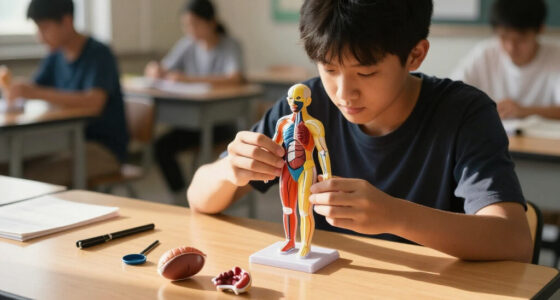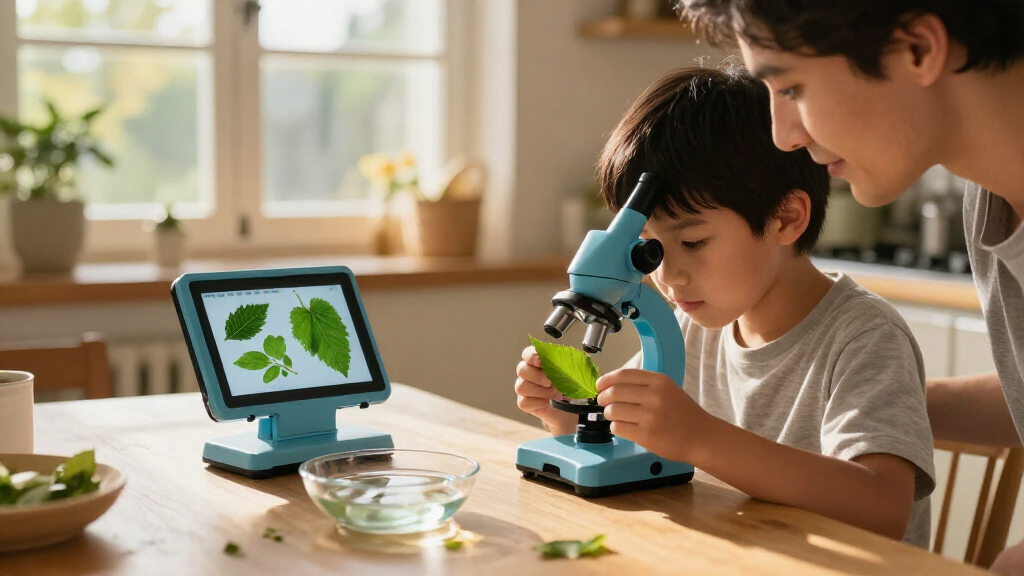
For most families, I’d start with the TOMLOV DM302K: its 63-piece science kit makes it a strong all-around choice for children who want to explore prepared specimens and everyday objects. The TOMLOV DM301 Pro stands out for a larger 7-inch screen, while the National Geographic Dual LED Microscope Science Kit suits children who want a more traditional slide-based activity. The main tradeoff is between a larger, easier-to-share screen and a compact handheld design, with included slides and accessories also shaping how quickly a child can get started. Magnification claims alone do not tell you how easy a microscope is to focus or use. Read on for my comparison of all 13 children’s digital microscopes and guidance by age, activity, and setup.

Prime made for students and young adults
- Fast, free delivery for dorm and study essentials
- Prime Video and Amazon Music included
- Member-only deals
Key Takeaways
- TOMLOV DM302K is my best overall pick because its 63-piece kit supports varied first activities, rather than relying on the microscope alone.
- The DM301 Pro’s 7-inch screen sets it apart for children who want to view specimens together, though its larger format is less portable than handheld models.
- Screen size varies more than the headline magnification suggests: the lineup ranges from 2-inch displays to 7 inches, affecting comfort and group viewing.
- Included learning materials change the out-of-box experience: the National Geographic kit, DM302K, and HEWEIMEI slide-kit option offer a more guided start than a bare microscope.
- Several models advertise 4K or high magnification, but those labels are not a complete buying test; handling, focus control, screen usability, and the intended specimen matter too.


| children’s digital microscope | Magnification | Lighting | Connectivity | Display |
|---|---|---|---|---|
| National Geographic Dual LED M | 20x and 50x | — | — | — |
| BEBANG PM1000 Kids Digital Mic | 200X–1000X across five adjustable levels | — | — | 4K screen |
| Ashfly 1000X Handheld Digital | 100X–1000X | 8 LEDs with 4 brightness levels | — | 2-inch IPS color screen |
| ASPOVEN 4K Handheld Digital Mi | 200–1000x | 8 built-in LEDs with 3 brightness levels | — | — |
| TOMLOV DM302K Digital Microsco | Up to 800X | — | Wi-Fi app connection to smartphone; USB to computer | — |
| MatataStudio MX2-AS Handheld D | 100x–1600x digital, continuous zoom | Incident and transmitted | USB-C and Wi-Fi via Matataxplore app | 4.3-inch 1080p LCD |
| TOMLOV DM301 Pro Digital Micro | — | Adjustable top and bottom LED lights | Wi-Fi app support, USB, and HD output | 7-inch IPS screen |
| Odatay 4K Digital Handheld Mic | 200x–1000x | 8 built-in LEDs with 3-level adjustable brightness | PC connection for file transfer | — |
| HEWEIMEI 1600x Digital Microsc | 100x–1600x | 6 LEDs with 3 brightness settings | — | 4-inch IPS screen |
| HEWEIMEI P2 Kids Digital Micro | 100x–1600x | 6 LEDs with 3 brightness modes | Computer connection for real-time viewing | — |
| BEAVERLAB Finder 4.0-Inch Hand | 100X–1600X | 8 adjustable lights | Built-in hotspot | 4.0-inch IPS |
| BMDSAE 1000X Handheld Digital | Up to 1000X | 8 adjustable LEDs with 3 brightness modes | USB-C | — |
| GREENKINDER 1600X Portable Han | Up to 1600X | — | USB | 3-inch HD IPS |
More Details on Our Top Picks
National Geographic Dual LED Microscope Science Kit for Kids Ages 8–12
This kit is the most traditional microscope pick in this group: children look through optical lenses rather than a built-in digital screen. Its dual LED illumination handles prepared slides as well as three-dimensional finds, so a child can switch from examining a specimen under a slide to inspecting a geode. The 20x and 50x lenses, prepared slides, blank slides, and more than 50 accessories give beginners several ways to start exploring without needing to assemble a separate kit.
Compared with the TOMLOV DM302K, it offers more slide-making accessories but lacks a large display and photo or video capture. Its magnification is also far lower than the handheld digital models here. Choose it for tactile, guided biology activities; skip it if sharing images or viewing specimens on a screen is the main goal.
Pros:- Dual LED illumination supports both prepared slides and three-dimensional objects.
- Includes 20x and 50x optical lenses for straightforward beginner viewing.
- Prepared and blank slides plus more than 50 accessories support varied activities.
- Padded storage container and full-color learning guide help organize and structure sessions.
Cons:- Lacks a digital display and photo or video capture found on the TOMLOV DM302K and other digital picks.
- 20x and 50x magnification offers less range than the digital models in this roundup.
Best for: Families with children ages 8–12 who want guided slide-making and hands-on biology activities rather than screen-based viewing.
Not ideal for: Buyers who want a built-in display, digital photo and video capture, or higher magnification for close-up viewing.
- Recommended age:8–12 years
- Magnification:20x and 50x
- Illumination:Dual LED for slides and 3D objects
- Prepared slides:10
- Blank slides:10
- Accessories:More than 50 pieces
- Included learning items:Geode specimen and full-color learning guide
- Warranty:1 year against manufacturer defects
Our verdict“Pick this kit for children who want a guided, hands-on optical microscope experience, not a digital screen-based one.”
BEBANG PM1000 Kids Digital Microscope Kit
The PM1000 makes documentation a central part of the activity, with a 32GB memory card for storing photos and videos. Five magnification levels from 200X to 1000X let children adjust the view for different specimens, while the built-in screen keeps viewing self-contained. Its prepared glass slides offer a ready-made starting point, and the fitted EVA case and neck strap make it easier to bring along on a nature outing.
Against the Ashfly 1000X Handheld Digital Microscope, the BEBANG specifies removable-card storage, while Ashfly lists built-in storage and a slightly longer stated runtime. The BEBANG’s approximately 2.5-hour battery life is a real limit for longer sessions. Manual focus and adjustments to viewing distance and LED lighting also call for some patience. It suits children who want to save observations; it is less suited to buyers seeking a simple, automatic setup.
Pros:- Five adjustable magnification levels cover a range of everyday specimens.
- Included 32GB memory card provides space for saving photos and videos.
- Fitted EVA case, neck strap, and 0.34 lb weight support portable use.
- Real glass prepared slides give beginners specimens ready to examine.
Cons:- Approximately 2.5 hours of continuous use may interrupt longer activities.
- Manual focus and adjustments to viewing distance and LED lighting add setup work.
- Compared with the Ashfly, its stated battery runtime is shorter.
Best for: Families who want children to capture and keep microscope photos and videos, with a portable kit for indoor and outdoor exploration.
Not ideal for: Children who need a very simple, low-adjustment viewing experience or families planning sessions longer than its stated battery runtime.
- Magnification:200X–1000X across five adjustable levels
- Display:4K screen
- Memory:32GB card included
- Prepared slides:5 real glass specimens
- Battery life:Approximately 2.5 hours of continuous use
- Charging:USB Type-C
- Weight:0.34 lb
- Warranty:1 year
Our verdict“Choose the BEBANG for a portable digital microscope where saving observations matters more than long battery sessions or minimal setup.”
Ashfly 1000X Handheld Digital Microscope for Kids
The Ashfly is a straightforward handheld option for children who want to view and record finds without carrying a separate memory card. Its 2-inch IPS screen shows the image on the device, while eight LEDs with four brightness levels offer useful control when a specimen looks too dark or too bright. The microscope stores more than 200 photos and AVI videos internally, and its 200g body with a detachable neck strap is easy to take outside.
Compared with the BEBANG PM1000, Ashfly lists a longer runtime of up to three hours and built-in storage, but gives no exact storage capacity. Its 2MP camera and small screen are less compelling for buyers who prioritize detailed capture or a larger viewing area. The 100X–1000X range is broad on paper, though children still need to manage focus and lighting. It fits young explorers who value portability over a larger display.
Pros:- Light 200g body and detachable neck strap suit portable use.
- Built-in storage saves photos and AVI videos without an SD card.
- Eight LEDs with four brightness levels allow lighting adjustments.
- Up to three hours of stated battery life exceeds the BEBANG PM1000’s listed runtime.
Cons:- Storage is listed as over 200 photos and videos, without an exact capacity.
- The 2-inch screen gives less viewing area than the TOMLOV DM302K’s 4.3-inch display.
- The 2MP camera may not suit buyers seeking high-detail image capture.
Best for: Families with children ages 4–12 who want a lightweight handheld microscope with on-device storage and adjustable lighting.
Not ideal for: Buyers who need a clearly stated storage capacity, a larger screen, or high-detail image capture.
- Recommended age:4–12 years
- Magnification:100X–1000X
- Camera resolution:2MP
- Display:2-inch IPS color screen
- Lighting:8 LEDs with 4 brightness levels
- Storage:Built-in; holds over 200 photos and AVI videos
- Battery:600mAh; up to 3 hours
- Computer compatibility:Windows and Mac via USB-C
Our verdict“Choose the Ashfly for a light, easy-to-carry starter microscope, but look to the TOMLOV DM302K if a larger screen matters more.”
ASPOVEN 4K Handheld Digital Microscope for Kids, 200–1000x Magnification, 2.0-Inch IPS Screen, Blue
ASPOVEN’s clearest distinction is its PC connection: children can transfer files to a personal computer or connect for extended use, which is useful when a small handheld display is not enough for a group to share. The 4K camera, photo and video capture, and eight LEDs give it a feature-rich setup for examining everyday specimens at home, outdoors, or in a classroom. A neck strap and 0.5 lb body support portable sessions.
Compared with the Ashfly 1000X Handheld Digital Microscope, ASPOVEN lists a 4K camera, while Ashfly is lighter and specifies built-in capacity for more than 200 photos and videos. ASPOVEN’s 2-inch screen remains cramped for close inspection, and its three brightness levels offer fewer steps than Ashfly’s four. Its stated 10-degree real angle of view may also feel narrow. This is a better fit for computer-assisted use than for children who mainly want a compact standalone screen.
Pros:- 4K camera supports photo and video capture.
- PC connectivity allows file transfer or extended use.
- Eight built-in LEDs offer three brightness settings for specimen illumination.
- Two-year warranty is longer than the one-year warranties listed for the BEBANG and TOMLOV models.
Cons:- The 2-inch screen limits how much detail is visible at once compared with the TOMLOV DM302K.
- At 0.5 lb, it is heavier than the Ashfly’s 200g design.
- Three brightness levels provide fewer adjustment steps than the Ashfly’s four.
Best for: Families or classroom users who plan to connect the microscope to a computer for file transfer or extended viewing.
Not ideal for: Children who want a larger standalone display or buyers who prioritize lighter weight and clearly specified onboard storage.
- Magnification:200–1000x
- Camera:4K HD
- Screen:2.0-inch IPS
- Lighting:8 built-in LEDs with 3 brightness levels
- Weight:0.5 lb
- Power:USB-C
- Computer compatibility:Personal computer
- Warranty:2 years
Our verdict“Pick ASPOVEN if computer connection and 4K capture matter more than a large on-device screen or the lightest carry weight.”
TOMLOV DM302K Digital Microscope for Kids with 63-Piece Science Kit
The DM302K stands out for its 4.3-inch IPS screen, which gives children a much larger direct view than the 2-inch displays on the Ashfly and ASPOVEN handhelds. That makes it easier to inspect a specimen together without everyone taking turns at a tiny screen. Photo and video capture add a way to document observations, while the 63-piece science kit gives beginners activities and accessories to use alongside magnification up to 800X.
Unlike the National Geographic Dual LED Microscope Science Kit, this is a digital viewing setup with media capture and phone or computer connections; National Geographic instead offers more traditional slide-based handling and dual illumination for 3D objects. The TOMLOV’s smartphone live view depends on an app connection, so direct viewing is simpler when children use its built-in screen. Its age range and beginner focus may not satisfy buyers seeking advanced equipment or more demanding controls.
Pros:- The 4.3-inch IPS display is larger than the 2-inch screens on the Ashfly and ASPOVEN models.
- Photo and video capture help children document specimens.
- Wi-Fi app connection supports live viewing on a smartphone, with USB computer connectivity also available.
- 63-piece kit supports hands-on activities alongside digital viewing.
Cons:- Magnification up to 800X is lower than the 1000X maximum listed for the BEBANG, Ashfly, and ASPOVEN.
- Smartphone live viewing requires an app connection.
- Beginner-focused design may not suit buyers seeking advanced microscope controls.
Best for: Families with children ages 6–12 who want a large built-in screen, shared viewing, and a substantial starter activity kit.
Not ideal for: Older or more advanced users seeking an advanced microscope, or families who do not want to rely on an app for smartphone live viewing.
- Recommended age:6–12 years
- Screen:4.3-inch IPS
- Magnification:Up to 800X
- Kit size:63 pieces
- Connectivity:Wi-Fi app connection to smartphone; USB to computer
- Media capture:Photos and videos
- Warranty:1 year
Our verdict“Choose the DM302K when a larger built-in screen and shared beginner activities matter more than a higher listed magnification ceiling.”
MatataStudio MX2-AS Handheld Digital Microscope for Kids
The MatataStudio MX2-AS is a strong fit for children who want to move between prepared slides at a desk and objects found outdoors. Its handheld and stand modes give it more flexibility than the desk-oriented TOMLOV DM301 Pro, while the 4.3-inch 1080p screen keeps live viewing on the microscope rather than requiring a phone. Continuous zoom and both incident and transmitted lighting help adapt to different specimens, and the included slides and observation chambers make it easier to start exploring right away. USB-C and Wi-Fi add options for sharing the view on compatible devices. The tradeoff is a three-plus-hour battery life, which may limit longer outings, and the 1600x digital magnification figure should not be read as a guarantee of added visible detail at every setting.
Pros:- Handheld and stand modes suit both outdoor observations and stable slide viewing.
- 4.3-inch 1080p display allows direct viewing without a separate device.
- Incident and transmitted lighting accommodate different specimen types.
- Prepared slides, observation chambers, storage card, and bag provide a useful starter setup.
Cons:- Battery life is over three hours per charge, which may not cover lengthy outings.
- Digital magnification tops out at 1600x and does not by itself indicate the amount of visible detail.
Best for: Families who want one microscope for tabletop slide sessions and handheld exploration outdoors, with an onboard screen and included starter specimens.
Not ideal for: Children who need a large shared display or families planning extended sessions away from a charger; the battery runs for over three hours, and the screen is smaller than the TOMLOV DM301 Pro’s.
- Display:4.3-inch 1080p LCD
- Magnification:100x–1600x digital, continuous zoom
- Viewing modes:Handheld and stand
- Lighting:Incident and transmitted
- Connectivity:USB-C and Wi-Fi via Matataxplore app
- Battery:2600mAh; over three hours per charge
- Included storage:8GB microSD card
- Included accessories:5 prepared slides, 2 observation chambers, USB-C cable, exploration manual, calibration ruler, user guides, and storage bag
Our verdict“Choose the MX2-AS for a versatile mix of handheld exploration and on-screen slide viewing, but choose the TOMLOV DM301 Pro if a larger display matters more than portability.”
TOMLOV DM301 Pro Digital Microscope with 7-Inch Screen
The TOMLOV DM301 Pro puts a 7-inch IPS screen at the center of the experience, making it easier for a child to show a specimen to a parent or sibling than on the MatataStudio MX2-AS’s 4.3-inch display. It also records 8MP photos and 1080P video, and its Wi-Fi app support plus USB and HD connections offer several ways to view or share content. Adjustable lighting above and below the specimen helps with different slide setups, and prepared and blank slides give beginners a simple starting point. This is better suited to a table than to roaming: its larger screen and included carrying case make it less compact than handheld options such as the Odatay. The up-to-three-hour runtime also calls for charging between longer sessions.
Pros:- Large IPS screen makes shared viewing easier than on smaller handheld displays.
- Captures 8MP photos and 1080P video for saving observations.
- Wi-Fi, USB, and HD output provide multiple viewing and connection options.
- Adjustable top and bottom LEDs and included prepared and blank slides support varied activities.
Cons:- The large display makes it less convenient for roaming than compact models such as the Odatay.
- Battery life is up to three hours per charge.
Best for: Families who expect siblings or adults to watch together, and children who want to capture microscope photos and video on a large built-in display.
Not ideal for: Kids who want a lightweight microscope for examining objects around the yard; its 7-inch screen is less convenient to carry than compact handheld models.
- Display:7-inch IPS screen
- Maximum magnification:1200X
- Photo resolution:8MP
- Video resolution:1080P
- Connectivity:Wi-Fi app support, USB, and HD output
- Lighting:Adjustable top and bottom LED lights
- Battery life:Up to three hours
- Included accessories:Carrying case, microSD card, power cable, TV cable, power adapter, 5 prepared slides, and 5 blank slides
Our verdict“Pick the DM301 Pro for family viewing and recording at a table, but favor the MatataStudio MX2-AS or Odatay for more portable exploration.”
Odatay 4K Digital Handheld Microscope for Kids, 200x–1000x, with 32GB Card and 2.4-Inch Screen
For children who care more about carrying a microscope around than having a roomy screen, the Odatay handheld microscope keeps its design light at a stated 0.25 kg. Its 4K camera, 32GB card, and included prepared slides support capturing and saving observations without a separate storage purchase. Eight LEDs with adjustable brightness help illuminate specimens, while the lanyard and tripod hole add practical options for handheld or steadier viewing. Compared with the MatataStudio MX2-AS, the Odatay has a smaller 2.4-inch display and a lower maximum magnification, so it is less comfortable for prolonged shared viewing and offers less zoom range. Its compact body is the tradeoff for portability, and the supplied age guidance is inconsistent, leaving parents to judge suitability based on the child and supervision needed.
Pros:- Lightweight handheld design is easier to carry than larger-screen models.
- 4K camera and included 32GB TF card support capturing and storing observations.
- Eight LEDs with three brightness levels offer adjustable illumination.
- Includes 12 prepared slides, a lanyard, and a protective silicone screen case.
Cons:- The 2.4-inch screen is small for shared viewing or studying fine image details.
- Maximum magnification is 1000x, below the 1600x range listed for the MatataStudio and HEWEIMEI models.
- The product description gives inconsistent recommended age ranges.
Best for: Children who want a lightweight microscope for short observations at home, in class, or outdoors, with room to save photos and videos.
Not ideal for: Families who want a larger built-in screen or a broader magnification range; the MatataStudio MX2-AS offers a 4.3-inch display and reaches 1600x.
- Magnification:200x–1000x
- Camera:4K HD
- Screen:2.4 inches
- Lighting:8 built-in LEDs with 3-level adjustable brightness
- Storage:32GB TF card included
- Connectivity:PC connection for file transfer
- Weight:0.25 kg (0.5 lbs as described)
- Included accessories:12 prepared slides, data cable, lanyard, slide viewing cover, and protective silicone screen case
Our verdict“Choose the Odatay for a compact, carry-friendly microscope with generous included storage, but look to the MatataStudio MX2-AS for a larger screen and wider zoom range.”
HEWEIMEI 1600x Digital Microscope for Kids with 4-Inch Screen and Slides Kit
The HEWEIMEI P2 earns its place for children who want to switch between desk-based slide work and handheld viewing without changing instruments. Its detachable design supports desktop, handheld, and portable modes, a broader set of configurations than the TOMLOV DM301 Pro, which is more oriented toward a stable tabletop setup. The 4-inch IPS screen and 100x–1600x digital range give kids direct control over viewing, while six LEDs with three brightness settings help adjust illumination. A 1080p camera is listed for photo and video capture. The product data also lists a 48MP camera, so buyers should not treat that figure as the video resolution. The main practical drawback is the non-removable battery; unlike the HEWEIMEI P2 variant listed with up to four hours of use, this listing provides no runtime figure.
Pros:- Detachable design offers desktop, handheld, and portable viewing modes.
- 4-inch IPS screen supports direct viewing without a connected phone or computer.
- Adjustable 100x–1600x digital magnification gives children a wide zoom range.
- Six LEDs with three brightness settings provide control over specimen illumination.
Cons:- Built-in battery is non-removable, so a depleted cell cannot be swapped for a spare.
- No battery runtime is stated, unlike the other HEWEIMEI P2 listing, which specifies up to four hours.
- The product data lists both 48MP camera capability and 1080p capture, so the figures do not clarify every recording mode.
Best for: Families who want a children’s microscope that can be configured for tabletop slides, handheld viewing, and portable observation.
Not ideal for: Buyers who need a stated long runtime or a replaceable battery; this listing specifies a built-in non-removable cell and does not provide a battery-life estimate.
- Magnification:100x–1600x
- Display:4-inch IPS screen
- Camera:48MP; 1080p photo and video capture listed
- Viewing modes:Desktop, handheld, and portable
- Lighting:6 LEDs with 3 brightness settings
- Battery:Built-in, non-removable JXY 102540 lithium polymer pouch cell
- Real angle of view:45 degrees
- Included items:Instruction manual, lanyard, sample preparation kit, and slides
Our verdict“Choose this P2 listing for its three viewing configurations, but choose the other HEWEIMEI P2 variant if a stated battery runtime is a priority.”
HEWEIMEI P2 Kids Digital Microscope with 4-Inch Screen and 1080p Camera
This HEWEIMEI P2 is the better pick for families who want the same flexible viewing format as its sibling listing but prefer a defined runtime. The up to four hours of battery life is longer than the MatataStudio MX2-AS’s stated three-plus hours and the TOMLOV DM301 Pro’s up-to-three-hour estimate, giving children more room for extended projects between charges. It retains a 4-inch IPS screen, 100x–1600x magnification, three viewing modes, and computer connection for real-time viewing. That makes it more adaptable than the Odatay, whose smaller screen and lower maximum magnification favor portability instead. The built-in, non-removable battery remains a limitation, and four hours is an upper estimate rather than a guarantee for every use pattern.
Pros:- Up to four hours of stated battery life exceeds the listed runtimes of the MatataStudio MX2-AS and TOMLOV DM301 Pro.
- Desktop, handheld, and portable modes let children change how they examine specimens.
- 4-inch IPS screen and 100x–1600x digital magnification support direct, adjustable viewing.
- Computer connection enables real-time viewing on a larger display.
Cons:- Battery is built in and non-removable.
- Up-to-four-hour runtime is a maximum estimate and may not cover especially long projects.
- Larger-screen, multi-mode design is less carry-friendly than the compact Odatay.
Best for: Children working on longer home or classroom observation sessions who want a built-in screen, three viewing modes, and computer-connected live viewing.
Not ideal for: Families who need a replaceable battery for all-day use or a highly compact microscope; this model’s cell is built in, and the Odatay is the more portable choice.
- Magnification:100x–1600x
- Screen:4-inch IPS
- Camera:48MP; 1080p
- Lighting:6 LEDs with 3 brightness modes
- Viewing modes:Desktop, handheld, and portable
- Battery life:Up to four hours
- Connectivity:Computer connection for real-time viewing
- Included items:Instruction manual, lanyard, sample preparation kit, and slides
Our verdict“Choose this HEWEIMEI P2 for longer sessions and flexible viewing modes, but choose the Odatay if low carry weight matters more than screen size and zoom range.”
BEAVERLAB Finder 4.0-Inch Handheld Digital Microscope for Kids, 100X–1600X
The 4.0-inch IPS screen gives children a roomy view without needing a separate monitor, while the built-in hotspot lets them share images with a mobile phone. That makes this a stronger pick for family show-and-tell than the BMDSAE 1000X, which transfers files by USB-C but has a smaller 2.0-inch screen. Its adjustable 100X–1600X magnification and eight lights offer flexibility for exploring different specimens, and the included 8GB TF card provides room to save images. The tradeoffs are practical: an adapter for charging is not included, and the listed indoor-use design is less suited to outdoor collecting. Compared with the GREENKINDER T003, it offers hotspot sharing and more listed storage, but its larger screen and body may feel less compact for younger hands.
Pros:- Large 4.0-inch IPS display supports shared viewing without an eyepiece.
- Built-in hotspot allows image sharing with a mobile phone.
- Includes an 8GB TF card for saving photos and videos.
- Eight adjustable lights help adapt illumination to different specimens.
Cons:- Charging adapter is not included.
- Designed for indoor use, limiting its fit for outdoor exploration.
- At 7.4 inches long, it may be less convenient for very young children to hold steadily.
Best for: Families who want children to view discoveries on the microscope and share captured images with a phone.
Not ideal for: Families planning outdoor field use or buyers who need a charging adapter included in the box.
- Display:4.0-inch IPS
- Image resolution:1920 × 1080
- Sensor:2MP CMOS
- Magnification:100X–1600X
- Lighting:8 adjustable lights
- Connectivity:Built-in hotspot
- Included storage:8GB TF card
- Dimensions:7.4 × 4.5 × 1.59 inches
Our verdict“Choose the BEAVERLAB Finder if a large screen and phone sharing matter more than outdoor portability or an included charging adapter.”
BMDSAE 1000X Handheld Digital Microscope for Kids with 2.0-Inch IPS Screen
For a child learning how focus and lighting affect a specimen, the BMDSAE puts the controls front and center: manual focus and three brightness settings make viewing an active part of the activity rather than an automatic process. Its 200g body and included lanyard also suit portable use. Compared with the BEAVERLAB Finder, it is lighter and simpler to carry, but the 2.0-inch screen is much less generous for siblings to view together. The 2MP camera can save photos and AVI videos, yet its 32MB storage is modest beside the Finder’s included 8GB card, so regular file transfer may be part of the routine. USB-C supports transfers to compatible computers, though the battery is listed for up to two hours. This is a straightforward learning tool, not the best choice for long sessions or extensive image archiving.
Pros:- Lightweight 200g body and included lanyard make it easy to carry.
- Manual focus gives children a hands-on way to learn how sharpness changes.
- Eight LEDs with three brightness modes allow lighting adjustments.
- USB-C cable supports file transfer to compatible Windows and Mac computers.
Cons:- The 2.0-inch screen is smaller than the displays on the BEAVERLAB Finder and GREENKINDER T003.
- 32MB of storage limits how many images and videos can stay on the device.
- Battery life is listed as up to two hours.
Best for: Children over three who want a lightweight microscope for practicing manual focus and capturing a modest number of observations.
Not ideal for: Families who want a large shared-viewing screen, substantial onboard storage, or sessions longer than the listed two-hour battery life.
- Model:382
- Magnification:Up to 1000X
- Screen:2.0-inch IPS
- Camera:2MP
- Lighting:8 adjustable LEDs with 3 brightness modes
- Storage:32MB; stores 200+ photos or AVI videos
- Battery:600mAh rechargeable; listed for up to 2 hours
- Weight:200g
- Connectivity:USB-C
Our verdict“Pick the BMDSAE for lightweight, hands-on learning, but choose a larger-screen model if shared viewing or storing many discoveries matters.”
GREENKINDER 1600X Portable Handheld Kids Digital Microscope with 3-Inch HD Screen
The GREENKINDER T003 pairs a 3-inch HD IPS screen with an anti-shake design, a useful combination for children still building the hand control needed to inspect small objects. Its textured focus wheel gives them a more tactile way to adjust the image than the BMDSAE’s basic handheld setup, while the screen is easier to share than BMDSAE’s 2.0-inch display. It reaches up to 1600X magnification, matching the BEAVERLAB Finder’s upper figure, though the product data does not list the Finder’s hotspot sharing or a comparable included memory card. The T003 stores up to 100 images and connects to a computer by USB; that is enough for a small project, but storage is limited and the description does not confirm whether a memory card is included. Its stated age range of 5–12 makes it a more targeted pick for school-age users.
Pros:- Anti-shake design helps steady the view while children hold the microscope.
- Textured focus wheel supports easier, more controlled adjustments.
- 3-inch HD IPS screen is roomier than the BMDSAE’s 2.0-inch display.
- USB connection supports linking the microscope to a computer.
Cons:- Image storage is limited to up to 100 photos.
- The product description does not specify whether a memory card is included.
- The listed specifications do not give camera resolution beyond identifying a 2MP camera.
Best for: Children ages 5–12 who need steadier handheld viewing for school projects and want a screen larger than a compact 2-inch model.
Not ideal for: Families who need ample built-in image storage or want clear confirmation that a memory card comes in the package.
- Model:T003
- Magnification:Up to 1600X
- Display:3-inch HD IPS
- Camera:2MP
- Image storage:Up to 100 images
- Connectivity:USB
- Design:Portable handheld, anti-shake design, textured focus wheel
- Recommended age:5–12 years
- Color:Orange
Our verdict“Choose the GREENKINDER T003 for school-age children who value steadier handheld viewing, but look elsewhere if they need extensive onboard storage.”
How We Picked
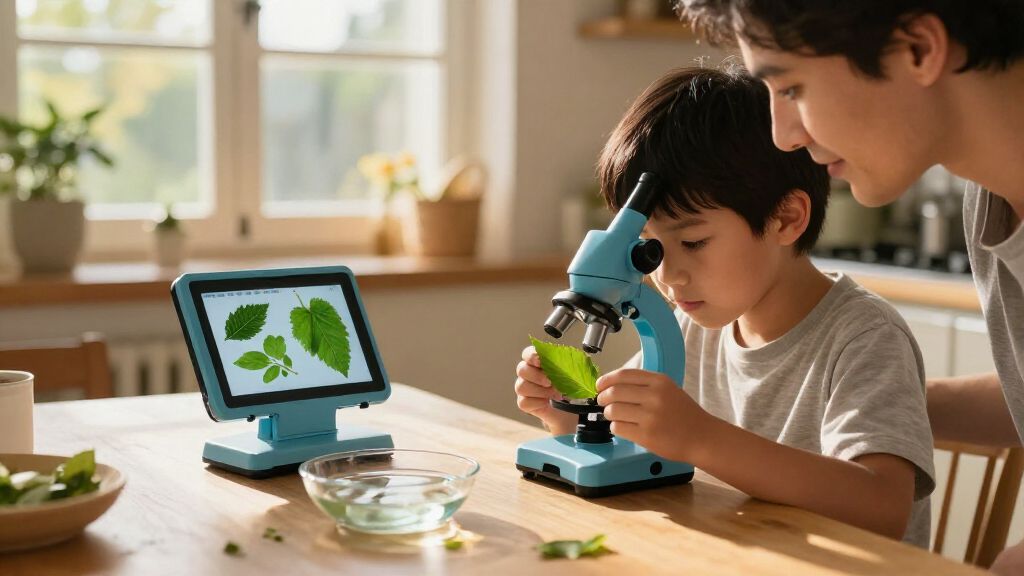
I ranked these children’s digital microscopes around the experience a child and caregiver can expect: ease of handling and focusing, usefulness of the built-in display, and how readily the included accessories support a first session. I also weighed portability against screen size, since a small handheld device is easier to take outdoors while a larger display can be more comfortable for shared viewing. Kit contents and stated camera or magnification features count as useful context, not proof of superior real-world detail.
The ranking gives priority to balanced, child-friendly use over the biggest number on a box. The TOMLOV DM302K leads for its broad starter kit; the DM301 Pro earns a distinct role for its large screen, while the National Geographic set favors slide-based learning. Compact options such as the Ashfly and MatataStudio MX2-AS make sense for different handling needs, but buyers should compare their screen and accessory setup with the larger-screen and more complete-kit picks. Where product details are limited, I avoid treating unlisted capabilities as strengths.
Factors to Consider When Choosing Children’s Digital Microscopes
Before choosing, match the microscope to how the child will use it. A child who wants to inspect leaves outside has different needs from one who enjoys prepared slides at a desk. These broader checks can prevent a common mistake: choosing by magnification claims while overlooking setup, viewing comfort, and what the box actually lets a child explore.
Choose a handheld or desk-based routine
Handheld microscopes suit quick investigations of surfaces that are hard to place on a slide, such as fabric, bark, or a leaf still on a plant. They also tend to be easier to carry, but a child must keep the device steady and position it at the right distance. A desk-oriented setup can make repeated viewing and slide work calmer, especially for younger children. Think about where the child will use it most: a garden, a kitchen table, or a dedicated study area. If outdoor exploration is the goal, portability may matter more than a large display. For careful, repeatable slide activities, stability and a simple working surface may be more useful.
Treat magnification claims as a starting point
A larger magnification number does not automatically mean a clearer or more useful view. Image results depend on focus, lighting, specimen preparation, and how steadily the microscope is held. Children often get more satisfaction from a sharp, well-lit view of a familiar object than from a high setting that is difficult to focus. Ask what the child hopes to see: surface textures, prepared slides, or very small details. Use the stated range to compare products, but do not make it the sole ranking factor. A dependable focus routine and a specimen that fits the device can matter more than the maximum figure.
Match screen size to who will be looking
A built-in screen lets a child view a specimen without placing an eye against an eyepiece, which can make exploration more approachable. Larger screens can help when a parent or sibling wants to see the same image, but they take up more room and can make a device less convenient to carry. Small screens are easier to keep compact, yet may feel cramped during longer sessions. Consider whether the microscope will be used mainly by one child or passed around a group. Also check whether the child can comfortably hold and operate the device while looking at its display. Screen size is a usability choice, not just a specification.
Check what the kit supports on day one
Slides, prepared specimens, and other accessories can turn a microscope into an activity rather than a device waiting for supplies. A broad kit can help a new user begin with structured experiments, though quantity alone does not tell you whether every included piece will be useful. Look for accessories that match the child’s interests and skill level, and check whether the box describes prepared slides or materials for making them. Families who already have suitable specimens may prefer a simpler package. If the child is new to microscopy, a guided starting point can reduce the chance that the device sits unused after the first attempt.
Decide whether saving images is part of the fun
Some children are happy to look at a specimen and move on; others want to save pictures, compare findings, or show discoveries later. If image capture matters, verify the specific model’s stated camera resolution, storage arrangement, and included memory card rather than assuming every digital microscope handles files the same way. A high-resolution label does not by itself promise a sharper view on the screen or an easy sharing process. For a child who mainly wants live exploration, simple controls may be more valuable than extra capture features. For a budding project-maker, file saving can support repeat observations. Keep adult help with storage and device connections in mind when choosing.
Buy for the child’s patience and supervision needs
Microscopes require some trial and error: a child may need to adjust focus, reposition a specimen, or change the lighting before seeing a useful image. Younger beginners usually benefit from an uncomplicated setup and an adult nearby to help prepare slides and handle small parts. Older children may welcome more control and a wider range of activities. Consider how much setup the caregiver is willing to do, not only what the child might enjoy in theory. A large accessory kit can bring more experiments but also more pieces to organize. The best fit is the one the child can return to without turning every session into a lengthy setup task.
Frequently Asked Questions
Is a handheld digital microscope a good first microscope for a child?
It can be, especially for a child who wants to inspect objects around the home or outdoors rather than follow a slide-based lesson. The built-in screen avoids the need to align an eye with a traditional eyepiece. Handheld viewing still asks the child to steady the device and find the right focus, so very young users may need adult help. If the child prefers structured activities, a kit with slides and guided materials may be an easier introduction. Choose based on the child’s patience and preferred activities, not age alone.
Should I choose a bigger screen or a more portable microscope?
Choose a bigger screen if comfortable viewing and sharing the image are priorities, such as when a caregiver or sibling will join in. A compact model makes more sense for field observations and children who want to carry the microscope between rooms or outdoors. The tradeoff is not simply screen size versus weight: larger devices can feel easier to view but less convenient to pack, while smaller displays may be less comfortable for longer sessions. Think about the place the microscope will be used most often. A device that fits the routine is more likely to be used regularly.
Do children need a microscope with 1600x magnification?
Not necessarily. High stated magnification may sound appealing, but useful viewing also depends on focus, lighting, steadiness, and the specimen itself. Many children can get rewarding results from exploring textures and prepared samples without choosing the model with the highest advertised number. If a child has a specific project in mind, compare the product’s stated capabilities with that activity. For general exploration, prioritize a clear, manageable viewing experience over a maximum figure. A lower claim with easier handling may suit a beginner better.
Are included slides and accessories worth prioritizing?
They are helpful when the child is new to microscopy and needs an immediate starting point. A kit can reduce the need to source materials before the first activity and offer a path from simple viewing to more structured exploration. Still, a large piece count does not guarantee that every accessory will match the child’s interests or be easy to use. Check what is actually included and whether it supports the intended activities. If your household already has suitable specimens and supplies, screen usability and handling may deserve more attention.
Can these microscopes replace a traditional classroom microscope?
They serve a different purpose: built-in screens make casual observation and sharing approachable, while traditional microscopes often suit formal slide work and instruction. A digital handheld model can be a useful home learning tool, but listed magnification alone does not show whether it will meet a classroom’s requirements. If it is for schoolwork, check the teacher’s requested methods, specimen types, and any needed image-capture features before buying. For recreational exploration, a child-friendly digital format may be a more inviting fit. The right choice depends on the task, not on one format being universally better.
Conclusion
For the strongest balance of ready-to-use activities and child-friendly exploration, I’d choose the TOMLOV DM302K as best overall. For a value-minded buyer, the National Geographic Dual LED Microscope Science Kit is the clearest starter option when slide-based activities matter, while the TOMLOV DM301 Pro is my premium-style choice for families who prioritize a larger shared display. Beginners who want a guided first experience should look at the National Geographic kit or the DM302K; children who want a compact handheld format can compare the Ashfly and MatataStudio MX2-AS. For a large-screen setup, the DM301 Pro stands apart; for a kit with many included pieces, the DM302K is the more direct fit. Pick according to the child’s activity, screen preference, and appetite for setup—not the highest magnification claim.