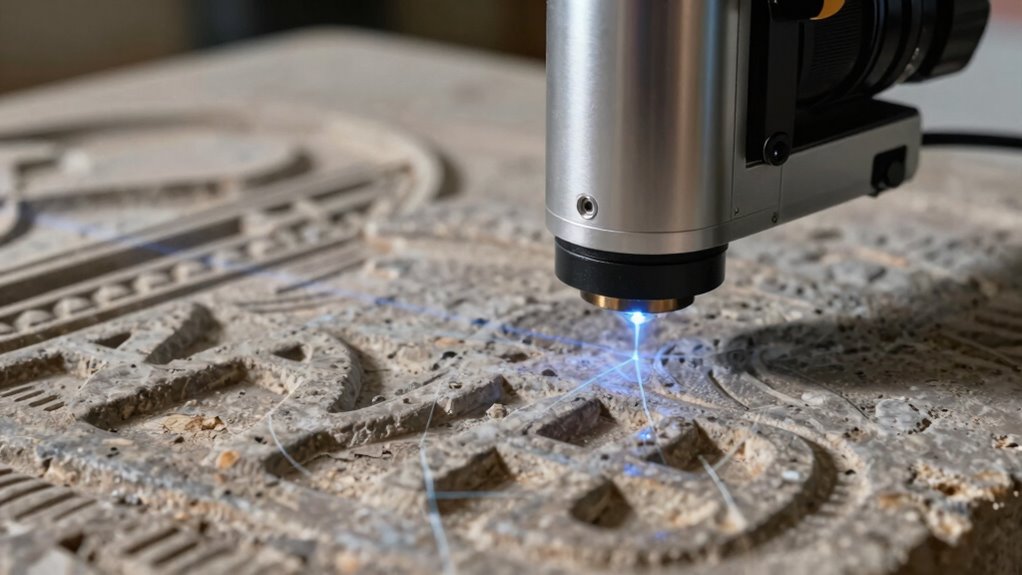

Laser scanners capture surfaces without touching by emitting focused laser beams across objects. They measure the reflected light to gather detailed surface data, creating accurate 3D models. The process relies on detecting how the laser light bounces back, which varies depending on material reflectivity and environmental factors. Adjusting scanner settings and using coatings can improve results on shiny or matte surfaces. If you’re curious about how these techniques work, you’ll find plenty of useful details ahead.

Prime made for students and young adults
- Fast, free delivery for dorm and study essentials
- Prime Video and Amazon Music included
- Member-only deals
Key Takeaways
- Laser scanners emit focused beams that sweep across surfaces to measure reflected light without physical contact.
- They analyze reflected laser signals to create detailed 3D surface models remotely.
- Surface reflectivity and environmental factors influence the accuracy of laser measurements.
- Equipment settings can be adjusted, and surface coatings used to improve data capture on challenging surfaces.
- Conducting scans in controlled environments minimizes interference from dust, ambient light, or other contaminants.

Laser scanners capture surfaces by emitting focused laser beams that sweep across an object and measure the reflected light. This process allows you to create detailed 3D models without physically touching the surface. As the laser beam hits the object, the scanner detects the reflected light, translating it into precise measurements. However, the effectiveness of this process depends heavily on factors like material reflectivity and environmental interference. When dealing with different materials, you might notice that some surfaces reflect laser light better than others. Highly reflective objects, such as glass or polished metal, tend to bounce the laser beams in multiple directions, which can make it challenging for the scanner to gather accurate data. Conversely, dull or matte surfaces absorb more laser energy and reflect less light, often resulting in clearer, more reliable measurements. Understanding the material’s reflectivity helps you anticipate potential issues and adjust your scanning technique accordingly. Additionally, knowing the material’s properties can help you select the appropriate equipment and settings for optimal results. Proper calibration of the scanner can also improve accuracy when working with challenging surfaces. Environmental interference also plays a significant role in the accuracy of laser scanning. External factors like ambient light, dust, or smoke can disrupt the laser beam or the sensor’s ability to detect reflected light accurately. Bright sunlight, for example, can cause the scanner’s sensor to pick up extraneous light, leading to errors or incomplete data. Dust or fog can scatter the laser beams, reducing their intensity and making it harder to capture surfaces precisely. To minimize these issues, you may need to conduct scans in controlled environments or use equipment equipped with filters and shielding. Additionally, you can adjust the scanner settings, such as laser power or exposure time, to better handle challenging conditions. Being aware of environmental factors that affect laser performance can help you plan and adapt your scanning process more effectively. Ensuring the right environmental conditions can significantly enhance the quality of your data collection. Handling material reflectivity and environmental interference requires a combination of understanding your equipment’s capabilities and adapting your approach. For instance, applying matte spray coatings to shiny surfaces can improve reflectivity for the scanner, ensuring better data capture. Choosing ideal lighting conditions or working during times of low ambient light can also reduce environmental interference. Being aware of these factors helps you produce higher-quality scans and avoid costly rework. Ultimately, mastering how laser scanners interact with different surfaces and environments will enable you to gather precise measurements efficiently, even in complex or challenging settings.
Popular right now

Dreame L40 Ultra Gen 2 Robot Vacuum and Mop with 25,000 Pa Suction

Dyson Cyclone V10 Origin Cordless Vacuum

KitchenAid Artisan 5-Quart Tilt-Head Stand Mixer, Almond Cream
As an affiliate, we earn on qualifying purchases.
Frequently Asked Questions
What Are the Limitations of Laser Scanners in Different Environments?
Laser scanners face limitations in different environments primarily due to surface reflectivity and environmental interference. Highly reflective or transparent surfaces can cause inaccurate readings or data loss, while dark or matte surfaces absorb laser signals, reducing accuracy. Environmental factors such as dust, fog, rain, or strong ambient light can interfere with laser signals, making it challenging to obtain precise measurements. You should consider these factors to optimize scanner performance in various settings.
How Accurate Are Laser Scanners Compared to Traditional Methods?
Laser scanners are highly accurate, often exceeding traditional methods, especially for complex surfaces. Their material flexibility allows them to capture detailed surfaces regardless of texture or transparency. Although initial costs can be high, they save money long-term by reducing manual labor and increasing precision. You’ll find laser scanners ideal when you need quick, detailed results, making them a smart choice despite the upfront investment compared to traditional techniques.
Can Laser Scanners Capture Transparent or Shiny Surfaces Effectively?
Laser scanners struggle with reflective surfaces and transparent materials because their surfaces reflect or transmit laser beams unpredictably. You might find that shiny, mirror-like surfaces cause errors or gaps in the scan data, and transparent materials like glass may appear invisible to the scanner. To improve accuracy, you can apply special coatings or use alternative scanning techniques designed specifically for these challenging reflective and transparent surfaces.
What Safety Precautions Are Necessary When Operating Laser Scanners?
When operating laser scanners, you need to prioritize laser safety by wearing protective eyewear and ensuring the scanner is correctly calibrated. Operator training is essential to understand the equipment’s hazards and safe handling procedures. Always follow manufacturer guidelines and safety protocols to prevent accidental exposure. Keep the scanner’s safety features active, and avoid direct eye contact with the laser beam. Proper precautions protect both you and others during scanning tasks.
How Long Does It Take to Scan an Entire Large Surface?
It varies, but scanning large surfaces often takes anywhere from a few minutes to several hours, depending on surface complexity and scanning speed. If the surface is intricate, it takes longer, like untangling a ball of yarn. Faster scanning speeds help reduce time, but detailed, complex surfaces demand careful, precise work. Your project’s size and detail level directly influence how long the entire scan will take.
Conclusion
Now that you’ve seen how laser scanners paint pictures of surfaces without a single touch, it’s clear they’re like silent artists sketching in the shadows. With each scan, they reveal details hidden to the naked eye, turning complex shapes into digital masterpieces. This technology, as precise as a hawk’s eye, captures the world around you in stunning detail—without ever laying a finger on it. The future of surface capturing is truly a dance of light and innovation.