Graphing calculators are powerful tools that help you easily plot functions, equations, and geometric shapes. They allow you to visualize complex shapes, find intersections, and explore how changing parameters affects graphs. With interactive features like zooming and tracing, you can better understand mathematical concepts and patterns. These versatile devices support various graph types, making learning more engaging and less intimidating. Keep exploring, and you’ll discover even more ways these tools simplify your math journey.
Key Takeaways
- Graphing calculators enable precise plotting of functions, shapes, and equations for clear visual analysis.
- They support dynamic manipulation of parameters, helping explore how changes affect graphs.
- Advanced features include 3D plotting, multiple graph overlays, and interactive zooming for detailed examination.
- These tools assist in understanding complex mathematical concepts through visual representation.
- They enhance learning, problem-solving, and teaching by making abstract ideas tangible and accessible.
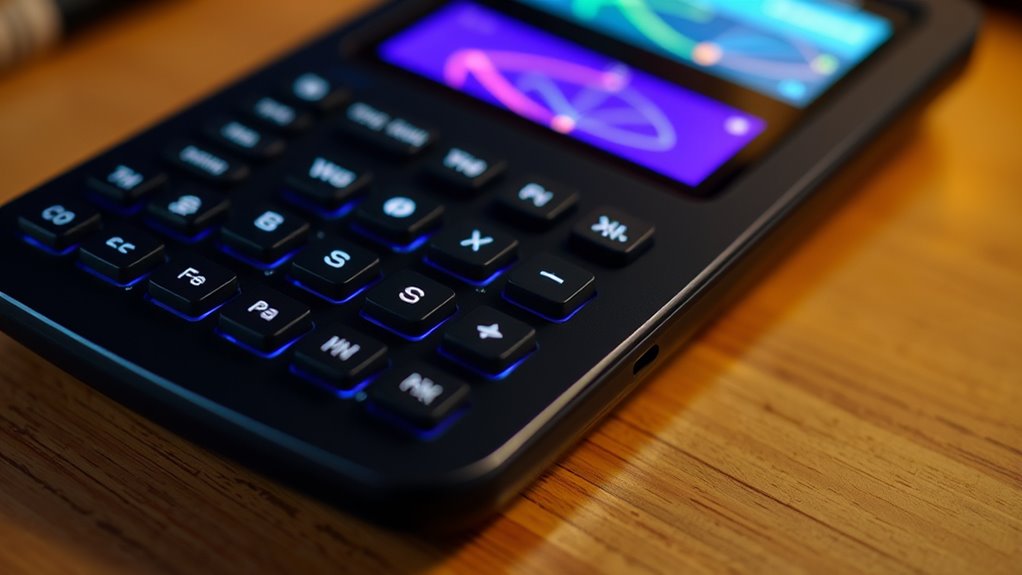
Have you ever wondered how students solve complex equations or visualize functions more easily? Graphing calculators are powerful tools that make these tasks much more manageable. With their ability to perform matrix operations, they streamline calculations that would otherwise take ages to do by hand. When dealing with systems of equations, matrices help you organize and solve multiple equations simultaneously, saving you time and reducing errors. This capability is essential for advanced math classes, where understanding the relationships between variables is paramount. By inputting matrices directly into the calculator, you can quickly find solutions, invert matrices, or perform other operations needed for your coursework. This efficiency allows you to focus more on understanding the concepts rather than getting bogged down in tedious calculations.
Another key feature of graphing calculators is their ability to assist with graph analysis. Once you’ve entered your functions or equations, the device can generate precise visual representations, revealing intersections, asymptotes, and other critical points. Visualizing functions in this way helps you grasp their behavior more intuitively, which is especially helpful when analyzing complex shapes or multiple functions simultaneously. You can zoom in and out, trace along curves, and examine key features with ease—all essential skills for mastering calculus, algebra, and beyond. This direct interaction with the graphs enhances your understanding, making abstract ideas more tangible.
Furthermore, graphing calculators come equipped with tools to manipulate functions dynamically. You can adjust parameters on the fly to see how they influence the graph, deepening your comprehension of the underlying mathematical principles. They also support a variety of graph types, from functions and inequalities to parametric and polar plots. This versatility allows you to explore different mathematical scenarios within a single device, which is especially helpful during exam preparation or project work. The ability to analyze multiple graphs side-by-side enables you to compare behaviors and identify patterns that might be harder to see through manual plotting. Additionally, their capability to perform matrix operations streamlines complex calculations and enhances understanding of relationships between variables.
In essence, these calculators are much more than just plotting devices; they’re extensive math assistants. By integrating matrix operations with graph analysis features, they help you develop a more profound understanding of mathematical relationships. Whether you’re solving equations, visualizing complex functions, or analyzing data, graphing calculators provide a clear, efficient way to engage with math actively. They transform abstract concepts into visual insights, making learning more interactive and less intimidating. As you become more familiar with their features, you’ll find yourself approaching challenging problems with confidence and clarity, turning complex math into manageable, even enjoyable, tasks.

Texas Instruments TI-84 Plus CE Color Graphing Calculator, Black
High-resolution, full-color backlit display.Horizontal and vertical split-screen options..Display type : LED. Number of Items : 1.
As an affiliate, we earn on qualifying purchases.
As an affiliate, we earn on qualifying purchases.
Frequently Asked Questions
Can Graphing Calculators Be Used for 3D Plotting?
Yes, some graphing calculators can be used for 3D plotting, especially models with advanced functions. You can visualize complex surfaces and shapes in three dimensions, which helps deepen your understanding of mathematical concepts. These calculators typically have powerful processors and specialized software that support 3D plotting. Keep in mind, capabilities vary, so check your calculator’s specifications to verify it handles 3D plotting effectively for your needs.
How Do I Troubleshoot Common Graphing Calculator Errors?
When you encounter error messages on your graphing calculator, first try resetting it using the reset procedures found in the manual or online. If that doesn’t work, check for loose connections or low batteries. Clearing the memory can help resolve persistent errors. Always verify your calculator’s software is up to date. If problems persist, consult the manufacturer’s support or consider a professional repair.
Are There Free Alternatives to Traditional Graphing Calculators?
Yes, there are free alternatives to traditional graphing calculators. You can use online calculators or free software like Desmos or GeoGebra, which offer powerful graphing features. These tools are user-friendly, accessible on various devices, and don’t require downloading. You simply open the website or install the software, and you’re ready to plot functions and shapes without spending a dime, making them great options for students and educators alike.
How Do Graphing Calculators Handle Complex Numbers?
You might think graphing calculators struggle with complex numbers, but they actually handle them well. They visualize complex numbers by plotting them on the complex plane, where the real part is along the x-axis and the imaginary axis interpretation along the y-axis. This allows you to see complex number visualization clearly, making it easier to understand their properties and relationships. So, your calculator isn’t limited—it’s just using a different kind of graphing approach.
Can Graphing Calculators Connect to Computers or Other Devices?
Yes, your graphing calculator can connect to computers or other devices through device connectivity features like USB, Bluetooth, or Wi-Fi. This allows you to transfer data quickly and easily, making it simple to save, share, or analyze your graphing work. You can upload software updates, send graphs, or export data, enhancing your overall efficiency and making your math or engineering projects more streamlined and accessible.
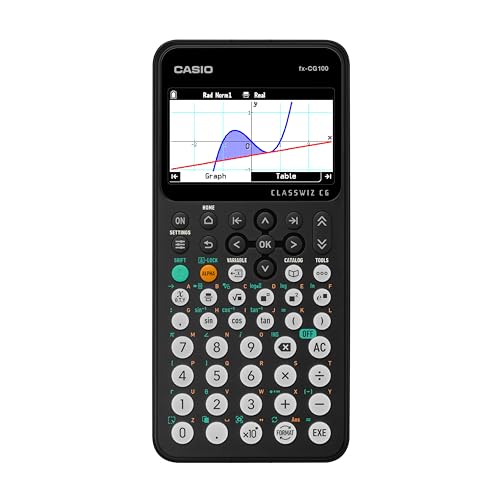
Casio fx-CG100 ClassWiz® Color Graphing Calculator with 3D Graph & Python | Large High-Res Display, Basic & Advanced Functions | Ideal for Exams, STEM, Programming & Advanced
COLOR DISPLAY & 3D GRAPHING – Large, high-resolution backlit LCD with over 65,000 colors allows for clear visualizations…
As an affiliate, we earn on qualifying purchases.
As an affiliate, we earn on qualifying purchases.
Conclusion
Imagine helping a student open their potential by simply showing them how a graphing calculator can turn complex equations into clear, visual insights. Like Sarah, who struggled with algebra until she used her calculator to see her graphs come alive, boosting her confidence. These tech tools aren’t just devices—they’re gateways to understanding and success. Embrace graphing calculators, and watch your confidence grow as you conquer math with clarity and ease.
Texas Instruments TI-84 Plus CE Color Graphing Calculator, Black
High-resolution, full-color backlit display.Horizontal and vertical split-screen options..Display type : LED. Number of Items : 1.
As an affiliate, we earn on qualifying purchases.
As an affiliate, we earn on qualifying purchases.
Texas Instruments TI-84 Plus CE Color Graphing Calculator, Black
High-resolution, full-color backlit display.Horizontal and vertical split-screen options..Display type : LED. Number of Items : 1.
As an affiliate, we earn on qualifying purchases.
As an affiliate, we earn on qualifying purchases.