
Before buying a desktop CNC lathe, consider its size to fit your workspace and skill level. Check that it supports your preferred CAD/CAM software and offers proper calibration and safety features. Be prepared for regular maintenance, calibration, and safety protocols to guarantee precise, reliable results and a longer lifespan. Understanding these factors helps you choose the right machine. If you want to learn more about making a smart purchase, keep exploring the key points.
Key Takeaways
- Assess your project scope and ensure the machine’s size and capabilities match your machining needs.
- Verify compatibility with your preferred CAD/CAM software and ease of calibration.
- Prioritize models with strong support and accessible customer service for troubleshooting.
- Consider safety features and ensure proper workspace setup for secure operation.
- Maintain regular calibration and maintenance routines to extend machine lifespan and ensure accuracy.
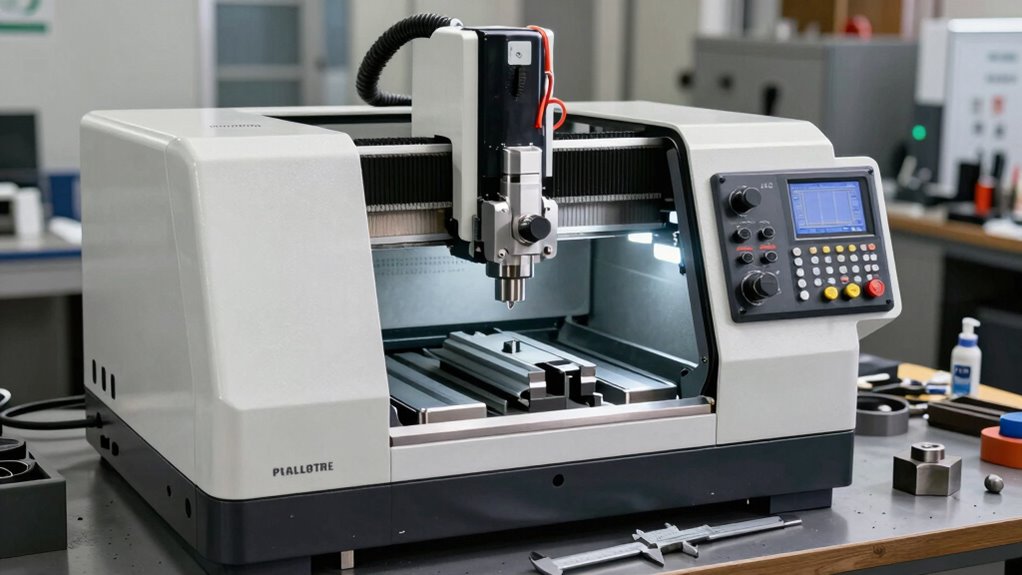
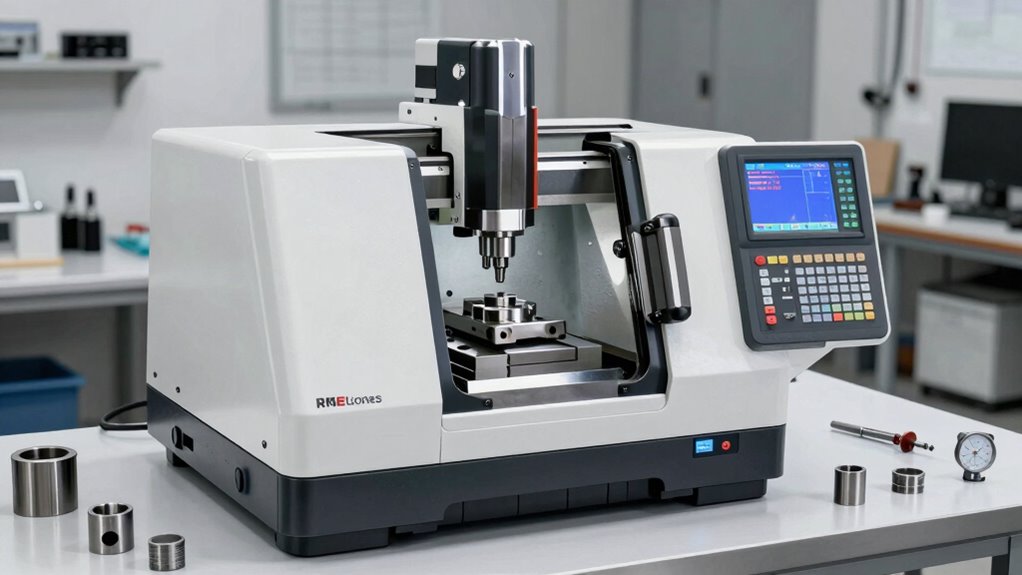
If you’re considering a desktop CNC lathe, understanding what sets these machines apart and how they can fit into your workshop is vital. These compact tools are designed to bring precision machining into smaller spaces, making them perfect for hobbyists, small-scale manufacturers, or anyone looking to create detailed, accurate parts without investing in bulky industrial equipment. Before making a purchase, you should evaluate how well the features align with your projects and skills. One key aspect is tool calibration, which guarantees your machine produces consistent, accurate results. Proper calibration involves setting your tool offsets and verifying measurements regularly, especially after transportation or maintenance. Neglecting this step can lead to inaccuracies, wasted materials, and flawed parts. Many desktop CNC lathes come with software that guides you through calibration procedures, but it’s essential to familiarize yourself with the process to maintain precision over time. Additionally, understanding the importance of calibration can help extend the lifespan of your machine and improve overall performance. Developing a routine for calibration and maintenance can significantly enhance your machine’s longevity and reliability. Incorporating proper maintenance practices, such as lubrication and cleaning, further ensures consistent operation and reduces unexpected downtime. Regularly inspecting components and replacing worn parts is also critical for maintaining optimal machine performance. Taking the time to understand the machine’s capabilities can help you choose the right model for your specific needs and avoid unnecessary upgrades later on.
Safety precautions are equally important when working with a desktop CNC lathe. These machines operate at high speeds and generate heat and vibrations, so understanding and implementing safety measures is non-negotiable. Always wear safety glasses and hearing protection, especially during prolonged use. Keep your workspace clean and free of clutter to prevent accidents, and ensure your machine is on a stable surface to avoid vibrations that could compromise your work or cause the machine to tip. Familiarize yourself with emergency stop procedures and ensure all safety guards are in place before starting any project. Proper training or thorough reading of the user manual can help you identify potential hazards, like moving parts or sharp tools, reducing the risk of injury. Recognizing machine safety protocols and adhering to them is crucial for a safe working environment. Additionally, staying informed about common hazards associated with CNC machining can further enhance your safety awareness. Remember that safe operation not only protects you but also ensures the longevity of your equipment.
You’ll also want to consider the machine’s compatibility with your existing tools and software. Many desktop CNC lathes support popular CAD/CAM programs, but double-check before buying. Maintenance is another factor; regular tool calibration and cleaning keep your lathe functioning at its best. As you plan your purchase, think about your project scope, available workspace, and your comfort level with setting up and operating CNC equipment. Investing in a machine with good support and accessible customer service can make troubleshooting and ongoing maintenance much easier. Ultimately, understanding the importance of tool calibration and safety precautions will help you operate your desktop CNC lathe confidently and effectively, ensuring you get the most out of your investment while keeping safety a top priority.
As an affiliate, we earn on qualifying purchases.
Frequently Asked Questions
What Safety Features Should I Look for in a CNC Lathe?
You should look for safety features like emergency shutoffs that allow you to quickly stop the machine if needed. Guarantee the CNC lathe has safety protocols in place, such as protective enclosures and sensors that prevent operation if safeguards aren’t in place. These features help protect you from accidents and injuries, making your work safer. Always verify that the machine complies with safety standards before making a purchase.
Can a Desktop CNC Lathe Handle Metal or Only Wood?
A desktop CNC lathe is like a versatile tool that can handle more than just wood; it can work with metals too. Its material compatibility depends on its build quality and power, and many models are designed specifically to handle metals like aluminum or brass. Keep in mind, its precision capabilities are essential for achieving detailed metalwork, so choose a machine that matches your project’s complexity and material needs.
What Maintenance Is Required for Long-Term Operation?
You need to follow regular maintenance to keep your desktop CNC lathe running smoothly. Stick to lubrication schedules, applying the right lubricants to moving parts to prevent wear. Also, perform calibration procedures periodically to guarantee precision. Keep the machine clean, check for loose components, and replace worn parts as needed. This routine maintenance helps extend its lifespan and guarantees consistent, high-quality results over the long term.
How Easy Is It to Upgrade or Modify the Machine Later?
They say, “The only constant is change,” and that’s true for CNC lathes too. Upgrading or modifying your machine depends heavily on its compatibility and upgrade potential. Many desktop CNC lathes are designed with modular parts, making upgrades easier. However, some models might limit compatibility with certain accessories or controllers. Before buying, verify your machine supports future upgrades to keep pace with your evolving needs.
Are There Specific Software Requirements for Operation?
You need compatible software to operate a desktop CNC lathe, so check its software compatibility with your computer system. Most machines support common programming languages like G-code, which is essential for precise control. Make sure the software you choose is user-friendly and offers enough features for your projects. Also, verify that your computer meets the software’s system requirements to avoid any operation issues.
As an affiliate, we earn on qualifying purchases.
Conclusion
Before you make your purchase, picture the endless possibilities a desktop CNC lathe can open—precision parts, intricate designs, or even custom creations. But remember, choosing the right machine isn’t just about features; it’s about envisioning how it will transform your projects. Will it be your next big innovation or a missed opportunity? Take a moment to imagine the craftsmanship waiting to be born, and let that vision guide your decision. The future of your creations starts now.
safety equipment for CNC machining
As an affiliate, we earn on qualifying purchases.
As an affiliate, we earn on qualifying purchases.
compact CNC lathe with software support
As an affiliate, we earn on qualifying purchases.
As an affiliate, we earn on qualifying purchases.