CNC routers and CNC mills serve different purposes and handle different materials. Routers are built for softer materials like wood, plastics, and composites, offering speed and versatility. Mills are designed for metals, providing high precision and stability for tougher materials. While they might look similar, their design, tool mounting, and capabilities vary greatly. Understanding these differences guarantees you select the right machine for your projects—more details will help clarify which is best for you.
Key Takeaways
- CNC routers are designed for softer materials like wood and plastics, focusing on speed and versatility, while CNC mills handle metals with higher precision.
- Structural differences include lightweight, open frames for routers versus heavy, rigid frames for mills, affecting stability and accuracy.
- Tool mounting varies: routers use quick-change collet chucks, whereas mills employ threaded or hydraulic tool holders.
- Application scope differs: routers excel in woodworking and signage, mills are suited for metal parts and detailed engineering projects.
- Cost and maintenance are generally higher for CNC mills due to their complexity and capabilities compared to more affordable CNC routers.
What Are CNC Routers and CNC Mills? A Clear Overview
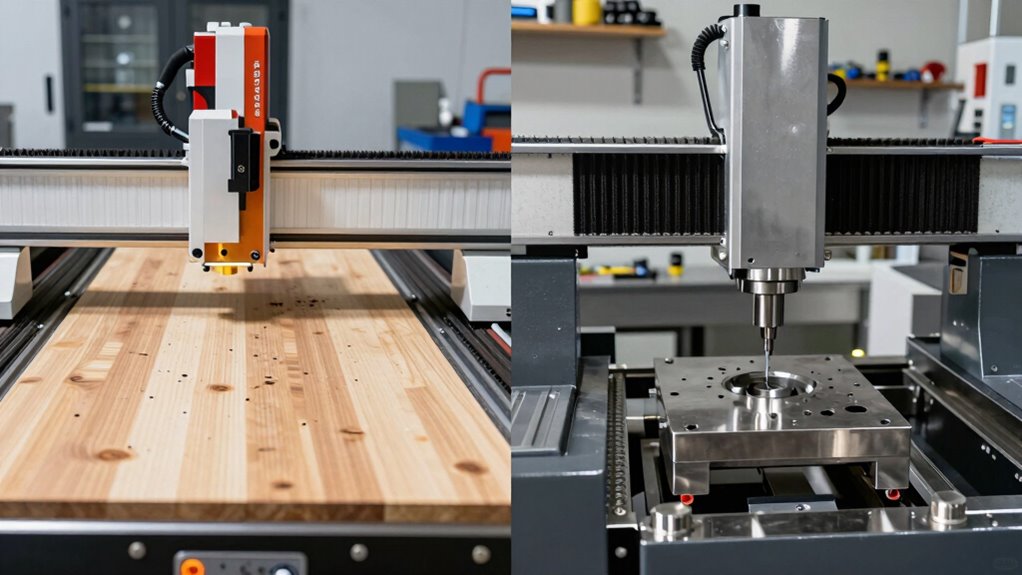
CNC routers and CNC mills are both computer-controlled tools used for shaping materials, but they serve different purposes and operate differently. CNC routers are designed mainly for cutting softer materials like wood, plastics, and composites. They typically require precise machine calibration to guarantee accuracy and smooth operation. CNC mills, on the other hand, handle harder materials such as metals and perform more detailed, precise cuts. Both machines depend heavily on software compatibility; the right software ensures seamless operation and accurate tool paths. Calibration affects the quality of the work and the longevity of the machine, making it essential for both CNC routers and mills. Proper calibration directly impacts the overall quality and durability of the equipment. Understanding these differences helps you choose the right machine for your specific manufacturing needs.
How Are CNC Routers and Mills Designed Differently?
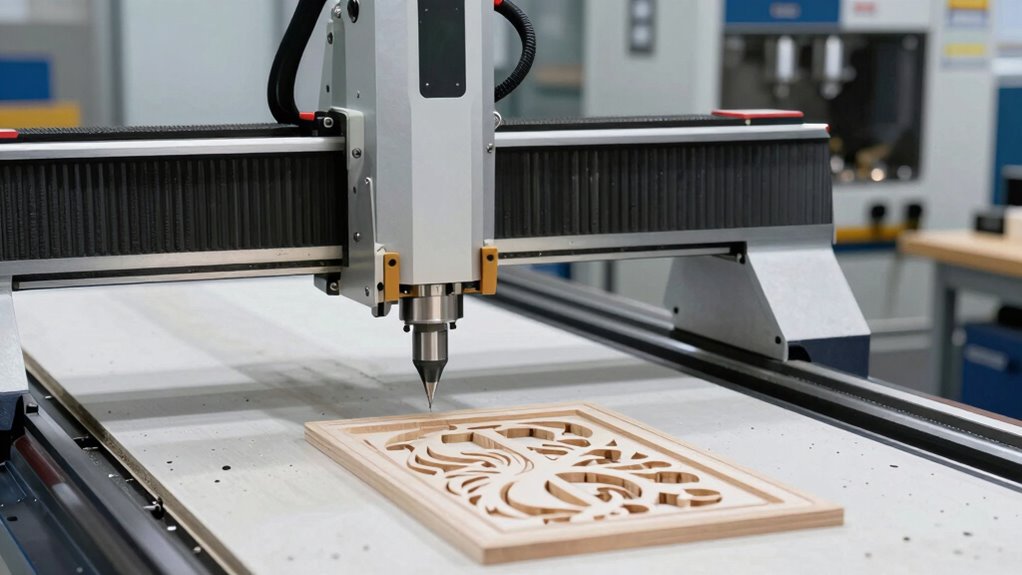
You’ll notice that CNC routers and mills have distinct structural designs tailored to their tasks. The way they mount tools also varies, affecting their precision and versatility. Understanding these differences helps you choose the right machine for your specific needs. Additionally, differences in machine configuration influence their suitability for various projects. For example, the structural differences can also impact the application scope of each machine, making it essential to select the appropriate type based on your project requirements. Furthermore, the design variations may also influence the ease of maintenance, which is crucial for long-term operation. Recognizing how each machine’s rigidity and stability contribute to performance can further assist in making an informed choice. Proper design considerations directly impact the durability and lifespan of the equipment, ensuring reliable performance over time.
Structural Design Variations
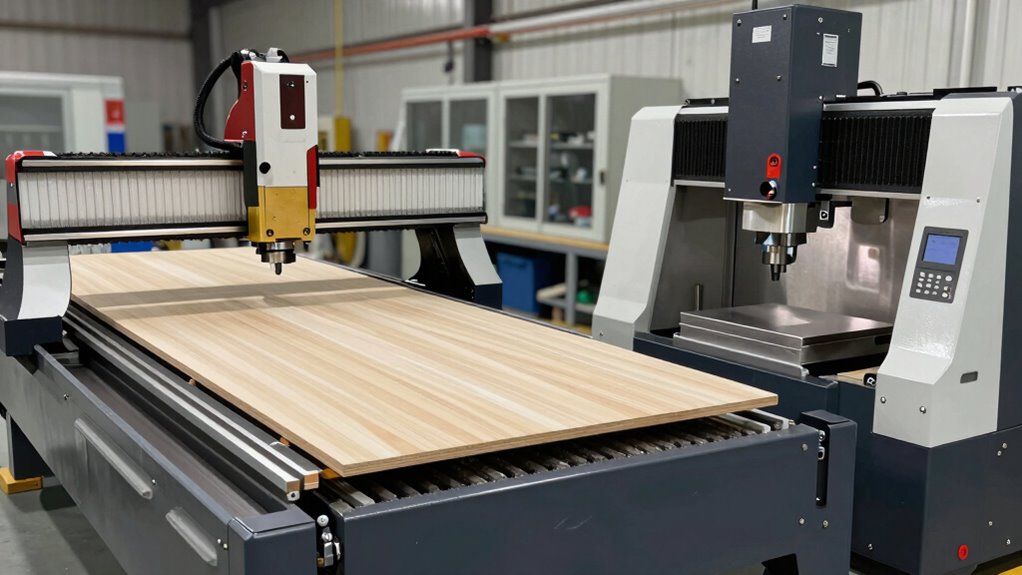
The structural designs of CNC routers and mills reflect their distinct purposes and operational requirements. CNC mills typically feature a heavy, rigid frame to maximize structural rigidity, which helps handle tough materials and high cutting forces. This robustness ensures high precision and stability during demanding machining tasks. In contrast, CNC routers have lighter, more open structures optimized for speed and versatility, but they sacrifice some rigidity for increased tool attachment flexibility. The differences influence performance: mills excel in precision, while routers prioritize speed and ease of use. Here’s a comparison table:
| Feature | CNC Router | CNC Mill |
|---|---|---|
| Structural Rigidity | Moderate, lightweight frame | High, heavy and reinforced frame |
| Tool Attachment | Less rigid, quick swaps | Very rigid, secure attachment |
| Purpose | Wood, plastics, softer materials | Metals, harder materials |
| Design Focus | Speed, versatility | Accuracy, stability |
Additionally, the choice between these machines depends heavily on the specific material processing requirements of a project.
Tool Mounting Differences
While both CNC routers and mills are designed for precise tool mounting, their approaches differ markedly to suit their specific applications. CNC routers typically use a tool mounting system that emphasizes quick changes and versatility, often employing collet chucks compatible with larger, less rigid spindles. This setup is ideal for routing softer materials at higher speeds. In contrast, CNC mills prioritize spindle compatibility with rigid, high-torque spindles that securely hold smaller, more precise tools. Mill tool mounting often involves threaded tool holders or hydraulic chucks, ensuring stability during heavy cutting. These differences reflect each machine’s design focus: routers favor speed and flexibility, while mills emphasize rigid tool mounting and durability in tool holding. Understanding these distinctions helps operators select the right machine for their specific manufacturing needs and ensures optimal performance.
What Are the Main Cutting Capabilities of CNC Routers and Mills?

Understanding the cutting capabilities of CNC routers and mills helps you choose the right machine for your projects. You’ll want to consider the types of materials each can handle, as well as the level of detail and precision you need. Additionally, their cutting speeds and efficiency play a vital role in meeting your production goals.
Material Compatibility and Range
CNC routers and mills are designed to handle different types of materials based on their cutting capabilities. CNC routers excel at working with softer materials like wood, plastics, and composites, but they face material limitations when it comes to metals or harder substances. Mills, on the other hand, are built to cut through metals such as aluminum, brass, and steel, thanks to their more robust construction and higher spindle speeds. When considering chemical resistance, mills can often process materials that are chemically resistant, like certain alloys, without damage. Routers generally aren’t suitable for chemically aggressive materials, as they lack the rigidity needed to maintain precision. Understanding these material limitations ensures you choose the right machine for your project’s material requirements.
Precision and Detail Level
CNC routers are designed to produce smooth, precise cuts with high levels of detail, making them ideal for intricate engraving, signage, and detailed woodworking projects. Their accuracy depends on proper machine maintenance and the software compatibility you choose, ensuring consistent results. You can achieve fine carvings and complex designs that require precision. However, the level of detail also hinges on the quality of your bits and the stability of the machine during operation. For projects demanding high detail, CNC routers excel, but they may struggle with very tight tolerances compared to mills.
- Precise engraving and intricate designs
- Consistent detail with proper machine maintenance
- Compatibility with advanced software for complex patterns
Cutting Speed and Efficiency
While both CNC routers and mills are capable of efficient cutting, their main strengths lie in different areas. CNC mills typically have higher cutting speeds, allowing them to work quickly through tougher materials like metals. They excel in efficiency when handling heavy-duty tasks, producing precise results with fewer passes. CNC routers, on the other hand, prioritize surface finish and speed over raw power; they cut softer materials rapidly but at lower cutting speeds when working with harder substances. This means, for your projects, choosing the right machine depends on the material and desired throughput. Understanding machine capabilities helps in selecting the right tool for specific projects. Additionally, the cutting speeds of these machines play a crucial role in overall productivity and quality.
Which Machine Is Better for Woodworking Projects?
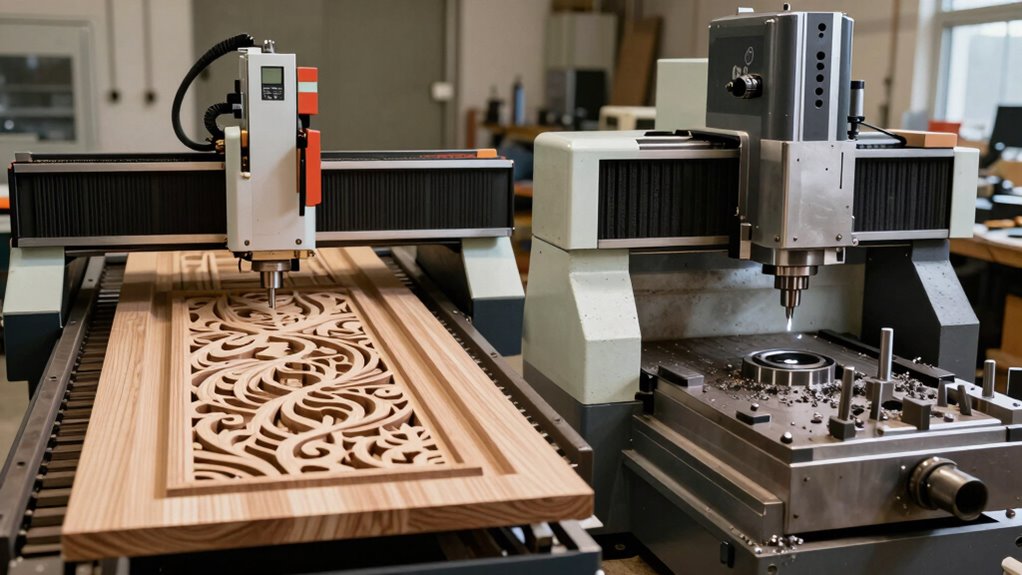
When choosing the right machine for woodworking projects, understanding the differences between CNC routers and CNC mills is essential. For diy projects and hobby use, a CNC router often proves better because of its ease of use, larger working area, and ability to handle softer materials like wood. It’s designed for carving, shaping, and detailed cutouts, making it versatile for various woodworking tasks. CNC mills, on the other hand, are more suited for hard materials and precision metalwork. To help decide, consider these points:
- CNC routers excel in large, intricate wood designs
- They’re generally more affordable and beginner-friendly
- They allow for quicker setup and changeover for hobby tasks
- Understanding wood movement and how it affects your projects can help you choose the right machine for your needs
If your focus is on woodworking, a CNC router is usually the better choice.
When Should You Use a CNC Mill for Metalworking?
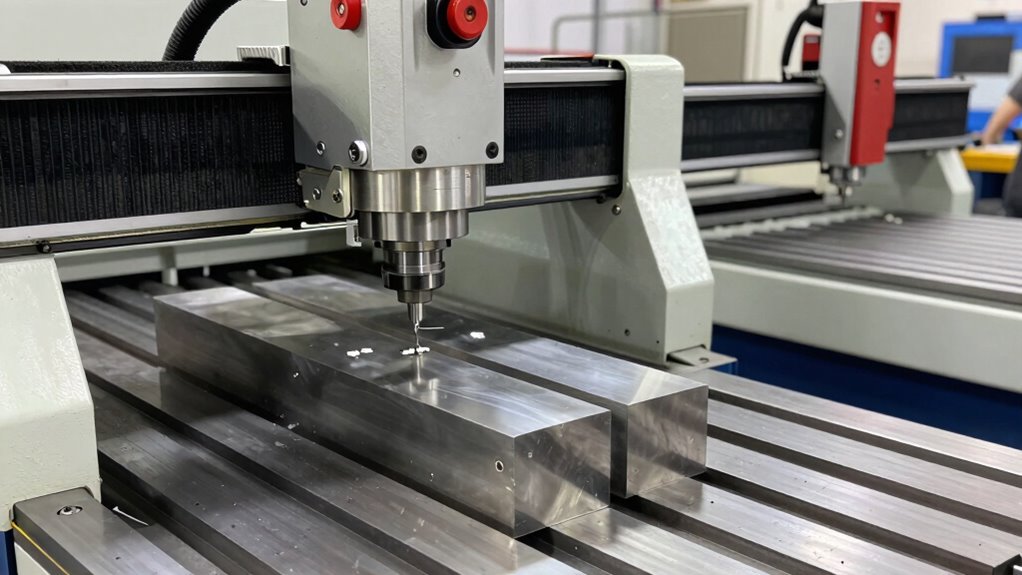
You should consider using a CNC mill for metalworking when precision, durability, and complex machining are essential. CNC mills excel in metalworking applications like creating precise components, tooling, or prototypes. They handle tougher materials and maintain accuracy over long runs. Tool material selection is critical—high-speed steels or carbide tools are often necessary for cutting metals effectively. Use a CNC mill when detailed features, tight tolerances, or complex geometries are needed. Here’s a quick comparison:
| Application Type | Suitable Machine | Key Consideration |
|---|---|---|
| Precision parts | CNC mill | Material hardness |
| Tooling production | CNC mill | Tool material selection |
| Prototype creation | Both, but CNC mill preferred | Complex features |
| Heavy-duty metals | CNC mill | Durability of tools |
| Small batch runs | CNC mill | Accuracy and repeatability |
Additionally, selecting the right cutting tools is vital to achieving optimal results in metalworking with CNC mills.
How Do Material Compatibility and Precision Vary?
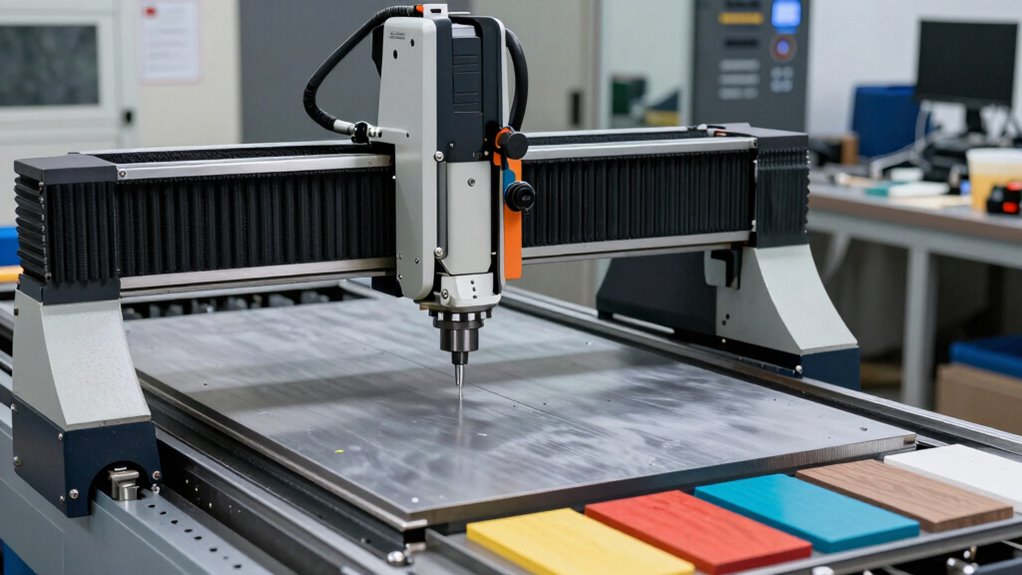
Material compatibility and precision are closely linked in CNC machining, especially when choosing between a CNC mill and other tools. Your material versatility impacts what you can machine effectively, with CNC mills excelling at working with metals and harder materials. Precision accuracy varies based on the machine’s design and capabilities, influencing your final results. For instance:
- CNC mills often deliver higher precision for metal parts, ensuring tight tolerances.
- Routers handle softer materials but may sacrifice some precision accuracy.
- Material choice affects tool wear, which impacts both compatibility and the quality of your finished piece.
- Understanding machine capabilities is essential for matching your project requirements with the right CNC tool.
Understanding these differences helps you select the right machine for your project, optimizing material compatibility and achieving the desired level of precision.
How Much Do CNC Routers and Mills Cost?

CNC routers and mills come with a wide range of prices, making it essential to contemplate your specific needs and budget. A basic CNC router can start around $2,000, while high-end models can exceed $50,000. CNC mills tend to be more expensive, with entry-level options costing $5,000 and professional-grade machines reaching six figures. When doing a price comparison, consider not only the initial purchase but also maintenance costs, which vary between machines. CNC mills typically have higher maintenance costs due to their more complex components and heavier-duty construction. Additionally, accessories, tooling, and software updates can add to your overall expenses. By understanding these costs upfront, you can choose a machine that aligns with your budget and project requirements. Material and fuel primers are also important factors to evaluate, as they impact ongoing operational costs and machine versatility. Considering the investment in training required to operate different types of CNC machines can also influence your overall budget and planning. It is also helpful to review the long-term durability of the equipment, as this can affect both maintenance needs and overall value. Additionally, proper understanding of piercing techniques can improve your efficiency and reduce potential damages.
What Factors Should You Consider When Choosing?

When choosing between a CNC router and a CNC mill, it’s crucial to take into account your specific project needs, budget, and the level of precision required. Consider how much machine maintenance each option demands, as this impacts long-term costs and downtime. Operator training is another key factor; some machines require more skilled handling, affecting your staffing and learning curve. Think about the materials you’ll use most often and the complexity of your designs. Additionally, assess the size and workspace available, ensuring the machine fits comfortably. By weighing these factors, you can make an informed decision that balances cost, functionality, and ease of use, helping you select the right CNC machine for your projects. For more comprehensive support, consulting with professional services can provide tailored guidance to optimize your equipment choice. Also, understanding the maintenance requirements of each machine type can help you plan for long-term reliability and performance. Moreover, considering the material compatibility of the machines can ensure they meet your specific project demands and material types. Properly evaluating machine versatility can further enhance your ability to handle a variety of projects efficiently.
Common Mistakes to Avoid When Selecting or Using CNC Machines
Choosing the wrong machine or misusing it can lead to costly mistakes and wasted time. One common error is neglecting proper machine maintenance, which can cause breakdowns and reduce precision. Regular upkeep ensures your CNC operates smoothly and extends its lifespan. Additionally, inadequate operator training is a major pitfall; without proper education, you risk damaging parts or producing subpar results. Always invest in thorough training to understand machine capabilities and safety protocols. Avoid rushing the selection process by not evaluating your specific needs, which can lead to choosing an improperly sized or incompatible machine. Remember, even after purchase, continuous learning and maintenance are essential to maximize efficiency and prevent costly errors down the line. Understanding machine capabilities is crucial for making informed decisions and ensuring optimal performance. Proper lease considerations can also help in managing operational costs and avoiding financial pitfalls associated with equipment ownership. Moreover, staying informed about industry standards can help ensure your equipment complies with safety and quality regulations.
Frequently Asked Questions
How Do Maintenance Requirements Differ Between CNC Routers and Mills?
You need to adjust your maintenance based on the machine type. CNC routers typically require more frequent lubrication because of their moving parts working with dust and debris. Regularly clean dust collection systems to prevent clogging. Mills generally need less frequent lubrication but demand careful attention to spindle and tool maintenance. Keeping up with these requirements guarantees smooth operation and extends your machine’s lifespan.
Can a CNC Router Be Upgraded to Perform Milling Tasks?
Ever thought about upgrading your CNC router for milling? While it’s possible, consider whether your machine’s tool speed and material compatibility support such changes. Upgrading involves modifying the spindle, controllers, and possibly the frame to handle tougher materials. Are you prepared for the extra precision and power required? If your router’s specifications align with milling demands, then an upgrade could be worthwhile, but assess the costs and benefits first.
What Safety Precautions Are Specific to CNC Mills Versus Routers?
When working with CNC mills, you should prioritize dust collection systems to contain metal shavings and debris, and wear hearing protection due to higher noise levels. For CNC routers, dust collection is still important, but noise levels tend to be lower. Always guarantee safety guards are in place, stay alert to flying debris, and follow proper procedures to prevent accidents. Regular maintenance and training also help keep you safe.
How Does Software Compatibility Influence Machine Selection?
Think of software compatibility as the bridge that connects your ideas to reality. If your chosen machine’s software integration isn’t seamless, you’ll face frustrations and delays. Guarantee the files you work with are compatible, and that your software supports your CNC machine’s control system. This decision impacts workflow efficiency and precision, so prioritize machines with flexible, widely-supported file formats and robust software integration to keep projects flowing smoothly.
Are There Environmental Considerations for Operating CNC Routers and Mills?
You should consider environmental factors like dust management and noise levels when operating CNC routers and mills. CNC routers generate more dust, so you’ll need effective dust collection systems to keep your workspace clean. Additionally, both machines produce noise, but mills tend to be louder. Wearing hearing protection and setting up soundproof enclosures can help minimize environmental impact and guarantee a safer, more comfortable working environment.
Conclusion
So, next time you get excited about buying a CNC machine, remember it’s not just a shiny tool. Confusing a router with a mill might seem harmless, but it could cost you time, money, and frustration. Ironically, knowing what you actually need will save you from the very mistake many make—thinking all CNC machines do the same thing. Don’t be that person. Choose wisely, or you might end up with a machine that’s just not right for you.