
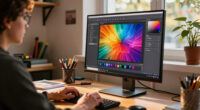
Choosing the best 5K design monitor for architects involves balancing resolution, color accuracy, size, and connectivity. The Samsung 27″ ViewFinity S8 stands out for its crisp display and color precision, making it ideal for detailed design work. The Dell UltraSharp U4025QW offers a large, immersive experience suited for multitasking, while the ASUS ProArt PA27JCV excels with professional-grade color accuracy. These options illustrate the main tradeoffs: larger screens often mean higher costs, and ultra-wide formats may sacrifice some pixel density. Continue reading for a full breakdown of each monitor to find the best fit for your workflow.

Prime made for students and young adults
- Fast, free delivery for dorm and study essentials
- Prime Video and Amazon Music included
- Member-only deals
Key Takeaways
- The top monitors balance high resolution with color accuracy, which is critical for detailed design work.
- Size and aspect ratio vary widely, with ultrawides offering more workspace but sometimes at the expense of pixel density.
- Connectivity options like USB-C and Thunderbolt 4 are essential for seamless integration with modern laptops and workstations.
- Premium models often include calibration tools and HDR support, catering to professional color workflows.
- Price points differ significantly; the best value monitors offer strong features without the premium cost, ideal for most architects.


| 5K design monitor for architect | Resolution | Connectivity | Display Size | Refresh Rate |
|---|---|---|---|---|
| Samsung 27" ViewFinity S8 | 5120×2880 (5K) | USB-C, LAN | 27 inches | — |
| Dell UltraSharp U4025QW 40-inc | 5K2K WUHD | USB Type-C | — | — |
| INNOCN 40 Inch 5K Ultrawide Mo | 5120 x 2160 pixels (5K UHD) | HDMI, DisplayPort, USB-C 65W | 40 inches | 100Hz |
| INNOCN 34" 5K Ultrawide Monito | 5120 x 2160p | HDMI, DisplayPort, USB-C 96W | — | 120Hz |
| ASUS ProArt PA27JCV 27-Inch 5K | 5120 x 2880 (5K) | USB-C with DisplayPort, 96W | 27 inches | — |
| BenQ MA270S 27" 5K Nano Gloss | 5120×2880 (5K) | 2 x Thunderbolt 4, HDMI, USB-C | 27 inches | — |
| KTC 27 Inch 5K2K Dual Mode Mon | 5120×2880 (5K) / 2560×1440 (2K) | USB-C PD65W, DisplayPort, HDMI, USB-A | 27 inches | 60Hz (5K), 120Hz (2K) |
| LG 45GX950A-B 45-inch Ultragea | 5120 x 2160 (5K2K WUHD) | DisplayPort 2.1, HDMI 2.1, USB-C 90W | 45 inches | 165Hz |
More Details on Our Top Picks
Samsung 27″ ViewFinity S8 (S80HF) Series High-Resolution Monitor
The Samsung ViewFinity S8 stands out for its high-resolution 5K display combined with a suite of productivity-enhancing features like HDR10+ and a robust connectivity set including USB-C with 90W charging. Compared to the ASUS ProArt PA27JCV, it offers a larger screen and more flexible ergonomic options, making it a strong all-around choice for designers who need detailed visuals and seamless workflow integration. The built-in KVM switch and PIP/PBP modes facilitate multitasking, but these complex features can introduce a learning curve and increase the price, which might not appeal to everyone. The monitor’s ergonomic design helps reduce eye strain during long days, making it suitable for extended creative sessions. However, the premium cost and large footprint mean it’s best suited for those with dedicated workspace and a flexible budget.
Pros:- Sharp 5K resolution with high pixel density for detailed visuals
- Multiple connectivity options including USB-C and LAN
- Ergonomic design reduces eye strain during extended work
Cons:- Premium price may be out of reach for some users
- Large size requires ample desk space and setup considerations
Best for: Designers and architects seeking a high-resolution, feature-rich monitor with extensive connectivity and ergonomic adjustments.
Not ideal for: Budget-conscious users or those with limited desk space, as the premium price and size may be prohibitive.
- Display Size:27 inches
- Resolution:5120×2880 (5K)
- Pixel Density:218 PPI
- HDR:HDR10+
- USB-C Power Delivery:90W
- Connectivity:USB-C, LAN
- Features:KVM switch, PIP, PBP, Eye Saver Mode
Our verdict“This monitor suits professionals who prioritize image clarity, extensive features, and ergonomic comfort in a premium package.”
Dell UltraSharp U4025QW 40-inch Curved 5K2K WUHD LED Monitor
The Dell UltraSharp U4025QW excels with its expansive 40-inch curved display, delivering a highly immersive experience ideal for large-scale design workflows. Its 5K2K WUHD resolution rivals the clarity of smaller monitors like the Samsung ViewFinity, but on a much larger, curved canvas that can boost productivity by reducing the need to switch between multiple screens. The USB Type-C port streamlines connectivity and data transfer, though the high price and size mean it’s best suited for dedicated workspaces. While the curved screen enhances immersion, it may not be preferred by those who favor traditional flat monitors for precise CAD work or detailed editing. Still, this model offers a visually stunning workspace for architects who need expansive visual real estate.
Pros:- Massive 40-inch curved display for immersive viewing
- High-resolution 5K2K WUHD clarity
- USB Type-C for fast data transfer and charging
- Bright 600 Nit display suitable for well-lit environments
Cons:- High cost and large footprint limit portability
- Curved design may not suit all workflows or desk setups
Best for: Architects and designers who benefit from a large, curved display to manage complex projects and multitasking efficiently.
Not ideal for: Users with limited space or those who prefer flat screens for precise editing, as the curvature might distort some workflows.
- Screen Size:40 inches
- Resolution:5K2K WUHD
- Response Time:5 ms
- Brightness:600 Nit
- Connectivity:USB Type-C
- Aspect Ratio:21:9
Our verdict“Ideal for professionals needing a large, immersive monitor for multitasking and detailed visualization in a dedicated workspace.”
INNOCN 40 Inch 5K Ultrawide Monitor for Laptop, 21:9, 100Hz, IPS, HDMI, DP, FreeSync, HDR400, USB-C, Built-in Speakers, Height Adjustable, Black – 40C1U
The INNOCN 40C1U offers a compelling blend of size, resolution, and connectivity, making it a flexible choice for creative professionals who juggle multiple projects. Its 40-inch ultrawide display with 5120 x 2160 resolution provides vibrant colors and sharp visuals, comparable to the Dell U4025QW, but with a more adjustable stand for ergonomic comfort. The 100Hz refresh rate and HDR400 support add smoothness and color richness beneficial for both design work and casual use. While the weight and size demand a sturdy setup, the inclusion of multiple ports—including USB-C with 65W power delivery—makes it a versatile hub. However, the ultrawide aspect ratio could require a adjustment period for users accustomed to standard displays.
Pros:- High-resolution 5K ultrawide display with vibrant colors
- Versatile connectivity including USB-C with power delivery
- Ergonomic stand with height, swivel, and tilt adjustments
- HDR400 support enhances color and contrast
Cons:- Heavy weight requiring sturdy mounting solutions
- Large size may be impractical for small desks
- Ultrawide aspect ratio may need adaptation for some workflows
Best for: Creative professionals and multitaskers seeking a large, flexible ultrawide monitor with good color accuracy and connectivity.
Not ideal for: Those with limited desk space or who prefer traditional aspect ratios for precision work, due to the ultrawide format.
- Display Size:40 inches
- Resolution:5120 x 2160 pixels (5K UHD)
- Refresh Rate:100Hz
- Brightness:350 nits
- Connectivity:HDMI, DisplayPort, USB-C 65W
- Panel Type:IPS
Our verdict“A flexible, large-format ultrawide monitor ideal for creative multitasking with strong connectivity and ergonomic features.”
INNOCN 34″ 5K Ultrawide Monitor for Laptop/MacBook/Mini PC
The INNOCN 34″ 5K Ultrawide bridges the gap between size and resolution, offering a 5120 x 2160 display with a 120Hz refresh rate and HDR400 support. It rivals larger monitors like the Dell U4025QW in clarity while maintaining a more manageable footprint. Its adjustable stand and multiple connectivity options—including USB-C with 96W power—make it a flexible choice for professionals who need high detail in a slightly smaller workspace. The 34-inch size offers easier placement without sacrificing much visual real estate, but the ultrawide aspect may demand some adaptation for precise CAD or detailed editing tasks. The VA panel provides good contrast, but some users might prefer IPS for color accuracy.
Pros:- High-resolution 5K ultrawide display with vibrant visuals
- 120Hz refresh rate for smooth interactions
- USB-C with 96W power delivery
- Adjustable ergonomic stand
Cons:- VA panel may have less accurate color uniformity compared to IPS
- Size still substantial, requiring ample desk space
- Ultrawide format may need a learning curve for some workflows
Best for: Creative professionals and multitaskers who want a high-resolution ultrawide display that fits smaller or more versatile workspaces.
Not ideal for: Users who require absolute color accuracy for professional editing, as VA panels may not match IPS panels in uniformity.
- Size:34 inches
- Resolution:5120 x 2160p
- Refresh Rate:120Hz
- Contrast Ratio:3000:1
- Connectivity:HDMI, DisplayPort, USB-C 96W
- Panel Type:VA
Our verdict“A strong choice for those needing high detail in a slightly smaller ultrawide format with good connectivity and versatility.”
ASUS ProArt PA27JCV 27-Inch 5K USB-C Professional Monitor for Mac
The ASUS ProArt PA27JCV provides a compact yet highly detailed 27-inch 5K display, tailored for professionals needing precise color reproduction. With 99% DCI-P3 and 100% sRGB coverage, it surpasses larger monitors like the Samsung ViewFinity in color accuracy, thanks to factory calibration. Its USB-C port supports data, display, and 96W charging, making it ideal for Mac users and creative workflows. The inclusion of auto KVM and a 5-year warranty adds value for those working in demanding environments. However, its smaller size limits visual workspace compared to larger models, and the premium price might be a barrier for casual users or those with less intensive color needs. This monitor prioritizes color fidelity over screen real estate.
Pros:- High-resolution 5K display with factory-calibrated color accuracy
- Extensive color gamut coverage (DCI-P3, sRGB, Adobe RGB)
- Versatile USB-C with 96W power delivery
- Auto KVM and extended warranty for professional reliability
Cons:- Higher price point compared to larger, less calibrated monitors
- Limited screen size for multitasking or large project views
Best for: Creative professionals requiring top-tier color accuracy and compact form factor, especially Mac users.
Not ideal for: Users seeking large-scale or multitasking setups, as its 27-inch size may be limiting for extensive workflows.
- Display Size:27 inches
- Resolution:5120 x 2880 (5K)
- Color Gamut:99% DCI-P3, 100% sRGB, 95% Adobe RGB
- Connectivity:USB-C with DisplayPort, 96W
- Warranty:5 years
Our verdict“Best suited for creative professionals demanding precise color fidelity in a compact, high-resolution monitor.”
BenQ MA270S 27″ 5K Nano Gloss Monitor for Mac Creators with Dual Thunderbolt 4, KVM, and Adjustable Stand
The BenQ MA270S stands out as the best overall choice for Mac users, thanks to its tailored color calibration and strong connectivity options. Its 27-inch Nano Gloss IPS panel delivers vibrant visuals with wide P3 color coverage, making it ideal for detailed design work. Compared with the LG 45GX950A-B, the BenQ offers a more compact form factor and better ergonomics, though it lacks the ultra-wide aspect ratio and high refresh rate for gaming. The dual Thunderbolt 4 ports enable seamless Mac integration and Daisy Chain setup, making it perfect for professional workflows. However, the 60Hz refresh rate could feel limiting for users who also want to game or work with fast motion. Its premium price reflects its high-end features, making it less suitable for budget-conscious buyers.
Pros:- Vibrant 5K resolution with wide P3 color gamut for accurate color work
- Seamless Mac integration with color tuning and Daisy Chain support
- Multiple connectivity options including Thunderbolt 4 and HDMI
- Fully adjustable stand for ergonomic comfort
Cons:- Limited to 60Hz refresh rate, not ideal for fast-paced gaming
- Premium price may be prohibitive for some users
- Less versatile for non-Mac systems
Best for: Mac-based architects who need precise color accuracy, multiple connectivity options, and ergonomic adjustability.
Not ideal for: Designers seeking ultra-wide screens or gamers who require higher refresh rates, as this monitor is primarily optimized for creative work.
- Display Size:27 inches
- Resolution:5120×2880 (5K)
- Panel Type:IPS
- Finish:Nano Gloss
- Connectivity:2 x Thunderbolt 4, HDMI, USB-C
- Stand Adjustments:Height, tilt, swivel, pivot
Our verdict“This monitor is best suited for Mac-centric architects prioritizing color accuracy and connectivity over high refresh rates.”
KTC 27 Inch 5K2K Dual Mode Monitor with 65W Type-C Port
The KTC 27-inch 5K2K monitor offers a compelling blend of professional color accuracy and versatile performance, making it an excellent choice for creative professionals on a budget. Its ability to switch between 5K@60Hz and 2K@120Hz modes provides flexibility for both detailed design work and smoother gaming or video editing. Compared with the BenQ MA270S, the KTC’s dual-mode capability enhances its adaptability, though it sacrifices some ergonomic features and may lack the premium build quality. Its 99% DCI-P3 and 100% sRGB coverage ensure accurate color reproduction, and the HDR400 support adds depth to visual content. The inclusion of USB-C PD65W allows for charging devices, streamlining workspace setup. The main tradeoff is the 60Hz limit in 5K mode, which may be less appealing for fast-moving visuals.
Pros:- High-resolution 5K display with excellent color accuracy
- Dual-mode operation for versatile use in design and gaming
- Good connectivity including USB-C PD65W for charging
- Professional color coverage with HDR400 support
Cons:- Limited to 60Hz in 5K mode, affecting fast-paced visuals
- Lacks advanced ergonomic adjustments
- Price not specified, which could impact value perception
Best for: Budget-conscious architects needing accurate colors with flexible modes for both work and leisure.
Not ideal for: Gamers or users requiring ultra-high refresh rates above 120Hz or advanced ergonomics; it’s primarily designed for creative tasks.
- Display Size:27 inches
- Resolution:5120×2880 (5K) / 2560×1440 (2K)
- Refresh Rate:60Hz (5K), 120Hz (2K)
- Color Coverage:99% DCI-P3, 100% sRGB
- Brightness:500 cd/m²
- Connectivity:USB-C PD65W, DisplayPort, HDMI, USB-A
Our verdict“This monitor provides a solid balance of color precision and versatility for budget-minded architects who need dual-mode support.”
LG 45GX950A-B 45-inch Ultragear 5K2K WUHD OLED Curved Gaming Monitor, Dual-Mode, 165Hz, 0.03ms, G-Sync, FreeSync Premium Pro, HDR True Black 400, USB-C 90W, DP 2.1
The LG 45GX950A-B offers an expansive 45-inch curved OLED screen, designed for those who want both high-end design work and immersive gaming. Its 5K2K WUHD resolution with a 165Hz refresh rate and 0.03ms response time delivers exceptional visuals and fluid motion—ideal for detailed 3D modeling and fast-paced gameplay. Its deep blacks and high brightness levels, combined with HDR True Black 400, elevate visual fidelity to professional standards. Compared with the BenQ and KTC models, this LG stands out for its ultra-wide aspect ratio and gaming-focused features like FreeSync and G-Sync compatibility, but at a significantly higher price. Its large size and premium features demand a spacious setup, making it less suitable for smaller desks or purely professional workflows without gaming needs.
Pros:- Ultra-wide 45-inch curved OLED with stunning visual depth
- High 165Hz refresh rate and 0.03ms response time for smooth motion
- Supports both G-Sync and FreeSync Premium Pro for tear-free gaming
- Deep black levels and high contrast for rich visuals
Cons:- High price point may be prohibitive for many users
- Requires significant desk space due to large size
- Limited availability of dual mode features compared to other models
Best for: Architects who want a large, immersive display capable of multitasking, detailed rendering, and occasional gaming or entertainment.
Not ideal for: Small office setups or budget-conscious users who do not need ultra-wide or OLED technology, as this model is costly and size-intensive.
- Display Size:45 inches
- Resolution:5120 x 2160 (5K2K WUHD)
- Refresh Rate:165Hz
- Response Time:0.03ms
- Panel Type:OLED
- Connectivity:DisplayPort 2.1, HDMI 2.1, USB-C 90W
Our verdict“This monitor excels for architects seeking an immersive, large-format display that combines top-tier visuals with gaming capabilities, provided space and budget permit.”

How We Picked
These monitors were evaluated based on resolution, color accuracy, build quality, connectivity options, and overall value for professional design work. Priority was given to displays with true 5K resolution or higher, as this is crucial for detailed architectural renderings. We also considered ergonomic features, compatibility with Mac and PC, and user reviews indicating long-term reliability. The ranking reflects a balance between performance, price, and versatility, ensuring each pick addresses specific needs—whether for detailed CAD work, large multitasking setups, or immersive visualization.Factors to Consider When Choosing Best 5K Design Monitor For Architects
When selecting a 5K monitor for architectural work, focus on several key factors to ensure your investment enhances productivity and image fidelity. Resolution is fundamental—higher pixel density provides sharper details. Color accuracy and calibration support are equally important for true-to-life visuals. Size and aspect ratio affect workspace and workflow, especially for multitasking or large projects. Connectivity options like USB-C and Thunderbolt streamline your setup, reducing clutter. Finally, consider build quality and ergonomic features to ensure comfort during long work sessions.Resolution and Pixel Density
While 5K resolution is the baseline, pixel density impacts how sharp and detailed images appear. Higher pixel density means finer details, which is essential for intricate architectural drawings and renderings. Be cautious of monitors that claim 5K but have larger screens with lower pixel density, as this can diminish image sharpness. Choosing a size that balances workspace with pixel density ensures you see every detail clearly without compromising clarity.
Color Accuracy and Calibration
Architects rely on precise color reproduction, especially when presenting designs or working with client-provided color schemes. Look for monitors with factory calibration and wide color gamuts like Adobe RGB or DCI-P3. Some monitors include hardware calibration tools to maintain color fidelity over time. Investing in color accuracy reduces the risk of misinterpretation or rework caused by display inconsistencies.
Size and Aspect Ratio
Monitor size influences how much workspace you have, but larger isn’t always better if pixel density drops. Ultrawide monitors provide expansive screens perfect for multitasking or viewing multiple windows side-by-side, though they can be more expensive and require more desk space. Aspect ratio choices, such as 21:9 or 32:9, can optimize workflow but might introduce compatibility issues with certain software. Consider your typical projects and workspace constraints when selecting size and ratio.
Connectivity and Compatibility
Modern architects often work across multiple devices, making versatile connectivity vital. USB-C and Thunderbolt 4 ports enable fast data transfer and power delivery, reducing cable clutter. Ensure your workstation or laptop supports these connections for maximum benefit. Some monitors also include HDMI and DisplayPort options, providing flexibility. Compatibility with Mac or PC systems should influence your choice, especially if color calibration or specific software integration is needed.
Ergonomics and Build Quality
Comfort during long working hours depends on adjustable stands, height, tilt, and swivel features. A sturdy build ensures durability, especially in busy office environments. Good ergonomics help prevent strain and fatigue, improving productivity and health. Consider monitors with VESA mount compatibility if you prefer custom setups, and check for anti-glare coatings to reduce eye strain in bright environments.
Frequently Asked Questions
Is a 5K monitor necessary for architectural work?
While not strictly necessary, a 5K monitor significantly enhances detail clarity, making it easier to spot fine lines, textures, and color nuances. This resolution supports precise CAD work, rendering, and large-format presentations without zooming or pixelation. For professional architects who demand accuracy and detailed visualization, investing in a 5K display can streamline workflows and improve output quality.
Can I use a 5K monitor with my existing laptop?
Compatibility depends on your laptop’s graphics card and ports. Many modern laptops support 5K output via Thunderbolt 3 or 4, USB-C, or DisplayPort connections. However, some older models might struggle to drive a 5K display at full resolution or require adapters. Check your device specifications and consider whether your hardware can handle the bandwidth needed for smooth operation at 5K resolution.
How important is color calibration for architectural monitors?
Color calibration is vital for architects working on visual presentations or collaborating with clients. Accurate colors ensure that designs are represented faithfully, reducing miscommunication or rework. Monitors with hardware calibration tools or factory calibration are preferred, especially if you work in fields like visualization or rendering where color fidelity impacts the final product.
What size should I choose for a 5K monitor?
The ideal size depends on your workspace and workflow. 27-inch monitors are common for detailed tasks and offer high pixel density, while larger sizes like 34-inch ultrawides or 40-inch screens provide expansive views for multitasking. Keep in mind that larger screens may require more desk space and higher GPU power. Balance your need for workspace with your hardware capabilities and ergonomic comfort.
Are ultrawide 5K monitors worth it for architects?
Ultrawide monitors can be highly beneficial by providing more horizontal workspace, making complex drawings and multitasking more manageable. However, they often come at a premium and may introduce compatibility challenges with some software or hardware setups. If your projects involve extensive side-by-side comparisons or multiple panels, ultrawides are a strong choice, but for detailed, pixel-perfect work, a standard 5K monitor might be preferable.
Conclusion
For most architects seeking a reliable, detailed display, the Samsung 27″ ViewFinity S8 offers an excellent balance of resolution, color accuracy, and size, making it the best overall choice. Budget-conscious professionals will appreciate the KTC 27 Inch 5K2K Dual Mode Monitor for its affordability and functionality. For those who prioritize professional-grade color fidelity, the ASUS ProArt PA27JCV stands out as the premium pick. Beginners or those with limited space might opt for more compact options, while large firms working on complex projects may prefer ultrawides like the INNOCN 40 Inch. Ultimately, your choice depends on your specific workflow, workspace, and budget.
As an affiliate, we earn on qualifying purchases.Halloween Picks

Vexalify 11-Inch Halloween Pumpkin Fog Machine with 12-Color Lights

Spirit Halloween 54-Inch Sitting Scarecrow Animatronic

HOPOCO Halloween Pumpkin Fog Machine with 12 LED Colors & Remote Control