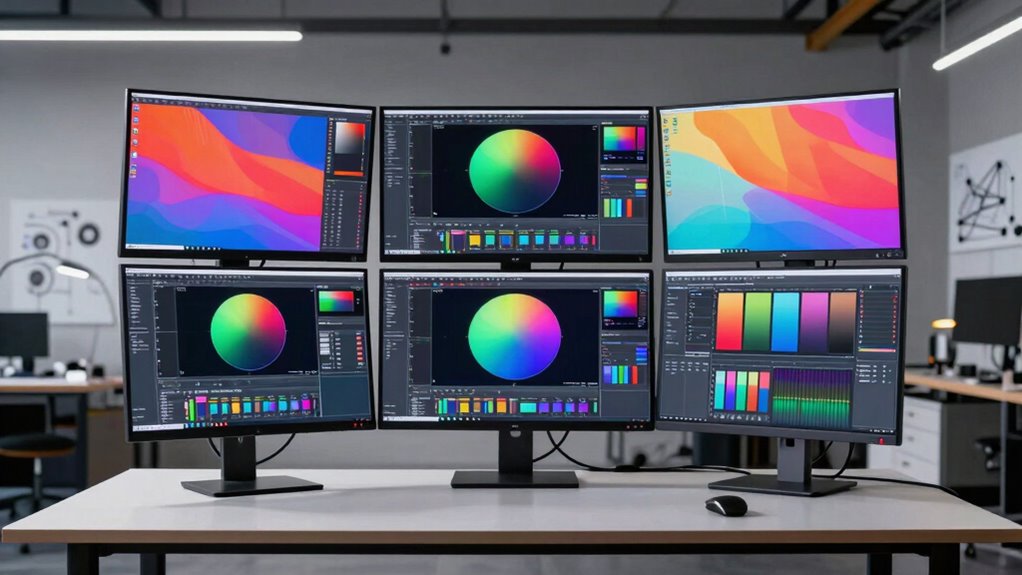

For industrial design, a monitor needs to make small details legible, show color reliably, and fit the way you move between CAD, rendering, reference images, and review calls. I rank the ViewSonic VP2788-5K first for its Pantone validation, broad color coverage, and 100W Thunderbolt 4 connection. The ASUS ProArt PA27JCV is my pick for calibrated, wide-gamut work with useful automatic controls, while the INNOCN 40-inch ultrawide gives teams room for timelines and reference panes that a 27-inch screen cannot.

Prime made for students and young adults
- Fast, free delivery for dorm and study essentials
- Prime Video and Amazon Music included
- Member-only deals
The central tradeoff is not simply 5K versus lower resolution: the ViewSonic, BenQ, ASUS, and KTC provide 5120 × 2880 on 27 inches, while INNOCN’s 5120 × 2160 spreads pixels across a much wider 40-inch screen. You’ll also need to weigh color credentials and desk space against connectivity, refresh rate, and product condition. I treat the renewed BenQ differently from new-condition options, and I don’t count a high refresh mode as a substitute for a sharper 5K design workspace.
Key Takeaways
Best all-around fit: ViewSonic combines 5K detail, Pantone validation, 99% DCI-P3 coverage, and up to 100W Thunderbolt 4 power delivery.
Best calibration-oriented alternative: ASUS pairs 99% DCI-P3 and 100% sRGB coverage with factory calibration and a stated Delta E below 2.
Best wide-workspace option: INNOCN’s 40-inch 21:9 screen adds horizontal room, but its 5120 × 2160 resolution is not 5K vertically like the 27-inch 5120 × 2880 models.
Best two-computer workflow: BenQ has a built-in KVM and 98% P3 coverage, but this listing is renewed and comes with a 90-day limited warranty.
Best refresh-rate flexibility: KTC switches between 5K at 60Hz and 2560 × 1440 at up to 120Hz; its high-refresh mode means giving up 5K detail.
| ViewSonic VP2788-5K 27-Inch 5K IPS Monitor |  | Best Overall | Screen size: 27 inches | Resolution: 5120 × 2880 (5K) | Panel: IPS | VIEW ON AMAZON | See Our Full Breakdown |
| ASUS ProArt PA27JCV 27-Inch 5K Professional Monitor |  | Best for Factory-Calibrated Color Work | Screen size: 27 inches | Resolution: 5120 × 2880 | Panel and finish: LED-backlit HDR IPS; matte | VIEW ON AMAZON | See Our Full Breakdown |
| BenQ PD2730S 27-Inch 5K Designer Monitor with Thunderbolt 4 (Renewed) |  | Best for a Two-Computer Desk | Condition: Renewed | Screen size and resolution: 27 inches; 5120 × 2880 (5K) | Refresh rate and response time: 60Hz; 5ms | VIEW ON AMAZON | See Our Full Breakdown |
| INNOCN 40-Inch 5K 115Hz Ultrawide Monitor |  | Best for a Wide Multitasking Workspace | Screen size and aspect ratio: 40 inches; 21:9 | Resolution: 5120 × 2160 | Panel and finish: IPS LCD; matte | VIEW ON AMAZON | See Our Full Breakdown |
| KTC 27-Inch 5K Monitor with Dual Mode and 65W USB-C |  | Best for Resolution and Refresh-Rate Flexibility | Screen size: 27 inches | Resolution modes: 5120 × 2880 at 60Hz; 2560 × 1440 at up to 120Hz | Color coverage: 99% DCI-P3; 100% sRGB | VIEW ON AMAZON | See Our Full Breakdown |
| 5k design monitor for industrial designer | Color coverage | Screen size | Resolution |
|---|---|---|---|
| ViewSonic VP2788-5K 27-Inch 5K | 100% sRGB; 99% DCI-P3 | 27 inches | 5120 × 2880 (5K) |
| ASUS ProArt PA27JCV 27-Inch 5K | 99% DCI-P3; 100% sRGB; 95% Adobe RGB | 27 inches | 5120 × 2880 |
| BenQ PD2730S 27-Inch 5K Design | 98% P3 | — | — |
| INNOCN 40-Inch 5K 115Hz Ultraw | — | — | 5120 × 2160 |
| KTC 27-Inch 5K Monitor with Du | 99% DCI-P3; 100% sRGB | 27 inches | — |
More Details on Our Top Picks
ViewSonic VP2788-5K 27-Inch 5K IPS Monitor
I put the ViewSonic first because its strengths line up with the everyday mix of precision and connectivity an industrial designer is likely to need. The 27-inch 5120 × 2880 IPS panel keeps dense interface elements and fine model details crisp, while Pantone validation, 100% sRGB, and 99% DCI-P3 coverage give it a strong color-work foundation. That combination makes it a more balanced pick than the feature-specific alternatives here: ASUS adds impressive calibration and automatic adjustment claims, but ViewSonic adds Thunderbolt daisy chaining and up to 100W power delivery.
Thunderbolt 4 can carry data at up to 40 Gbps and supply up to 100W to a connected laptop, which can reduce desk clutter and keep a capable workstation charged. The stand adjusts for height, tilt, swivel, and rotation, a practical advantage when sharing design reviews or changing screen orientation. Support for daisy chaining up to two 5K monitors also gives this model room to grow into a dual-screen setup; this is more limited than an open-ended multi-display promise, so I would plan around the stated maximum.
The meaningful drawback is that the feature set is strong but not unlimited: daisy chaining stops at two 5K monitors, and buyers who need a larger, side-by-side canvas may prefer the INNOCN’s 40-inch format. Unlike the BenQ, ViewSonic’s supplied details don’t list a KVM switch. I’d choose it as the most versatile 27-inch option, not as a replacement for a wide-screen workspace or a two-computer KVM station.
Pros:- 5120 × 2880 resolution on a 27-inch IPS panel
- Pantone Validated with 100% sRGB and 99% DCI-P3 coverage
- Thunderbolt 4 supports up to 100W power delivery and 40 Gbps data transfer
- Height, tilt, swivel, and rotation adjustments; daisy chaining for up to two 5K displays
Cons:- Daisy chaining is limited to two 5K monitors
- No built-in KVM is listed in the supplied specifications
Best for: Industrial designers who want 27-inch 5K detail, broad validated color coverage, an adjustable stand, and a single-cable laptop connection with up to 100W charging.
Not ideal for: Buyers building a workstation with more than two daisy-chained 5K monitors, or anyone who needs a listed built-in KVM for switching between two computers.
- Screen size:27 inches
- Resolution:5120 × 2880 (5K)
- Panel:IPS
- Color coverage:100% sRGB; 99% DCI-P3
- Color validation:Pantone Validated
- Thunderbolt 4:Up to 40 Gbps; up to 100W power delivery
- Connectivity:Thunderbolt 4, USB-C, HDMI, DisplayPort
- Stand and chaining:Height, tilt, swivel, rotation; up to two 5K monitors
Our verdict“I rank the ViewSonic first for designers who want a sharp 27-inch 5K canvas and unusually complete color and laptop-connectivity credentials in one package.”
ASUS ProArt PA27JCV 27-Inch 5K Professional Monitor
The ASUS is my close alternative to the top pick when color calibration and a broad gamut take priority. Its 27-inch 5120 × 2880 IPS display covers 99% DCI-P3, 100% sRGB, and 95% Adobe RGB, with factory calibration to Delta E below 2 and Calman Verified status listed. For an industrial designer comparing render colors, finish samples, or product images across color spaces, those concrete claims make it a more explicitly calibration-focused choice than the ViewSonic, whose supplied details emphasize Pantone validation and sRGB/P3 coverage.
USB-C supports DisplayPort, data, and 96W power delivery, close to the ViewSonic’s 100W output for a streamlined laptop connection. Auto KVM switching is another useful distinction: it is designed to switch between two connected computers, a feature the ViewSonic’s supplied specification list does not claim. The monitor also includes sensors that adjust brightness and color temperature, which may suit a desk where lighting conditions vary during the day.
There are tradeoffs. Like the other 27-inch 5K models, it is listed at 60Hz, so it does not offer the KTC’s optional higher-refresh mode, and its 5K canvas won’t provide the expansive horizontal layout of the INNOCN. The five-year warranty depends on online registration, so I would check registration requirements rather than assume the extension applies automatically. I place ASUS just behind ViewSonic because the calibration and KVM strengths are compelling, but the ViewSonic combines similar high-resolution utility with slightly higher stated laptop power and broader listed connections.
Pros:- 27-inch 5120 × 2880 IPS display
- 99% DCI-P3, 100% sRGB, and 95% Adobe RGB coverage
- Factory calibrated to Delta E below 2 and Calman Verified
- 96W USB-C power delivery, Auto KVM, and automatic brightness and color-temperature sensors
Cons:- Refresh rate is 60Hz
- Listed five-year warranty requires online registration
- Less horizontal workspace than the 40-inch INNOCN ultrawide
Best for: Designers who want factory-calibrated wide-gamut color, a two-computer KVM workflow, and USB-C laptop charging on a 27-inch 5K display.
Not ideal for: Buyers who need a refresh rate above 60Hz, a 40-inch-wide working canvas, or a warranty extension without online registration.
- Screen size:27 inches
- Resolution:5120 × 2880
- Panel and finish:LED-backlit HDR IPS; matte
- Color coverage:99% DCI-P3; 100% sRGB; 95% Adobe RGB
- Color accuracy:Factory calibrated to Delta E <2; Calman Verified
- Refresh rate:60Hz
- USB-C power delivery:96W
- Workflow features:Auto KVM; automatic brightness and color-temperature adjustment
Our verdict“I recommend the ASUS to color-focused designers who value factory calibration and automatic two-computer switching more than a higher refresh rate.”
BenQ PD2730S 27-Inch 5K Designer Monitor with Thunderbolt 4 (Renewed)
The BenQ’s clearest advantage is its built-in KVM, which lets one keyboard and mouse control two systems. That can make a real difference for a designer who switches between a workstation and a laptop for meetings, review, or a separate operating system. Its 27-inch 5K resolution and 98% P3 coverage keep it in the same detailed, wide-gamut class as the ViewSonic and ASUS, while the matte finish is intended to reduce reflections in a bright studio.
BenQ also lists a 2000:1 contrast ratio and Thunderbolt 4 power delivery up to 90W. That’s enough to make a one-cable laptop desk plausible, though it falls below the ViewSonic’s 100W and the ASUS’s 96W. Compared with ASUS, BenQ’s stated color coverage is less expansive across named color spaces, and its supplied specs do not list factory calibration figures. I would favor this one for its KVM convenience, not because it leads the group in color credentials.
The condition is the most important caveat: this listing is renewed, with a 90-day limited warranty. That shorter listed coverage makes it a less straightforward choice than the new-condition alternatives for a monitor that may anchor a design workstation for years. Its 60Hz refresh rate also matches the ASUS and ViewSonic rather than the KTC’s optional 120Hz mode. I rank it behind those two because the KVM is useful, but condition and warranty deserve more weight than small differences in convenience.
Pros:- 27-inch 5120 × 2880 resolution with 218 PPI listed
- 98% P3 color coverage and matte screen finish
- Built-in KVM controls two systems with one keyboard and mouse
- Thunderbolt 4 supports up to 90W power delivery
Cons:- This listing is renewed
- 90-day limited warranty
- 60Hz refresh rate
Best for: Designers who regularly switch between two computers and want a built-in KVM, matte 5K screen, and Thunderbolt laptop charging.
Not ideal for: Buyers who prefer a new-condition monitor, need a longer listed warranty, or want the most explicitly documented factory-calibration claims.
- Condition:Renewed
- Screen size and resolution:27 inches; 5120 × 2880 (5K)
- Refresh rate and response time:60Hz; 5ms
- Color coverage:98% P3
- Contrast ratio and finish:2000:1; matte
- Connectivity:Thunderbolt 4, HDMI
- Thunderbolt power delivery:Up to 90W
- KVM and warranty:Controls two systems; 90-day limited warranty
Our verdict“I’d choose the BenQ over the ViewSonic or ASUS only when its built-in KVM solves a frequent two-computer workflow and the renewed condition is acceptable.”
INNOCN 40-Inch 5K 115Hz Ultrawide Monitor
The INNOCN serves a different kind of design desk from the 27-inch picks. Its 40-inch, 21:9 IPS screen spreads 5120 × 2160 pixels across a broad canvas, making it easier to keep a model view, reference material, and a timeline or property panel visible at once. The 115Hz refresh rate and stated 1ms response time also make motion feel more suited to general gaming and fast-moving content than the 60Hz 27-inch options. Those advantages make it a workspace choice first and a strict 5K-detail substitute second.
Its factory-calibrated color is listed at Delta E below 2, with 99% sRGB and 106% DCI-P3 coverage. That is a strong stated gamut for design imagery, while the matte finish helps manage reflections. By comparison, the 27-inch ViewSonic, ASUS, BenQ, and KTC pack 5120 × 2880 into a smaller area; the INNOCN has fewer vertical pixels, so a designer who values fine vertical detail or a compact, dense canvas should prefer those models.
Desk fit and laptop power are the practical constraints. At 40 inches wide, it needs substantial desk space, and its 65W USB-C delivery is lower than the 90–100W options from BenQ, ViewSonic, and ASUS. It includes HDR400, FreeSync, adjustable positioning, and built-in stereo speakers, but I would not let the gaming features obscure the resolution difference. I rank it fourth because its expansive layout can improve multitasking, yet it is not the closest match to a 27-inch 5120 × 2880 design monitor.
Pros:- 40-inch 21:9 workspace keeps multiple work areas visible
- Factory-calibrated color listed at Delta E <2 with 99% sRGB and 106% DCI-P3
- 115Hz refresh rate with FreeSync and Adaptive-Sync
- 65W USB-C, adjustable stand, HDR400, and built-in stereo speakers
Cons:- 5120 × 2160 has fewer vertical pixels than the 27-inch 5120 × 2880 models
- 40-inch width requires substantial desk space
- USB-C power delivery is 65W
Best for: Industrial designers who prefer a wide single-screen layout for CAD, reference images, and timelines, and have desk space for a 40-inch display.
Not ideal for: Buyers who need 5120 × 2880 pixel density, have a compact desk, or need USB-C charging above 65W.
- Screen size and aspect ratio:40 inches; 21:9
- Resolution:5120 × 2160
- Panel and finish:IPS LCD; matte
- Refresh rate and response time:115Hz; 1ms
- Color and accuracy:99% sRGB; 106% DCI-P3; Delta E <2
- Brightness:400 cd/m²
- USB-C power delivery:65W
- Other features:HDR400, FreeSync, Adaptive-Sync, adjustable stand, stereo speakers
Our verdict“I recommend the INNOCN when horizontal workspace matters more than matching the 27-inch models’ vertical resolution and compact pixel density.”
KTC 27-Inch 5K Monitor with Dual Mode and 65W USB-C
KTC earns its place through a distinctive dual-mode display: it runs at 5120 × 2880 and 60Hz for detailed design work, then switches to 2560 × 1440 at up to 120Hz. That second mode can suit smoother motion in general use, but it is a clear resolution trade rather than an upgrade to 5K performance. Compared with the ViewSonic and ASUS, which stay focused on a 60Hz 5K workspace, KTC offers more flexibility; compared with the INNOCN, it keeps the more compact 27-inch form factor and 5120 × 2880 mode.
The listed color figures are appealing: 99% DCI-P3, 100% sRGB, and Delta E below 2, alongside HDR400 and 500 cd/m² brightness. USB-C supplies 65W and data transfer, with DisplayPort 1.4, HDMI 2.0, and two USB-A 3.0 ports for peripherals. That is a useful selection for a simple workstation, though it offers less laptop power than the ViewSonic’s 100W, ASUS’s 96W, or BenQ’s 90W.
Buyers should pay attention to the mode details rather than the product title’s high-refresh language: the supplied specifications state up to 120Hz at 2560 × 1440, not at 5K. HDMI 2.0 is also limited to 4K at 60Hz according to the listing. Because the ViewSonic offers stronger listed charging and Pantone validation, and ASUS adds KVM and factory-calibration details, I place KTC fifth for industrial design despite its attractive flexibility. It makes most sense when switching between 5K design and a faster, lower-resolution mode is genuinely useful.
Pros:- 27-inch 5120 × 2880 mode at 60Hz
- Separate 2560 × 1440 mode supports up to 120Hz
- 99% DCI-P3, 100% sRGB, and stated Delta E <2
- USB-C with 65W power delivery plus DisplayPort 1.4 and two USB-A 3.0 ports
Cons:- The 120Hz mode is limited to 2560 × 1440, not 5K
- HDMI 2.0 is listed as limited to 4K at 60Hz
- 65W USB-C power delivery is below the ViewSonic, ASUS, and BenQ figures
Best for: Designers who want a 27-inch 5K workspace for detailed work and a separate 2560 × 1440 mode at up to 120Hz for smoother motion.
Not ideal for: Buyers who expect 120Hz at 5K, need HDMI to drive 5K, or want higher USB-C charging power and a listed KVM.
- Screen size:27 inches
- Resolution modes:5120 × 2880 at 60Hz; 2560 × 1440 at up to 120Hz
- Color coverage:99% DCI-P3; 100% sRGB
- Color accuracy:ΔE <2
- HDR and brightness:HDR400; 500 cd/m²
- USB-C:65W power delivery and data transfer
- Video ports:DisplayPort 1.4; HDMI 2.0
- USB ports and eye care:Two USB-A 3.0; flicker-free, hardware low blue light, DC dimming
Our verdict“I’d pick KTC when a lower-resolution high-refresh mode complements a 5K design workflow, not when high refresh at full resolution is the requirement.”

How We Picked
I ranked these monitors around the tasks that define an industrial design desk: inspecting fine edges and surface details, comparing material and product colors, keeping CAD and reference content visible, and connecting a laptop without a tangle of adapters. The listed products do not all offer the same kind of workspace, so I distinguish true 5120 × 2880 27-inch 5K panels from the INNOCN’s wider 5120 × 2160 format rather than treating every “5K” label as equivalent.
Image detail and color carry the most weight. I looked for stated resolution, gamut coverage, calibration or validation claims, panel type, and screen finish. Those details matter when reviewing small model features, judging color across materials, or working beside bright windows. They describe useful capabilities, but they are not a guarantee that every unit will match a separate calibrated reference display.
I also compared how each monitor fits into a working setup. USB-C and Thunderbolt power delivery can simplify a laptop desk, while KVM and daisy chaining matter when multiple computers or displays are part of the workflow. Stand adjustments and screen dimensions affect daily usability; refresh rate matters for motion and general responsiveness, but it does not replace pixel density when the main job is inspecting detailed design work.
Finally, I factored in meaningful limitations: the renewed condition and shorter listed warranty on the BenQ, the KTC’s resolution change at its higher refresh rate, and the INNOCN’s desk footprint and lower USB-C power delivery. The order favors the most balanced match for industrial design first, then options that excel in a narrower workflow. I avoid treating unlisted performance details as proven specifications.
Factors to Consider When Choosing 5k Design Monitor For Industrial Designers
I would start with the work you need the screen to support, then compare pixel layout, color claims, and laptop connectivity. These five options split into compact 27-inch 5K displays and one much wider ultrawide; the right choice depends on whether close detail, color workflow, multi-computer control, or horizontal room drives your desk.
Choose the pixel layout that fits your work
Four monitors here offer 5120 × 2880 on 27 inches, which keeps a high number of pixels in a relatively compact workspace. That can suit close inspection of CAD details and product imagery while leaving room for interface panels. The INNOCN instead uses 5120 × 2160 across 40 inches. Its broader shape can keep more windows visible, but it has fewer vertical pixels. I would favor the 27-inch format for detailed, vertically dense work and the ultrawide for horizontal multitasking.
Resolution alone does not determine whether a screen suits your software. Check that your computer can output the monitor’s full native resolution at the intended refresh rate, and plan for interface scaling if small text is uncomfortable. The KTC makes the trade especially visible: its listed 120Hz mode is 2560 × 1440, while 5K runs at 60Hz.
Read color specifications as useful evidence, not a guarantee
Color gamut claims describe the range of colors a display is stated to cover. For design work involving saturated materials or imagery, DCI-P3 coverage can be relevant; sRGB remains widely used for everyday digital content. ASUS lists DCI-P3, sRGB, and Adobe RGB coverage plus factory calibration to Delta E below 2. ViewSonic adds Pantone validation, while INNOCN and KTC state Delta E below 2. BenQ lists 98% P3 coverage.
Those claims make product comparisons clearer, but color-critical work may still call for a consistent calibration process across the display, applications, and output devices. I would not assume two monitors will look identical simply because both advertise wide gamut coverage. Matte finishes, like those listed on BenQ and INNOCN, can also help control reflections, though room lighting still affects how you perceive the image.
Match power delivery and ports to your computer
A one-cable setup can carry video, data, and laptop charging, but the listed power ceiling varies. ViewSonic leads this group at up to 100W, followed by ASUS at 96W and BenQ at 90W; INNOCN and KTC list 65W. Compare those limits with your laptop’s requirements, particularly if you run demanding applications or expect charging while working. The monitor’s power delivery is not a measure of its display quality.
Port selection can also shape daily workflow. ViewSonic lists Thunderbolt 4, USB-C, HDMI, and DisplayPort, along with daisy chaining for up to two 5K monitors. ASUS lists Auto KVM for two computers, and BenQ has a built-in KVM. If you often move between systems, KVM may matter more than an extra charging wattage. Confirm that the host computer, cable, and chosen port support the resolution and features you plan to use.
Treat refresh rate as a separate decision
The ViewSonic, ASUS, BenQ, and KTC are listed at 60Hz in their 5K mode. For a design-first desk, pixel detail and color may matter more than faster motion. KTC offers up to 120Hz only in its 2560 × 1440 mode. INNOCN combines its 5120 × 2160 ultrawide resolution with 115Hz, giving it a different balance of screen area and motion smoothness.
If you use the monitor for gaming or animation previews, higher refresh can be useful, but check the exact resolution and port limits rather than relying on a headline number. KTC’s HDMI 2.0 is listed as limited to 4K at 60Hz. For industrial design, I would put refresh rate behind native resolution, color workflow, and connectivity unless fast motion is a regular part of the job.
Check desk dimensions, stand movement, and condition
A 40-inch ultrawide can replace multiple smaller screens, but it needs enough desk width and viewing distance to be comfortable. The 27-inch models take less horizontal space and suit focused work areas. ViewSonic lists height, tilt, swivel, and rotation adjustments; INNOCN lists an adjustable stand with height, tilt, and swivel. The supplied details do not state comparable stand adjustments for every model, so confirm the included stand meets your setup needs before choosing.
Condition and warranty terms deserve a separate check. The BenQ listing is renewed and specifies a 90-day limited warranty, while the ASUS’s listed five-year warranty requires online registration. Those details may change which monitor feels suitable as a long-term workstation anchor. I would verify the applicable listing terms and registration steps before ordering.
Frequently Asked Questions
Which monitor is the strongest all-around choice for industrial design?
I rank the ViewSonic VP2788-5K first because it combines 27-inch 5120 × 2880 resolution with Pantone validation, 100% sRGB and 99% DCI-P3 coverage, and up to 100W Thunderbolt 4 power delivery. ASUS is a close alternative if factory calibration, Auto KVM, and sensor-based adjustments are more useful to your desk; the ViewSonic has the stronger stated laptop charging figure and lists a wider set of connections.
Is the INNOCN 40-inch monitor equivalent to a 27-inch 5K display?
No. INNOCN’s 5120 × 2160 resolution gives it more horizontal room and a wide 21:9 layout, but the 27-inch options offer 5120 × 2880, so they have more vertical pixels. I’d choose INNOCN for keeping several work areas visible on one broad screen and choose a 27-inch model when the 5K vertical resolution and compact pixel-dense workspace matter more.
Which models are best for color-focused design work?
ASUS provides the most detailed factory-calibration claims in this group: Delta E below 2, Calman Verified status, 99% DCI-P3, 100% sRGB, and 95% Adobe RGB. ViewSonic is another strong fit with Pantone validation and 100% sRGB plus 99% DCI-P3. KTC and INNOCN also state Delta E below 2, though I would compare each monitor’s complete calibration workflow and your application needs rather than choosing by one figure alone.
Does the KTC run at 120Hz in 5K?
No. The supplied specifications list 5120 × 2880 at 60Hz and a separate 2560 × 1440 mode at up to 120Hz. That makes KTC flexible for buyers who want a sharper design mode and a smoother lower-resolution mode, but it is not a 5K, 120Hz monitor based on the provided details. Its HDMI 2.0 connection is also listed as limited to 4K at 60Hz.
Should I buy the renewed BenQ PD2730S?
I would consider it if the built-in KVM is especially valuable for switching between two computers and you accept a renewed listing. It offers a 27-inch 5K screen, 98% P3 coverage, matte finish, and up to 90W Thunderbolt 4 power delivery. The tradeoff is its renewed condition and 90-day limited warranty, so buyers who prefer longer listed coverage or more explicit factory-calibration details may be better served by the ASUS or ViewSonic.
Conclusion
For a single 27-inch design display that balances pixel detail, color claims, and laptop connectivity, I would start with the ViewSonic VP2788-5K. Pick the ASUS ProArt PA27JCV if factory calibration, Auto KVM, and automatic image adjustments carry more weight; choose the BenQ PD2730S only if its built-in KVM fits your workflow and the renewed condition and shorter warranty are acceptable. If you need a wide canvas for CAD alongside references and timelines, the INNOCN trades vertical resolution for horizontal room. The KTC is the distinct choice for buyers who want 5K at 60Hz plus a separate 120Hz, 1440p mode. I would match the resolution mode, power delivery, and desk footprint to the work you do most often rather than buying by the 5K label alone.