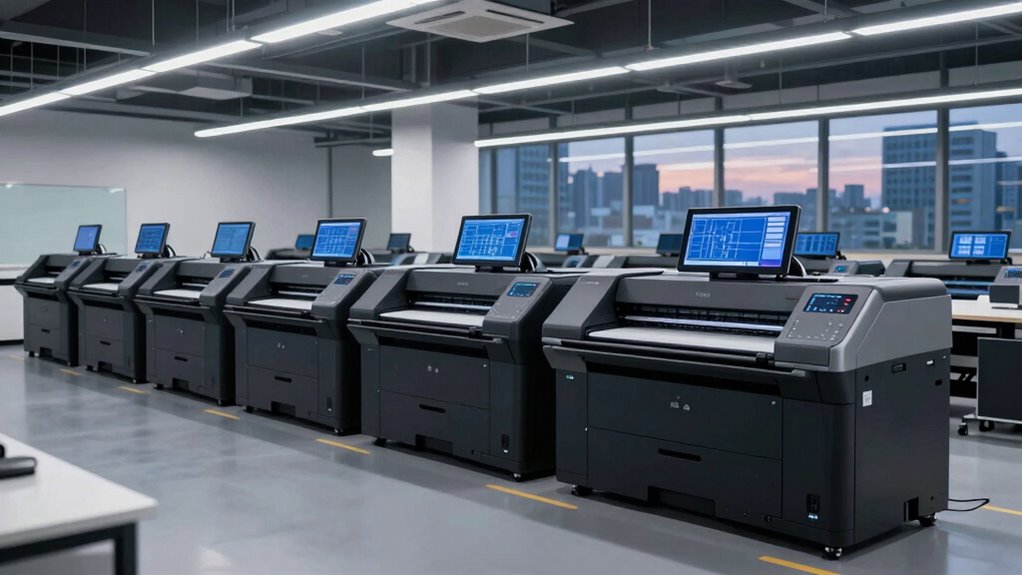

Choosing a 24 inch wide format plotter printer for industrial designers involves balancing performance, cost, and usability. The HP DesignJet T210 stands out as the best overall due to its reliable performance and support package. For those seeking high-quality color output, the Canon imagePROGRAF TM-240 is a strong contender, while the HP DesignJet T830 offers multi-function versatility for collaborative workflows. However, buyers face tradeoffs between speed, media handling, and price. Continue reading for a detailed breakdown of each option to find the best fit for your design needs.
Open a free Amazon Business account
Business pricing, bulk buying and tax-exempt orders.
Create a free accountAs an affiliate, we earn on qualifying purchases.
Key Takeaways
- Performance and reliability are the top priorities for professional use, favoring models like the HP DesignJet T210.
- Color accuracy and media versatility are well addressed by Canon‘s large format printers, especially for detailed renderings.
- Multi-function features and connectivity options can justify higher prices, as seen with the HP DesignJet T830.
- Budget-conscious buyers should consider models like the HP T230 or Epson SureColor T2170, which balance price with core functionality.
- Ease of use and support packages vary significantly; models with included support tend to reduce downtime and maintenance stress.
| HP DesignJet T210 Large Format 24-Inch Plotter Printer with 2-Year Care Pack |  | Best Overall for Small to Medium Professional Workflows | Media Size: Up to 24-inch wide media rolls and 13×19-inch sheets | Media Handling: Sheet feed, roll feed, automatic horizontal cutter | Print Speed: Up to 45 seconds per page on A1/D size | VIEW ON AMAZON | See Our Full Breakdown |
| HP DesignJet T630 Large Format 24-inch Plotter Printer with Auto Sheet Feeder, Media Bin & Stand |  | Best for Versatile, Multi-Format Professional Printing | Media Size: Up to 24-inch wide media rolls and 13×19-inch sheets | Media Handling: Sheet feed, roll feed, auto switch, media bin | Connectivity: Gigabit Ethernet, Wi-Fi 802.11 b/g/n, Hi-Speed USB 2.0 | VIEW ON AMAZON | See Our Full Breakdown |
| Canon imagePROGRAF TM-240 24-Inch Large Format Printer |  | Best High-Resolution Quality for Detailed Graphics | Print Width: 24 inches | Resolution: 2400 x 1200 dpi | Print Speed: up to 3.2 ppm | VIEW ON AMAZON | See Our Full Breakdown |
| Canon imagePROGRAF TA-20 24-Inch 5-Color Large Format Printer Plotter with Stand |  | Best for Entry-Level Professional Color Printing | Paper Roll Size: 8″-24″ (2” Core) | Ink Cartridges: 5 included | Printhead: Included | VIEW ON AMAZON | See Our Full Breakdown |
| Canon imagePROGRAF TC-21 24-Inch Large Format Printer with Automatic Roll & Cut Sheet Feeder |  | Best for Cost-Conscious Professionals Needing Versatile Media Support | Print Width: 24 inches | Ink: 280 ml (70 ml of each color) | Connectivity: USB, Ethernet, Wi-Fi | VIEW ON AMAZON | See Our Full Breakdown |
| HP DesignJet T230 24-inch Large Format Plotter Printer with 2-Year Onsite Support |  | Best Overall for Versatile Professional Use | Media Size: Up to 24-inch wide media rolls, 13×19-inch sheets (with accessory) | Media Handling: Sheet feed, roll feed, automatic horizontal cutter | Warranty: 2-year onsite support | VIEW ON AMAZON | See Our Full Breakdown |
| HP DesignJet T210 Large Format 24-inch Poster Printer |  | Best for Small Offices Needing Speed and Quality | Media Size: Up to 24-inch wide media rolls, 13×19-inch sheets (optional) | Media Handling: Sheet feed, roll feed, automatic cutter | Print Speed: Up to 45 seconds per page on A1/D | VIEW ON AMAZON | See Our Full Breakdown |
| HP DesignJet T210 Large Format 24-inch Plotter Printer |  | Best for Technical Drawings and Versatile Media Use | Media Sizes: Up to 24-inch wide media rolls, 13×19-inch sheets (optional) | Media Handling: Sheet feed, roll feed, automatic cutter | Connectivity: Ethernet, USB 2.0, Wi-Fi 802.11 | VIEW ON AMAZON | See Our Full Breakdown |
| HP DesignJet T830 Large Format Multifunction Wireless Plotter Printer – 24″ |  | Best for Construction and On-site Use with Scanning | Media Sizes: 8.3 to 24 inches wide, rolls up to 24 inches | Media Handling: Sheet feed, roll feed, input tray, media bin | Connectivity: Wi-Fi, Ethernet | VIEW ON AMAZON | See Our Full Breakdown |
| Epson SureColor T2170 24-Inch Wireless Desktop Poster Plotter Printer |  | Best for Vivid, Durable Prints in Compact Space | Print Speed: 43 seconds for A1/D-size | Display: 4.3-inch LCD color touchscreen | Maximum Media Width: 24 inches | VIEW ON AMAZON | See Our Full Breakdown |
| HP DesignJet T870 Large Format 24-inch Plotter Printer with 2-Year Support |  | Best for Precision and Professional-Grade Technical Printing | Media Sizes: Up to 24-inch wide media rolls, up to 13×19-inch sheets | Media Handling: Sheet feed, roll feed, automatic switch, media bin, horizontal cutter | Connectivity: Gigabit Ethernet, Wi-Fi 802.11 b/g/n | VIEW ON AMAZON | See Our Full Breakdown |
| inch wide format plotter printer for industrial designer | Media Handling | Print Speed | Connectivity |
|---|---|---|---|
| HP DesignJet T210 Large Format | Sheet feed, roll feed, automatic horizontal cutter | Up to 45 seconds per page on A1/D size | — |
| HP DesignJet T630 Large Format | Sheet feed, roll feed, auto switch, media bin | — | Gigabit Ethernet, Wi-Fi 802.11 b/g/n, Hi-Speed USB 2.0 |
| Canon imagePROGRAF TM-240 24-I | — | up to 3.2 ppm | — |
| Canon imagePROGRAF TA-20 24-In | — | — | — |
| Canon imagePROGRAF TC-21 24-In | — | — | USB, Ethernet, Wi-Fi |
| HP DesignJet T230 24-inch Larg | Sheet feed, roll feed, automatic horizontal cutter | — | — |
| HP DesignJet T210 Large Format | Sheet feed, roll feed, automatic cutter | Up to 45 seconds per page on A1/D | Wi-Fi, Ethernet, USB 2.0 |
| HP DesignJet T210 Large Format | Sheet feed, roll feed, automatic cutter | Up to 45 seconds per page | Ethernet, USB 2.0, Wi-Fi 802.11 |
| HP DesignJet T830 Large Format | Sheet feed, roll feed, input tray, media bin | Up to 26 sec/page | Wi-Fi, Ethernet |
| Epson SureColor T2170 24-Inch | — | 43 seconds for A1/D-size | — |
| HP DesignJet T870 Large Format | Sheet feed, roll feed, automatic switch, media bin, horizontal cutter | Up to 21 seconds per page on A1/D size, 120 A1/D size prints per hour | Gigabit Ethernet, Wi-Fi 802.11 b/g/n |
More Details on Our Top Picks
HP DesignJet T210 Large Format 24-Inch Plotter Printer with 2-Year Care Pack
The HP DesignJet T210 stands out as the most balanced choice for professionals needing reliable 24-inch printing. Its support for large media up to 24 inches and cost-efficient ink usage make it suitable for frequent technical drawings and posters, especially with the included 2-year onsite support. Compared to the Canon imagePROGRAF TM-240, the T210 offers more streamlined wireless management, but it sacrifices some high-end resolution and speed. Its main tradeoff is slower print speeds, which can be inconvenient for high-volume environments. Overall, this model offers a dependable mix of affordability and functionality for those who prioritize ease of use over maximum speed or resolution.
Pros:- Supports media up to 24 inches wide with roll or sheet handling
- Cost-efficient ink system reduces long-term expenses
- Wireless printing via HP Smart app simplifies remote operation
- Includes 2-year onsite support for added peace of mind
Cons:- Limited to large-format printing, not suitable for small documents
- Print speeds may be slow for bulk jobs
- Requires optional accessories for sheet printing
Best for: Architects, engineers, or small design firms needing dependable, cost-effective large-format printing with remote management.
Not ideal for: Casual hobbyists or users requiring high-resolution outdoor signage where durability and color accuracy are paramount.
- Media Size:Up to 24-inch wide media rolls and 13×19-inch sheets
- Media Handling:Sheet feed, roll feed, automatic horizontal cutter
- Print Speed:Up to 45 seconds per page on A1/D size
- Memory:500MB
- Included Ink:HP 712 Original Ink cartridges
- Support:2-year HP Care Pack with Onsite Support
Our verdict“This printer suits professionals seeking reliable, economical large-format printing with good connectivity options.”
HP DesignJet T630 Large Format 24-inch Plotter Printer with Auto Sheet Feeder, Media Bin & Stand
The HP DesignJet T630 excels in handling both rolls and sheets, making it a versatile option for varied printing needs. Its automatic sheet feeder and media bin simplify workflow, especially compared to the Canon imagePROGRAF TA-20, which lacks automatic sheet handling. The T630’s flexible media support and multiple connectivity options make it suitable for busy offices that need quick turnaround. However, it’s primarily designed for professional use, which might be complex for casual or occasional users. Its main tradeoff is the absence of explicit speed or cost data, leaving some uncertainty about efficiency in high-volume scenarios. Overall, this model benefits users who value flexibility and ease of media handling over raw speed or resolution.
Pros:- Supports media up to 24 inches wide on rolls and sheets
- Automatic sheet feeder and media bin streamline workflow
- Multiple connectivity options including Ethernet, Wi-Fi, and USB
- Easy job management via HP Click software and HP Smart app
Cons:- Designed mainly for professional environments, not casual use
- Lack of specific print speed or cost per page information
- Requires network or USB connection for optimal performance
Best for: Design studios or architectural offices needing flexible media handling and straightforward operation for diverse print jobs.
Not ideal for: Casual hobbyists or users with minimal large-format printing needs, due to its complexity and professional features.
- Media Size:Up to 24-inch wide media rolls and 13×19-inch sheets
- Media Handling:Sheet feed, roll feed, auto switch, media bin
- Connectivity:Gigabit Ethernet, Wi-Fi 802.11 b/g/n, Hi-Speed USB 2.0
- Included Accessories:Auto sheet feeder, media bin, stand
Our verdict“Ideal for busy offices needing adaptable media handling and straightforward connectivity for diverse large-format projects.”
Canon imagePROGRAF TM-240 24-Inch Large Format Printer
The Canon imagePROGRAF TM-240 distinguishes itself with exceptional resolution at 2400 x 1200 dpi, delivering sharp detail ideal for detailed technical drawings and high-quality outdoor posters. Its high-speed capability, up to 3.2 ppm, compares favorably against slower models like the HP T210, making it better suited for professional environments with larger print volumes. The water-resistant, 5-color ink set ensures durability for outdoor signage, but this comes with a higher price point and larger footprint, which could be a concern for tight spaces. Despite its complexity in setup and calibration, the TM-240 excels at producing consistent, high-quality output, especially where detail and color fidelity are priorities.
Pros:- High-resolution output at 2400 x 1200 dpi for detailed images
- Fast print speed for large formats
- Water-resistant, outdoor durable ink set
- Automatic media and color calibration
Cons:- Expensive compared to lower-resolution alternatives
- Large size requires significant space
- Complex setup and calibration process
Best for: Designers or print shops prioritizing high-resolution, outdoor-ready prints with vibrant colors and sharp detail.
Not ideal for: Casual users or small offices with limited space or lower-volume needs, due to its size and cost.
- Print Width:24 inches
- Resolution:2400 x 1200 dpi
- Print Speed:up to 3.2 ppm
- Ink Colors:5-color water-resistant ink set
- Nozzles:15,360
- Support:Automatic calibration
Our verdict“Best suited for professional environments needing detailed, durable outdoor signage with vibrant color accuracy.”
Canon imagePROGRAF TA-20 24-Inch 5-Color Large Format Printer Plotter with Stand
The Canon imagePROGRAF TA-20 offers a straightforward solution for those who need reliable color printing up to 24 inches. Its included stand and 5 ink cartridges make it ready for immediate use, especially for plotting and color posters. Unlike the TM-240, it lacks detailed specs on speed and resolution, but it maintains Canon’s reputation for consistent color quality. It’s a good fit for users who don’t require ultra-high resolution but need dependable color output for professional projects. The main drawback is its limited size and undefined performance metrics, which might not satisfy high-volume or high-detail demands.
Pros:- High-quality color output for professional use
- Includes stand for easy setup
- Supports a wide range of paper sizes up to 24 inches
- Ready to use with 5 included ink cartridges
Cons:- Limited to 24-inch media width without detailed specs on speed
- Lacks advanced calibration or high-resolution options
- No detailed technical performance metrics available
Best for: Small design studios or professionals needing reliable color plotting without complexities or high costs.
Not ideal for: High-demand environments requiring rapid turnaround or ultra-high detail, due to unspecified speed and resolution.
- Paper Roll Size:8″-24″ (2” Core)
- Ink Cartridges:5 included
- Printhead:Included
- Support:Stand included
Our verdict“A solid choice for entry-level professional color plotting where ease of setup and quality matter most.”
Canon imagePROGRAF TC-21 24-Inch Large Format Printer with Automatic Roll & Cut Sheet Feeder
The Canon imagePROGRAF TC-21 offers a compelling package for those who want vibrant posters and crisp prints on a variety of media. Its automatic roll and sheet feeder streamline workflow, making it a practical choice for busy environments. The large 280 ml ink tanks provide extended operation without frequent refilling, a clear advantage over smaller ink systems like on the HP T210. While it supports media up to 24 inches, its size and complexity may be overkill for casual or infrequent users. The lack of detailed speed and calibration data suggests it’s aimed at professionals who prioritize quality and versatility over raw throughput.
Pros:- Produces vibrant, high-quality images and text
- Includes a full set of 280 ml ink tanks for long use
- Automatic roll and sheet feeding for versatile media handling
- Wireless and wired connectivity options
Cons:- Designed mainly for professional or commercial use, not casual users
- Large size requires dedicated space
- No specific speed or resolution figures provided
Best for: Commercial or professional print shops needing flexible media options with long-lasting ink supplies.
Not ideal for: Casual hobbyists or small offices with minimal large-format printing needs, due to size and complexity.
- Print Width:24 inches
- Ink:280 ml (70 ml of each color)
- Connectivity:USB, Ethernet, Wi-Fi
- Media Types:Roll media, sheet media
Our verdict“Best suited for professionals seeking versatile media support and extended ink life for vibrant large-format prints.”
HP DesignJet T230 24-inch Large Format Plotter Printer with 2-Year Onsite Support
The HP DesignJet T230 stands out for its combination of media handling capabilities and cost efficiency, making it a versatile choice for architects and engineers needing reliable, high-quality large format prints. Compared to the HP T210, it offers automatic media switching, reducing manual intervention and streamlining workflows. Its support for both rolls and sheets caters to varied project needs, though it requires an optional accessory for certain sheet sizes, which adds complexity and cost. Limited to 24-inch media width, it doesn’t support larger formats, but for most technical drawings and signage, this size suffices. The 2-year onsite support provides peace of mind for professional environments but might be overkill for casual users.
Pros:- Supports a wide range of media sizes and types for versatile projects
- Automatic media switching saves time and reduces manual effort
- Cost-efficient ink usage lowers ongoing expenses
- Two-year onsite support enhances reliability
Cons:- Requires optional accessory for certain sheet sizes, increasing initial cost
- Limited to 24-inch media width, restricting larger format options
- Can be complex for users unfamiliar with professional plotters
Best for: Professionals who need flexible media handling and reliable support for technical and signage printing
Not ideal for: Casual hobbyists or small startups on a tight budget, as it involves additional accessories and complexity
- Media Size:Up to 24-inch wide media rolls, 13×19-inch sheets (with accessory)
- Media Handling:Sheet feed, roll feed, automatic horizontal cutter
- Warranty:2-year onsite support
- Media Handling Features:Automatic media switching
Our verdict“This model is ideal for professionals requiring flexible media options and reliable support, despite added complexity and accessory costs.”
HP DesignJet T210 Large Format 24-inch Poster Printer
The HP DesignJet T210 excels in compactness and speed, making it a strong candidate for small architectural firms, design studios, or educational settings. Its fast print speeds—up to 45 seconds on A1/D size—outpace bulkier or less specialized printers, boosting productivity. Compared to the Epson SureColor T2170, it offers comparable media versatility but with a focus on ease of wireless management and user-friendly software. Its limited media width to 24 inches and the need for an optional sheet feeder for certain media types might restrict some workflows, but these tradeoffs are balanced by its space-saving design and high-quality output. The initial investment is higher than smaller desktop printers, but the efficiency gains are notable.
Pros:- Compact size fits small office or studio environments
- Fast printing speeds improve workflow efficiency
- Wireless and remote management features simplify operation
- Produces accurate, high-quality color prints
Cons:- Limited media width to 24 inches, restricting larger projects
- Requires optional sheet feeder for some media types, adding cost
- Higher initial price compared to smaller consumer-grade printers
Best for: Small design teams or freelancers needing fast, reliable large-format printing in a limited space
Not ideal for: Large firms or production environments requiring higher volume or wider media support
- Media Size:Up to 24-inch wide media rolls, 13×19-inch sheets (optional)
- Media Handling:Sheet feed, roll feed, automatic cutter
- Print Speed:Up to 45 seconds per page on A1/D
- Connectivity:Wi-Fi, Ethernet, USB 2.0
Our verdict“Perfect for small offices needing quick, high-quality prints in a space-efficient package, with some media size limitations.”
HP DesignJet T210 Large Format 24-inch Plotter Printer
The HP DesignJet T210 shares many features with the B0GZ96P8H3 model but emphasizes software simplicity and media versatility, making it suitable for professionals like engineers and educators. Its support for media sizes up to 24 inches, combined with versatile handling options, allows for a wide range of technical and presentation prints. Compared with the larger T230, it lacks automatic media switching but offers a straightforward user experience and slightly lower initial cost. Its limited to 24-inch media width and the need for optional accessories for some media types remain considerations, but its ease of operation and speed make it a compelling choice for technical environments.
Pros:- Simple, user-friendly software for fast setup
- Supports a variety of media types and sizes
- Fast print speeds enhance productivity
- Compact footprint suitable for small offices
Cons:- Limited to 24-inch media width, restricting larger formats
- Requires optional sheet feeder for some media types
- No automatic media switching compared to higher-end models
Best for: Architects, engineers, or educators needing straightforward large-format printing without complex media switching
Not ideal for: High-volume print shops or users requiring wider media support and automation
- Media Sizes:Up to 24-inch wide media rolls, 13×19-inch sheets (optional)
- Media Handling:Sheet feed, roll feed, automatic cutter
- Connectivity:Ethernet, USB 2.0, Wi-Fi 802.11
- Print Speed:Up to 45 seconds per page
Our verdict“Ideal for technical professionals seeking straightforward, reliable large-format printing within a compact setup.”
HP DesignJet T830 Large Format Multifunction Wireless Plotter Printer – 24″
The HP DesignJet T830 introduces multifunctionality, combining printing, scanning, and copying into a compact 24-inch package. Its wireless connectivity and mobile printing support make it especially suitable for construction sites or small studios needing on-the-fly document handling. Compared with dedicated plotters like the T210, the T830 provides added versatility but at the expense of slightly slower print speeds, with up to 26 seconds per page. Its support for media sizes up to 24 inches and automatic media handling simplifies the workflow for technical and architectural projects. However, its focus on multifunctionality and security features may limit color accuracy or high-volume output, making it less ideal for print shops.
Pros:- All-in-one functionality saves space and adds convenience
- Wireless and mobile printing improve on-site workflow
- Supports a variety of media types, including rolls and sheets
- Automatic media handling simplifies operation
Cons:- Slower print speeds compared to single-function plotters
- Limited to technical and architectural documents, not high-volume or color-critical jobs
- Security features add complexity and cost
Best for: Construction professionals or on-site teams needing a compact device for printing, scanning, and copying in a small footprint
Not ideal for: High-volume printing environments or users requiring precise color matching for marketing materials
- Media Sizes:8.3 to 24 inches wide, rolls up to 24 inches
- Media Handling:Sheet feed, roll feed, input tray, media bin
- Connectivity:Wi-Fi, Ethernet
- Print Speed:Up to 26 sec/page
Our verdict“Best suited for construction and small studios requiring multifunctionality in a compact, mobile-friendly design.”
Epson SureColor T2170 24-Inch Wireless Desktop Poster Plotter Printer
The Epson SureColor T2170 excels in producing vibrant, durable prints with its UltraChrome XD2 pigment ink, making it ideal for professional blueprints, posters, and line drawings. Its compact design and large 4.3-inch touchscreen facilitate easy operation, especially for space-constrained offices. Compared with the HP T210 models, it offers superior print quality and longevity, though it requires proprietary Epson cartridges, which can be costly and limit supply options. Its media handling supports rolls up to 24 inches and sheets up to 11×17 inches, but it lacks the automatic media switching features found in higher-end models, meaning manual media management can be a minor inconvenience. Nonetheless, its professional-grade output and straightforward operation make it a strong contender for design studios prioritizing print quality.
Pros:- Produces vivid, long-lasting prints with high dpi resolution
- Large color touchscreen simplifies operation
- Wireless connectivity allows printing from multiple devices
- Minimal footprint fits small offices
Cons:- Requires proprietary Epson cartridges, increasing running costs
- Optional stand sold separately, adding to expense
- Limited to 24-inch media width with no automatic media switching
Best for: Designers and architects needing vibrant, durable prints with a compact footprint and easy operation
Not ideal for: High-volume printing environments or those requiring automatic media switching or wider media support
- Print Speed:43 seconds for A1/D-size
- Display:4.3-inch LCD color touchscreen
- Maximum Media Width:24 inches
- Ink Type:UltraChrome XD2 pigment ink
Our verdict“Best for professionals prioritizing print quality and durability in a space-efficient design, with some ongoing cartridge costs.”
HP DesignJet T870 Large Format 24-inch Plotter Printer with 2-Year Support
The HP DesignJet T870 stands out for its ability to produce detailed technical drawings, maps, and signage with consistent accuracy, making it a strong contender against the Canon imagePROGRAF TM-240, which offers similar print quality but at a slightly higher cost and larger footprint. Its automatic media handling simplifies workflow, especially when switching between sheet and roll media, which is a significant advantage over models like the Epson SureColor T2170, that lack such automation. However, this plotter’s media width limit of 24 inches may restrict larger projects, and its reliance on specific HP ink cartridges can lead to higher ongoing costs. The wireless connectivity and remote management capabilities via the HP Smart app add convenience for busy design teams. Compared to similar devices, the T870’s focus on efficiency and ease of use makes it ideal for professionals who need reliable, high-quality output without fussing over media types or frequent maintenance. The main tradeoff is its price point, which might be steep for casual or infrequent users.
Pros:- High-quality, detailed printing suitable for technical drawings and signage
- Automatic media switching and handling simplifies workflow
- Wireless connectivity and remote management for flexible operation
- Cost-efficient ink usage and maintenance
Cons:- Limited to media widths up to 24 inches, restricting larger projects
- Requires specific HP cartridges, which can increase ongoing costs
- Higher initial investment compared to smaller or less feature-rich models
Best for: Architectural firms and engineers needing precise, large-format technical prints with automated media handling.
Not ideal for: Casual hobbyists or small startups with limited budgets who won’t utilize its advanced features regularly.
- Media Sizes:Up to 24-inch wide media rolls, up to 13×19-inch sheets
- Media Handling:Sheet feed, roll feed, automatic switch, media bin, horizontal cutter
- Connectivity:Gigabit Ethernet, Wi-Fi 802.11 b/g/n
- Print Speed:Up to 21 seconds per page on A1/D size, 120 A1/D size prints per hour
- Memory:1GB
- Supported Ink Cartridges:HP high-yield cartridges for cost efficiency
Our verdict“This plotter is best suited for professionals who prioritize precision and automation in large-format technical printing and are prepared for its investment.”
How We Picked
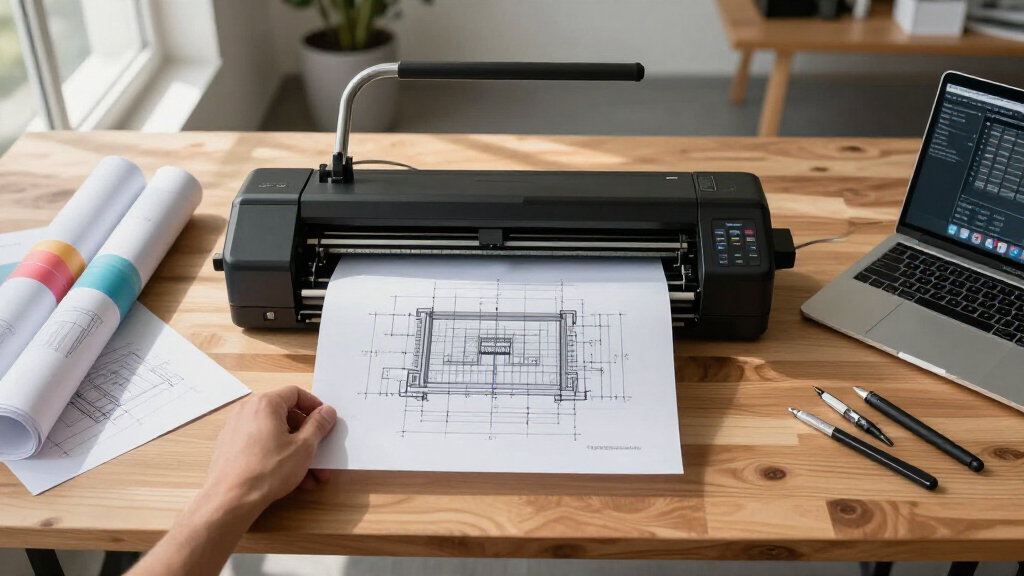
The selection process focused on key factors relevant to industrial designers: print quality, media handling, ease of use, connectivity options, build quality, and ongoing support. We prioritized models with proven reliability in professional environments and balanced performance with value. Each product was evaluated against these criteria, considering real-world workflow needs, potential tradeoffs, and user support options. The ranking reflects a combination of performance, versatility, and overall value for those who require consistent, high-quality large-format printing in a professional setting.| inch wide format plotter printer for industrial designer | Media Handling | Connectivity |
|---|---|---|
| HP DesignJet T210 Large Format | Sheet feed, roll feed, automatic horizontal cutter | — |
| HP DesignJet T630 Large Format | Sheet feed, roll feed, auto switch, media bin | Gigabit Ethernet, Wi-Fi 802.11 b/g/n, Hi-Speed USB 2.0 |
| Canon imagePROGRAF TM-240 24-I | — | — |
| Canon imagePROGRAF TA-20 24-In | — | — |
| Canon imagePROGRAF TC-21 24-In | — | USB, Ethernet, Wi-Fi |
| HP DesignJet T230 24-inch Larg | Sheet feed, roll feed, automatic horizontal cutter | — |
| HP DesignJet T210 Large Format | Sheet feed, roll feed, automatic cutter | Wi-Fi, Ethernet, USB 2.0 |
| HP DesignJet T210 Large Format | Sheet feed, roll feed, automatic cutter | Ethernet, USB 2.0, Wi-Fi 802.11 |
| HP DesignJet T830 Large Format | Sheet feed, roll feed, input tray, media bin | Wi-Fi, Ethernet |
| Epson SureColor T2170 24-Inch | — | — |
| HP DesignJet T870 Large Format | Sheet feed, roll feed, automatic switch, media bin, horizontal cutter | Gigabit Ethernet, Wi-Fi 802.11 b/g/n |
Factors to Consider When Choosing 24 Inch Wide Format Plotter Printer For Industrial Designers
When selecting a 24 inch wide format plotter printer for industrial design, understanding your specific workflow needs is essential. Consider how often you’ll print, the importance of color accuracy, and whether you need features like automatic sheet feeders or multi-function capabilities. Price ranges vary widely, so balancing upfront costs with ongoing maintenance and support is key. Compatibility with your existing software and media types can also influence your decision, especially if you’re working with specialized materials. Finally, evaluate the availability of after-sales support, as a reliable service plan can reduce downtime and protect your investment.Print Quality and Color Fidelity
For industrial designers, high-quality output with accurate color reproduction is often non-negotiable, especially for presentation boards and client proposals. Look for printers with high resolution and color management features. Canon models generally excel in color fidelity, making them suitable for detailed renderings. However, the quality also depends on the media used and printer calibration, so consider units that support a broad range of compatible materials for maximum flexibility.
Media Handling and Versatility
Robust media handling capabilities, like automatic roll feed and sheet cutting, save time and reduce manual effort. If you frequently switch between media types or sizes, prioritize printers with versatile media options and easy media loading. Some models, like the HP T210, excel in media versatility but may sacrifice speed, while others like the T830 offer multi-functionality but at a higher cost. Be mindful of your typical print volume to avoid overpaying for unnecessary features.
Connectivity and Workflow Integration
Seamless connectivity options—such as Wi-Fi, Ethernet, and mobile printing—are vital for modern design studios. Integrated software and cloud support can streamline workflows, especially if you collaborate remotely. Some printers include touchscreen interfaces that simplify operation, but others may require external software. Consider your existing setup and whether a multi-function device can help reduce clutter and improve efficiency.
Cost of Ownership and Support
Initial purchase price is only part of the total cost; ongoing expenses include ink, media, and maintenance. Models with larger ink cartridges and support packages tend to be more economical in the long run. Support plans, like those included with the HP T210, can minimize downtime and repair costs. Carefully evaluate warranty options and service availability, especially if your workflow depends heavily on consistent, high-quality output.
Ease of Use and Maintenance
Ease of operation reduces training time and minimizes errors, especially in fast-paced design environments. Features like automatic media loading, touchscreen controls, and straightforward maintenance routines are advantageous. Some units are more user-friendly but might lack advanced features, while more complex models can offer greater capabilities at the expense of a steeper learning curve. Consider your team’s technical proficiency when choosing a printer to avoid frustration and delays.
Frequently Asked Questions
How do I choose between a standalone plotter and a multi-function device?
If your primary need is high-quality printing of large-format drawings, a dedicated plotter will often deliver better performance and faster speeds. However, if space and budget are concerns, a multi-function device combining printing, scanning, and copying can streamline your workflow. Multi-function units tend to be more versatile but may compromise on speed or print quality slightly. Consider how often you’ll need each function and whether the convenience justifies the extra cost and potential complexity.
What media types should I look for in a professional plotter?
Industrial designers often work with a variety of media, including heavyweight papers, coated media, and specialty materials like vinyl or canvas. Ensure the printer supports a broad media range and has adjustable media tension and feeding mechanisms. Compatibility with your preferred brands and types of media can significantly impact print quality and workflow flexibility, preventing costly media waste or subpar outputs.
Is automatic sheet feeding worth the extra investment?
Automatic sheet feeding can save significant time during high-volume printing sessions, reducing manual handling and potential jams. For busy studios or projects with tight deadlines, this feature enhances productivity. However, it can add to the initial cost and may require more maintenance. If your typical workload involves mostly roll media or infrequent printing, you might prioritize other features instead.
How important is support and warranty in choosing a large-format printer?
Support and warranty coverage are critical, as breakdowns or print quality issues can delay projects and increase costs. Reliable brands typically include comprehensive support plans, which can be a worthwhile investment. For frequent users, extended warranties or on-site service can prevent downtime, ensuring your workflow remains uninterrupted. Always check the availability of local service providers before purchasing.
Can I upgrade or replace ink systems later?
Many large-format printers allow for ink system upgrades, such as switching to higher-capacity cartridges or more advanced ink formulations. However, compatibility and cost can vary, and some models are more flexible than others. Planning for future upgrades when selecting a printer can save money and avoid compatibility issues. Consider the total cost of ownership, including ink, when evaluating long-term value.
Conclusion
For those seeking the best overall performance, the HP DesignJet T210 offers reliable, high-quality printing with solid support, making it ideal for busy design studios. Budget-conscious buyers should consider the HP T230 or Epson SureColor T2170 for dependable performance at a lower price point. Professionals requiring advanced color accuracy and media versatility might lean toward the Canon imagePROGRAF TM-240. For users needing multi-functionality and seamless workflows, the HP DesignJet T830 stands out despite its higher price. Ultimately, your choice depends on your specific volume, media requirements, and support needs—matching the right model to your workflow ensures consistent, high-quality output that keeps your projects on track.
Fall yard work Picks
leaf blowers
As an affiliate, we earn on qualifying purchases.