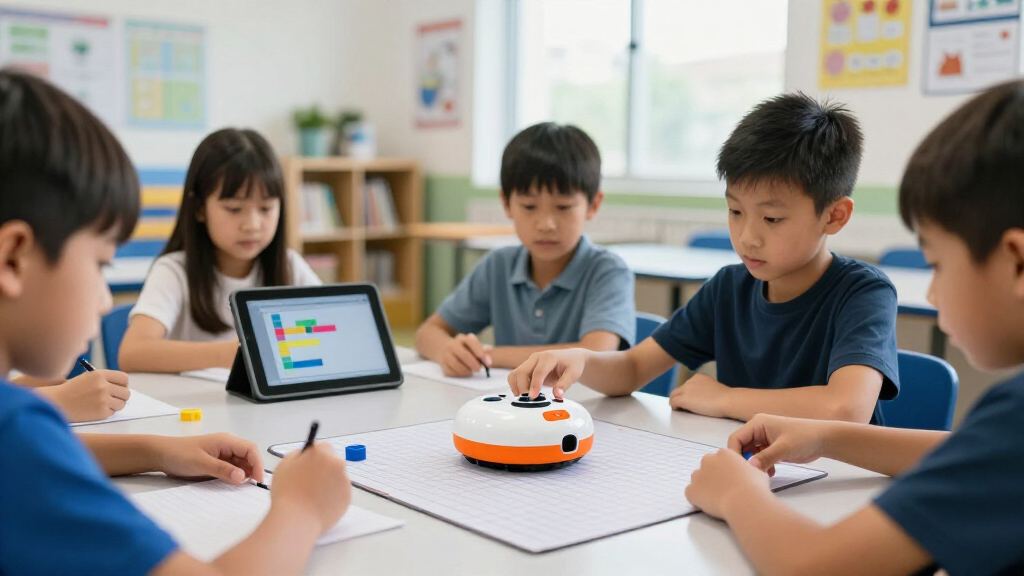

Choosing among classroom coding robots comes down to three questions: how many students you need to serve, what age range you’re teaching, and whether your lessons work better screen-free or app-based. My top overall pick is the Ozobot Evo 18 Bot Classroom Kit, because it grows with students from color-code paper programming in kindergarten all the way to block-based coding in upper elementary, and the 18-bot count covers a full class in pairs. For tight budgets, the Learning Resources Code & Go Robot Mouse Classroom Set delivers genuinely effective sequencing logic at a fraction of the cost of app-based rivals, while the Sphero Mini Classroom Kit (16-Pack) is the strongest choice for middle-grade classrooms ready for JavaScript. The main tradeoff in this category is simplicity versus longevity — screen-free bots like Bee-Bot are effortless to run but get outgrown by third grade, whereas app-connected robots offer years of runway but demand tablets, charging management, and troubleshooting time. Read on for the full breakdown of all 15 kits.

Prime made for students and young adults
- Fast, free delivery for dorm and study essentials
- Prime Video and Amazon Music included
- Member-only deals
Key Takeaways
- Ozobot Evo earned the top spot because it’s the only kit in the lineup that works both screen-free (color codes on paper) and app-connected, letting one purchase serve grades K-5 without replacement.
- Learning Resources dominates the value tier — four of its kits (Botley, Botley 2.0, Code & Go Mouse) made the list, and the classroom sets bundle multiple robots and accessories for less than single app-based competitors.
- Screen-free robots (Bee-Bot, Botley, Code & Go Mouse) are the best fit for K-2, but every one of them is outgrown by roughly grade 3, so schools serving upper elementary should buy text- or block-based bots instead.
- The Sphero Mini 16-Pack and VinciBot Classroom Set are the only picks here with a genuine text-coding path (JavaScript and Python respectively), making them the ceiling for middle-grade programs.
- Charging logistics quietly decide classroom success: kits with multi-bay docking stations (Bee-Bot Class Pack, VinciBot) save far more instructional time than their spec sheets suggest.
| Ozobot Evo 18 Bot Classroom Kit |  | Best Overall Classroom Kit | Robots Included: 18 Ozobot Evo robots | Coding Modes: Screen-free Color Code markers and Ozobot Blockly | Recommended Age: 5-11 years | VIEW LATEST PRICE | See Our Full Breakdown |
| Learning Resources Cooper the STEM Robot – Classroom Pack |  | Best for Early Learners | Robots Included: 4 rechargeable robots | Recommended Age: 5-7 years | Coding Method: Screen-free, hands-on programming steps | VIEW LATEST PRICE | See Our Full Breakdown |
| Learning Resources Botley 2.0 The Coding Robot Activity Set |  | Best Value Single-Robot Set | Robots Included: 1 Botley 2.0 coding robot | Pieces: 78 total pieces | Coding Method: Remote programmer with 40 coding cards, no app needed | VIEW LATEST PRICE | See Our Full Breakdown |
| Sphero Mini App-Enabled Coding Robot Classroom Kit, 16-Pack |  | Best for Progressive Coding Skills | Robots Included: 16 Sphero Mini robots | Recommended Age: 8 years and up | Programming Languages: Draw, Blocks, JavaScript, Python | VIEW LATEST PRICE | See Our Full Breakdown |
| BirdBrain Technologies Finch Robot Starter Flock I Classroom Coding |  | Best for Long-Term Program Growth | Powered By: micro:bit | Coding Languages: 8, including icon-based, block-based, and Python | Recommended Age: 5 years to adult | VIEW LATEST PRICE | See Our Full Breakdown |
| Thames & Kosmos My Robotic Pet: Coding Chameleon STEM Building Kit |  | Best Screen-Free Project Build | Model length: 15 inches | Sensors: Color sensor, infrared sensor | Lighting: RGB LEDs | VIEW LATEST PRICE | See Our Full Breakdown |
| Wonder Workshop Dash Robot |  | Best Ready-out-of-the-Box Robot | Recommended age: 6–11 years | Apps: 5 apps for iOS, Android, and Fire OS (including Blockly, Wonder, Path) | Battery: Rechargeable lithium-ion, up to 5 hours of active play | VIEW LATEST PRICE | See Our Full Breakdown |
| Learning Resources Botley The Coding Robot Classroom Set |  | Best Screen-Free Value for Early Grades | Robots included: 2 Botley coding robots | Activity sets: Two 77-piece Activity Sets | Accessory set: One 41-piece Action Challenge Accessory Set | VIEW LATEST PRICE | See Our Full Breakdown |
| MatataStudio VinciBot Classroom Set (6 Robots) |  | Best for Upper Elementary and Middle School | Robots included: 6 VinciBot units | Grade level: 2–7 (ages 8+) | Programming languages: Scratch and Python | VIEW LATEST PRICE | See Our Full Breakdown |
| Bee-Bot See & Say Class Pack |  | Best for Early Years Classrooms | Quantity: 6 robots + 1 six-bay docking station | Program memory: Up to 200 directional commands | Movement: 15 cm forward steps, 90-degree turns | VIEW LATEST PRICE | See Our Full Breakdown |
| Learning Resources Botley The Coding Robot Activity Set – 77 Pieces | 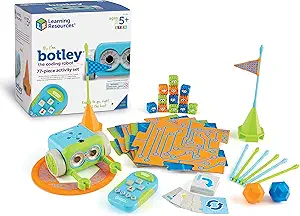 | Best Screen-Free Starter Pick | Age Range: 5+ | Pieces Included: 77 (remote programmer, detachable arms, 40 coding cards, 6 double-sided tiles, 27 obstacle pieces) | Power: 5 AAA batteries (not included) | VIEW LATEST PRICE | See Our Full Breakdown |
| Learning Resources Code & Go Robot Mouse Classroom Set |  | Best for Group Rotations | Includes: 2 Robot Mouse Activity Sets, 4 programmable robot mice, 1 Math Pack, 1 Mouse Mania board game, 1 Activity Guide | Age Range: 5+ | Power/Screen Requirement: Screen-free; no apps or devices required | VIEW LATEST PRICE | See Our Full Breakdown |
| Learning Resources Botley 2.0 The Coding Robot Classroom Set |  | Best Classroom Bundle | Includes: 2 Botley 2.0 robots and 2 full 78-piece activity sets | Age Range: 5-7 (early elementary) | Coding Depth: Sequences up to 150 steps with light and sound triggers | VIEW LATEST PRICE | See Our Full Breakdown |
| Learning Resources Code & Go Robot Mouse Activity Set |  | Best Value for Youngest Coders | Age Range: 4+ | Includes: Colby robot mouse, 16 maze grids, 22 maze walls, 3 tunnels, 30 double-sided coding cards, 10 double-sided activity cards, cheese wedge, Activity Guide | Maze Board Size: 20 x 20 inches assembled | VIEW LATEST PRICE | See Our Full Breakdown |
| Learning Resources Botley 2.0 The Coding Robot Activity Set |  | Best Single-Robot Upgrade | Recommended Age: 5 years and up | Activity Set Pieces: 77 | Coding Sequence Steps: Up to 150 | VIEW LATEST PRICE | See Our Full Breakdown |
More Details on Our Top Picks
Ozobot Evo 18 Bot Classroom Kit
The Ozobot Evo Classroom Kit earns the top spot because it solves the hardest problem in school coding programs: one classroom, many skill levels. Its dual coding modes mean kindergartners can draw Color Code paths with markers while fifth graders build programs in Ozobot Blockly on the same hardware. Compared with the Sphero Mini Classroom Kit, which is app-dependent from day one, Evo lets teachers run screen-free lessons when devices are scarce. The wireless charging cradle and bot labels address the daily logistics that sink lesser kits — no tangled cords, no mix-ups between class periods. The tradeoff is scale and cost: eighteen bots demand real management routines, and younger students will need structured supervision to get past the marker-based basics.
Pros:- Dual coding modes (marker-based and Blockly) serve beginners and advancing students on the same robots
- Access to over 700 free lessons across STEAM, CS, and core subjects
- Wireless charging cradle and bot labels simplify daily classroom management
- Durable construction built to survive repeated student handling
Cons:- Large kit requires organizational routines and storage space most classrooms don’t already have
- Blockly coding requires devices, so screen-free lessons are limited to marker-based fundamentals
Best for: Elementary schools and STEAM labs teaching grades K-5 that need one kit to serve multiple grade levels and both screen-free and block-based coding lessons
Not ideal for: Tiny classrooms or single-teacher budgets — 18 robots is overkill if only a handful of students code at a time
- Robots Included:18 Ozobot Evo robots
- Coding Modes:Screen-free Color Code markers and Ozobot Blockly
- Recommended Age:5-11 years
- Charging:Wireless charging cradle
- Educational Content:700+ free lessons in STEAM, CS, and core subjects
- Accessories:18 dual-tip Color Code Markers, bot label stickers
Our verdict“This is the pick for schools that want a full-program coding solution that grows with students from kindergarten through upper elementary.”
Learning Resources Cooper the STEM Robot – Classroom Pack
Cooper is built for the youngest coders in the building — the five-to-seven crowd who lose focus the moment a tablet appears. Its fully screen-free design keeps attention on sequencing and logic rather than interfaces, which is where the Sphero Mini kit struggles with the same age group. The four-robot format is deliberately modest: where the Ozobot Evo kit scales to whole-class instruction, Cooper fits small-group rotations in a kindergarten or first-grade room, with a storage case and lesson plans included so nothing gets improvised. Robots that react to light, follow paths, and talk to each other give collaborative play a real payoff. The honest limitation is ceiling — older or faster learners will exhaust its challenges well before the year ends, and teachers still juggle charging four devices on a rotation schedule.
Pros:- Completely screen-free operation keeps early learners focused on logic, not devices
- Complete package with 4 robots, USB cords, storage case, and ready-made lesson plans
- Rechargeable batteries eliminate ongoing battery replacement costs
- Robots interact with each other, enabling genuine collaborative challenges
Cons:- Limited challenge depth means students outgrow it within a year or two
- Managing charging cycles for four devices adds teacher workload
Best for: Kindergarten and first-grade teachers running small-group STEM rotations with ages 5-7 who want zero screens involved
Not ideal for: Mixed-age programs or grades above first — the beginner-level challenges won’t hold older students’ interest
- Robots Included:4 rechargeable robots
- Recommended Age:5-7 years
- Coding Method:Screen-free, hands-on programming steps
- Power:Rechargeable via USB
- Includes:Robots, USB charging cords, storage case, lesson plans
- Learning Focus:Coding, sequencing, logic, problem-solving
Our verdict“Cooper makes the most sense for early-elementary classrooms that prioritize screen-free foundational coding over long-term scalability.”
Learning Resources Botley 2.0 The Coding Robot Activity Set
Not every classroom needs a fleet. The Botley 2.0 Activity Set delivers a full coding curriculum — 78 pieces, coding cards, double-sided boards, and a remote programmer — around a single well-built robot, making it the budget-friendly entry point in this lineup. Unlike the Cooper Classroom Pack, which spreads four robots across small groups, Botley concentrates everything into one deep activity set, so it suits learning stations, library corners, and homes as easily as classrooms. The remote programmer removes every screen and app barrier, and features like object sensing and 16 secret code combinations extend play well past the first week. The real tradeoff is throughput: one robot means one small group at a time, so a teacher running whole-class lessons should look at the Botley Classroom Set instead. Maze-building also eats floor space, which tight classrooms should plan for.
Pros:- 78-piece set with boards, obstacles, and coding cards supports weeks of varied challenges
- No app or device required — the remote programmer handles everything
- Object sensing, lights, sounds, and 16 secret codes add depth beyond basic sequencing
- Challenges scale from simple commands to advanced multi-step programs
Cons:- Single robot limits simultaneous users and slows classroom pacing
- Maze and path activities require open floor space that small rooms can’t spare
Best for: Teachers on a budget, homeschoolers, and classrooms using a single coding station rather than whole-class robotics
Not ideal for: Full-class instruction — one robot creates a bottleneck no lesson plan can fix
- Robots Included:1 Botley 2.0 coding robot
- Pieces:78 total pieces
- Coding Method:Remote programmer with 40 coding cards, no app needed
- Turn Capability:45-degree turns
- Secret Code Combinations:16
- Recommended Use:Home and classroom
Our verdict“This pick makes sense for buyers who want maximum coding depth per dollar and don’t need robots for every student.”
Sphero Mini App-Enabled Coding Robot Classroom Kit, 16-Pack
If the goal is a genuine computer science pathway, the Sphero Mini 16-Pack is the strongest ladder in this roundup. Students start with Draw coding, climb to Blocks, and eventually write real JavaScript and Python — a progression no marker-based option like the Ozobot Evo can match at the top end. Sixteen ping-pong-ball-sized robots at up to three students each means a full class works simultaneously, and the bundled cones, pins, bumper covers, and activity cards turn any tabletop into a lesson. Real sensors — gyroscope, accelerometer, motor encoders — make the coding feel authentic rather than toy-like. The catches are real, though: every robot needs a paired device running Sphero Edu, so device-poor classrooms face a hidden cost, and the tiny form factor frustrates younger hands compared with chunkier robots like Botley.
Pros:- Four programming languages (Draw, Blocks, JavaScript, Python) support multi-year skill progression
- 16 robots with accessories enable true whole-class simultaneous coding at 3 students per robot
- Gyroscope, accelerometer, and motor encoders give students authentic sensor data to program against
- Compact size makes storage and distribution across class periods easy
Cons:- Requires compatible devices for every student group, adding cost and logistics
- Very small robots are easy to misplace and awkward for young or less careful students
Best for: Upper-elementary and middle school CS programs that want a single platform stretching from beginner blocks to text-based Python and JavaScript
Not ideal for: Classrooms without reliable tablets or laptops per student group — the entire experience depends on the app
- Robots Included:16 Sphero Mini robots
- Recommended Age:8 years and up
- Programming Languages:Draw, Blocks, JavaScript, Python
- App Required:Sphero Edu
- Sensors:Gyroscope, accelerometer, motor encoders
- Students Per Robot:Up to 3
- Accessories:Bumper covers, traffic cones, bowling pins, construction sets, activity cards
Our verdict“This kit is best for schools building a serious coding curriculum that extends into real programming languages, provided devices are already in place.”
BirdBrain Technologies Finch Robot Starter Flock I Classroom Coding
The Finch Robot plays a different game than everything else here: it’s a low floor, high ceiling tool designed to carry students from age five icon-based coding all the way to college-level text programming in Python and seven other languages. Its standout practical advantage is seven-plus hours of battery runtime — roughly triple what many classroom robots manage — which means lessons don’t die mid-period. Compared with the Sphero Mini kit, Finch skips subscriptions and paywalls entirely, with free teacher courses and standards-aligned lessons for CSTA, ISTE, and Common Core. The tradeoff is character: Finch is an educational instrument, not a toy, so it lacks the game-like personality of Botley or Dash that hooks reluctant younger students. The smaller Starter Flock also means larger classes share fewer units.
Pros:- 8 coding languages spanning icon-based to Python supports ages 5 through adult learners
- 7+ hours of battery runtime covers a full school day without recharging
- Works across tablets, Chromebooks, Windows, and Mac with no subscriptions or paywalls
- Free standards-aligned lessons, tutorials, and teacher professional development included
Cons:- Utilitarian design lacks the playful character that engages the youngest or most reluctant coders
- Starter Flock includes fewer robots than 16-18 unit kits, limiting whole-class coverage
Best for: Schools and districts building a multi-year coding pathway from elementary through high school or intro college CS without recurring subscription costs
Not ideal for: Teachers seeking an entertaining first hook for young kids — Finch’s appeal is instructional depth, not playful personality
- Powered By:micro:bit
- Coding Languages:8, including icon-based, block-based, and Python
- Recommended Age:5 years to adult
- Battery Runtime:7+ hours rechargeable
- Device Compatibility:Tablets, Chromebook, Windows, Mac
- Sensors:Line-tracking, obstacle, light, and sound sensing
- Included Content:30+ free classroom activities, tutorials, and teacher PD
Our verdict“Finch is the choice for programs that view coding as a multi-year curriculum investment rather than a single-year classroom activity.”
Thames & Kosmos My Robotic Pet: Coding Chameleon STEM Building Kit
Most classroom coding robots arrive pre-assembled — the Coding Chameleon flips that, making the build itself part of the lesson. Kids construct a 15-inch articulated robot and program it with physical color action cards read by a color sensor, so no tablets or shared devices are needed. Compared with the Bee-Bot See & Say Class Pack, which serves whole classrooms with six units, this is a single-project kit better suited to a small enrichment group or a take-home STEM challenge. The three play modes (Coding, Wild, Pet) keep engagement going after the first build, and the 48-page manual doubles as a real teaching resource. The tradeoff is logistics: assembly takes time, and younger students in the 8–11 range will likely need an adult nearby, so it works best where supervision is guaranteed.
Pros:- Screen-free coding through physical action cards — no tablets or software to manage
- Building the robot is itself an engineering lesson, unlike pre-assembled options like Dash
- Three play modes sustain engagement after the initial build
- 48-page manual provides structured, teacher-friendly curriculum support
Cons:- Kids aged 8–11 typically need adult assistance with assembly
- Only one robot per kit, so it scales poorly for full classrooms
- Command logic is limited compared with app-based robots like VinciBot
Best for: Teachers running small-group STEM enrichment or after-school clubs where kids can build one robot over several sessions with adult support
Not ideal for: Whole-class rotations needing many units at once — it’s one robot per kit, and assembly time eats into lesson time
- Model length:15 inches
- Sensors:Color sensor, infrared sensor
- Lighting:RGB LEDs
- Play modes:Coding Mode, Wild Mode, Pet Mode
- Manual:48 pages
- Recommended age:8+ (12+ for independent play)
- Screen requirement:None — no devices or software needed
Our verdict“A strong pick for small-group or club settings where the building process matters as much as the coding.”
Wonder Workshop Dash Robot
Dash’s biggest advantage in a classroom is zero assembly — unbox it and students are coding within minutes. With five companion apps scaling from picture-based block coding up to Blockly, it covers ages 6–11 in a single device, something neither the younger-skewing Bee-Bot nor the older-skewing VinciBot manages as gracefully. The rechargeable battery delivers up to five hours of active play, which matters for back-to-back class periods, and Dash responds to voice, navigates obstacles, and dances — the kind of personality that hooks reluctant learners. The honest tradeoff: it’s app-dependent, so classrooms need compatible tablets and enough of them, and coding depth eventually plateaus. Whereas Botley stays screen-free, Dash leans fully into screens — that’s either its greatest strength or its dealbreaker depending on your classroom philosophy.
Pros:- No assembly required — usable the moment it’s unboxed
- Five apps let one robot grow with students from early block coding to Blockly
- Up to 5 hours of battery life supports full teaching days
- Voice commands and playful personality engage reluctant learners
Cons:- Fully dependent on a compatible tablet or phone for programming
- Coding depth plateaus for advanced students around age 11
- Buying multiple Dash units for a full classroom adds up quickly
Best for: Teachers of grades 1–5 who already have tablets available and want a friendly, no-setup robot that spans multiple skill levels
Not ideal for: Screen-free classrooms or schools with limited tablet access — Dash can’t do its core coding without a companion app
- Recommended age:6–11 years
- Apps:5 apps for iOS, Android, and Fire OS (including Blockly, Wonder, Path)
- Battery:Rechargeable lithium-ion, up to 5 hours of active play
- Assembly:None required
- Includes:1 Dash robot, 2 building brick connectors, 1 USB charging cable
- Camera:None
- Weight:0.7 kg
Our verdict“The easiest entry point into app-based classroom coding for elementary grades — provided tablets are already in the budget.”
Learning Resources Botley The Coding Robot Classroom Set
This set answers the two biggest early-elementary pain points at once: no screens and enough hardware for group work. Two Botley robots plus two 77-piece activity sets and a 41-piece action challenge kit mean a teacher can run parallel stations without bottlenecks. The 80-step programming, looping, object detection, and line-following give it real headroom — preschoolers can start with simple sequences while stronger students progress to loops, a growth path that Code & Go Robot Mouse, with its simpler step logic, can’t match. Compared with Wonder Workshop Dash, Botley trades app-based depth for total independence from devices, which makes it far easier to manage with young classes. Note the hidden cost and hazard: AAA batteries are not included, and the many small accessory pieces demand a strict cleanup routine.
Pros:- Completely screen-free — no tablets, accounts, or software management
- Two robots plus extensive accessories support genuine group learning
- Object detection, looping, and line-following add difficulty as skills grow
- Accessible enough for preschoolers on day one
Cons:- AAA batteries are not included — an added cost across two robots
- Many small accessory pieces are easy to lose and unsuitable for very young children
- Programming ceiling is low compared with Scratch- or Python-based robots
Best for: Preschool through grade 2 teachers who want screen-free coding stations that multiple small groups can rotate through
Not ideal for: Upper elementary students — the ceiling on Botley’s programming is lower than app-based options like VinciBot or Dash
- Robots included:2 Botley coding robots
- Activity sets:Two 77-piece Activity Sets
- Accessory set:One 41-piece Action Challenge Accessory Set
- Programming capability:Up to 80-step programs with looping
- Advanced features:Object detection, black line-following
- Screen-free:Yes — no tablets or smartphones
- Power source:AAA batteries (not included)
Our verdict“The most practical screen-free starting point for early-years classrooms that need group-ready hardware without device management.”
MatataStudio VinciBot Classroom Set (6 Robots)
When students outgrow button-based coding, VinciBot is the natural next step. Six robots in one set, each programmable through Scratch and Python, position it squarely for grades 2–7 — a range neither Botley (too simple) nor Bee-Bot (preschool-focused) can serve. The 75 activity cards, online tutorials, and included storage bin show this kit was designed around real classroom workflow, not just the robots themselves. VinciBot also accepts LEGO bricks and third-party electronic modules, which turns it into a robotics platform rather than a single-purpose toy — ideal for competitions and open-ended engineering projects. The flip side of that power is complexity: teachers need their own comfort with Scratch or Python, and younger or less confident students will need structured guidance to get past the steeper start.
Pros:- Supports both Scratch block coding and Python on the same robot
- Six units plus a dedicated storage bin built for classroom rotation
- LEGO and third-party module compatibility enables engineering and competition projects
- 75 activity cards and online tutorials reduce teacher prep burden
Cons:- Steeper learning curve — teachers need coding familiarity to get full value
- Higher overall investment than two-robot starter sets like Botley’s classroom set
- Requires computers or tablets for programming, unlike screen-free options
Best for: STEM specialists teaching grades 2–7 who want a text-and-block coding platform that can carry students from Scratch into Python
Not ideal for: Preschool and kindergarten classrooms — the programming environment is far too advanced for pre-readers
- Robots included:6 VinciBot units
- Grade level:2–7 (ages 8+)
- Programming languages:Scratch and Python
- Learning materials:75 activity cards, study cases, online tutorials
- Expansion:LEGO bricks and third-party electronic modules
- Preset modes:Infrared remote control, line tracking, precise drawing
- Storage:Included classroom storage bin
- Sensor functions:Obstacle avoidance, voice control, color detection
Our verdict“The best choice for schools that want a multi-year coding pathway running from block-based Scratch all the way to Python.”
Bee-Bot See & Say Class Pack
For preschool and kindergarten, the Bee-Bot Class Pack solves the sharing problem that sinks most coding lessons: six robots mean paired stations instead of a queue. Its precise 15 cm steps and 90-degree turns make movement predictable enough for young children to reason about, and the standout feature — voice recording on each arrow key — supports auditory learners, multilingual classrooms, and emerging readers in a way no other kit here matches. Compared with the Botley Classroom Set, Bee-Bot’s rechargeable units and 6-bay docking station are easier to manage than Botley’s replaceable AAA batteries, though Bee-Bot lacks Botley’s object detection and looping. Its 200-command memory also allows impressively long routes. The catch: grid-based lessons really need activity mats sold separately, and six-robot packs are overkill for a single family.
Pros:- Six robots remove sharing bottlenecks during structured lessons
- Voice recording on arrow keys supports pre-readers and multilingual learners
- 200-step program memory enables complex multi-stage routes
- Docking station charges all units from one wall outlet — no AA batteries to replace
Cons:- Activity mats and floor grids are sold separately and needed for grid lessons
- No looping or object detection — less growth room than Botley’s classroom set
- Substantial investment for anyone other than a school or program
Best for: Preschool and early-elementary teachers running paired or small-group coding stations, especially in multilingual or pre-reader classrooms
Not ideal for: Homeschoolers or single-child families — six robots and a docking station is far more hardware than one household needs
- Quantity:6 robots + 1 six-bay docking station
- Program memory:Up to 200 directional commands
- Movement:15 cm forward steps, 90-degree turns
- Voice recording:Custom message on each of the 4 arrow keys
- Charging:6-bay USB docking station, single wall outlet
- Battery type:Rechargeable (no AA batteries required)
- Recommended ages:Preschool, kindergarten, early elementary
Our verdict“The definitive early-years class pack — six rechargeable, voice-enabled floor robots purpose-built for pre-reader coding instruction.”
Learning Resources Botley The Coding Robot Activity Set – 77 Pieces
Botley earns a spot here because he solves a specific classroom problem: teaching sequencing and debugging with zero screens. Kids program the robot through a physical remote programmer, press transmit, and watch their logic play out on the floor — a format that works well for teachers managing device-limited classrooms. Compared with the Code & Go Robot Mouse, Botley feels smarter: he can detect and avoid objects, follow black-line paths, and handle looping commands, which stretches the challenge ceiling for confident first graders. The 77-piece activity set — obstacle builders, coding cards, and detachable arms — means one box can run a full STEM station. The tradeoff is that this original Botley lacks the light-up sensor and 150-step sequences of Botley 2.0, so students who master it quickly will outgrow it within a school year.
Pros:- Completely screen-free operation with no apps or accounts to manage
- Object detection, looping, and line-following give it real programming depth for young kids
- 77 pieces support maze-building and multi-station classroom activities
- Ready within minutes of unboxing with an included starter guide
- Encourages collaborative debugging and turn-taking in small groups
Cons:- Requires 5 AAA batteries and a Phillips screwdriver, none of which are included
- Limited sequence length compared with Botley 2.0’s 150-step programs
- Hidden advanced features are underdocumented, so teachers may miss them without extra research
Best for: K-2 teachers and parents who want a self-contained, screen-free coding station that works on day one without tablets or apps
Not ideal for: Schools planning multi-year curriculum progression — the original Botley’s shorter sequences and lack of night-mode features are superseded by Botley 2.0
- Age Range:5+
- Pieces Included:77 (remote programmer, detachable arms, 40 coding cards, 6 double-sided tiles, 27 obstacle pieces)
- Power:5 AAA batteries (not included)
- Screen Requirement:None — fully screen-free
- Smart Features:Object detection, looping commands, black-line following
- Robot Dimensions:9.1 x 9.1 x 6.2 inches (boxed)
- Weight:1 kg
Our verdict“The strongest single-robot screen-free entry point for early elementary classrooms, provided you don’t need the extended capabilities of the newer Botley 2.0.”
Learning Resources Code & Go Robot Mouse Classroom Set
Where most entries here offer one or two robots, this set ships four programmable mice, two full activity sets, a math expansion pack, and a strategy board game — effectively a rotation-ready curriculum in one box. That is the core distinction from the single-mouse Code & Go Robot Mouse Activity Set: a teacher can split a class into small groups, each with its own maze board and mouse, without students waiting in line. Compared with the Botley 2.0 Classroom Set, this option trades one sophisticated robot for more simpler ones, which suits classrooms where turn-taking and collaboration matter more than sequence depth. The board game and math pack extend the set beyond coding into broader STEM lessons. The honest tradeoff: the mice program through basic directional buttons with no loops or sensors, so third graders and up will find the ceiling fast.
Pros:- Four robots and two activity sets let multiple small groups work simultaneously
- Board game and math pack extend the set into other subject areas
- Screen-free with no devices, apps, or charging infrastructure needed
- Activity Guide with lesson ideas saves teachers planning time
Cons:- Basic button programming caps the challenge level for advanced or older students
- A large, expensive kit for a single household or one-family homeschool use
- Keeping four mice, two maze sets, and loose pieces organized between classes takes real effort
Best for: Elementary teachers running STEM stations or centers who need multiple simultaneous coding stations on a tight schedule
Not ideal for: Upper-elementary classrooms — the button-only programming lacks loops, sensors, or longer sequences to challenge older students
- Includes:2 Robot Mouse Activity Sets, 4 programmable robot mice, 1 Math Pack, 1 Mouse Mania board game, 1 Activity Guide
- Age Range:5+
- Power/Screen Requirement:Screen-free; no apps or devices required
- Learning Focus:Coding, sequencing, logic, problem solving, math
- Use Case:Classrooms, STEM centers, homeschool
- Group Size:Supports small-group and collaborative learning
Our verdict“The most rotation-friendly option in this lineup for teachers who need several coding stations running at once with basic, screen-free programming.”
Learning Resources Botley 2.0 The Coding Robot Classroom Set
This bundle pairs two Botley 2.0 robots with two full 78-piece activity sets, which is what separates it from the single-robot Botley 2.0 Activity Set: it is built for pair work, station rotations, and after-school clubs rather than one child at home. Botley 2.0 itself is the more capable sibling of the original — sequences up to 150 steps, light and sound sequences, and object detection — so students can build genuinely long programs and watch complex logic unfold. Compared with the Code & Go Robot Mouse Classroom Set, this option offers far deeper programming at the cost of fewer robots, a reasonable trade for classrooms prioritizing progression over parallel stations. It also suits neurodiverse learners well thanks to predictable, tactile, screen-free interaction. The drawback is battery logistics: ten AAA batteries across two sets, with a screwdriver required every time.
Pros:- 150-step programming sequences create a long skill runway within a single school year
- Two complete robot-and-activity-set pairs support paired and team-based lessons
- Well suited to beginners and neurodiverse learners with tactile, screen-free control
- Light and sound sequences add engagement for students who outgrow basic movement
Cons:- Only two robots to spread across a full class, limiting parallel station use
- Ten AAA batteries required across the set, with screwdriver access for changes
- A heavier investment than single-robot alternatives for classrooms testing coding interest
Best for: Teachers of ages 5-7 who want the deepest screen-free coding progression available with enough hardware for paired work
Not ideal for: Classrooms needing many simultaneous stations on a budget — two robots serve fewer students at once than the four-mouse Code & Go set
- Includes:2 Botley 2.0 robots and 2 full 78-piece activity sets
- Age Range:5-7 (early elementary)
- Coding Depth:Sequences up to 150 steps with light and sound triggers
- Sensors:Object detection
- Screen Requirement:None — fully screen-free
- Environments:Classrooms, maker spaces, STEM labs, after-school clubs
Our verdict“The best-equipped screen-free classroom bundle for early elementary teachers who value programming depth over the number of stations.”
Learning Resources Code & Go Robot Mouse Activity Set
Colby the robot mouse starts at age 4, a year younger than Botley, and that matters: the entire system is built around big directional buttons and a physical maze board, so pre-readers and early kindergartners can plan a path with cards, press a sequence, and chase the cheese without any abstract steps. Where Botley asks kids to think about loops and object detection, Colby keeps the concept set deliberately small — forward, turn, and go — which is exactly right for the youngest learners even if it bores older ones. Compared with the Code & Go Classroom Set, this single-mouse version makes sense for one classroom corner, a homeschool family, or a library program that does not need four robots. The 16 maze grids and 22 walls give plenty of layout variety, though the fixed 20 x 20 inch board does demand table space.
Pros:- Accessible starting at age 4 with button controls that require no reading
- Physical maze-building with grids, walls, and tunnels makes logic visible and tactile
- Two speeds, lights, and sounds keep young attention spans engaged
- Affordable, self-contained single kit ideal for one station or home use
Cons:- Very short programming sequences compared with Botley’s multi-step programs
- Maze board occupies a fixed 20 x 20 inch surface, which is awkward in cramped rooms
- Requires 3 AAA batteries that are not included
Best for: Preschool and kindergarten teachers, librarians, and homeschooling families introducing coding concepts to pre-readers
Not ideal for: Students past first grade — the short sequences and simple commands lack the depth of Botley or app-based robots like the Sphero Mini
- Age Range:4+
- Includes:Colby robot mouse, 16 maze grids, 22 maze walls, 3 tunnels, 30 double-sided coding cards, 10 double-sided activity cards, cheese wedge, Activity Guide
- Maze Board Size:20 x 20 inches assembled
- Power:3 AAA batteries (not included)
- Screen Requirement:None — fully screen-free
- Robot Features:Lights, sounds, two speeds
- Weight:3.9 pounds
Our verdict“The most sensible entry point for the youngest coders, as long as buyers accept its deliberately simple programming ceiling.”
Learning Resources Botley 2.0 The Coding Robot Activity Set
For a buyer choosing one robot — a homeschool family, a single classroom station, or a gift — the Botley 2.0 Activity Set is the stronger pick over the original Botley because of its longer runway: sequences up to 150 steps, six directions of movement, 16 interactions, and a light-up sensor that lets play continue with the lights off. Compared with the Classroom Set version of Botley 2.0, this single-kit option costs less and takes up less storage while offering the identical robot experience, minus a second unit for pair work. Set against the Code & Go Robot Mouse, Botley 2.0 behaves less like a toy and more like a genuine programmable machine, rewarding kids who want to iterate on longer, more complex programs. The frustrations are minor but real: five AAA batteries are not included, and reaching the battery compartment requires a Phillips screwdriver — a genuine annoyance for teachers swapping batteries mid-class.
Pros:- 150-step sequences give advanced young coders room to grow over multiple years
- Light-up sensor and 16 interactions sustain engagement beyond basic movement
- Fully screen-free with a simple remote programmer and no setup friction
- 77-piece accessory set supports maze and challenge design out of one box
Cons:- Requires 5 AAA batteries that are not included
- Phillips screwdriver needed for every battery change
- Single robot limits group size to one small team at a time
Best for: Families, homeschoolers, and single-station classrooms that want the most capable screen-free robot without paying for a two-robot bundle
Not ideal for: Buyers who need multi-station capacity — one robot means one small group at a time, so full-class rotations require the Classroom Set or additional units
- Recommended Age:5 years and up
- Activity Set Pieces:77
- Coding Sequence Steps:Up to 150
- Movement Directions:6
- Interactions:16 fun interactions
- Batteries Required:5 AAA (3 robot, 2 remote programmer), not included
- Screen-Free:Yes
Our verdict“The best single-robot screen-free purchase in this lineup for buyers who want maximum coding depth without duplicating hardware.”
How We Picked
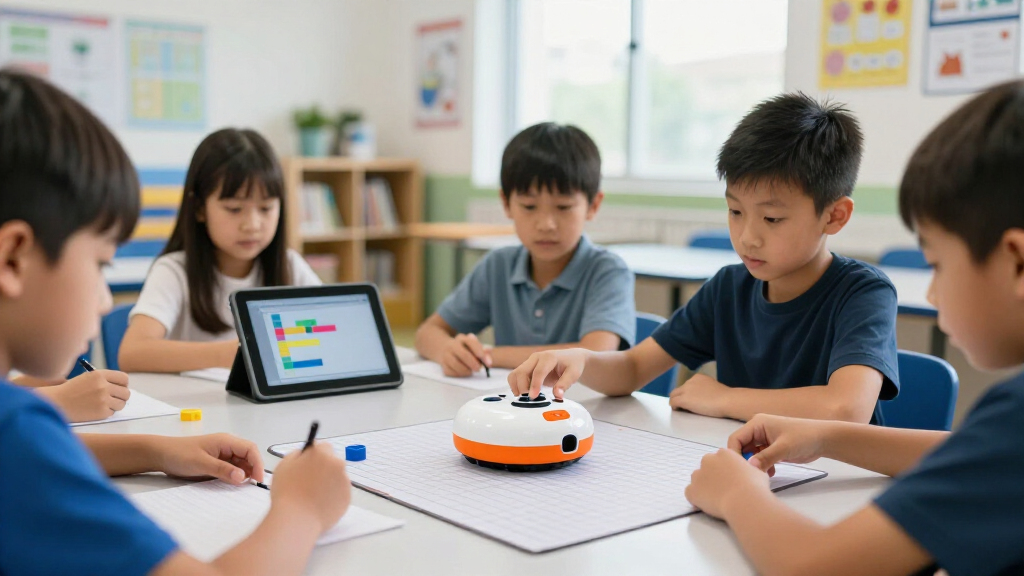
I evaluated these 15 kits against the realities of a classroom rather than a marketing page. The criteria that mattered most were age-range flexibility (whether one purchase can serve multiple grades), classroom scale (how many students a kit keeps simultaneously engaged), programming progression (screen-free, block-based, or text-based paths), durability and charging management, and curriculum support (lesson plans, teacher guides, and free classroom activities). A robot that excels one-on-one at home often fails these tests — 30 kids, shared devices, and a 45-minute class period expose weaknesses a family never sees.
The ranking logic follows longevity and class coverage. Kits that scale across grades and multiple programming paradigms — like the Ozobot Evo 18 Bot kit and Finch Robot Flock — placed highest because they delay the moment a school has to buy again. Value picks from Learning Resources ranked on cost-per-student and bundled accessories, while single-robot activity sets (the Coding Chameleon, individual Botley sets) earned lower positions purely on classroom scale, not quality. Where two kits were close on hardware, the one with better charging docks, teacher materials, or student-to-robot ratios won the higher slot.
Factors to Consider When Choosing Classroom Coding Robots
Before committing to a kit, it helps to understand the decisions that shape a coding robot purchase — because the wrong call here is expensive and hard to reverse mid-school-year.Match the Robot to the Grade Band, Not the Age on the Box
Manufacturers label products with optimistic age ranges, and a robot rated “5+” may only genuinely challenge students through second grade. The pattern across this lineup is that screen-free button programmers have a hard ceiling around age 8, while app-connected bots extend to block coding around ages 10-11 and text coding beyond. A common purchasing mistake is buying the friendliest robot for the youngest students and discovering upper elementary kids disengage within weeks. If your budget covers only one purchase for a whole school, prioritize a kit with a progression path — color codes to blocks, or blocks to Python — over one that does a single thing beautifully. Ask the vendor or check the lesson library for what the oldest students at your school would do with it, not the youngest.
Count Robots Against Class Size, Then Halve It
A classroom kit with four or six robots sounds generous until you divide by a class of 28. The workable ratio for sustained engagement is two students per robot; beyond that, half the class watches the other half code. Kit size also determines whether the robots become a station rotation or a whole-class activity, which changes your lesson planning entirely. Larger packs like the 18-bot Ozobot kit or 16-pack Sphero Mini cost more upfront but often beat buying two smaller sets, especially when docking stations are included. Don’t forget storage — schools routinely underestimate how much shelf space, bins, or carts a multi-robot kit demands.
Screen-Free vs. App-Based Is a Logistics Decision
The screen-free versus app question is less about pedagogy than about what your classroom can actually manage. App-based robots require tablets or computers that are charged, updated, paired, and shared — a real cost in instructional minutes, especially in K-2 where device handling eats half the lesson. Screen-free bots start working the moment they’re turned on, which is why they dominate early elementary. The compromise worth knowing: some kits, like Ozobot, run in both modes, so younger students use paper markers while older ones open the app. If your school has a shared device cart with unreliable scheduling, weight your decision heavily toward screen-free or hybrid options.
Charging and Battery Management Decide Your Fridays
Battery life is the least glamorous spec and the most common source of regret. Kits that charge robots one at a time over individual cables turn classroom management into cable management — twelve robots, twelve cords, one outlet strip. Multi-bay docking stations, like the ones bundled with the Bee-Bot Class Pack and VinciBot set, let a teacher drop robots in at the bell and retrieve them fully charged the next morning. Check whether the robots use proprietary batteries or standard ones, how long a full charge lasts under real classroom use (marketing figures usually assume light use), and whether a dead robot mid-lesson kills the activity. Budget a spare charging solution from day one.
Teacher Materials Separate a Gadget From a Curriculum
The hardware is only half the product. Free lesson plans, printable activity mats, pacing guides, and standards alignment determine whether a robot gets used weekly or sits in a cabinet after novelty fades. Vendors with established education programs — BirdBrain, Wonder Workshop, Ozobot — publish substantial libraries that map to CS standards, which matters enormously when you’re justifying the spend to an administrator. Before buying, download a sample lesson and ask yourself whether a substitute teacher could run it. The best classroom robots are the ones a non-specialist teacher can deploy, because coding instruction rarely lands on a dedicated CS teacher in elementary schools.
Plan for Breakage, Loss, and Replacement Parts
Classroom robots get dropped, driven off tables, and buried under art supplies. Before purchasing, find out whether replacement units, wheels, markers, and accessories are sold separately and at what realistic availability — a kit you can’t replenish becomes a shrinking resource. Small loose pieces, like the Code & Go maze walls or Botley’s obstacle accessories, will go missing within a semester, so factor in labeled bins as part of the true cost. Robots with sealed, rugged housings survive floors better than exposed-wheel designs. Ask other teachers in your district about durability after year one; the difference between a two-year and a five-year lifespan changes the cost-per-year math dramatically.
Frequently Asked Questions
How many coding robots do I need for a class of 25-30 students?
The sweet spot is two students per robot, which for a class of 30 means roughly 15 units — a ratio the Ozobot 18-bot kit and Sphero Mini 16-pack hit directly. With fewer robots, plan a station-rotation model where small groups cycle through coding stations while others work on unplugged activities, which is how most classrooms run six-robot sets like the Bee-Bot Class Pack or VinciBot set. What doesn’t work is one robot per table of five or six kids: the students who grab the controls learn, and the rest watch. If your budget forces a smaller kit, build the rotation schedule before the robots arrive rather than improvising it, and pair students deliberately so coding time is shared rather than dominated by the most confident child.
Are screen-free coding robots worth it if my school already has tablets?
Yes, for younger grades, and the reason is instructional rather than technical. Screen-free bots like Botley and the Code & Go Mouse teach sequencing, debugging, and spatial reasoning without the overhead of app navigation, pairing failures, and device updates — skills that transfer directly when students later move to block coding. Even in tablet-rich schools, K-2 teachers report that screen-free lessons start faster and hold attention better because the robot itself is the only interface. The mistake is treating screen-free robots as a temporary phase to rush through; plan on one to two years of meaningful use before students are ready for app-based tools. A hybrid like Ozobot, which runs both ways, is the cleanest answer if you want a single purchase that spans the transition.
What’s the difference between the various Botley versions and classroom sets?
The lineup breaks into three tiers. The original Botley Activity Set is a single robot with maze accessories and screen-free button programming. Botley 2.0 upgrades the hardware with more programmable steps, light and sound features, and expanded accessories, available as a single activity set or a classroom set with two robots and double the gear. The Botley Classroom Set (original or 2.0) is built for small-group stations rather than whole-class use, since even the larger set tops out at two robots. Functionally, Botley 2.0 is the better long-term buy because the added command capacity keeps it challenging into third grade, while the original Botley suits schools that want the lowest possible entry cost for K-1 sequencing lessons.
Which coding robot best prepares students for real programming languages?
For a genuine bridge to professional coding, the VinciBot Classroom Set supports Python and the Sphero Mini kit reaches JavaScript through its block-to-text interface — both are legitimate text-based entry points for grades 5-8. The Finch Robot from BirdBrain is the strongest option overall for this trajectory, since it works across dozens of languages from Scratch through Python and Java and is widely used in secondary computer science courses. Block-based robots like Dash and Ozobot build the logical foundations — loops, conditionals, events — but students eventually need to see typed syntax to make the jump. If your program feeds into a middle or high school CS pathway, buy the robot that matches where students are headed, not just where they are now.
Can I use one coding robot kit across multiple grades or do I need different robots per age group?
One kit can stretch across grades if you choose one with a programming progression, and that’s exactly why the Ozobot Evo kit took my top spot — kindergarteners use paper color codes while fifth graders write block programs on the same hardware. The Finch Robot similarly scales from icon-based coding in early grades to Python in upper grades. What doesn’t scale is a single-paradigm robot: a Bee-Bot or Code & Go Mouse will be thoroughly mastered by most students by age 8, and no amount of creative lesson planning extends a button-programmer past that point. If you must buy separate kits per band, the efficient pattern is screen-free robots for K-2 and app-based robots for 3-5, rather than trying to make one purchase serve both badly. Multi-grade usability is usually the cheapest path when you calculate cost per year of use.
Conclusion
For most schools, the Ozobot Evo 18 Bot Classroom Kit is the best overall choice — no other kit in this comparison covers a full class, spans five grade levels, and runs both screen-free and app-based. Budget buyers should look hard at the Learning Resources Code & Go Robot Mouse Classroom Set or the Botley 2.0 Classroom Set, which deliver real computational-thinking instruction at the lowest cost per student in the lineup. On the premium end, the Finch Robot Flock and VinciBot Classroom Set justify their price with Python support and hardware extensibility that carries students into secondary-level CS. For the youngest beginners — kindergarten and first grade — the Bee-Bot See & Say Class Pack is the easiest robot in the group to deploy, with voice recording and a docking station that remove nearly all friction. And for classrooms that want physical computing with a building component, the Coding Chameleon kit offers a project-based angle the floor robots can’t match. Match the pick to your grade band and device situation, and you’ll get years of use instead of one semester of novelty.
Fall Picks
fall essentials
As an affiliate, we earn on qualifying purchases.