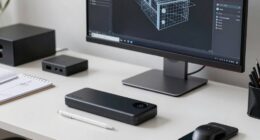
Before buying a color calibrator, consider the quality of the device—high-end tools like colorimeters or spectrophotometers offer better accuracy but cost more. Make sure your monitor supports calibration features and has a wide color gamut for best results. Look for user-friendly software with automatic routines if you’re a beginner, or manual controls if you’re more experienced. Investing in a reliable calibrator and understanding its capabilities will help you achieve true-to-life colors, and you’ll find more helpful tips ahead.
Key Takeaways
- Ensure the calibration device offers high measurement accuracy with features like spectrophotometry or colorimeters.
- Verify compatibility with your monitor’s display technology, such as wide color gamuts and high bit depths.
- Consider ease of use, including user-friendly software and automatic calibration routines for consistent results.
- Evaluate the device’s measurement speed, resolution, and how well it integrates with your workflow.
- Invest in quality tools to achieve reliable color accuracy crucial for professional photo editing and graphic design.

Maintaining accurate color display on your monitor is essential for tasks like photo editing, graphic design, or even everyday browsing. If you want your screen to show true-to-life colors, you need to consider the importance of display accuracy. A color calibrator for monitors can help you achieve this by fine-tuning your display’s color settings. But before you buy one, it’s important to understand what features and factors influence its effectiveness.
First, evaluate the calibration tools available. High-quality calibration devices often include a colorimeter or spectrophotometer, which measures the colors and brightness levels on your screen. These tools are vital because they determine how well your monitor reproduces colors and how consistent the display remains over time. Cheaper calibration tools might be tempting, but they often sacrifice precision, leading to less accurate results. To get the most out of your investment, look for calibration tools that offer high resolution, fast measurement times, and compatibility with your monitor type. Additionally, considering the accuracy of measurement ensures you select tools that provide reliable color data. A well-calibrated device can significantly reduce discrepancies, especially in professional workflows, and the technology behind calibration plays a crucial role in achieving precise results. Understanding the measurement process can help you better interpret calibration results and maintain color consistency.
Choose calibration tools with high resolution, quick measurements, and monitor compatibility for optimal accuracy.
Another key factor is your monitor’s capabilities. Not all screens are created equal when it comes to display accuracy. Modern monitors with wide color gamuts and high bit depths respond better to calibration, providing more precise color reproduction. If you’re working with professional-grade images or videos, investing in a monitor that supports these advanced features will pay off. Keep in mind that some monitors are pre-calibrated or have built-in calibration options, but even these benefit from external calibration tools for maximum accuracy. Display quality plays a crucial role in how effective calibration can be, making it worth considering when selecting your equipment.
Ease of use is also worth considering. Some calibration tools come with software that simplifies the process, guiding you through each step to guarantee consistent results. If you’re new to calibration, user-friendly interfaces and automatic calibration routines can help you avoid mistakes and save time. Conversely, more advanced users might prefer tools that allow for manual adjustments and detailed color profiles. Additionally, understanding the importance of display accuracy can help you appreciate why investing in quality calibration tools makes a significant difference. Proper calibration can also extend the lifespan of your monitor by preventing overexposure to certain color settings. Ensuring your calibration process is straightforward and reliable is essential for both beginners and professionals.
As an affiliate, we earn on qualifying purchases.
Frequently Asked Questions
How Often Should I Recalibrate My Monitor?
You should recalibrate your monitor at least once a month to maintain ideal color accuracy. Regular calibration guarantees consistent color performance, especially if you do graphic work or photography. Factors like changing lighting conditions and monitor aging can affect calibration frequency, so keep an eye on your display’s color consistency. If you notice color shifts or dullness, recalibrate sooner. Consistent calibration helps your monitor deliver accurate and reliable colors over time.
Can Color Calibrators Improve Gaming Visuals?
Think of a color calibrator as a painter’s brush, sharpening your monitor’s colors for a vivid canvas. Yes, it can enhance your gaming visuals by boosting color accuracy, making scenes pop with life-like precision. This helps you spot details and enemies more clearly, giving you a competitive edge. Better color calibration also creates a smoother, more immersive experience, elevating your gaming performance and making every pixel count.
Are There Portable Calibrators for On-The-Go Use?
Yes, there are portable calibrators designed for on-the-go use. These devices feature compact, lightweight designs with portable features that make them easy to carry around. While they offer great convenience, you should guarantee they still deliver calibration accuracy comparable to larger, stationary models. This balance allows you to maintain precise color calibration wherever you are, making them ideal for photographers, designers, or videographers who need reliable results on the move.
Do Calibrators Work With All Monitor Brands?
Think of your monitor as a musical instrument, needing perfect tuning for harmony. Calibrators generally work with most monitor brands, but compatibility varies. They help you achieve color accuracy by guiding you through the calibration process, ensuring consistent, true-to-life visuals. Always check your device’s specifications and supported brands before purchasing. Proper calibration maintains your monitor’s performance, turning it into an artist’s palette of precise, vibrant colors.
What Is the Typical Lifespan of a Calibration Device?
A calibration device typically lasts between 1 to 3 years, depending on usage and model quality. During this time, it maintains color accuracy by ensuring your monitor’s calibration process stays precise. You’ll notice its effectiveness through consistent, accurate colors, which is essential for professional work. Remember, regular recalibration extends its lifespan and keeps your monitor’s color fidelity sharp, so check the device’s lifespan and recalibration recommendations periodically.
spectrophotometer for monitor calibration
As an affiliate, we earn on qualifying purchases.
As an affiliate, we earn on qualifying purchases.
Conclusion
Getting a color calibrator is a smart move to guarantee your monitor displays true-to-life colors. It might seem like a small step, but it’s the cornerstone of professional-quality work and vivid visuals. Think of it as sharpening your tools before digging in — it’s worth the effort. Don’t wait until your images or designs look off; calibrate early and often. After all, a picture is worth a thousand words, so make sure yours tells the right story.
As an affiliate, we earn on qualifying purchases.
As an affiliate, we earn on qualifying purchases.