Classroom document cameras help teachers share worksheets, books, and hands-on demonstrations on a larger screen, but the right choice depends on how you teach. I name the Elmo TT-12W STEM-CAM best overall for its classroom-oriented design and 192x zoom; the IPEVO VZ-X stands out for wireless and HDMI options, while the INSWAN INS-Flip 4 offers a foldable 4K setup. The main tradeoffs are image detail versus ease of setup, and flexible connectivity versus a simpler USB connection. I ranked these 15 models by classroom usefulness, not resolution alone. Continue reading for the full breakdown and a guide to choosing the right camera for your room.

Prime made for students and young adults
- Fast, free delivery for dorm and study essentials
- Prime Video and Amazon Music included
- Member-only deals
Key Takeaways
- The Elmo TT-12W leads for teaching flexibility: its 192x zoom gives it a distinctive advantage for showing small details, though that feature may be more than a teacher needs for routine worksheet sharing.
- Connectivity separates the specialist picks: the IPEVO VZ-X offers Wi-Fi, HDMI, and USB, while many other models rely on a more straightforward USB workflow.
- High resolution is not the only classroom advantage: 4K and high-megapixel options such as the INS-2, TreasLin 15MP, and Osktizk can capture fine detail, but positioning, focus, and room lighting still affect what students see.
- Foldable models suit shared spaces: the INSWAN INS-Flip 4 and Mirabox foldable design are easier to store or move than a camera intended to stay set up.
- Built-in lights and microphones serve different needs: models such as the THUSTAR and Kitchbai combine both, but teachers who already use a separate classroom microphone may value lighting and camera controls more.
| Elmo TT-12W STEM-CAM Document Camera with 192x Zoom |  | Best for Connected Classrooms | Sensor: 1/2.3-inch CMOS | Effective resolution: 3.4 megapixels | Frame rate: 30 fps | VIEW LATEST PRICE | See Our Full Breakdown |
| THUSTAR 8MP Document Camera and Webcam with Dual Microphones and Adjustable LED Lights |  | Best for USB-Based Remote Lessons | Resolution: 8 MP | Video frame rate: Up to 30 fps | Video format: MP4 | VIEW LATEST PRICE | See Our Full Breakdown |
| INS-2 UHD 4K 13MP Document Camera, Built-in LED, Mic, A3 Capture |  | Best for Large Artwork and Detailed Displays | Sensor: 13MP Sony sensor | Video resolution: 4K UHD, 3840 × 2160 | Video frame rate: 30 fps | VIEW LATEST PRICE | See Our Full Breakdown |
| INSWAN INS-1 Classic 8MP USB Document Camera and Webcam |  | Best for Annotation and Close-Ups | Camera resolution: 8 MP | Maximum still image resolution: 3264 × 2448 pixels | Video capture: 1080p, 2448p | VIEW LATEST PRICE | See Our Full Breakdown |
| IPEVO V4K 8MP Ultra High Definition USB Document Camera |  | Best for Straightforward Everyday Lessons | Camera resolution: 8 MP | Maximum image resolution: 3264 × 2448 pixels | Frame rate: Up to 30 fps at Full HD; up to 15 fps at 3264 × 2448 | VIEW LATEST PRICE | See Our Full Breakdown |
| ZSEEWCAM 5MP USB Document Camera, Blue |  | Best for Simple, Compact Setups | Image sensor: 5 MP CMOS | Maximum video: 1920 × 1080 at 30 fps | Maximum still image: 2592 × 1944 pixels | VIEW LATEST PRICE | See Our Full Breakdown |
| INSWAN INS-Flip 4 Foldable 4K Document Camera and Webcam |  | Best for Portable 4K Teaching | Sensor: 13MP Sony CMOS | Video resolution: Up to 3840 × 2160 (4K) | Frame rate: Up to 30 fps | VIEW LATEST PRICE | See Our Full Breakdown |
| AIKOR 2MP USB Document Camera and Webcam with Manual Focus |  | Best for Flexible Camera Positioning | Image resolution: 2 MP | Video resolution: 1080p at up to 30 fps | Focus: Manual | VIEW LATEST PRICE | See Our Full Breakdown |
| TreasLin 10MP USB Document Camera with LED Light |  | Best for Broad Classroom Demonstrations | Camera resolution: 10 MP | Video resolution: Up to 4K; also supports 1080p and 720p | Frame rate: Up to 30 fps at 1080p and 720p | VIEW LATEST PRICE | See Our Full Breakdown |
| PAKOTOO 8MP USB Document Camera with Autofocus and LED Light |  | Best for Hands-Off Focusing | Resolution: 8 MP; 2448P | Connection: USB 2.0 | Maximum coverage area: 16.5 × 11.6 inches (A3) | VIEW LATEST PRICE | See Our Full Breakdown |
| Kitchbai 8MP USB Document Camera with Dual Microphones and Adjustable LED Lighting |  | Best for Flexible USB Teaching | Resolution: 8 MP; up to 2448P | Frame rate: 30 fps | Maximum coverage area: 16.5 × 11.6 in (A3) | VIEW LATEST PRICE | See Our Full Breakdown |
| IPEVO VZ-X Wireless 8MP Document Camera with Wi-Fi, HDMI, and USB |  | Best for Wireless Classroom Displays | Sensor: 8 MP Sony CMOS | Video resolution: 1920 × 1080 at 30 fps | USB still-image resolution: 3264 × 2448 | VIEW LATEST PRICE | See Our Full Breakdown |
| TreasLin 15MP 4K USB-C and HDMI Document Camera |  | Best for 4K Detail and Direct HDMI | Image sensor: 15 MP CMOS | Maximum video resolution: 4K at 15 fps | Other supported video resolutions: 1080p at 30 fps; 720p at 30 fps | VIEW LATEST PRICE | See Our Full Breakdown |
| Osktizk 4K USB Document Camera and Webcam with 9× Zoom |  | Best for Zoomed-In Demonstrations | Video capture resolution: 2160p (4K) | Zoom: 9× | ISO adjustment: Nine levels | VIEW LATEST PRICE | See Our Full Breakdown |
| Mirabox 4K Ultra HD Document Camera, 10 MP, Foldable USB Camera |  | Best for Smooth 4K and Close-Ups | Sensor: Sony, 10 MP | Video resolution: 4K (3840 × 2160) at 30 fps | Still-image resolution: Up to 10 MP (3840 × 2880) at 15 fps | VIEW LATEST PRICE | See Our Full Breakdown |
| classroom document camera | Connectivity | Focus |
|---|---|---|
| Elmo TT-12W STEM-CAM Document | HDMI in/out, RGB, USB, Ethernet, Wi-Fi, Miracast | — |
| THUSTAR 8MP Document Camera an | USB 2.0 | — |
| INS-2 UHD 4K 13MP Document Cam | UVC plug and play | Dual-mode autofocus; macro focus to 3.9 in |
| INSWAN INS-1 Classic 8MP USB D | USB-A | Autofocus; macro focus to 3.9 in |
| IPEVO V4K 8MP Ultra High Defin | USB | — |
| ZSEEWCAM 5MP USB Document Came | USB 2.0; compatible with USB 3.0 | Manual; macro focus down to 10 cm |
| INSWAN INS-Flip 4 Foldable 4K | USB 2.0 Type A | Autofocus; macro shots from 3.9 inches |
| AIKOR 2MP USB Document Camera | USB and USB-C | Manual |
| TreasLin 10MP USB Document Cam | USB with USB 2.0 hub | Fixed and autofocus |
| PAKOTOO 8MP USB Document Camer | — | Autofocus |
| Kitchbai 8MP USB Document Came | USB-C | — |
| IPEVO VZ-X Wireless 8MP Docume | Wi-Fi, HDMI, USB | Manual |
| TreasLin 15MP 4K USB-C and HDM | USB, HDMI | — |
| Osktizk 4K USB Document Camera | USB 2.0 | Manual focus via base button |
| Mirabox 4K Ultra HD Document C | USB 2.0 with hub support | Continuous and single autofocus; macro focus as close as 5 cm |
More Details on Our Top Picks
Elmo TT-12W STEM-CAM Document Camera with 192x Zoom
The Elmo TT-12W is the most connection-flexible choice here: HDMI, RGB, USB, Ethernet, Wi-Fi, and Miracast give teachers several ways to get a live lesson onto a classroom display. Its 12x optical zoom is especially useful for showing small print or fine details without relying only on digital enlargement. Android support also adds app-based teaching options that simpler USB models such as the IPEVO V4K do not emphasize. The tradeoff is a larger, heavier classroom setup, and brightness adjustments are manual. At 7.1 pounds with a substantial setup footprint, it suits a dedicated teaching station better than a shared desk that needs frequent packing away. Choose it for flexible room connections, not for the simplest portable workflow.
Pros:- HDMI, RGB, USB, Ethernet, Wi-Fi, and Miracast support a wide range of classroom display setups.
- 12x optical zoom helps make small text and objects easier to show clearly.
- Android support adds access to educational apps.
- Remote control dock provides a designated place to store the remote.
Cons:- The 7.1-pound body and listed setup dimensions take up substantial room.
- Brightness control is manual rather than automatic.
- Its broad connection and software feature set may be more than a basic USB teaching setup needs.
Best for: Teachers who present from a fixed classroom station and need wired, wireless, and app-based display options.
Not ideal for: Educators who need a lightweight camera to move between rooms or store in a crowded desk area.
- Sensor:1/2.3-inch CMOS
- Effective resolution:3.4 megapixels
- Frame rate:30 fps
- Zoom:12x optical, 16x digital; 192x total
- Shooting area:430 × 320 mm
- Video resolution:Up to 1920 × 1080
- Connectivity:HDMI in/out, RGB, USB, Ethernet, Wi-Fi, Miracast
- Weight:7.1 lb
Our verdict“Pick the TT-12W if classroom connectivity and optical zoom matter more than a compact footprint.”
THUSTAR 8MP Document Camera and Webcam with Dual Microphones and Adjustable LED Lights
The THUSTAR 8MP combines document capture with webcam functions, making it a practical fit for teachers who present through a computer and need their voice captured at the same station. Its dual built-in microphones, adjustable LED ring light, and one-touch autofocus address common remote-lesson needs without requiring separate lighting or a microphone. The foldable, multi-joint stand is also easier to store than the more substantial Elmo TT-12W. That simplicity comes with a clear limit: it connects through USB 2.0, so it does not offer the Elmo’s HDMI, wireless, or network display options. A3 coverage gives it room for large teaching materials, but its USB-dependent workflow is best for computer-led lessons rather than direct connection to a classroom projector.
Pros:- 8MP capture and up to 30 fps video support document and object demonstrations.
- One-touch autofocus helps keep lessons moving when changing materials.
- Three LED brightness levels help illuminate pages and objects.
- Foldable multi-joint stand supports flexible positioning and easier storage.
Cons:- USB 2.0 is the only listed connection, limiting direct display options.
- A connected computer is required for its classroom workflow.
- The product is not water resistant.
Best for: Teachers who run lessons from a Windows, Mac, or Chromebook computer and want document capture, lighting, and voice pickup in one USB device.
Not ideal for: Teachers who need direct HDMI or wireless connection to a projector, or who want to switch between computers and room displays without a USB host.
- Resolution:8 MP
- Video frame rate:Up to 30 fps
- Video format:MP4
- Maximum coverage area:A3
- Minimum focusing distance:3.94 in
- Lighting:14 LED beads; 3 brightness levels
- Microphones:Dual built-in silicon microphones
- Connectivity:USB 2.0
- Compatible operating systems:Windows, macOS, Chrome OS
Our verdict“Choose the THUSTAR for computer-based lessons that benefit from built-in microphones and adjustable lighting, not for a projector-first setup.”
INS-2 UHD 4K 13MP Document Camera, Built-in LED, Mic, A3 Capture
For art lessons, large worksheets, and two-page spreads, the INSWAN INS-2 pairs an A3 capture area with 4K video at 30 fps, giving it a stronger case for fine visual detail than the 1080p output of the INSWAN INS-1 Classic. Its multi-joint arm can be angled over larger materials, while dual-mode autofocus, macro focus, an LED, and an anti-glare sheet help teachers present both close-up details and broad layouts. Documate software adds annotation, recording, whiteboard tools, and OCR to a plug-and-play USB workflow. The tradeoff is that its headline resolution will matter most when the connected display and classroom software can show that detail. It also depends on a compatible computer or USB-C iPad, rather than offering the Elmo TT-12W’s range of direct and wireless connections.
Pros:- 4K video capture at 30 fps supports detailed classroom demonstrations.
- A3 capture area and adjustable multi-joint arm accommodate large materials.
- Macro focus, dual-mode autofocus, LED lighting, and anti-glare sheet support varied presentations.
- Documate software includes annotation, recording, whiteboard tools, and OCR.
Cons:- USB-based plug-and-play operation offers fewer direct display choices than the Elmo TT-12W.
- The 4K detail is less useful when classroom displays or software cannot show it.
- Compatibility depends on supported computer, operating system, or USB-C iPad requirements.
Best for: Art instructors and teachers who regularly display A3 documents, artwork, or detailed materials on a compatible computer-connected screen.
Not ideal for: Teachers who need HDMI or wireless display connections, or whose classroom setup cannot take advantage of 4K capture.
- Sensor:13MP Sony sensor
- Video resolution:4K UHD, 3840 × 2160
- Video frame rate:30 fps
- Capture area:Up to A3
- Focus:Dual-mode autofocus; macro focus to 3.9 in
- Lighting:Built-in LED
- Connectivity:UVC plug and play
- Compatible devices:Windows 7/8/10/11, Mac, iPad with USB-C, Chromebook
- Capture format:MP4
Our verdict“Choose the INS-2 when large-format teaching materials and 4K detail matter more than wireless or direct projector connections.”
INSWAN INS-1 Classic 8MP USB Document Camera and Webcam
The INSWAN INS-1 Classic is a practical pick when classroom demonstrations need more than a live camera feed. Its included Documate software supports annotation, image adjustments, snapshots, and video recording, so teachers can mark up a page or save lesson material within the same USB-led workflow. Autofocus and 3.9-inch macro focus help when moving from a full worksheet to a small diagram detail; a built-in LED with seven brightness levels offers more adjustment than the simpler lighting setup on the IPEVO V4K. The main compromise is resolution: it captures 8MP stills, but its listed video options do not match the INS-2’s 4K, 30 fps presentation. This is better suited to interactive document lessons than to educators whose priority is maximum large-screen detail.
Pros:- Documate software offers annotation, image adjustments, snapshots, and video recording.
- 8MP still capture supports detailed saved images.
- Autofocus and 3.9-inch macro focus handle both pages and close-up materials.
- Built-in LED has seven brightness settings and an anti-glare sheet is included.
Cons:- Its listed video capabilities do not match the INS-2’s 4K, 30 fps capture.
- USB-A connection requires a computer-based workflow and an adapter or compatible connection for some devices.
- The supplied details specify USB-C for iPad compatibility.
Best for: Teachers who annotate worksheets, save demonstrations, or switch between full-page views and close-up details using a computer.
Not ideal for: Educators whose main need is 4K video for large displays or a camera that connects directly to a projector without a computer.
- Camera resolution:8 MP
- Maximum still image resolution:3264 × 2448 pixels
- Video capture:1080p, 2448p
- Frame rate:Up to 30 fps
- Viewing area:14.72 × 11 in
- Focus:Autofocus; macro focus to 3.9 in
- Lighting:Built-in LED with 7-segment brightness control
- Connectivity:USB-A
- Software:INSWAN Documate
Our verdict“Pick the INS-1 Classic for software-assisted annotation and close-up teaching, rather than for the highest-resolution live video.”
IPEVO V4K 8MP Ultra High Definition USB Document Camera
The IPEVO V4K keeps the classroom document-camera job focused: show a page or object clearly through a computer, with an 8MP image sensor and a multi-jointed stand for positioning. Its Sony CMOS sensor and fast focusing are useful when a teacher alternates between a worksheet and a nearby object, while Full HD streaming can reach 30 fps. Compared with the INSWAN INS-1 Classic, the V4K’s listed feature set is simpler: it does not include the same bundled annotation and recording software details or built-in LED lighting. That makes it a cleaner fit for teachers who already have suitable classroom software and room light, but less compelling for those who want an all-in-one presentation kit. At full 3264 × 2448 resolution, the frame rate drops to 15 fps, so its smoothest motion is at Full HD.
Pros:- 8MP images reach 3264 × 2448 pixels.
- Sony CMOS sensor supports color reproduction and reduced noise in dimmer conditions.
- Fast focusing helps when changing between documents and objects.
- Multi-jointed stand allows flexible camera positioning.
Cons:- Frame rate drops to 15 fps at maximum 3264 × 2448 resolution.
- USB is the only listed connection, so a computer is part of the setup.
- The listed feature set does not include built-in lighting or bundled annotation software.
Best for: Teachers who need a simple USB camera for everyday worksheets, books, and object demonstrations on Mac, PC, or Chromebook.
Not ideal for: Educators who need built-in lighting, bundled annotation tools, or smooth motion while capturing at maximum still resolution.
- Camera resolution:8 MP
- Maximum image resolution:3264 × 2448 pixels
- Frame rate:Up to 30 fps at Full HD; up to 15 fps at 3264 × 2448
- Maximum shooting area:13.46 × 10.04 in
- Image sensor:Sony CMOS
- Connectivity:USB
- Compatible devices:Mac, PC, Chromebook
- File formats:JPEG, MP4
Our verdict“Choose the V4K for a straightforward USB document-camera setup, provided Full HD streaming and external classroom lighting meet your needs.”
ZSEEWCAM 5MP USB Document Camera, Blue
The ZSEEWCAM suits teachers who want a straightforward USB camera for worksheets, textbook pages, and occasional video calls. Its 1080p video at 30 fps is adequate for live instruction, while higher-resolution still capture can help when saving a detailed page image. The included anti-glare sheet and LED light address two common classroom annoyances: reflections and uneven desk lighting. Compared with the autofocus PAKOTOO 8MP, this camera asks more of the teacher: manual focus means adjusting the lens when the subject changes, and its listed video resolution is lower. In return, its foldable arm and 0.42 kg weight make it easy to store or move between rooms. I’d skip it for fast-paced demonstrations that require frequent refocusing; the arm also calls for gentle handling because excessive rotation may damage the USB cable.
Pros:- Captures 1080p video at 30 fps and detailed still images up to 2592 × 1944 pixels
- Foldable adjustable arm supports flexible positioning and compact storage
- LED light and included anti-glare sheet help with dim or reflective materials
- Built-in microphone and USB connection support computer-based teaching
Cons:- Manual focus slows demonstrations when the subject or distance changes
- Excessive arm rotation may damage the USB cable
- Listed video resolution is lower than the 4K options in this lineup
Best for: Teachers who need a lightweight USB camera for mostly flat documents and occasional classroom video calls
Not ideal for: Teachers who frequently switch between pages and 3D objects or need autofocus, since focus must be adjusted by hand
- Image sensor:5 MP CMOS
- Maximum video:1920 × 1080 at 30 fps
- Maximum still image:2592 × 1944 pixels
- Maximum shooting area:16.9 × 16.53 inches
- Focus:Manual; macro focus down to 10 cm
- Connectivity:USB 2.0; compatible with USB 3.0
- Weight:0.42 kg
- Lighting and accessories:Supplemental LED light; USB-A cable and anti-glare sheet included
Our verdict“Choose the ZSEEWCAM for a light, simple document-camera setup if you can work with manual focus and 1080p video.”
INSWAN INS-Flip 4 Foldable 4K Document Camera and Webcam
For teachers who carry a camera between classrooms, the INSWAN INS-Flip 4 pairs a foldable body with a 13MP Sony sensor and 4K video. Autofocus is a practical advantage during lessons that move from a worksheet to a small object: unlike the manually focused ZSEEWCAM, it does not require hand-turning the lens between subjects. Its 305 g weight and compact folded dimensions make it especially easy to pack, and it can double as a webcam for online instruction. The tradeoff is that its listed capture area and classroom lighting details are less explicit than those of the TreasLin 10MP, which specifies A3 coverage and an LED light. It connects over USB 2.0 Type A, so teachers seeking a wireless or HDMI presentation path should look elsewhere. The metal base offers positioning flexibility, but mounting magnets are not included.
Pros:- 13MP Sony sensor captures 4K video at up to 30 fps
- Autofocus supports quick changes between documents and close-up objects
- Lightweight foldable design is convenient for carrying and storage
- Works as both a document camera and webcam across Windows, Mac, and Chromebook
Cons:- Uses USB 2.0 Type A rather than a listed HDMI or wireless connection
- Mounting magnets are not included
- Water-resistant protection is not listed
Best for: Teachers who move between rooms and want a foldable 4K camera that can also serve as a webcam
Not ideal for: Teachers who need a specified large capture area, included metal-surface mounting magnets, or wireless and HDMI connections
- Sensor:13MP Sony CMOS
- Video resolution:Up to 3840 × 2160 (4K)
- Frame rate:Up to 30 fps
- Focus:Autofocus; macro shots from 3.9 inches
- Connectivity:USB 2.0 Type A
- Compatibility:Windows, Mac, and Chromebook
- Weight:305 g (0.67 lb)
- Dimensions:8.58 × 2.46 × 0.68 inches
Our verdict“Pick the INS-Flip 4 if portability and autofocus matter more than a stated A3 capture area or extra connection options.”
AIKOR 2MP USB Document Camera and Webcam with Manual Focus
The AIKOR 2MP is built around reach and angle adjustment rather than high-resolution capture. Its hose extends to 20.4 inches, and the camera rotates 360 degrees, giving teachers room to aim at a page, a desk activity, or a close-up object without repositioning the whole base. The weighted base helps keep that flexible arm steady. Compared with the PAKOTOO 8MP, the AIKOR offers more clearly stated camera rotation and USB-C connectivity, but its 2MP sensor and 1080p output make it the lower-detail choice. Manual focus can hold a steady view once set, though it adds a step when the camera moves between near and far subjects. It also depends on a computer connection and does not support iPads or phones, so it is less suited to teachers who present directly from mobile devices.
Pros:- Camera rotates 360 degrees for flexible viewing angles
- Extends up to 20.4 inches to reach across a classroom desk
- Weighted base supports stability while the arm is repositioned
- USB-C connectivity and built-in microphone support computer lessons and calls
Cons:- 2MP sensor and 1080p video offer less detail than the 4K INS-Flip 4
- Manual focus requires adjustment when subject distance changes
- Does not support iPads, mobile phones, or standalone operation
Best for: Teachers who need a long, repositionable camera arm for desk demonstrations and computer-based lessons
Not ideal for: Teachers who need high-resolution 4K capture or plan to connect directly to an iPad, phone, or other portable device
- Image resolution:2 MP
- Video resolution:1080p at up to 30 fps
- Focus:Manual
- Camera rotation:360 degrees
- Maximum height:20.4 inches
- Connectivity:USB and USB-C
- Compatibility:Windows PC, Mac, and Chromebook; not iPads or mobile phones
- Weight:1.1 pounds
Our verdict“Choose the AIKOR for reach and flexible positioning if 1080p detail and computer-only operation fit your lessons.”
TreasLin 10MP USB Document Camera with LED Light
The TreasLin 10MP is a strong fit for lessons that move between full-page materials and three-dimensional objects. Its stated A3 coverage area gives teachers room to show larger worksheets or book spreads, while up-to-4K capture, smooth zoom, LED lighting, and image reversal provide useful controls for adapting the view. Compared with the more compact INSWAN INS-Flip 4, the TreasLin is the more classroom-oriented choice for a broad work surface and adjustable presentation; the INS-Flip 4 is lighter and folds into a notably compact form. The TreasLin’s tradeoff is a less specified connection setup: it uses USB with a USB 2.0 hub, not a listed HDMI output, and its top frame rate is stated for 1080p and 720p rather than 4K. I’d favor it for varied materials, not for teachers who need the smallest carry-around camera.
Pros:- A3 coverage area accommodates large documents and wider demonstrations
- Supports up to 4K video, plus 1080p and 720p modes
- Autofocus, smooth zoom, image reversal, and LED lighting offer useful presentation controls
- Foldable multi-angle design supports repositioning and storage
Cons:- Frame rate is specified up to 30 fps for 1080p and 720p, not for 4K
- USB 2.0 hub may limit data speeds for connected peripherals
- No HDMI connection or water-resistant protection is listed
Best for: Teachers who regularly present A3 worksheets, open books, and 3D classroom objects from a computer
Not ideal for: Teachers who prioritize a very compact travel camera, HDMI output, or a specified 4K frame rate
- Camera resolution:10 MP
- Video resolution:Up to 4K; also supports 1080p and 720p
- Frame rate:Up to 30 fps at 1080p and 720p
- Maximum coverage area:16.5 × 11.6 inches (A3)
- Focus:Fixed and autofocus
- Image controls:Smooth zoom; left/right and up/down image reversal
- Lighting:LED light
- Connectivity:USB with USB 2.0 hub
Our verdict“Choose the TreasLin when broad A3 coverage and flexible image controls matter more than compact size or a specified 4K frame rate.”
PAKOTOO 8MP USB Document Camera with Autofocus and LED Light
The PAKOTOO 8MP gives classroom teachers a useful mix of autofocus and exposure controls without requiring manual lens adjustments. Its coverage extends to A3 size, and three LED brightness levels plus ten exposure settings help adapt the image to different paper tones and room lighting. That makes it a more hands-off choice than the manual-focus ZSEEWCAM, particularly when a lesson shifts between pages and objects. The foldable, multi-joint arm also helps position the camera over a desk and pack it away afterward. Its limits are practical: the USB 2.0 connection is the only listed interface, there is no zoom or HDMI, and the computer must recognize it as “USB Camera” in system settings. Teachers who need more explicit image-reversal controls or flexible zoom may prefer the TreasLin 10MP instead.
Pros:- Autofocus reduces manual lens adjustments during demonstrations
- Covers an area up to A3 size
- Three LED brightness levels and ten exposure levels help adapt the image
- Foldable multi-joint arm and image inversion controls support flexible presentation
Cons:- No zoom or HDMI connection is listed
- Does not support iPad
- Requires selecting “USB Camera” in the computer’s system settings
Best for: Teachers who want autofocus and adjustable lighting for A3-sized materials without turning a focus ring by hand
Not ideal for: Teachers who need HDMI, zoom, iPad support, or a setup that avoids selecting the camera in computer settings
- Resolution:8 MP; 2448P
- Connection:USB 2.0
- Maximum coverage area:16.5 × 11.6 inches (A3)
- Focus:Autofocus
- Lighting:Three brightness levels
- Exposure adjustment:Ten levels
- Image inversion:Up/down and left/right
- Compatibility:Windows PCs, Macs, and Chromebooks
Our verdict“Pick the PAKOTOO for autofocus and adjustable lighting across A3 materials if USB-only connectivity and the setup step suit your classroom.”
Kitchbai 8MP USB Document Camera with Dual Microphones and Adjustable LED Lighting
The Kitchbai is a practical fit for teachers who want a document camera that can move between a worksheet, a model, and a small demonstration without taking over a desk. Its multi-joint, foldable stand makes positioning and storage easier, while one-touch autofocus reduces the fiddling involved when switching materials. Three light levels and dual noise-reducing microphones also help when room lighting or spoken instruction needs a little support. Compared with the wireless IPEVO VZ-X, the Kitchbai is simpler and computer-dependent: it connects by USB-C rather than offering Wi-Fi and HDMI presentation options. Its A3 coverage suits ordinary classroom handouts, but not oversized materials. I’d choose it for a compact USB setup, not for a room that needs cable-free display or broader device connections.
Pros:- Foldable multi-joint stand supports flexible positioning and compact storage.
- One-touch autofocus helps keep changing worksheets and objects clear.
- Three brightness levels adapt the built-in lighting to different room conditions.
- Dual built-in microphones are designed to reduce background noise.
Cons:- USB-C computer connection limits use where a direct HDMI or wireless display connection is needed.
- A3 maximum coverage may not fit oversized maps, posters, or large-format teaching materials.
Best for: Teachers who use a compatible Windows, Mac, or Chrome OS computer and want a foldable camera for A3 worksheets, objects, and spoken demonstrations.
Not ideal for: Teachers who need wireless or direct HDMI projection, or who regularly show documents larger than A3.
- Resolution:8 MP; up to 2448P
- Frame rate:30 fps
- Maximum coverage area:16.5 × 11.6 in (A3)
- Minimum macro focus distance:3.94 in
- Lighting:Three adjustable brightness levels
- Microphones:Dual built-in silicon microphones
- Connectivity:USB-C
- Compatible operating systems:Windows 7/8/10/11, macOS 10.11 or higher, Chrome OS 38.0 or higher
Our verdict“Choose the Kitchbai for a flexible, foldable USB teaching setup, but pick the IPEVO VZ-X if wireless or HDMI display connections matter more.”
IPEVO VZ-X Wireless 8MP Document Camera with Wi-Fi, HDMI, and USB
The VZ-X earns its place for classrooms where the camera needs to connect to more than a teacher’s laptop. Wi-Fi, HDMI, and USB let it work with computers, projectors, TVs, monitors, and supported mobile devices, while its stated 9–12-hour battery life and wireless range of up to 33 feet can reduce cable constraints during a lesson. It also records 1080p video at 30 fps and captures higher-resolution stills in USB mode. Compared with the computer-tethered Kitchbai, this IPEVO is the more adaptable choice for display setups; the tradeoff is its manual focus, which may need adjustment when switching between a page and an object. I’d favor it for rooms with varied AV equipment, but not for teachers who want autofocus to handle frequent changes.
Pros:- Wi-Fi, HDMI, and USB support a wider range of classroom display setups.
- Battery life is listed at 9–12 hours, with wireless range up to 33 feet.
- Captures 1080p video at 30 fps and higher-resolution still images in USB mode.
- Multi-jointed stand, swiveling head, and built-in LED support flexible presentation angles.
Cons:- Manual focus can slow down changes between documents and three-dimensional objects.
- The listed 1080p video resolution is below the 4K capability of the TreasLin and Mirabox models.
- Wireless operation depends on battery charge and suitable classroom network conditions.
Best for: Teachers presenting from a projector, TV, monitor, or computer who need wireless operation and multiple connection options.
Not ideal for: Teachers who frequently switch between close-up objects and documents and prefer autofocus over manual adjustments.
- Sensor:8 MP Sony CMOS
- Video resolution:1920 × 1080 at 30 fps
- USB still-image resolution:3264 × 2448
- Connectivity:Wi-Fi, HDMI, USB
- Battery life:9–12 hours
- Wireless range:Up to 33 ft
- Zoom:3× optical; digital zoom
- Focus:Manual
- Maximum viewing area:11.14 × 19.72 in (16:9); 14.29 × 19.01 in (4:3)
Our verdict“Pick the VZ-X when flexible wireless and HDMI presentation connections matter more than autofocus or 4K video.”
TreasLin 15MP 4K USB-C and HDMI Document Camera
The TreasLin pairs 4K capture with both USB and direct HDMI, giving teachers a way to show fine detail on a computer or connect straight to a display. That combination makes it a stronger choice for diagrams, art demonstrations, and small objects than the 1080p IPEVO VZ-X when maximum image detail is the priority. The catch is that its top 4K mode runs at 15 fps; for smoother motion, it also supports 1080p at 30 fps. A built-in LED can help illuminate a page, and the TF card slot offers image storage without relying solely on a computer. Mac users should note that the listed USB connection requires a USB-C adapter. I’d choose this model for detail-heavy teaching, but not if smooth 4K video or effortless Mac hookup is the main need.
Pros:- 15 MP sensor supports image capture up to 4K resolution.
- USB and HDMI connections accommodate computer and direct-display setups.
- A3 coverage fits standard large classroom documents.
- Built-in LED and TF card slot add illumination and image-storage options.
Cons:- 4K video is limited to 15 fps; 30 fps is available at 1080p or 720p.
- A USB-C adapter is required for Mac USB connection.
- Unlike the wireless IPEVO VZ-X, it does not list Wi-Fi or battery-powered operation.
Best for: Teachers who show detailed diagrams, artwork, or small objects and want 4K capture plus direct HDMI display support.
Not ideal for: Teachers who need smooth 4K motion at 30 fps or want a Mac USB connection without an adapter.
- Image sensor:15 MP CMOS
- Maximum video resolution:4K at 15 fps
- Other supported video resolutions:1080p at 30 fps; 720p at 30 fps
- Maximum coverage area:A3 (16.5 × 11.7 in)
- Connectivity:USB, HDMI
- Operating system compatibility:Windows, macOS, Chrome OS, Linux
- Storage:TF card slot
- Zoom:Optical and digital
Our verdict“Choose the TreasLin for detailed 4K classroom visuals and HDMI flexibility if 15 fps at 4K is acceptable.”
Osktizk 4K USB Document Camera and Webcam with 9× Zoom
The Osktizk is aimed at lessons where the teacher needs to enlarge a detail without moving the camera closer. Its 9× zoom and nine ISO adjustment levels offer controls for framing and exposure, while 4K capture can preserve fine detail in a close-up. Against the TreasLin, it trades HDMI and TF-card storage for a simpler USB 2.0 connection to a computer; against the Mirabox, the listed focus method is less convenient, since focus is adjusted with a button on the base. That can matter when a lesson moves quickly from a page to a small object. Its broad Windows, Mac, and Chromebook compatibility suits shared computer-based teaching, but the product data gives less detail about coverage area than some alternatives. I’d shortlist it for zoom-led demonstrations, not for direct-to-projector use.
Pros:- 9× zoom supports close views of small details without moving the camera.
- 4K capture and nine ISO levels provide image and exposure controls.
- Compatible with Windows, Mac, and Chromebook computers.
- At 1.5 lb, it is a relatively light option for moving between teaching spaces.
Cons:- USB 2.0 connection requires a computer and does not offer the TreasLin’s direct HDMI option.
- Focus is adjusted manually with a button on the base, rather than continuously by autofocus.
- The supplied specifications do not state a maximum document coverage area.
Best for: Teachers who need substantial zoom for close-up demonstrations and present through a connected Windows, Mac, or Chromebook computer.
Not ideal for: Teachers who need direct HDMI projection, wireless operation, or autofocus during frequent subject changes.
- Video capture resolution:2160p (4K)
- Zoom:9×
- ISO adjustment:Nine levels
- Focus:Manual focus via base button
- Focus range:10 cm
- Maximum focal length:45 cm
- Connectivity:USB 2.0
- Compatible devices:Chromebook, desktop computer, laptop, Mac, Windows PC
- Weight:1.5 lb
Our verdict“Pick the Osktizk for computer-based lessons that rely on zoomed-in detail, but choose the TreasLin for HDMI display connections.”
Mirabox 4K Ultra HD Document Camera, 10 MP, Foldable USB Camera
The Mirabox combines 4K video at 30 fps with autofocus, making it a strong fit for teachers who want detailed motion as well as still pages. Its continuous and single autofocus modes, plus macro focus as close as 5 cm, give it an advantage over the manually focused IPEVO VZ-X when moving between ordinary handouts and small objects. A foldable multi-joint body, image reversal, LED controls, and zoom add useful classroom flexibility. The tradeoff is that it remains a USB-connected camera, unlike the VZ-X’s wireless and HDMI options. The coverage-area specification is listed as 16.5 × 116 inches, an unusually wide figure that should be confirmed before relying on it for large documents. I’d favor the Mirabox for close-up, computer-based demonstrations, while teachers needing untethered display should look to the IPEVO.
Pros:- Records 4K video at 30 fps for detailed, smoother motion than the TreasLin’s 4K mode.
- Continuous and single autofocus support changing materials and lesson setups.
- Macro focus as close as 5 cm suits small objects and fine details.
- Foldable stand, image reversal, LED controls, zoom, and USB hub support add setup flexibility.
Cons:- USB 2.0 connection requires a computer, unlike the wireless and HDMI-capable IPEVO VZ-X.
- The listed maximum coverage area of 16.5 × 116 inches is unusually wide and may need confirmation.
- The supplied sensor photo resolution is listed as 8 MP despite the 10 MP still-image specification.
Best for: Teachers who present from a computer and need smooth 4K video, autofocus, and close-up viewing of small classroom objects.
Not ideal for: Teachers who need wireless or HDMI presentation, or who need a confirmed large-format coverage area before buying.
- Sensor:Sony, 10 MP
- Video resolution:4K (3840 × 2160) at 30 fps
- Still-image resolution:Up to 10 MP (3840 × 2880) at 15 fps
- Sensor photo resolution:8 MP
- Focus:Continuous and single autofocus; macro focus as close as 5 cm
- Maximum coverage area:16.5 × 116 inches (as listed)
- Connectivity:USB 2.0 with hub support
- Compatibility:Windows, Mac, Chromebook
- Warranty:12 months
Our verdict“Choose the Mirabox for autofocus-assisted close-ups and 4K at 30 fps, but verify its listed coverage dimensions and plan on a computer connection.”
How We Picked
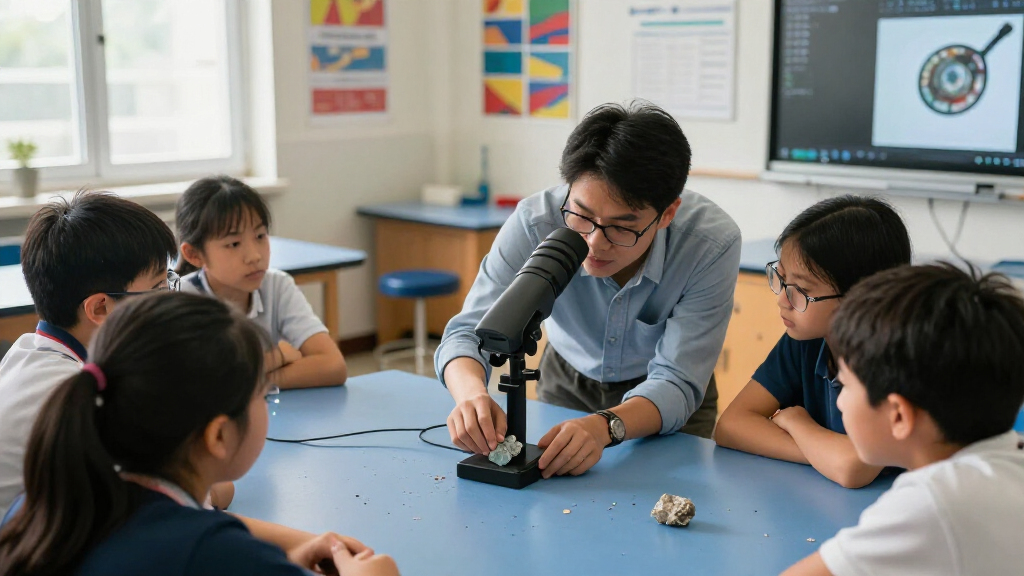
I ranked these classroom document cameras around the tasks teachers repeat: putting a page under the lens, keeping it in focus, showing small details, and sharing the image with a display or lesson software. Image resolution and zoom mattered, but I also weighed practical factors such as lighting, adjustable positioning, foldability, microphones, and the number of connection options. A sharp image is less useful if setup slows down a lesson or the camera cannot connect to the classroom’s existing display.
The order reflects overall classroom fit, not a contest in megapixels. The Elmo earns the top spot for its distinctive zoom range and teaching focus; the IPEVO VZ-X ranks highly for connection flexibility, while compact USB models can be a better match for uncomplicated desk demonstrations. I treated 4K claims, added microphones, and portability as advantages only when they address a clear teaching need, and accounted for tradeoffs such as extra setup, fewer connection choices, or lower stated resolution.
Factors to Consider When Choosing Classroom Document Cameras
Before choosing, I would start with the classroom routine rather than the camera’s headline resolution. A document camera that works smoothly with the room’s computer and display can be more useful than a higher-resolution model that needs extra setup or adapters.
Match Resolution to What Students Need to See
Resolution matters most when lessons involve small print, fine diagrams, or detailed student work. For ordinary pages and larger objects, a well-lit, sharply focused image may be easier to read than a higher-resolution image that is poorly positioned. Avoid treating megapixels as a direct measure of classroom clarity: focus, lens distance, movement, and the display itself all affect the result. If you teach art, science, or close-up demonstrations, higher-resolution models such as 4K options may offer more room to show texture and detail. If your main task is projecting worksheets, a straightforward 8MP camera may be a more sensible fit. I would check that the camera’s capture area can accommodate the materials you actually use, especially oversized pages or projects.
Check Connections Before Choosing Features
List the classroom devices the camera must connect to: a teacher laptop, interactive display, projector, or classroom network. USB models can keep a basic desk setup simple, but a USB connection may not suit rooms where the camera needs to feed a display directly. HDMI can reduce reliance on a computer in some arrangements, while Wi-Fi can help when cables limit placement; wireless setups may also add pairing steps or network dependencies. Check whether the connection you need is built in rather than assuming an adapter will solve every compatibility issue. Confirm that the camera works with the operating system and teaching software used at school. A quick compatibility check before purchase can prevent a camera from arriving only to become an awkward extra step in the lesson.
Think About Reach, Positioning, and Zoom
The camera arm and lens position determine whether you can show a full page, a three-dimensional object, or a close-up without constantly moving the material. A large zoom range can help a teacher highlight a small feature, but it does not replace a camera that can be positioned steadily over the work surface. Consider how much desk space is available and whether the camera can move out of the way when students need the same workspace. For demonstrations, check whether the arm can frame objects that are thicker or taller than a sheet of paper. Manual focus can give a teacher direct control, while autofocus may reduce adjustments during a busy lesson. The best arrangement is the one that lets you change from page view to close-up without interrupting instruction.
Plan for Classroom Lighting and Audio
Built-in LED lighting can help when a camera casts a shadow over a page or when the desk is not evenly lit. It is still worth checking the room’s lighting and the placement of overhead fixtures, since glare on glossy pages can make text harder to read. Adjustable lighting is more useful than a light that cannot be aimed when the camera needs to show different materials. Built-in microphones can support remote lessons or recorded demonstrations, but they may not replace a dedicated classroom microphone when several students need to be heard. Avoid paying extra for audio features if the camera will only display material in a live classroom. Decide whether your main problem is visibility, sound, or both before choosing a model with added hardware.
Choose a Setup That Fits Storage and Shared Use
A camera used by several teachers should be simple to reposition, connect, and put away between classes. Foldable models can save storage space and travel more easily between rooms, though frequent folding makes a stable, repeatable setup worth checking. A camera that stays on one desk may benefit more from a sturdy arm and easy access to focus or lighting controls than from compact storage. If the device will be moved often, consider cable management and whether the connection can be unplugged without disturbing the camera’s position. Shared equipment also benefits from controls that are easy for a substitute teacher or student presenter to understand. Think through where the camera will live when it is not in use; storage needs are part of classroom fit, not an afterthought.
Decide Which Extras Solve a Real Teaching Problem
Zoom, microphones, multiple connection types, and high-resolution capture can all be useful, but extra features add little if they do not match the lesson. A teacher who presents close-up science demonstrations may value powerful zoom more than wireless sharing, while a room with limited cable access may prioritize Wi-Fi or HDMI. Built-in lights can reduce dependence on desk lamps, and foldable designs can help in a shared or small classroom. Make a short list of the two features that would change how you teach, then use that list to compare models. This avoids choosing by the longest specification list alone. If a simpler USB camera covers the routine and connects reliably, additional features may create complexity without improving the lesson.
Frequently Asked Questions
Is 4K necessary for a classroom document camera?
Usually, 4K is not required just to display worksheets, textbook pages, or larger objects. It can help when a lesson depends on fine detail, such as small labels, intricate diagrams, or close-up project work. The camera still needs suitable focus, lighting, and framing, and the classroom display must be able to show the extra detail. For routine paper sharing, ease of setup and reliable compatibility may matter more than the resolution label. I would choose 4K when the teaching task benefits from detail, not simply because it is the highest listed specification.
Should I choose USB, HDMI, or a wireless document camera?
Choose based on the equipment already in the room and how you want to teach. USB is often a straightforward fit when the camera will connect to a teacher computer and use presentation or conferencing software. HDMI can suit a direct connection to a compatible display, while wireless capability may help when cable placement is restrictive or the camera needs to move around the room. Wireless options can depend on network access and may involve more setup than a cable. I would confirm the school’s display ports, computer policies, and network rules before choosing a connection type.
Can one classroom document camera work for both in-person and remote lessons?
Many USB document cameras can send an image to a computer for use with teaching or video-conferencing software, making them useful for both projected lessons and remote instruction. For remote teaching, the camera’s microphone, lighting, and software compatibility matter alongside the image. A built-in microphone may work for a focused demonstration, but it may not capture a teacher or class clearly from across a room. Check whether the camera appears as a supported video source on the computer and whether the intended software can use it. If audio quality matters, plan for a separate microphone rather than relying on the camera alone.
What should I prioritize for a shared camera used by several teachers?
For shared use, I would prioritize quick setup, clear controls, dependable connections, and storage that suits the room. A foldable design can help when the camera moves between classrooms or must be put away after each lesson. Multiple connection options may be useful if teachers use different displays or computers, but only if those connections match school equipment. Keep the number of setup steps low so each teacher can begin a lesson without troubleshooting. It also helps to standardize where the camera, cable, and any accessories are stored.
Will a document camera replace a webcam for online teaching?
A document camera can serve as a video source for showing materials, and some models also include webcam functionality. Its downward-facing view is suited to books, paper, and objects rather than a teacher’s face, so it may not replace a conventional webcam for every part of a remote lesson. A separate webcam or a camera repositioned for face-to-camera teaching can make switching between views easier. Check software compatibility and how the camera’s image is selected in the conferencing app. If you need to show both your face and lesson materials frequently, plan for a two-camera workflow or a quick way to switch sources.
Conclusion
For the broadest classroom use, I would choose the Elmo TT-12W STEM-CAM: its 192x zoom gives teachers a distinctive way to move from a full page to a fine detail. The IPEVO VZ-X is my best premium fit for rooms that benefit from Wi-Fi, HDMI, and USB choices, while the IPEVO V4K makes a compelling value-oriented choice for teachers who want a capable USB camera without the VZ-X’s connection range. For beginners, the INSWAN INS-1 Classic is a simpler USB-and-webcam option; teachers who need compact storage should compare the foldable INSWAN INS-Flip 4 and Mirabox. If your lessons rely on close-up detail, look at the 4K models; if lighting and audio are the main needs, compare the THUSTAR and Kitchbai. Choose the camera that fits your room’s connections and daily routine, not just the one with the biggest number on its specification list.