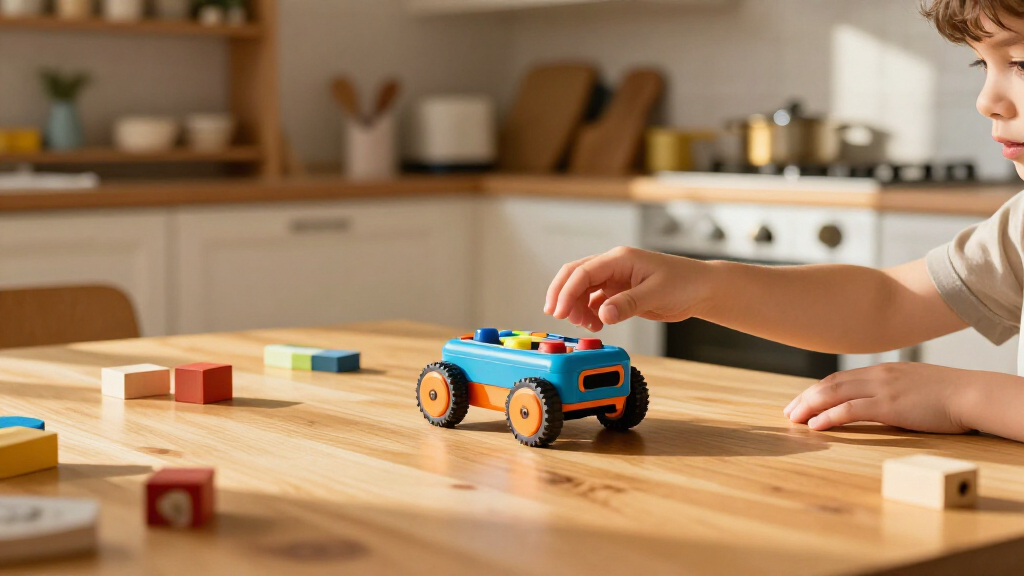
Educational coding robots for kids range from screen-free button-controlled toys to buildable kits and app-connected robots. My best overall pick is Wonder Workshop Dash for its approachable, expandable coding activities; Botley 2.0 is a strong screen-free choice, while Makeblock mBot suits kids ready to build and program a more involved robot. The main tradeoff is between simple, immediate play and a deeper learning path that may need more setup, adult support, or compatible devices. Classroom bundles add shared-use materials but can be excessive for one child. Read on for the full breakdown and a guide to matching a robot to your child’s age, interests, and learning setting.

Prime made for students and young adults
- Fast, free delivery for dorm and study essentials
- Prime Video and Amazon Music included
- Member-only deals
Key Takeaways
- Dash is the most flexible all-around pick: it balances a child-friendly start with room to explore coding activities, while simpler button-based robots focus on sequence practice.
- Screen-free does not mean interchangeable: Botley and Bee-Bot or Blue-Bot emphasize direct, physical commands, while app-connected and programmable models can support a broader progression.
- Age and patience shape the right choice: TaleBot Pro is aimed at preschoolers, while the build-first Mech-5 and mBot kits are better suited to older children who enjoy assembly and troubleshooting.
- Bundles earn their place in group settings: multiple robots, mats, and a docking station can help classrooms organize shared activities, but a family may get more use from a single robot and a few targeted accessories.
- The best learning fit depends on the activity: choose a buildable kit for hands-on engineering, a mat-based robot for spatial sequencing, and an interactive or app-connected model for more varied exploration.
| Teach Tech Mech-5 STEM Coding Robot Building Kit for Kids Ages 10+ |  | Best for Hands-On Builders | Brand: Teach Tech | Model: TTC-895 | Recommended age: 10 years and up | VIEW LATEST PRICE | See Our Full Breakdown |
| MatataStudio TaleBot Pro Coding Robot for Kids 3-5 | 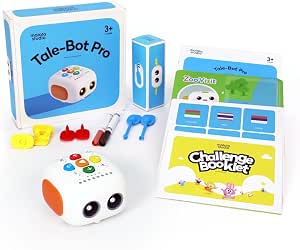 | Best for Preschool Beginners | Brand: MatataStudio | Model: TaleBot Pro | Age range: 3–5 years | VIEW LATEST PRICE | See Our Full Breakdown |
| Blue-Bot World Programming Bundle with Robotic See & Say |  | Best for Classroom Curriculum | Manufacturer: TerrificTeachingSolutions | Robot: Blue-Bot Robotic See and Say Version | Included mats: Countryside, People Who Help Us, Transport and Industry, and Seaside | VIEW LATEST PRICE | See Our Full Breakdown |
| Blue-Bot See & Say Coding Robot with Countryside Themed Activity Mat (75 x 75 cm) |  | Best for Grid-Based Lessons | Manufacturer: TerrificTeachingSolutions | Robot: Blue-Bot See & Say wireless programmable robot | Mat dimensions: 75 × 75 cm | VIEW LATEST PRICE | See Our Full Breakdown |
| Wonder Workshop Dash Coding Robot for Kids Ages 6 and Up |  | Best for App-Based Creative Coding | Brand: Wonder Workshop | Age range: 6 years and up | Coding concepts: Sequencing, loops, algorithms, and variables | VIEW LATEST PRICE | See Our Full Breakdown |
| Blue-Bot See & Say Coding Robot with Button and Wireless Programming |  | Best for Growing Beyond Button Coding | Manufacturer: TerrificTeachingSolutions | Model number: PRUSSEE&SAYIT10082-2026 | Connectivity: Bluetooth | VIEW LATEST PRICE | See Our Full Breakdown |
| Thames & Kosmos My Robotic Pet: Coding Chameleon STEM Kit |  | Best Screen-Free Build-and-Play Kit | Brand: Thames & Kosmos | Model number: 620507 | Robot length: 15 inches | VIEW LATEST PRICE | See Our Full Breakdown |
| Makeblock mBot STEM Coding Robot Kit for Kids Ages 8–12 |  | Best for Building and Expanding | Brand: Makeblock | Model: 90053 | Age range: 8 years and up | VIEW LATEST PRICE | See Our Full Breakdown |
| Learning Resources Botley 2.0 Coding Robot Activity Set |  | Best for Screen-Free Beginners | Brand: Learning Resources | Model: LER2938 | Age range: 5–10 years | VIEW LATEST PRICE | See Our Full Breakdown |
| Educational Insights PYXEL Coding Robot |  | Best for Advancing to Python | Brand: Educational Insights | Model name: PYXEL Coding Pet | Model number: 1130 | VIEW LATEST PRICE | See Our Full Breakdown |
| Bee-Bot Programmable Robot Bundle with 3 Coding Mats and Docking Station |  | Best for Whole-Class Bee-Bot Activities | Robot units: 6 Bee-Bot robots | Included mats: 3 themed mats: Transport and Industry, People Who Help Us, and Fairy Tale | Mat dimensions: 75 × 75 cm | VIEW LATEST PRICE | See Our Full Breakdown |
| Learning Resources Botley the Coding Robot |  | Best for Beginner Screen-Free Logic | Recommended age: 5–8 years | Programmable steps: Up to 80 | Logic features: Loops and if/then logic | VIEW LATEST PRICE | See Our Full Breakdown |
| Bee-Bot See & Say Programmable Robot with Three Coding Mats |  | Best for Varied Themed Route Challenges | Robot: Bee-Bot See and Say programmable robot | Included mats: People Who Help Us, Seaside, and Busy Street | People Who Help Us mat: 75 × 75 cm | VIEW LATEST PRICE | See Our Full Breakdown |
| Blue-Bot Programmable Robot Bundle, 6 Units with Docking Station and Spaghetti Pad EDU 6 Stand |  | Best for Connected Classroom Coding | Robot units: 6 Blue-Bot See and Say robots | Programming methods: Onboard controls and wireless connectivity with compatible tablets and computers | Programming memory: Up to 200 steps per robot | VIEW LATEST PRICE | See Our Full Breakdown |
| educational coding robots for kid | Brand |
|---|---|
| Teach Tech Mech-5 STEM Coding | Teach Tech |
| MatataStudio TaleBot Pro Codin | MatataStudio |
| Blue-Bot World Programming Bun | — |
| Blue-Bot See & Say Coding Robo | — |
| Wonder Workshop Dash Coding Ro | Wonder Workshop |
| Blue-Bot See & Say Coding Robo | — |
| Thames & Kosmos My Robotic Pet | Thames & Kosmos |
| Makeblock mBot STEM Coding Rob | Makeblock |
| Learning Resources Botley 2.0 | Learning Resources |
| Educational Insights PYXEL Cod | Educational Insights |
| Bee-Bot Programmable Robot Bun | — |
| Learning Resources Botley the | — |
| Bee-Bot See & Say Programmable | — |
| Blue-Bot Programmable Robot Bu | — |
More Details on Our Top Picks
Teach Tech Mech-5 STEM Coding Robot Building Kit for Kids Ages 10+
Mech-5 makes construction part of the coding lesson. Kids assemble the robot, then arrange snap-on buttons on a mechanical wheel to plan actions such as moving, lifting, throwing, kicking, or drawing. That physical sequence makes cause and effect visible without requiring a screen or batteries. Compared with Wonder Workshop Dash, which puts more emphasis on app-based activities and responsive play, Mech-5 is a better fit for children who want to understand how a machine is put together. The tradeoff is time and precision: assembly takes multiple hours, and small mistakes can affect how it works. I’d choose it for an older child who enjoys building and can follow detailed instructions, not for someone who wants a robot ready for quick play.
Pros:- Combines robot assembly with introductory coding and mechanical engineering concepts.
- Mechanical coding wheel turns planned button sequences into observable actions.
- Offers varied actions, including lifting, throwing, kicking, and drawing.
- Requires no batteries and includes step-by-step English instructions.
Cons:- Assembly takes multiple hours before the robot is ready to use.
- Careful construction is needed for the robot to function properly.
Best for: Children aged 10 and up who enjoy multi-hour construction projects and want to explore mechanical engineering alongside basic coding.
Not ideal for: Younger children or families seeking a ready-to-use robot for short, screen-based coding sessions; assembly takes multiple hours and needs care.
- Brand:Teach Tech
- Model:TTC-895
- Recommended age:10 years and up
- Programming method:Mechanical coding wheel with snap-on buttons
- Skills:Coding, problem solving, programming, and STEM
- Assembly time:Multiple hours
- Included components:Assembly parts and English instruction manual
- Warranty:1 year against manufacturer defects
Our verdict“Choose Mech-5 for an older child who wants to build the machine as well as program its actions, and skip it if you need quick setup.”
MatataStudio TaleBot Pro Coding Robot for Kids 3-5
TaleBot Pro is built around screen-free first steps, using commands, sequences, and loops in play suited to children aged 3–5. Its recording feature adds a storytelling angle, while the interactive map and 14-mission booklet give young learners a starting structure. Compared with Blue-Bot See & Say with the Countryside Mat, TaleBot Pro’s standout advantage is voice recording and its Lego compatibility, which can extend play beyond moving along a grid. It also supports 10 languages and up to 256 commands, giving families room to revisit activities in different ways. Its narrow age range is a real limit, though, and extra activity boxes are sold separately. I’d pick it for preschoolers beginning to explore instructions, not for older children ready for more advanced coding challenges.
Pros:- Introduces commands, sequences, and loops through screen-free play.
- Voice recording supports storytelling and personalized activities.
- Lego compatibility adds building options beyond the included map activities.
- Supports 10 languages and stores up to 256 commands.
Cons:- Designed specifically for children aged 3–5, limiting its fit as children grow.
- Additional learning materials, including activity boxes, are sold separately.
Best for: Families and early-learning settings seeking screen-free coding play for children aged 3–5, especially those who enjoy stories and building.
Not ideal for: Households looking for a robot that will suit a broad age range or come with every optional learning activity; its target age is narrow and additional activity boxes are separate.
- Brand:MatataStudio
- Model:TaleBot Pro
- Age range:3–5 years
- Supported languages:10
- Command capacity:Up to 256 commands
- Included components:Robot, double-sided interactive map, 14-mission challenge booklet, configuration card, and two washable markers
- Connectivity:Lego compatible
- ASIN:B0CZ6R182M
Our verdict“Choose TaleBot Pro for preschoolers who learn through stories and screen-free play, but look elsewhere for a longer age-range fit.”
Blue-Bot World Programming Bundle with Robotic See & Say
This bundle is the lineup’s most classroom-oriented route-planning option. The rechargeable Blue-Bot comes with four themed mats and matching activity tins, so educators can vary contexts while practicing sequencing, directional language, algorithms, and debugging. Its onboard controls allow activities without a connected device, while wireless tablet or PC programming adds another route into the same skills. Compared with the Blue-Bot See & Say Countryside Mat bundle, this package offers multiple themes rather than one large countryside grid, making it easier to set up varied group activities. That breadth takes space and is likely more than a family needs for casual play. Wireless programming also depends on a compatible tablet or PC. I’d choose it for a classroom or learning group that can make regular use of the mats and activity tins.
Pros:- Includes four themed mats and matching activity tins for varied lesson setups.
- Supports both onboard commands and wireless tablet or PC programming.
- Stores up to 200 steps, supporting longer planned routes.
- Rechargeable robot can be used for repeated classroom activities.
Cons:- The multi-part bundle is aimed more at classroom use than occasional home play.
- Wireless programming depends on a compatible tablet or PC.
Best for: Teachers and learning groups that need several themed activities for practicing route planning, sequencing, and debugging.
Not ideal for: Families with limited storage or buyers seeking a simple single-mat setup; wireless programming also requires a compatible tablet or PC.
- Manufacturer:TerrificTeachingSolutions
- Robot:Blue-Bot Robotic See and Say Version
- Included mats:Countryside, People Who Help Us, Transport and Industry, and Seaside
- Included accessories:Four matching activity tins
- Programming:Onboard commands or wireless tablet/PC programming
- Memory capacity:Up to 200 steps
- Power:Rechargeable
- ASIN:B0HDS8M79M
Our verdict“Choose this bundle for group learning that can use several themed mats, and opt for a single-mat Blue-Bot package for a simpler setup.”
Blue-Bot See & Say Coding Robot with Countryside Themed Activity Mat (75 x 75 cm)
This Blue-Bot package pairs one sizeable grid mat with wireless and onboard coding. The 75 × 75 cm countryside mat gives children a clear space to plan routes, use positional language, and predict where each command will take the robot. See & Say voice recording adds a way to personalize activities, while Bluetooth supports programming from a compatible device. Compared with the Blue-Bot World Programming Bundle, this set is more focused: it supplies a single countryside setting rather than four themed mats and activity tins. That makes it a more straightforward choice when one grid-based activity is enough, but less flexible for varied classroom stations. It remains limited to flat-surface navigation, and wireless control requires a compatible Bluetooth device. I’d choose it for lessons centered on route planning, rather than open-ended robot exploration.
Pros:- Includes a 75 × 75 cm countryside grid mat for route-planning activities.
- Voice recording supports personalized prompts and interactive play.
- Bluetooth connectivity adds wireless programming with compatible devices.
- Durable vinyl mat is suited to repeated use.
Cons:- The single countryside mat offers less variety than the four-mat Blue-Bot World bundle.
- Wireless programming requires a compatible Bluetooth device.
- Navigation is limited to flat surfaces.
Best for: Teachers or families who want a durable, large grid mat for teaching route planning, sequencing, and positional language.
Not ideal for: Buyers who need several themed activity settings or expect the robot to travel over uneven terrain; wireless programming also needs a compatible Bluetooth device.
- Manufacturer:TerrificTeachingSolutions
- Robot:Blue-Bot See & Say wireless programmable robot
- Mat dimensions:75 × 75 cm
- Mat material:Durable vinyl
- Connectivity:Bluetooth wireless
- Power:Rechargeable
- Movement controls:Forward, backward, left, and right turns
- Compatibility:Blue-Bot and Bee-Bot models
Our verdict“Choose this set for focused grid-navigation lessons with one durable mat, and choose the World bundle if you need multiple themes.”
Wonder Workshop Dash Coding Robot for Kids Ages 6 and Up
Dash is the strongest fit here for children ready to connect coding with responsive play. Across five apps for iOS, Android, and Fire OS, it introduces sequencing, loops, algorithms, and variables while also singing, dancing, navigating obstacles, and responding to voice commands. That gives it a broader play style than Teach Tech Mech-5, whose focus is hands-on assembly and mechanical actions rather than app-led interaction. Dash’s rechargeable battery supports up to five hours of active play, and the included building-brick connectors add a basic construction option. The tradeoff is dependence on compatible apps: this is not a screen-free choice like TaleBot Pro or a simple button-programmed grid robot. I’d choose Dash for a child who enjoys tablet-guided activities and lively feedback, but not for families avoiding app use.
Pros:- Introduces sequencing, loops, algorithms, and variables through app activities.
- Can sing, dance, navigate obstacles, and respond to voice commands.
- Works with apps for iOS, Android, and Fire OS.
- Rechargeable battery provides up to five hours of active play.
Cons:- Coding activities depend on compatible apps and devices.
- The listed dimensions are incomplete, making its full size harder to judge.
Best for: Children aged 6 and up who enjoy app-guided coding challenges, interactive responses, and creative movement.
Not ideal for: Families seeking screen-free programming or a robot that works without compatible apps; the listed dimensions are also incomplete.
- Brand:Wonder Workshop
- Age range:6 years and up
- Coding concepts:Sequencing, loops, algorithms, and variables
- App compatibility:Apple iOS, Android OS, and Fire OS
- Active play time:Up to 5 hours
- Power source:Rechargeable lithium-ion battery
- Included components:Dash robot, two building-brick connectors, and USB charging cable
- Weight:0.7 kg
- Warranty:1 year against manufacturer defects
Our verdict“Choose Dash for app-friendly children who want interactive coding and movement, and skip it if screen-free play is a priority.”
Blue-Bot See & Say Coding Robot with Button and Wireless Programming
I’d choose this Blue-Bot for children who are ready to move from simple sequences toward more precise programming. Its on-robot buttons keep early activities screen-free, while Bluetooth adds a path to wireless coding later. Compared with Botley 2.0, which centers on remote-led, screen-free challenges, Blue-Bot offers a clearer step up to software-based activities. The 45-degree turns and repeat loops open up more involved routes and introduce patterns, though loop programming depends on compatible software. The See & Say recording feature can make commands more memorable, especially in group learning. This is a classroom-friendly choice with a rechargeable battery and transparent housing, but a compatible tablet or computer is not included, so its wireless mode may require extra equipment.
Pros:- Combines direct button programming with Bluetooth-based wireless activities.
- 45-degree turns and repeat loops support more complex routes and coding ideas.
- Voice recording can reinforce command recognition and sequence recall.
- Rechargeable power and transparent housing suit repeated classroom use.
Cons:- A compatible tablet or computer is not included for wireless programming.
- Access to repeat loops depends on compatible software.
- Only the robot and USB charging cable are listed as included items, so activity materials may need to be sourced separately.
Best for: Classrooms and families with a compatible tablet or computer who want one robot to support both screen-free sequencing and more advanced coding activities.
Not ideal for: Buyers seeking a fully self-contained screen-free set, or those without a compatible device for wireless programming.
- Manufacturer:TerrificTeachingSolutions
- Model number:PRUSSEE&SAYIT10082-2026
- Connectivity:Bluetooth
- Programming modes:Button (unplugged) and wireless
- Coding features:45-degree turns, repeat loops, and voice recording
- Power source:Rechargeable
- Included items:Blue-Bot coding robot and USB charging cable
Our verdict“Choose this Blue-Bot if you want screen-free button coding now and a route into wireless programming later, and already have a compatible device.”
Thames & Kosmos My Robotic Pet: Coding Chameleon STEM Kit
This kit takes a different route from a programmable floor robot: children first build a 15-inch robotic chameleon, then explore its responses through physical action cards, touch, and gestures. I’d rank it for kids who learn best by making a character and observing how it reacts, rather than repeatedly plotting paths like they can with Botley 2.0. The three modes—coding, wild, and pet—give the project variety, while the guide adds assembly and biomimicry to the coding play. Its color and infrared sensors, along with RGB lighting, make responses visible without a screen. The tradeoff is that this is a construction kit, not a ready-to-go robot: younger builders may need adult help, and the listed independent-play recommendation is for ages 12 and up, even though the stated age range is 8–12.
Pros:- Assembly gives children hands-on exposure to how a robot is put together.
- Three play modes mix coding activities with pet-like interaction.
- Color and infrared sensors support responsive, screen-free play.
- The guide connects the build to biomimicry.
Cons:- Assembly may require adult assistance for children in the stated 8–12 age range.
- Independent play is recommended for ages 12 and up, limiting younger children’s solo use.
- Action-card coding is less suited to children ready for app-based or text-based programming than PYXEL.
Best for: Curious children ages 8–12 who enjoy building a character, exploring sensors, and learning through screen-free cause-and-effect play with an adult nearby.
Not ideal for: Families seeking a ready-built robot for independent play by younger children, or a kit centered on extensive route-planning challenges.
- Brand:Thames & Kosmos
- Model number:620507
- Robot length:15 inches
- Recommended age:8–12 years
- Play modes:Coding, Wild, and Pet
- Sensors:Color sensor and infrared sensor
- Lighting:RGB LEDs
- Manual:48 pages
Our verdict“Pick the chameleon kit for a child who wants to build and interact with a screen-free robot, not for a quick-start coding toy.”
Makeblock mBot STEM Coding Robot Kit for Kids Ages 8–12
I’d put the mBot near the top for children who want to understand what goes into a robot, not just tell one where to move. Its buildable design connects electronics, robotics, and coding, with Scratch for visual programming and Arduino for a more technical next step. That makes it a broader project platform than Botley 2.0, which is easier to start with but does not offer the same stated hardware expansion. The mBot can also run remote-control, line-following, and obstacle-avoidance activities, so coding has visible results beyond a single programmed route. Makeblock lists compatibility with its modules and parts, as well as LEGO parts. The cost of that flexibility is setup: assembly and battery preparation come before play, and the required AA and remote batteries are not included.
Pros:- Combines hands-on construction with coding and electronics concepts.
- Supports Scratch and Arduino for a progression from blocks to text-based programming.
- Offers remote control, line following, and obstacle avoidance activities.
- Expandable platform supports compatible Makeblock modules, parts, and LEGO parts.
Cons:- Four AA batteries for the robot and one CR2025 battery for the remote are not included.
- Requires assembly and access to software or apps for its coding activities.
- The build-and-platform focus may be more involved than a simple screen-free option such as Botley 2.0.
Best for: Children around age 8 and up who enjoy building projects and want to progress from block coding toward electronics and Arduino.
Not ideal for: Families wanting a ready-to-play, screen-free robot or a kit that arrives with all required batteries.
- Brand:Makeblock
- Model:90053
- Age range:8 years and up
- Programming platforms:Scratch and Arduino
- Assembly time:About 15 minutes
- Robot battery requirement:4 AA batteries, not included
- Remote battery requirement:1 CR2025 battery, not included
- Compatibility:Makeblock platform modules and parts; compatible with LEGO parts
Our verdict“Choose the mBot for a child who wants to build, code, and expand a robot over time, and is ready for setup and separate batteries.”
Learning Resources Botley 2.0 Coding Robot Activity Set
Botley 2.0 is my pick for younger children who need to grasp sequencing before they’re ready for an app or coding interface. The remote programmer, coding cards, boards, and obstacles make it easy to create a visible route and see how a command sequence plays out. Compared with the Blue-Bot See & Say, Botley is more focused on a screen-free activity set, while Blue-Bot adds Bluetooth programming and repeat loops for a later step up. Botley’s object sensing, 45-degree turns, lights, and sounds add variety to the challenges. Its 78 pieces give families room to create paths, but children must lay out and track those materials during play. That setup is part of the hands-on appeal, though it may slow down kids who want to start coding immediately.
Pros:- Screen-free programming keeps early coding focused on physical commands and sequences.
- Includes boards, cards, and obstacles for varied route-building activities.
- Progressive challenges can grow from simple paths to multi-step sequences.
- Object sensing, lights, and sounds make robot responses easier to notice.
Cons:- Children need to arrange and keep track of numerous activity pieces during play.
- No manufacturer warranty is listed.
- Does not provide the wireless programming path or repeat loops offered by the Blue-Bot See & Say.
Best for: Families and early-years educators seeking a screen-free introduction to sequencing for children ages 5–10, with ready-made boards and coding cards.
Not ideal for: Older children who want software-based coding, or families who prefer a compact activity with minimal pieces to organize.
- Brand:Learning Resources
- Model:LER2938
- Age range:5–10 years
- Piece count:78
- Programming format:Screen-free coding with remote programmer and coding cards
- Features:Object sensing, 45-degree turns, lights, sounds, and 16 secret code combinations
- Included components:Coding robot, remote programmer, 40 coding cards, 6 double-sided boards, and stackable obstacle pieces
- Warranty:No manufacturer warranty listed
Our verdict“Choose Botley 2.0 for a hands-on, screen-free first coding set, especially if you have room to spread out its activity pieces.”
Educational Insights PYXEL Coding Robot
PYXEL stands apart from the more physical, path-based options in this group by giving children a route from Blockly to Python. I’d choose it for an older child who wants to move past command cards and begin learning a text-based language, rather than for someone seeking a simple first robot like Botley 2.0. Built-in tutorials and a device interface support self-paced learning, while lights, sounds, and tricks give code an immediate, playful result. Its password-protected Wi-Fi connection does not require internet access or an external app, which can suit families who want a contained coding setup. The main limitation is that a Wi-Fi-enabled tablet or computer is still required to connect. PYXEL is also aimed at ages 8–14, making it less suitable as an early-years screen-free introduction.
Pros:- Offers both Blockly and Python for a clear step from beginner coding toward text-based programming.
- Built-in tutorials support self-paced learning.
- Password-protected Wi-Fi connection works without an internet connection or external app.
- Lights, sounds, and tricks provide playful feedback while coding.
Cons:- Requires a Wi-Fi-enabled tablet or computer to connect.
- Less suited to screen-free introductory play than Botley 2.0.
- The advanced Python option may be a poor fit for children who only want simple directional coding.
Best for: Children ages 8–14 who are ready to progress from visual blocks to Python and have access to a Wi-Fi-enabled tablet or computer.
Not ideal for: Younger beginners seeking a screen-free robot, or households without a compatible tablet or computer for connecting.
- Brand:Educational Insights
- Model name:PYXEL Coding Pet
- Model number:1130
- Age range:8–14 years
- Coding languages:Blockly and Python
- Connectivity:Password-protected Wi-Fi
- Power source:Built-in rechargeable battery
- Included components:PYXEL robot, USB-C cord, Code Activator, and guide
Our verdict“Choose PYXEL for a child ready to grow from Blockly into Python, provided you have a compatible device for the connection.”
Bee-Bot Programmable Robot Bundle with 3 Coding Mats and Docking Station
For teachers who need several children programming at once, this six-robot classroom bundle is the strongest group-work choice here. Each Bee-Bot can store up to 256 steps, giving learners room to plan longer routes and revisit errors, while the three themed mats supply ready-made settings for sequencing and directional-language exercises. Compared with the single-robot Bee-Bot See & Say bundle, this package is better suited to parallel activities, though its mats are smaller and it does not specify the See & Say model’s different themed layouts. The docking station also makes charging and storing a classroom set simpler. The tradeoff is that Bee-Bot focuses on button-based directional programming rather than wireless coding or advanced languages; the Blue-Bot six-unit bundle offers wireless programming and a broader activity resource. The 75 cm square mats also need dedicated floor space.
Pros:- Six robots support simultaneous individual and small-group activities.
- 256-step memory allows longer routes and more involved debugging exercises.
- Three themed mats offer varied contexts for sequencing and navigation.
- Docking station helps organize and charge the classroom robots.
Cons:- Programming is limited to basic directional commands rather than advanced coding languages.
- The three 75 × 75 cm mats require usable floor space.
- A six-robot bundle may be more equipment than a single learner or small household needs.
Best for: Primary classrooms that want six children or small groups to work on route-planning challenges at the same time.
Not ideal for: Families seeking a single compact robot, or educators who need app-based or advanced coding instruction rather than directional commands.
- Robot units:6 Bee-Bot robots
- Included mats:3 themed mats: Transport and Industry, People Who Help Us, and Fairy Tale
- Mat dimensions:75 × 75 cm
- Programming memory:Up to 256 steps per unit
- Charging accessory:Docking station with USB cable
- Manufacturer:TerrificTeachingSolutions
- Model number:PRUSA1428TTS
Our verdict“Choose this bundle for classroom-scale, screen-free Bee-Bot lessons where multiple groups need to code at once.”
Learning Resources Botley the Coding Robot
Botley is the most approachable pick here for children beginning to connect instructions with a robot’s movement. Its remote programmer keeps coding screen-free, while loops and if/then logic introduce ideas beyond simple forward-and-turn sequences. The included cards, tiles, and obstacles let a child build challenges without first making a mat, and the 80-step capacity leaves room to extend a route as confidence grows. Compared with the Bee-Bot bundles, Botley offers more explicit conditional logic but is a single-robot activity set rather than a ready-made classroom fleet. That makes it easier to set up at home, though less suited to several learners coding independently at once. Its activities depend on the supplied accessories, and the product data lists no warranty, so buyers should not expect the same classroom charging and storage setup included with the multi-unit Blue-Bot bundle.
Pros:- Screen-free remote programming avoids requiring an app or tablet.
- Loops and if/then logic introduce concepts beyond basic directional sequencing.
- Coding cards, tiles, and obstacles support hands-on challenge building.
- Up to 80 programmed steps allow children to create longer sequences.
Cons:- Activities rely on the included accessories, which may limit variety without additional materials.
- No manufacturer warranty is listed in the product data.
- One robot is less suited to simultaneous classroom group work than the six-unit Bee-Bot and Blue-Bot bundles.
Best for: Families with children ages 5–8 who want a screen-free first coding robot with guided materials for trying sequences, loops, and conditions.
Not ideal for: Teachers needing several robots and themed floor mats for simultaneous group lessons, or buyers looking for app-based programming and expandability.
- Recommended age:5–8 years
- Programmable steps:Up to 80
- Logic features:Loops and if/then logic
- Included components:Botley robot, remote programmer, detachable arms, coding cards, tiles, and obstacles
- Number of pieces:45
- Screen or app requirement:Screen-free; no app required
- Warranty:No warranty listed
- Model:LER2936
Our verdict“Pick Botley for a child’s first screen-free coding experience when hands-on logic activities matter more than classroom-scale use.”
Bee-Bot See & Say Programmable Robot with Three Coding Mats
This Bee-Bot See & Say bundle suits educators who want three distinct route-planning settings without assembling a larger fleet. Its People Who Help Us, Seaside, and Busy Street mats give children different contexts for practicing sequencing, navigation, and debugging, and the range of mat dimensions allows activities to vary in scale. Compared with the six-unit Bee-Bot bundle, this package is more focused on themed mat variety than running several robot activities at once; only one robot is specified. It is also less fully documented: the product information gives no age guidance, step capacity, charging details, or other technical robot specifications. That makes it harder to plan lessons around programming limits than with the Blue-Bot six-unit package, which specifies memory and wireless options. The largest mat will also need storage space between sessions.
Pros:- Three themed mats create varied settings for route-planning practice.
- Supports sequencing, navigation, and debugging activities.
- Different mat sizes allow teachers to vary the scale of challenges.
- Designed for repeated educational and collaborative use.
Cons:- The listing does not provide age guidance or key technical details such as programming capacity.
- Only one robot is specified, limiting simultaneous small-group programming.
- The 120 × 45 cm Busy Street mat and other mats need storage space.
Best for: Teachers who already have a way to organize group turns and want one Bee-Bot robot paired with varied classroom route mats.
Not ideal for: Buyers who need a multi-robot set, detailed technical specifications, or a compact activity that can be stored in a small space.
- Robot:Bee-Bot See and Say programmable robot
- Included mats:People Who Help Us, Seaside, and Busy Street
- People Who Help Us mat:75 × 75 cm
- Seaside mat:90 × 105 cm
- Busy Street mat:120 × 45 cm
- Manufacturer:TerrificTeachingSolutions
- Model number:PRUSA1857
Our verdict“Choose this bundle when themed mat variety matters more than having multiple robots or fully documented technical capabilities.”
Blue-Bot Programmable Robot Bundle, 6 Units with Docking Station and Spaghetti Pad EDU 6 Stand
This is the most capable classroom option in this group for moving beyond button-only route instructions. The six Blue-Bot units support onboard controls and wireless programming with compatible tablets or computers, while 200-step memory gives students room to build and debug extended programs. Its Spaghetti Pad materials add hands-on pattern and coordination activities, a different emphasis from the themed story and navigation mats in the Bee-Bot bundles. The docking station stores and charges up to six compatible robots, making classroom management part of the package rather than an afterthought. Compared with the six-unit Bee-Bot bundle, this set trades a longer listed memory limit for wireless programming and broader activity materials. That connectivity also means schools need compatible devices; it is less self-contained than Botley, which requires no screen or app.
Pros:- Six robots support individual practice and collaborative classroom activities.
- Onboard and wireless programming offer more ways to give instructions.
- 200-step memory supports extended programs and debugging.
- Docking station stores and charges up to six compatible Bee-Bot or Blue-Bot units.
- Spaghetti Pad set adds materials for pattern, sequencing, and coordination activities.
Cons:- Wireless programming requires compatible tablets or computers.
- The six-robot set and activity materials are geared toward structured educational settings rather than casual home use.
- The listed 200-step capacity is lower than the 256 steps specified for the six-unit Bee-Bot bundle.
Best for: Schools and coding clubs with compatible tablets or computers that want several children programming robots and working on related hands-on activities.
Not ideal for: Families seeking an independent screen-free kit, or classrooms without compatible devices and room for a six-robot activity setup.
- Robot units:6 Blue-Bot See and Say robots
- Programming methods:Onboard controls and wireless connectivity with compatible tablets and computers
- Programming memory:Up to 200 steps per robot
- Docking station:USB rechargeable; stores and charges up to 6 Blue-Bot or compatible Bee-Bot units
- Spaghetti Pad resource:6 boards, 6 pen holders, 6 easels, colorful laces, felt pieces, cups, and 16 worksheet designs
- Manufacturer:TerrificTeachingSolutions
- Model number:PARATTS12422612
Our verdict“Choose this bundle for a connected classroom that can use wireless programming and will make full use of six robots and the included activity materials.”
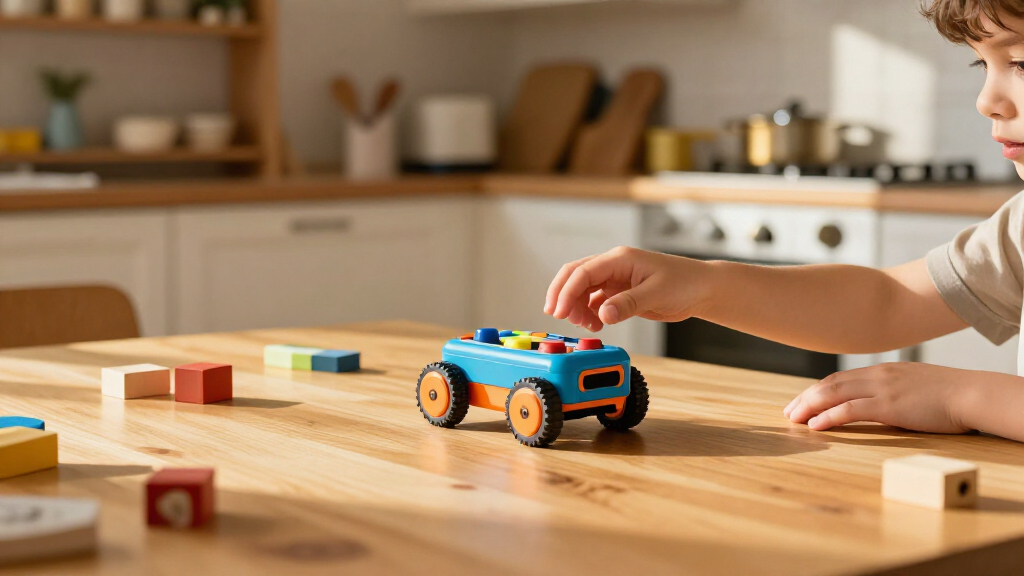
How We Picked
I ranked these educational coding robots for kids by how well their coding method fits the intended age and setting, how easy it is to start, and whether the activities leave room to learn beyond a first demonstration. I also weighed practical factors such as included mats or accessories, whether a product is intended for one child or a group, and how much setup or adult guidance its format may call for.
The order reflects learning range and everyday usability, not a single feature or the number of pieces in a box. Dash ranks highly as a flexible general-purpose option; screen-free choices such as Botley and Bee-Bot or Blue-Bot are strong when simplicity and physical sequencing matter most. Build-focused kits rank better for children who want an engineering project, while specialized pets and classroom bundles make more sense for narrower interests or group use. Since age labels and bundle contents do not tell the whole story, I call out who may benefit from each format and who may be better served by another pick.
Factors to Consider When Choosing Educational Coding Robots For Kids
Before choosing a robot, I would start with the kind of learning experience your child will actually repeat: pressing commands, solving a mat challenge, building a machine, or exploring through an app. The sections below focus on decisions that can matter more than a long feature list.
Match the coding method to your child’s starting point
A robot controlled by buttons can make cause and effect visible: children enter a sequence, run it, and see where the robot goes. That format can be a comfortable first step, but it may feel limited to a child already eager to experiment with more elaborate commands. App-based coding may offer a wider activity path, though it adds a device and an interface to learn alongside the robot. Buildable kits add another layer, since children must connect physical construction with programming. Avoid choosing by age label alone; think about whether your child likes following a short prompt or inventing their own challenge.
Check the full device and setup requirements
A robot that relies on a tablet or phone is only convenient if a compatible device is available when the child wants to play. Before buying, check the maker’s current device compatibility, app requirements, and connection method rather than assuming an older tablet will work. Screen-free models avoid that dependency, but they still benefit from a clear play area and an adult who can help introduce the command system. For a gift, this distinction can prevent a box from sitting unused because a separate device or setup step was overlooked. Decide whether you want a standalone activity or are comfortable adding a digital component.
Think about where the robot will be used
Mat-based robots need enough open floor or table space for the robot and its activity surface, and repeated play can be easier when the mat stays set up. A compact, self-contained activity may fit home use better than a multi-robot classroom bundle. Group settings create different needs: several children may benefit from shared mats, clear turn-taking, and charging or storage arrangements. Buying a large bundle for a single child can add pieces without adding much learning value. Measure the available play area and consider storage before prioritizing the number of accessories.
Decide whether building is part of the goal
Some children want to program a robot that is ready to go; others are motivated by assembling one first. A construction kit can connect mechanical choices with coding, but it also asks for patience, fine-motor effort, and time before the first program runs. For a child who mainly wants quick coding challenges, assembly may feel like an obstacle rather than a bonus. For a child who likes making and modifying projects, the build process can be a meaningful part of the activity. If you are unsure, favor a format that gets to a first success quickly, then add a build-focused kit later.
Look for a useful next step, not just a first activity
A beginner-friendly robot should offer an easy first win, but a child may outgrow a fixed set of commands if every activity feels the same. Look for a natural progression, such as moving from following a route to correcting mistakes or designing a route independently. More advanced options can offer extra depth, yet complexity only helps when the child is ready to use it. Families with siblings at different ages may prefer a robot with activities that can be adjusted, while a narrowly focused kit can be a better match for one strong interest. Ask what the child could try after mastering the first few challenges.
Compare bundle contents with your real use
Bundles can include mats, accessories, multiple robots, or charging equipment, but more components do not automatically mean a better learning experience. For a classroom or club, shared materials may support stations and group lessons; at home, a smaller set may be easier to store and use regularly. Check whether the included activity pieces match the kinds of challenges your child enjoys, rather than treating every extra as useful by default. Also think about maintenance: multiple units call for more organized storage and charging. Choose a bundle because its contents solve a real use case, not simply because it is the largest configuration.
Frequently Asked Questions
Should I choose a screen-free robot or one that uses an app?
Choose screen-free if you want a direct, physical introduction to sequencing or need an activity that does not depend on a phone or tablet. An app-connected robot may offer more varied activities and a wider path for experimenting, but it brings device compatibility and setup into the decision. Neither format is automatically better for learning; the fit depends on how your child responds to instructions and digital interfaces. Check the specific app and device requirements before buying. If this is a first robot for a young child, a simple control method can reduce competing demands.
Is a classroom bundle a sensible choice for one child at home?
It can be, if you have siblings, plan group activities, or know that the included mats and charging setup will get regular use. Otherwise, multiple units may take up storage space without changing what one child can learn. A single robot can be enough for practicing sequencing, testing routes, and revising commands. Compare the bundle’s actual contents with your available play area and how many children will use it at once. For home use, a smaller setup often makes it easier to get started and put everything away.
When does a buildable coding robot make more sense than a ready-to-use robot?
A buildable kit is a better fit when the child enjoys construction and wants to see how a robot’s physical parts relate to its behavior. It can make an engineering project part of the coding experience, but the assembly stage may delay the first programming activity. A ready-to-use robot is often a smoother choice for children who want to start directing a robot right away. Consider the child’s tolerance for instructions, small parts, and troubleshooting, not just their interest in technology. If the build itself sounds like the main attraction, a construction kit is more likely to hold attention.
How can I tell if a robot will still interest my child after the first few sessions?
Look for more than a set of introductory commands: consider whether the child can change challenges, create routes, test a solution, and fix errors. A robot with a clear next step is more likely to remain useful as basic sequencing becomes familiar. Match that progression to the child’s current interests, since open-ended programming may be less appealing than a defined activity mat for some learners. Read what activities and accessories are included, and check whether additional materials or a compatible device are needed to extend play. A good fit is one that invites repetition without requiring a large new setup.
What should I check before buying a robot that uses a phone or tablet?
Check the manufacturer’s current compatibility information for the device’s operating system and model, plus any app or connection requirements. Do not assume that a robot works with every tablet or that an app will remain available on older devices. Confirm whether the child can use the interface independently or will need help signing in and getting connected. Also think about whether screen use fits your family’s preferred activity style. If device access is uncertain, a screen-free model avoids that dependency.
Conclusion
For most families seeking one versatile starting point, I recommend Wonder Workshop Dash as best overall, with Botley 2.0 as best for beginners who want screen-free command practice. For value, I would look first at single-robot options with the activities your child will use rather than paying for a classroom-scale bundle; the right choice depends on the included materials and your setting. Makeblock mBot is my best premium-style pick for hands-on building and deeper projects, while TaleBot Pro is a more age-focused option for preschoolers. Choose Bee-Bot or Blue-Bot bundles for classrooms and group learning, Mech-5 for an older child who enjoys construction, or the Coding Chameleon kit for a child drawn to themed projects. The best match is the one whose coding style, setup, and next-step activities suit the child and space you have.
Fall Picks
fall essentials
As an affiliate, we earn on qualifying purchases.